
This article contains affiliate links. We may earn a commission from qualifying purchases.
Some content on this site is AI-assisted and reviewed by our editorial team.
Our kitchen was where the day went to die. The microwave clock became the family truth-teller: 6:47 and someone is still cutting onions, 7:15 and the sauce burned because someone walked away “for two minutes,” and the coffee — the coffee is an entire paragraph of its own failures. We don’t have a smart home. What we have now is a kitchen that quietly runs itself through the afternoon rush, and it cost about $330 all-in, most of it in pieces smaller than a coffee mug.
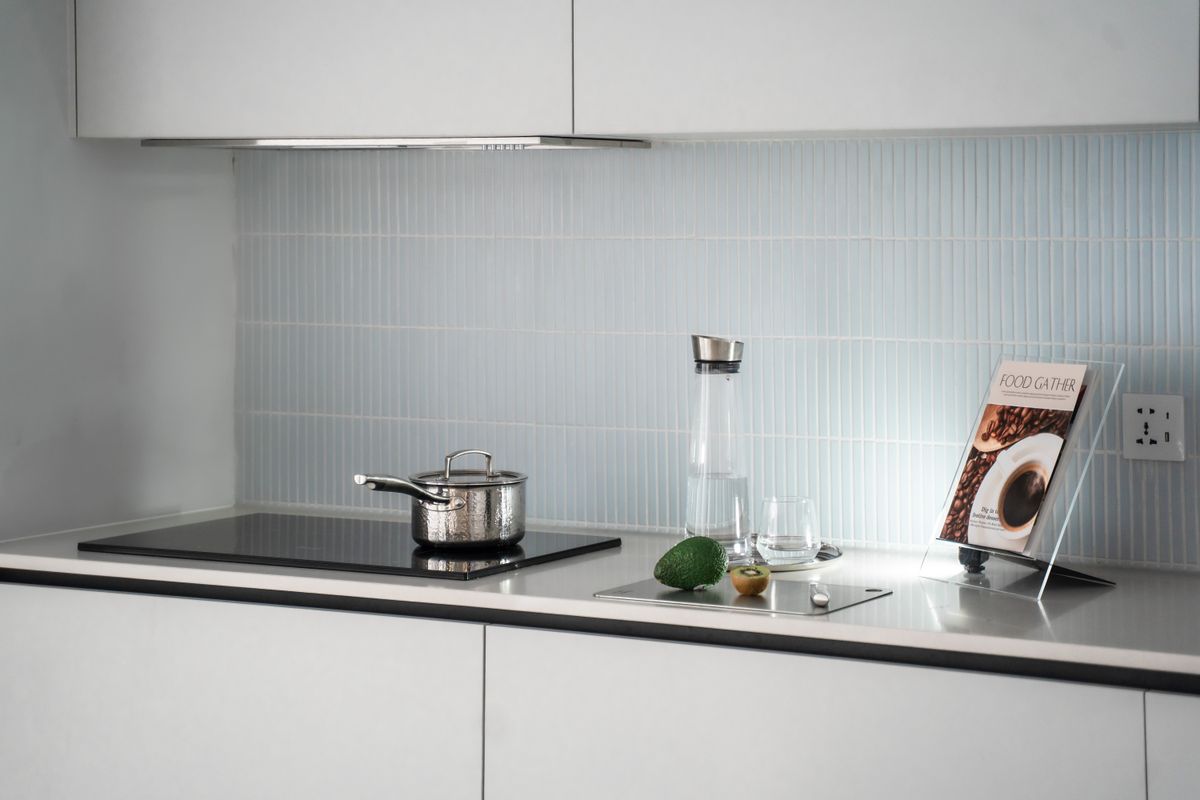
A smart display for timers, a smart plug that starts the coffee at 5:50, a bulb that turns cooktop-side light into “hands wet” mode, a camera that watches the stove, and one hub-adjacent trick that ties my existing bulbs and speaker into one dinner announcement. Renter-friendly, zero rewiring, every piece movable to the next apartment. Here’s what earns its counter space.
Amazon Echo Show 5 — The Kitchen Timer That Replaces Six Timers
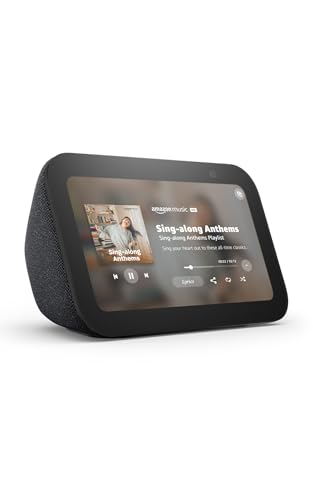
Every serious cook I know runs three timers at once — pasta, sauce, the thing in the oven nobody remembers until the smoke alarm. The Echo Show 5 ends the juggling: named timers you set by voice (“Alexa, pasta timer 9 minutes”), visible side by side with independent countdowns, plus a camera-shy 5.5-inch screen for a recipe glance without floury fingerprints on your phone. It lists at about $100 and it’s a constant Prime-event regular — I’ve watched it dip dozens of dollars during sale weeks, so check today’s button before assuming list. The built-in speaker handles dinner-playlist duty, and its routines feature is the quiet star — more on that below.
The honest cons: the 2 MP camera is mediocre for video calls (fine for “is the baby monitor feed on,” not for impressing grandparents), and Alexa’s recipe skill library is hit or miss — I use it for timing, not cooking school. My take: the single best kitchen upgrade in this list, and the one visitors ask about.
Kasa Smart Plug (EP10 4-Pack) — The $30 Automation Multiplier
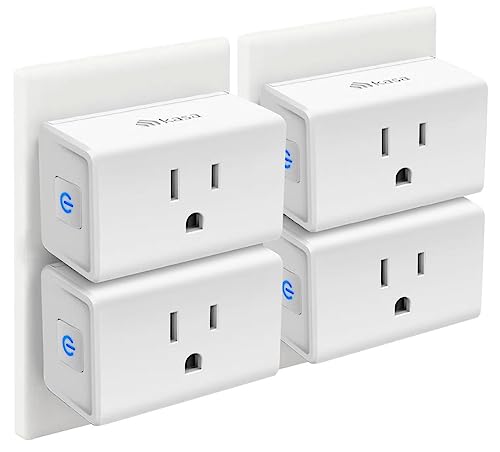
A Kasa Smart Plug 4-pack is the highest-leverage $30 in home automation, and the kitchen is where that leverage compounds: one plug on the coffee maker with a morning schedule (“coffee, 5:50 AM, off at 6:50” — no more mid-morning “did I turn it off” spiral), one on the kettle, one on the under-cabinet string lights, one held in reserve for the slow cooker. The Kasa app schedules locally (no cloud round-trip when your internet stutters), each plug handles 15 amps — enough for any kitchen appliance short of an oven — and setup is two minutes per plug on 2.4 GHz Wi-Fi, no hub, no electrician, no landlord conversation. About $30 the four-pack, around $7.50 per plug.
The honest cons: plugs are chunky — two side-by-side in a duplex outlet means the second outlet is basically decorative (their mini series is slimmer if that matters), and 2.4 GHz-only matters if your router bands are split and the kitchen is at the far end of the house. My take: buy the 4-pack, not singles; the fourth plug always finds a job.
Kasa Smart Bulb — Cooktop Light Without Hands
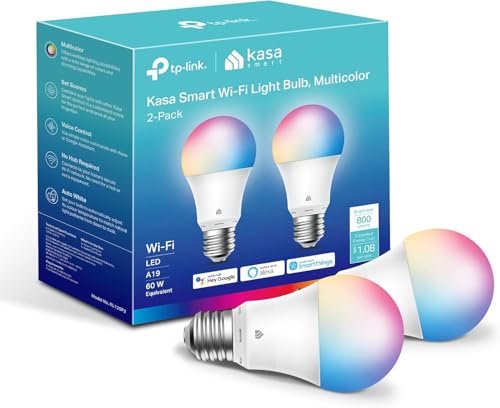
Raw chicken hands are the enemy of the wall switch. A Kasa Smart Bulb 2-pack over the sink and stove turns “wash and chop” lighting into voice or schedule: dim warm at dawn for coffee, full bright the moment cooking starts, off when the kitchen’s been still for a while. Kasa’s app schedules locally, dimming goes down to a usable 1%, and at about $20 for two, this is the cheapest “smart kitchen” visible-glow proof-of-concept there is — guests see the kitchen respond, and suddenly they’re asking about everything else.
The honest cons: 800 lumens each is fine singly but won’t outrun a dark galley kitchen if that’s your only light, and there’s the classic smart-bulb gotcha — someone flips the wall switch off and the bulb goes dumb until it’s flipped back. In-wall smart switches avoid that but involve wiring; plugs don’t. My take: the bulbs are the starter move; one day I’ll swap the high-traffic spots to Kasa’s in-wall dimmer and inherit these into lamps.
Blink Outdoor 4 — The Stove-Watcher
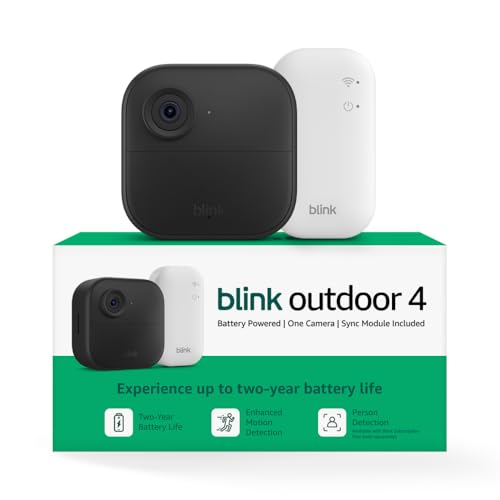
This is the one that sounds paranoid until the day it matters. A Blink Outdoor 4 on the shelf facing the range answers the 9 PM question — “did the burner go off?” — from the driveway. Two-AA lithium batteries run about two years, mounting is a single screw, and single cameras run about $35 to $45 at this writing, and the footage is local-first via the included Sync Module 2 with a USB drive, no wall warts, no wiring. Motion clips arrive in the same Alexa ecosystem as the Show — “Alexa, show me the kitchen” on the Show 5 and you’re looking at your own stove. The honest sub-note: live view and clip-cloud backup lean on Blink’s basic plan ($30/year after the first year) for cloud storage and person-detection — local storage to the USB drive in the Sync Module sidesteps the subscription for basic clips, which is the honest setup at this price point.
The honest cons: its motion detection in a kitchen is tuned for “human at a perimeter,” so a cat on the counter will set it off but a pot boiling over won’t trigger anything special — this is a check-the-stove camera, not a smoke detector. For actual fire detection, that’s the smart fire-safety devices category, which we covered in depth this morning. My take: worth it for the burn-sauce peace of mind alone; the package-porch duty it does afterward is a bonus.
One Free Move: Routines Beat New Gear
The highest-value kitchen automation cost me nothing: a Show 5 routine called “Dinner.” At 5:30 PM the kitchen bulb shifts warm, the Show fades in the dinner playlist, and — the part that actually changed our evenings — if there’s a named timer running in the past 10 minutes, Alexa announces “Timers active — dinner’s being watched” to the whole house through the speaker. Teenagers emerge without being called. Three of the four devices above already talk to each other (Kasa, Blink, and Echo all live in the Alexa app), so the glue is free and takes about five minutes.
What Actually Saves Money (And What Doesn’t)
- Timers prevent the $40 discard. Burned pans, abandoned dough, and “we’ll just order pizza” after a ruined dinner — a visible timer bank quietly deletes one ruined-meal a month for most households. The Show 5 pays for itself in saved groceries twice a year.
- Coffee schedule saves the “didn’t turn it off” spiral. Not a dollar figure you can bank, but the anxiety delete is real — the plug schedule is the feature people use years later.
- The subscription you don’t need. Blink cloud storage at $30/year is optional when the Sync Module’s USB local storage is present. Set that up first and the ongoing cost is literally zero.
- What doesn’t save money: the smart fridge. The $2,000+ touchscreen door that tells you the milk is out is the kitchen’s least honest purchase. Our $330 shelf of gear does more than the fridge’s own screen, and it moves apartments with us.
Beginner Mistakes
- Buying gear before picking the routine. Our first “smart kitchen” was three orphan gadgets and three apps. Write the one automation that would change your evening (usually: coffee schedule, timer bank, dinner announcement) and buy to that list.
- Splitting brands before checking the Alexa app. Kasa, Blink, and Echo all natively live in one app; a random fourth brand often means another app — and routines can’t reach it.
- 2.4 GHz-only assumptions. Kasa and Blink are 2.4 GHz devices. If your router separates bands (“MyHouse-5G” and “MyHouse”), the setup fails silently — connect on the 2.4 band first, then everything just works.
- Camera in the wrong spot. Face the range from an angle, not dead-on over the sink, or steam from the dishwasher fogs the lens daily.
The Annual Savings Math
- Ruined meals avoided: one $40 discard a month becomes one every other month — roughly $240/year, which is the whole hardware rack in saved groceries.
- Takeout impulse after a dinner failure: about $65 a month for our family of four — even halving it through reliable timers and the dinner routine is ~$390/year.
- Ongoing fees: $0 if the Sync Module stores locally. The whole setup amortizes to nothing in year one and keeps paying.
Deeper dives on the pieces: Echo whole-home audio on a budget if you want the music side of the kitchen system, and video doorbells compared on 4-year cost if the Blink subscription math makes you want the full family-tree version (that one is the honest deep dive on who really needs a plan)
CleverHomeClub is reader-supported. As an Amazon Associate, I earn from qualifying purchases. That means if you buy through one of the links above, I get a small commission at no extra cost to you. I only recommend devices I’d run in my own home.
🏠 Get Your Free Smart Home Setup Checklist
Join our newsletter and get this free printable plus weekly tips.
Frequently Asked Questions
Do I need a hub for any of this?
No. The Echo Show, Kasa plugs and bulbs, and Blink all connect directly to 2.4 GHz Wi-Fi and live in the Alexa app — no hub required.
Will my landlord care about any of this?
Nothing here is wired: you are swapping light bulbs and plugging in outlets. Everything moves out with you.
What is the cheapest useful first step?
One Kasa smart plug on the coffee maker with a morning schedule, about 8 dollars — the highest daily-use automation per dollar in the house.
Price Check
Prices verified via our product tracker. Updated Sep 27.
| Amazon.com: Amazon Echo Show 5 (newest model), Smart displ | $99.99 | 4.2★ (72,396) |
| Kasa Smart Plug Ultra Mini 15A, EP10P4, Smart Home Wi-Fi O | $29.99 | 4.5★ (40,660) |
| Kasa Smart Light Bulbs, Full Color Changing Dimmable Smart | $19.99 | 4.5★ (16,771) |
| Amazon.com: Blink Outdoor 4 – Wireless smart security came | $35.00 | 4.1★ (34,875) |
As an Amazon Associate we earn from qualifying purchases.