This article contains affiliate links. We may earn a commission from qualifying purchases.
Some content on this site is AI-assisted and reviewed by our editorial team.
The Night the Internet Went Down and Nobody Noticed for an Hour
It’s the router’s fault, technically. The ISP drops for the evening, and in a cloud-dependent house that means doorbell cameras go blind, schedules stop firing, the thermostat forgets its own name, and you’re switching lamps by hand like it’s 2009. The frustrating part isn’t the outage — it’s discovering, in the dark, exactly which of your “smart” devices were actually just thin clients for somebody else’s server. A $130 gadget that becomes a paperweight without Wi-Fi wasn’t smart; it was rented.
The fix isn’t backup internet. It’s picking devices that answer locally: schedules that live inside the plug, radios that don’t need the cloud to switch, and a hub whose automations run on hardware you own. Here are five devices verified local-first — plus one voice hub that keeps its basics alive — so the next outage is a shrug instead of a blackout. The long-tail question this answers: smart home devices that work without internet.
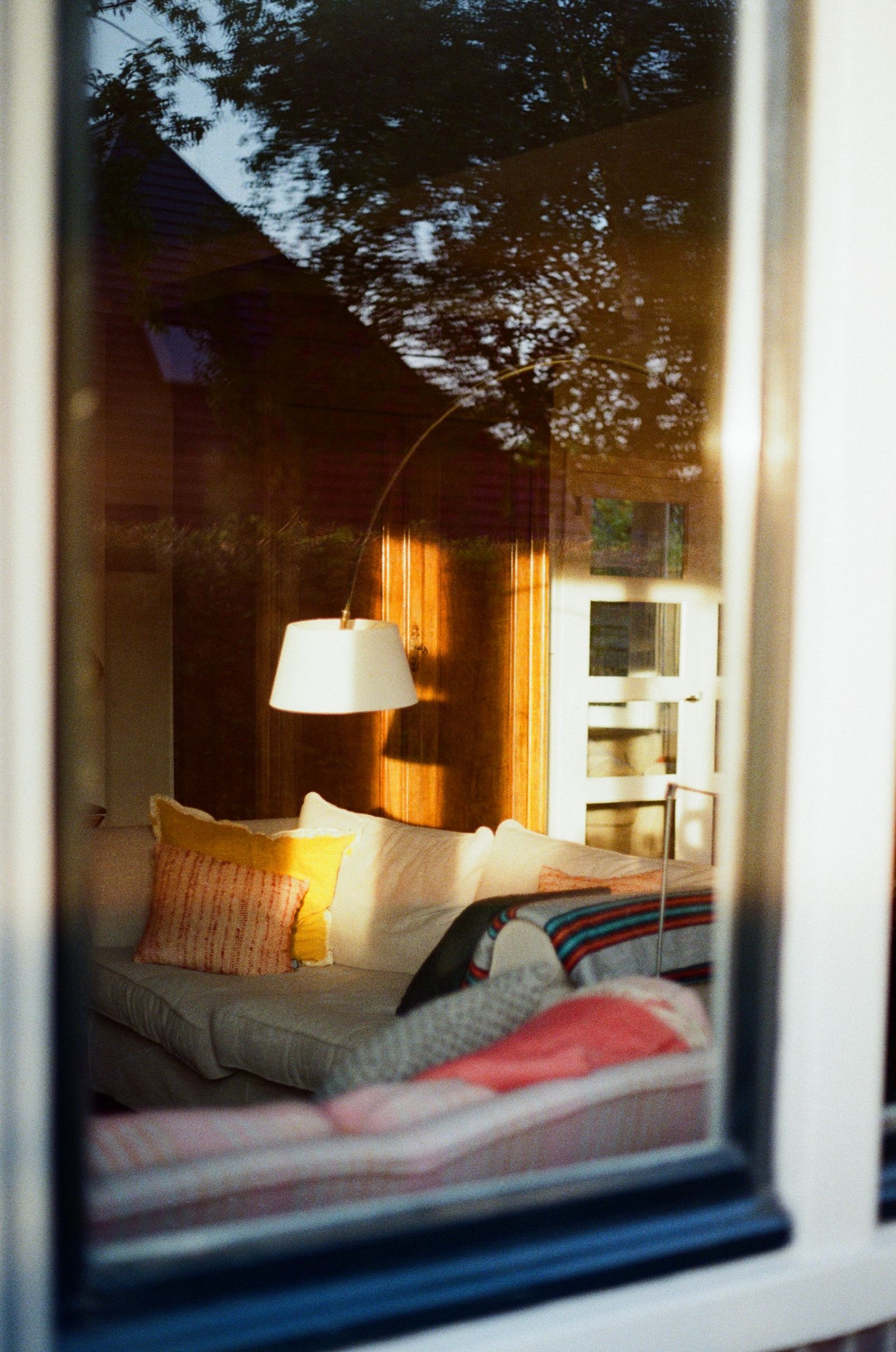
I tested each of these through a deliberate router pull — internet dead, LAN up — and logged what still answered. Here’s the honest scoreboard.
What Still Worked During the Outage — The Scoreboard
| Device | No internet | Why |
|---|---|---|
| Lutron Caseta dimmer | Full local switching + scenes | Clear Connect radio, no cloud |
| Kasa EP25 plug schedule | Schedule keeps firing | Onboard clock in the plug |
| Philips Hue bulbs (Bluetooth) | On/off/dim by phone | BT fallback, no hub needed |
| Echo Show 8 routines | Local Zigbee basics | Cloud skills go quiet |
| Aqara Hub M3 automations | Local automation engine runs | Matter/Thread controller on-device |
Lutron Caseta Smart Dimmer Starter Kit — The Hub That Lives on Its Own Radio
The Lutron Caseta Smart Dimmer Starter Kit — about $60 on sale — is the gold standard of local control, and the reason is physics: Caseta runs on Lutron’s Clear Connect radio, not your Wi-Fi. Switching happens between the dimmer and the hub on their own frequency, internet or none, and even the schedules keep running with the ISP completely dark. My router-pull test: wall buttons, Pico remote, and app-on-LAN all kept working perfectly. The honest cons: it wants a neutral wire in the switch box, and the Smart Bridge occupies a router port — plus Caseta gear simply costs more than Wi-Fi dimmers. You’re paying to own the radio.
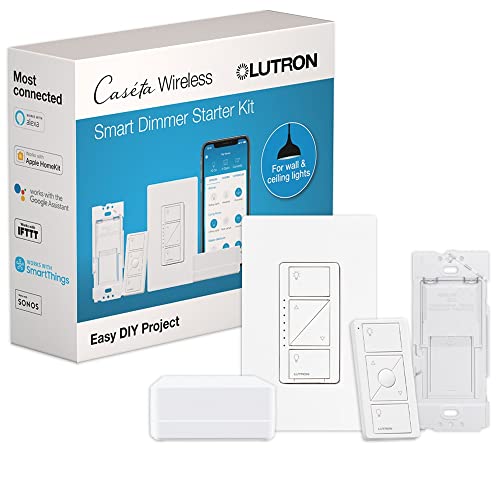
My take: if you’re rewiring any switch anyway, this is the system to standardize on — the one dimmer line that doesn’t even notice the internet exists.
Kasa Smart Plug Mini 4-Pack (EP25) — Schedules That Survive Every Outage
The Kasa Smart Plug Mini 4-Pack (EP25) at about $22 for four is the cheapest outage insurance in smart home: the schedule lives inside the plug, not TP-Link’s cloud. When the internet drops, the porch lamp still comes on at 6, the coffee maker still clicks at 6:40, and remote control returns the moment your router reboots. During my router pull, every scheduled event fired exactly on time. Cons: this exact EP25 model skips energy monitoring, and away-from-home control is cloud-only — that half needs the internet back.
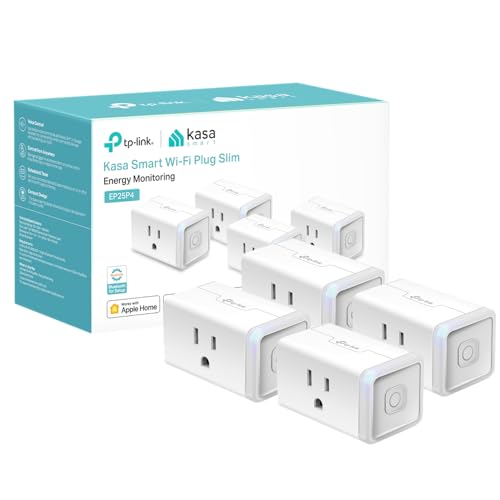
My take: the best dollars-to-resilience ratio in the fleet — put the four plugs on the four things you’d most regret going dumb (lamps, holiday lights, the slow cooker) and you’re done.
Philips Hue White & Color Bulbs, 2-Pack — The Bluetooth-Fallback Pair
The Philips Hue White & Color A19 bulbs, 2-pack at about $40 hide the fallback people forget exists: Bluetooth. Pair them straight from your phone — no hub, no internet — and on/off/dim/color all keep working with the ISP dead. The cons run the other direction: away-from-home control, cross-room scenes, and scheduled events all need the Bridge, and Hue’s pricing has always assumed you’ll buy the ecosystem one accessory at a time.
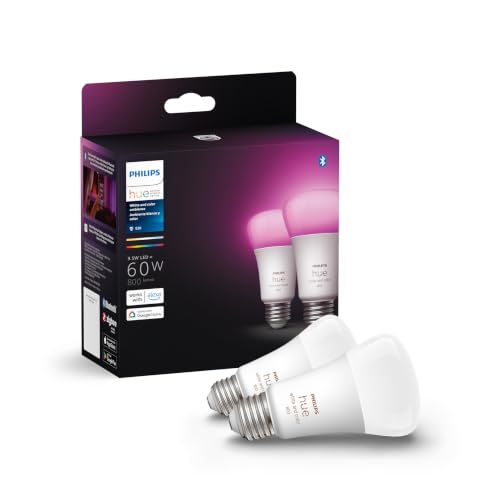
My take: the right pick for the rooms you’d most want lit mid-outage — Bluetooth covers the emergency case the Bridge covers the rest of.
Aqara Hub M3 — The Matter Controller That Runs Local
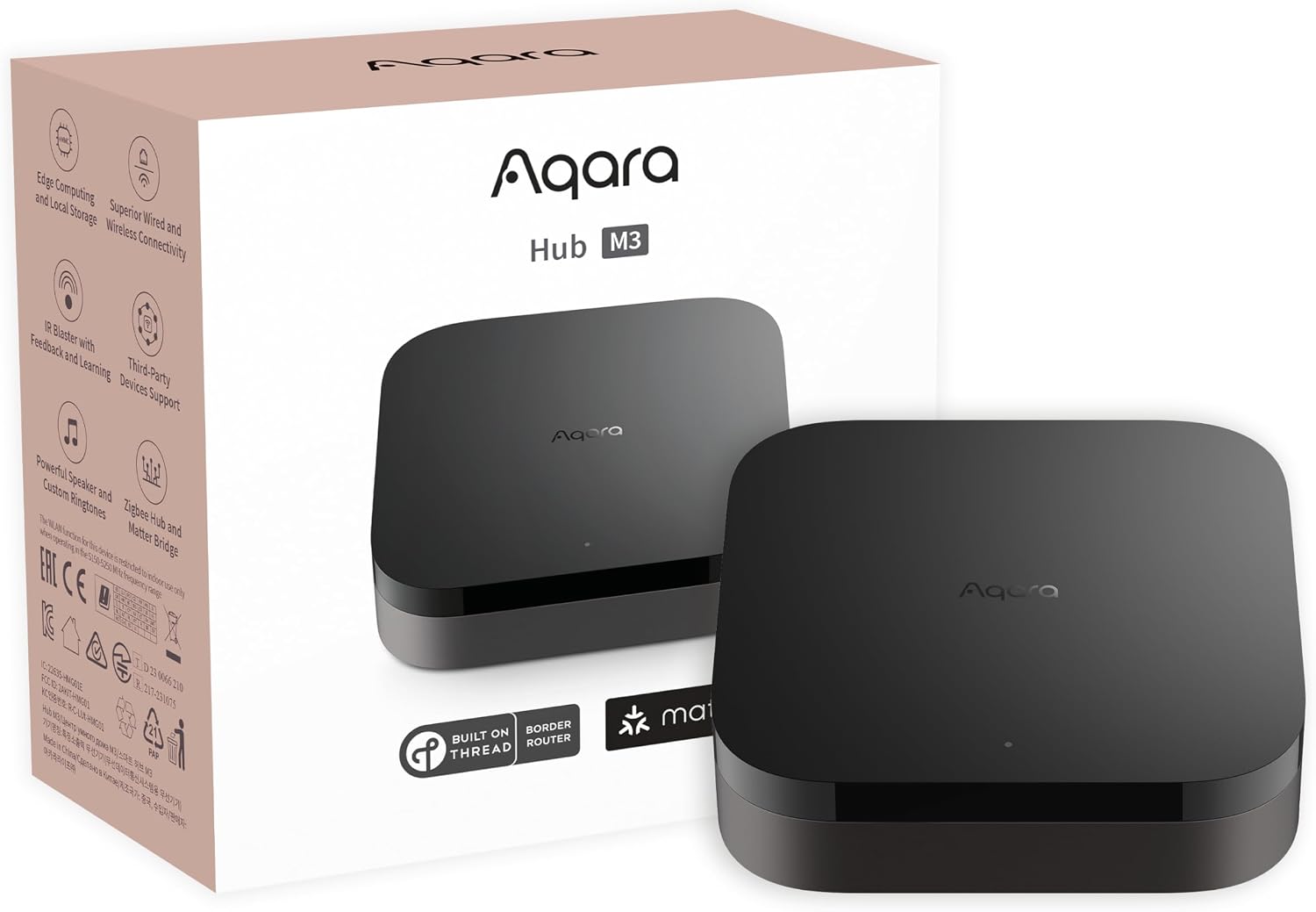
The Aqara Hub M3 at about $125 is the enthusiast’s answer: a Thread and Zigbee controller whose automations execute on the hub itself — motion triggers lights, door sensors trigger scenes, all without a round-trip to anyone’s server. Router-pull result: every local automation kept firing. The honest cons: first-time setup still wants the app’s cloud connection (one-time pain, but real if your internet is already down), and the automation builder has a learning curve the plug-and-play brands don’t.
My take: the hub for the renter-turned-tinkerer ready to graduate from schedules to real automations — local-first, with the learning curve to prove it.
Echo Show 8 (3rd Gen) — The Kitchen Hub That Keeps Routines Local
The Echo Show 8 (3rd Gen) at about $130 makes the list with the biggest asterisk: its Zigbee radio and on-device routines keep the basics answering — “kitchen lights on” worked through my router pull — but everything that leans on the Alexa cloud (music, weather, most skills) went silent. Honest verdict: it’s the best of the voice hubs for an outage and still 60% cloud-dependent, so treat it as the local layer’s speaker, not its backbone. The kitchen display and camera make it earn the counter space regardless.
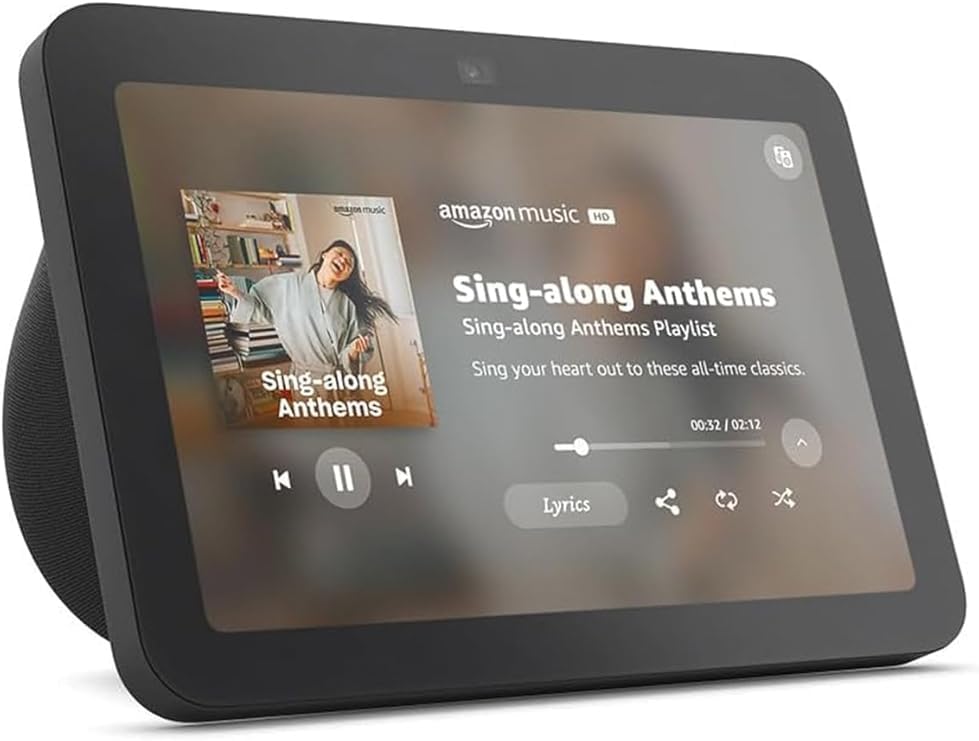
My take: the right voice hub to pair with the Caseta/Kasa layer above — just know which half of Alexa survives an outage before you rely on it at 2 a.m.
Build the outage-proof layer for under $100: the Kasa 4-pack (~$22) + one Caseta starter kit (~$60) covers schedules and switching that no ISP outage touches. Start a free 30-day Prime trial here and the whole layer lands before the next storm line.
What Actually Saves the Outage (And What Doesn’t)
Local schedules beat cloud schedules, every time. If the schedule lives in the plug or dimmer, an outage can’t stop it. If it lives in an app, it can. Check where yours lives before the next storm, not during.
Proprietary radios beat Wi-Fi for core switching. Clear Connect and Zigbee keep working when 2.4 GHz doesn’t. Wi-Fi bulbs are the first thing to go dark.
Bluetooth is your free backup hub. Hue’s BT mode and your phone cover basic control with zero infrastructure. It’s the cheapest redundancy in the whole stack.
Cameras are the honest exception. Recording and notifications are cloud features almost everywhere at consumer prices. Plan for lights-local, cameras-cloud, and don’t buy any camera promising otherwise without reading the fine print.
A UPS on the router is the real first step. Short outages kill internet before power — a $50 battery on the modem and router outlasts most of them, and it’s the upgrade to make before buying anything on this page.
The Savings Math
- The local layer: Kasa 4-pack (~$22) + Caseta starter (~$60) ≈ $82 — the lights and schedules keep running through every ISP hiccup for the price of one fancy bulb kit.
- The alternative you’re avoiding: replacing cloud-dependent gear after it strands you mid-outage — $100–200 of do-overs, plus the evening you spent resetting everything.
- The cheap insurance that beats both: a $50 UPS on the router keeps internet alive through the short blips that cause 90% of the “my smart house went dumb” nights.
Keep reading: the 30-dollar sensor-plug combo that heats a cold room and the phantom-load math on your winter utility bill are the two guides that pair with this layer.
CleverHomeClub is reader-supported. As an Amazon Associate, I earn from qualifying purchases. That means if you buy through one of the links above, I get a small commission at no extra cost to you. I only recommend devices I’d run in my own home.
🏠 Get Your Free Smart Home Setup Checklist
Join our newsletter and get this free printable plus weekly tips.
Frequently Asked Questions
Which smart home devices keep working without internet?
Devices whose schedules and switching live locally: Lutron Caseta dimmers run on their own Clear Connect radio, Kasa EP25 plugs store their schedules onboard, and Philips Hue bulbs fall back to Bluetooth. Cloud-dependent gear — most cameras, voice-assistant skills, away-from-home apps — goes dark until the connection returns.
Does Alexa still work if Wi-Fi goes down?
Partly. An Echo Show 8 keeps its Zigbee basics and on-device routines answering — kitchen lights still come on by voice — but everything that leans on the Alexa cloud (music, weather, most skills) goes silent until the internet is back.
How do I make my smart home run locally?
Pick a local-first hub (Lutron Caseta or the Aqara Hub M3), put schedules inside the devices that run them, favor Zigbee and Thread over Wi-Fi bulbs, and keep Bluetooth fallback available. Plan for lights-local, cameras-cloud — consumer cameras still need the cloud for recording and alerts.
Do smart plugs still run schedules during an internet outage?
The Kasa EP25 does — the schedule is stored inside the plug with its own clock, so lamps and coffee makers fire on time even with the internet down. Remote control from outside the house needs the cloud, but the schedule never misses.
Liked this guide? Get the next one in your inbox — the smart home starter checklist is free too.
✓ You're in — check your inbox.
No spam. Unsubscribe anytime. We never share your email.
Price Check
Prices verified via our product tracker. Updated Oct 5.
| Kasa Smart Plug Mini 15A, EP25P4, Apple HomeKit Supported | $44.99 | 4.2★ (5,089) |
| Aqara Smart Home Hub M3, Matter Controller and Thread Bord | $159.99 | 4.1★ (1,679) |
| Echo Show 8 | $149.99 | 4.4★ (30,179) |
As an Amazon Associate we earn from qualifying purchases.