
This article contains affiliate links. We may earn a commission from qualifying purchases.
Some content on this site is AI-assisted and reviewed by our editorial team.
Temperature sensors are cheap — 15 to 30 dollars each. But a cheap sensor in the wrong spot is worse than no sensor at all. It tells your thermostat the living room is 78 degrees when it’s actually 72, and your AC runs longer than it needs to. Or it says the bedroom is 68 when it’s 62, and you wake up cold.

Accurate sensor placement is the difference between smart home automations that work and ones that fight you. Here’s where to put temperature sensors in every room — and where not to.
The Basic Rules
Before getting room-specific, these rules apply everywhere:
- Height: 4 to 5 feet off the floor — Temperature stratifies. The floor is cooler than the ceiling. The “comfort zone” where people actually live is 4 to 5 feet up. Mount sensors at this height for representative readings.
- Away from vents and registers — An HVAC vent blows conditioned air directly. A sensor within 3 feet of a vent reads what the HVAC is outputting, not the room’s actual temperature. Place sensors at least 6 feet from any vent or register.
- Away from windows — Windows create microclimates. Cold in winter (glass conducts cold), hot in summer (sunlight). A sensor near a window reads the window, not the room.
- Away from direct sunlight — Sunlight hitting a sensor heats the sensor itself, not the air around it. Even 10 minutes of direct sun can push a reading 5 to 10 degrees high. If the sensor gets sun at any time of day, move it.
- Away from appliances — Refrigerators, ovens, TVs, and computers generate heat. A sensor near the fridge reads “warm kitchen” even when the kitchen is comfortable.
- Interior walls preferred — Exterior walls are cooler in winter and warmer in summer than interior walls. Place sensors on interior walls for the most stable readings.
Room-by-Room Placement
Living Room
Place the sensor on an interior wall, away from the TV and any windows. The ideal spot is on a wall opposite the main seating area, about 5 feet up. If your thermostat is in the living room, a sensor across the room from it tells you if the thermostat’s location is representative of the whole room or just its corner.
Bedroom
Mount on the wall near the bed at about head height when you’re lying down (about 3 feet off the floor for a bed-level reading). This gives you the temperature you actually experience while sleeping, which is often different from the reading 5 feet up on the wall. Avoid placing it near the door (hallway air) or near the window (cold drafts).
Kitchen
The hardest room. Kitchens have wide temperature swings from cooking. Place the sensor far from the stove and fridge, on a wall that’s not near any appliance. Accept that kitchen readings will be variable and use them for trends, not precise automations. A better approach: use the kitchen sensor to detect when cooking has heated the room enough to temporarily adjust the HVAC.
Bathroom
Mount high (6+ feet) and away from the shower. Steam and hot water cause wild temperature and humidity spikes. A sensor at normal height near the shower will report 85+ degrees during a shower and 68 degrees 10 minutes later. Use the bathroom sensor for humidity monitoring (when to run the exhaust fan) rather than temperature control.
Home Office
Place near your desk at seated head height. Computer equipment generates heat. A sensor near your desk tells you the temperature you’re actually experiencing, which is often 2 to 4 degrees warmer than the rest of the room because of the computer’s heat output.
Basement
Place at the height where you spend time (standing head height if it’s a finished basement, lower if it’s a workshop). Basements tend to be stable in temperature but high in humidity. Pair the temperature sensor with a humidity reading to monitor for moisture problems.
Garage
Garages have extr
eme temperature swings. Place the sensor away from the garage door (which lets in outside air every time it opens) and away from any vehicles (which radiate heat after driving). The sensor is most useful for freeze warnings and for controlling garage heaters.
Best Temperature Sensors for Smart Homes
Aqara Temperature and Humidity Sensor
About 20 dollars. Zigbee, small, accurate to 0.1 degrees, 2-year battery life. The best all-around smart home temperature sensor. Works with Aqara Hub, SmartThings, and Home Assistant.
Govee Temperature Humidity Monitor
About 15 dollars. Wi-Fi with a display. Shows current readings on the device and sends data to the app. Best for people who want a display and don’t have a Zigbee hub. Slightly less accurate than Aqara but good enough for comfort automations.
RuuviTag
About 35 dollars. Bluetooth with excellent accuracy and long range. Best for environments where Wi-Fi and Zigbee don’t reach well (garages, sheds, crawl spaces). Also measures air pressure and movement. Works with Home Assistant via Bluetooth proxy.
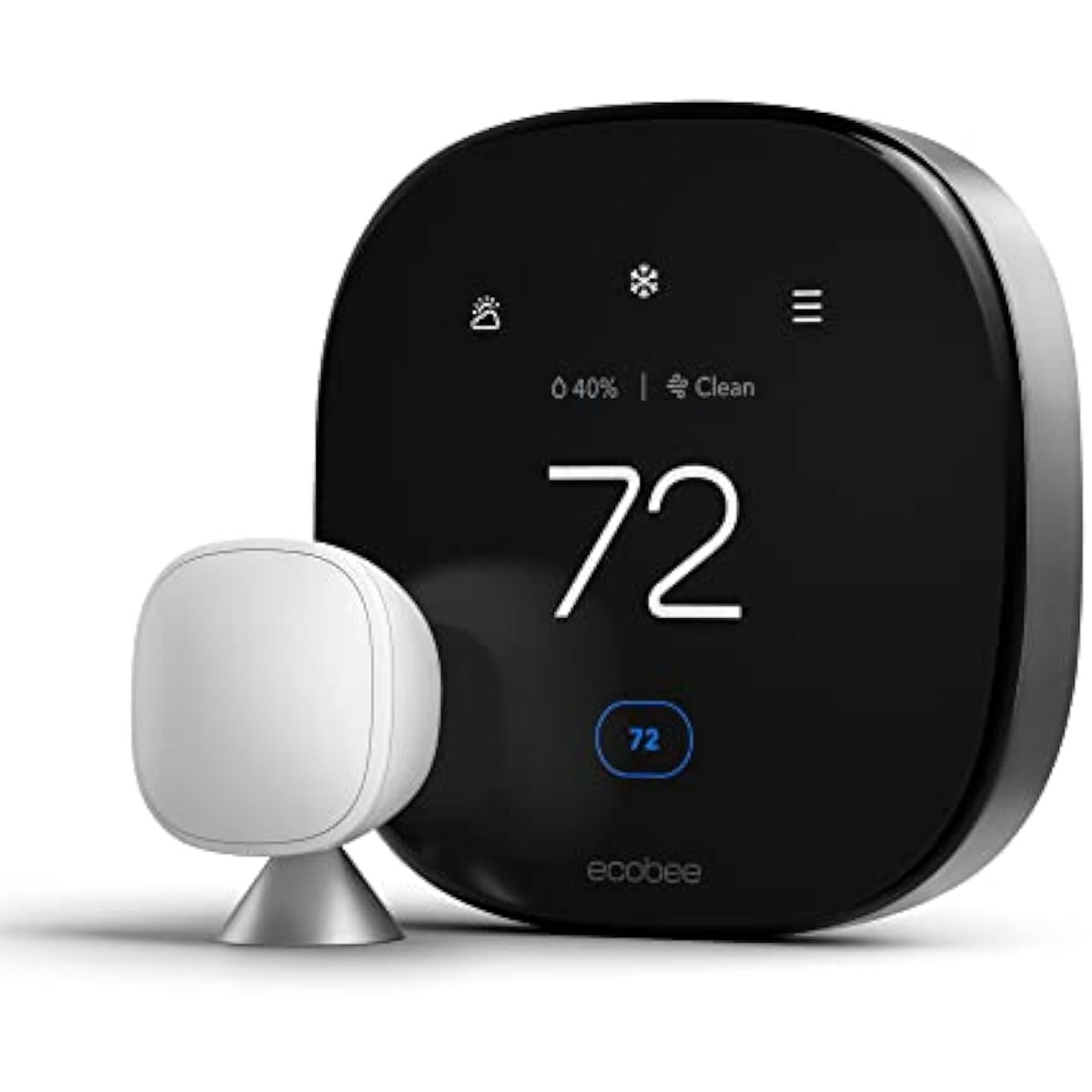
Ecobee SmartSensor
About 40 dollars for a 2-pack. Designed specifically for Ecobee thermostats. Has occupancy detection in addition to temperature. The occupancy feature lets your Ecobee focus heating and cooling on rooms where people actually are. Only works with Ecobee thermostats.
How to Use Sensor Data for Better Automations
Multi-Room Averaging
If you have sensors in multiple rooms, average their readings to get a whole-house temperature. This is more accurate than relying on a single thermostat location. Home Assistant and Ecobee both support multi-sensor averaging.
Room-by-Room Comfort Profiles
Different rooms need different temperatures. Bedrooms are comfortable at 66 to 68 degrees while sleeping. Living rooms at 70 to 72. Kitchens at 68 to 70 (cooking adds heat). Use per-room sensors to maintain different comfort profiles instead of one whole-house set point.
Drift Detection
If a room’s temperature drifts more than 3 degrees from the thermostat set point, something is wrong — a vent is closed, a window is open, or the HVAC isn’t reaching that room. Set an alert for drift detection to catch problems before they waste energy.
Bottom Line
Temperature sensor placement matters more than sensor quality. A 15 dollar Govee sensor in the right spot beats a 40 dollar Ecobee sensor in the wrong one. Follow the basic rules — 4 to 5 feet high, away from vents, windows, and appliances, on interior walls — and your readings will be accurate enough for reliable automations.
Start with sensors in the rooms where temperature matters most: bedrooms, living room, and home office. Add more as your budget allows. Every room you sensor makes your thermostat smarter and your comfort more consistent.
n
🏠 Get Your Free Smart Home Setup Checklist
Join our newsletter and get this free printable plus weekly tips.