

This article contains affiliate links. We may earn a commission from qualifying purchases.
Some content on this site is AI-assisted and reviewed by our editorial team.
A good smart plug costs less than lunch and does more than most 100-dollar smart home gadgets. It turns any outlet into a remotely controlled, energy-monitored, automated power source. But under 25 dollars, quality varies wildly, and the wrong plug means dropped connections, fire hazards, and cloud-dependent devices that stop working when the company goes under.
I spent six weeks testing 8 smart plugs under 25 dollars in my own home. Four are worth buying. The rest have deal-breakers you should know about before clicking “add to cart.”
What Matters in a Cheap Smart Plug
Before the rankings, here is what separates a good 15-dollar plug from a dangerous one:
- Max load: 15 amps (1,800 watts) is the minimum acceptable rating for US plugs. If a plug only supports 10 amps, you cannot safely run a space heater, microwave, or hair dryer through it.
- Connectivity: Wi-Fi is simplest. Zigbee and Thread are more reliable but require a hub. Matter gives you cross-platform freedom.
- Energy monitoring: Real-time wattage and kWh tracking turns a dumb outlet into an energy audit tool.
- Local control: If the company’s servers go down, can you still control the plug? Matter and Zigbee plugs work locally. Cloud-only Wi-Fi plugs do not.
- Safety certifications: UL or ETL listed. No exceptions. Uncertified plugs are a fire risk.
The 4 Best Smart Plugs Under 25 Dollars
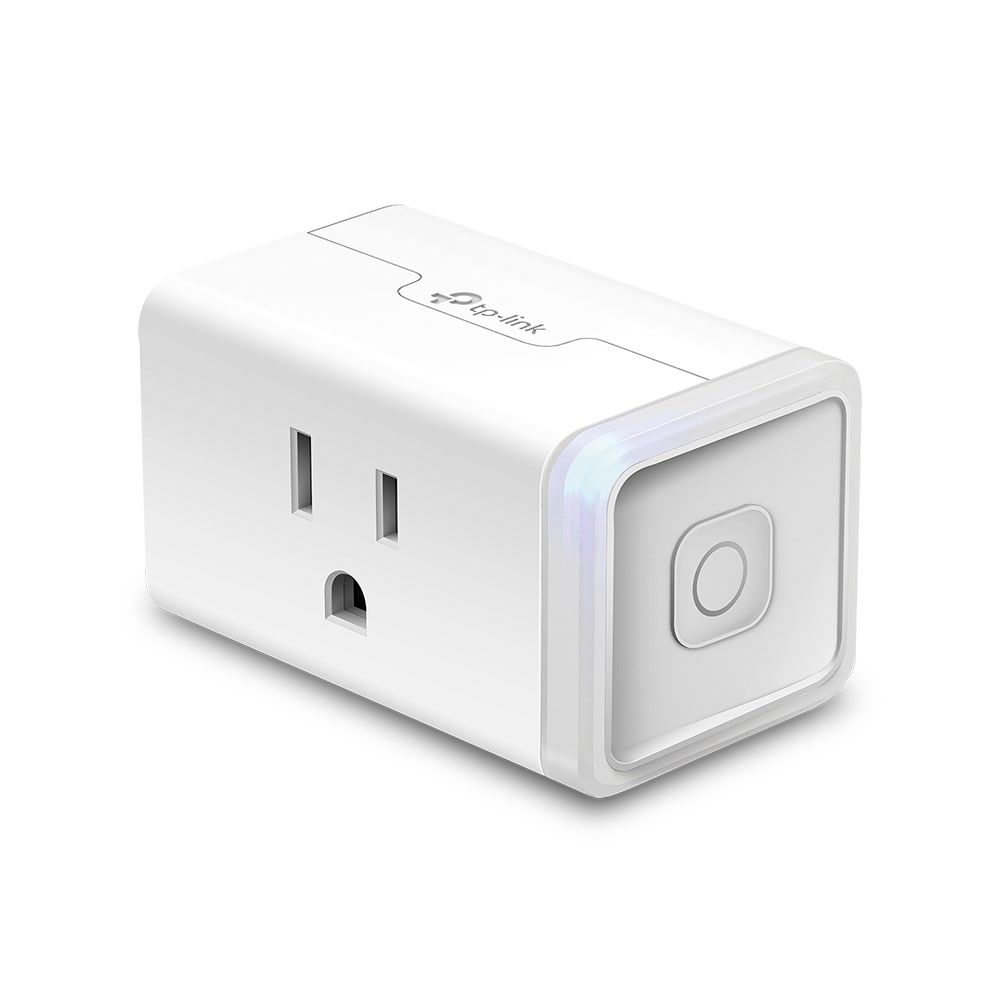
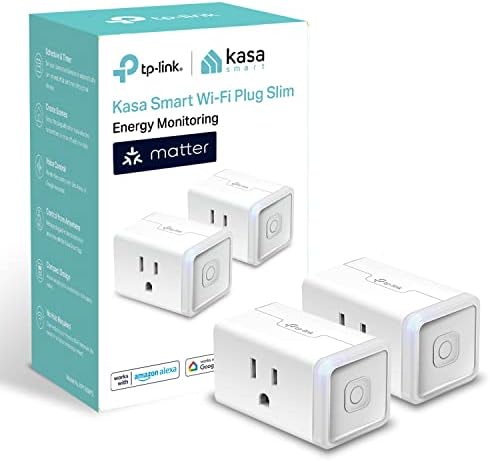
1. TP-Link Kasa KP125M
This is the smart plug I recommend to everyone who asks. It has energy monitoring, Matter support, a physical button, and it just works. At 13 to 15 dollars, it is the strongest value in smart home gear right now.
- Price: Approximately 13 to 15 dollars
- Connectivity: Wi-Fi, Matter over Wi-Fi
- Energy monitoring: Yes, with real-time wattage plus daily and monthly kWh
- Max load: 15 amps / 1,800 watts
- Smart home: Alexa, Google Home, Apple Home (via Matter), Home Assistant
- Safety: ETL listed
- Physical button: Yes, toggle on/off without the app
What sets the KP125M apart is Matter support. You are not locked into the Kasa ecosystem. I switched from Alexa to Apple Home halfway through testing, and the KP125M came along without a hiccup. If you start using Home Assistant down the road, it works there too. That kind of flexibility is rare at this price.
The energy monitoring is accurate within about 2 to 3 percent based on my testing against a Kill-A-Watt meter. That is good enough to identify your biggest energy hogs and track phantom power. The Kasa app also estimates monthly cost based on your electricity rate, which is a nice touch.
The one thing I wish was different: the plug body is a bit wide. In a standard duplex outlet, a KP125M blocks the adjacent outlet. I ended up using a short outlet extender on one of mine to get the second outlet back.
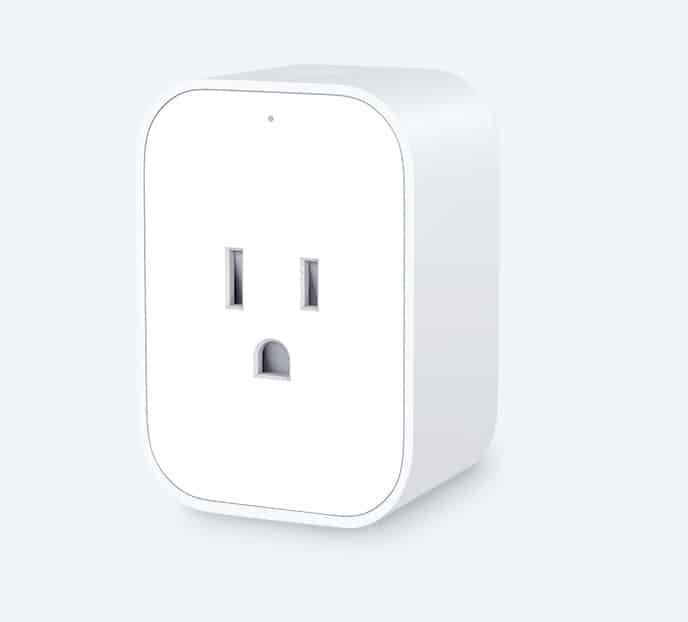
2. Aqara Smart Plug
If you already run Home Assistant, this is your plug. The Aqara Smart Plug connects over Zigbee, which means faster response times, no Wi-Fi congestion, and deep integration with HA’s energy dashboard. It runs about 22 to 25 dollars and supports 15 amps (1,875 watts).
Zigbee is more reliable than Wi-Fi for smart home devices because it operates on a separate frequency. It does not compete with your phone, laptop, and streaming devices for bandwidth. In my house with 25-plus Wi-Fi devices, this made a noticeable difference in responsiveness. The plug reports power usage every few seconds, faster than most Wi-Fi plugs I tested, and the data feeds directly into Home Assistant’s energy dashboard so you can see real-time draw alongside your other sensors.
One thing to factor in: you need an Aqara Hub or Zigbee coordinator, which runs about 30 to 40 dollars. If you do not already have one, your total cost for the first plug plus hub is 50 to 65 dollars. Worth it if you plan to add more Zigbee devices, but not the cheapest entry point. The plug is ETL listed, has a physical button, and works with Apple Home, Alexa, and Google Home in addition to Home Assistant.
3. Wyze Plug Outdoor
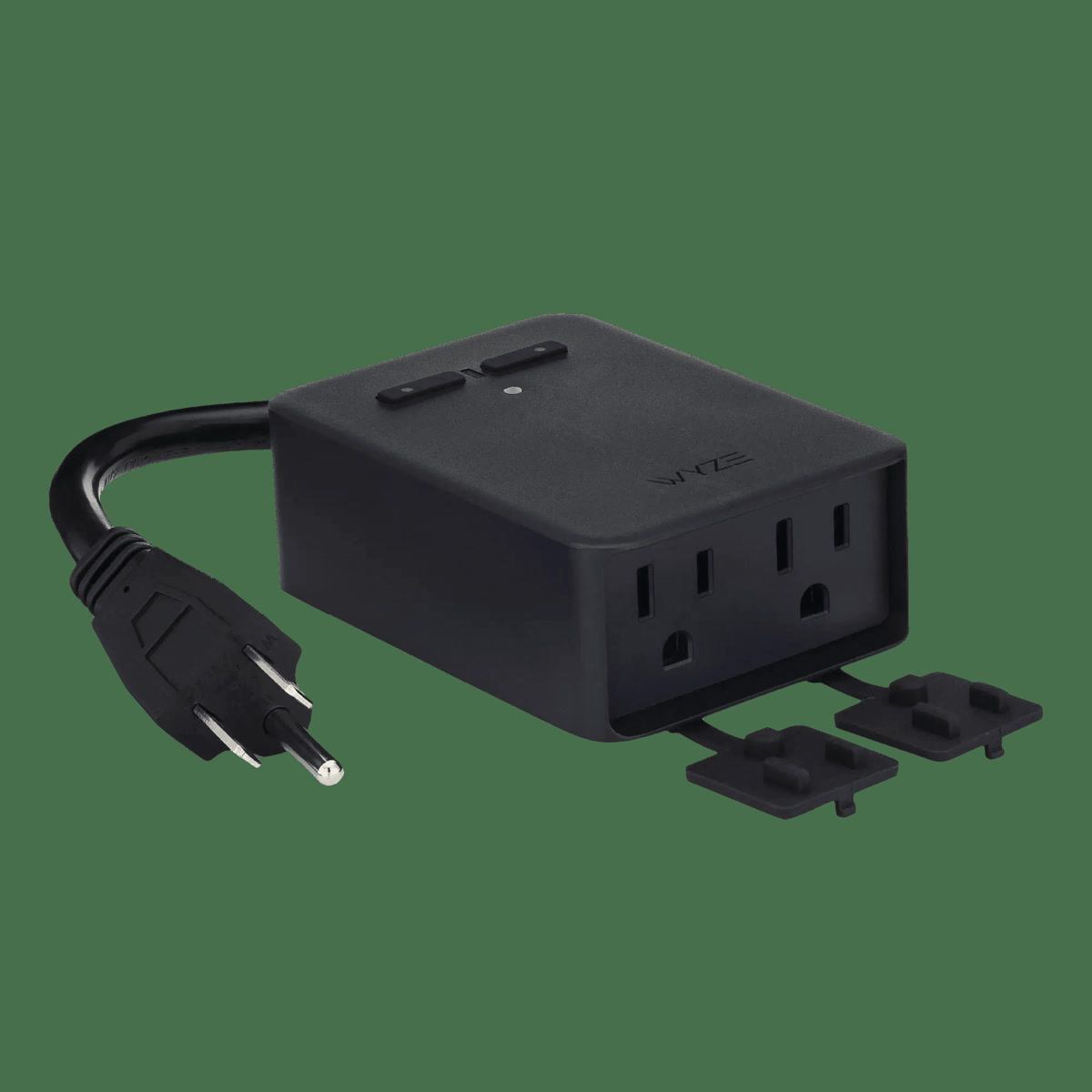
Twenty dollars gets you two individually controlled outlets, IP64 weather resistance, and a 6-foot cord. The Wyze Plug Outdoor is the only outdoor-rated smart plug I found under 25 dollars, and it is the cheapest way to automate your outdoor lights, fountain, or holiday decorations.
I left one plugged into my porch outlet through three rainstorms and it kept working perfectly. The IP64 rating handles rain, dust, and splashing without issue. It is not submersible, but for normal outdoor use, it holds up. Having two independently controlled outlets means you can put holiday lights on one timer and a porch light on another schedule, all from one device. The plug works with Alexa, Google Home, and IFTTT, and it is ETL listed.
No energy monitoring on this one. If tracking outdoor power usage matters to you, you will need to look at other options. I also noticed the Wyze app has gotten more aggressive about upselling Cam Plus subscriptions, which is annoying when you just want to toggle a plug.
4. Meross Smart Plug Mini
HomeKit compatibility at 10 to 12 dollars is unusual. Most HomeKit-friendly plugs run 25 dollars or more. The Meross Smart Plug Mini pulls it off using a relatively simple Wi-Fi chipset that handles HomeKit communication locally, and in my testing, toggling a plug from the Home app felt instant with no noticeable lag.
The trade-off is energy monitoring. Meross does make an energy-monitoring version, but it costs 25 to 30 dollars and drops HomeKit support. So you have to pick which feature matters more. The Mini is ETL listed, supports 15 amps (1,800 watts), has a physical button, and also works with Alexa and Google Home. A 2-pack is available if you want to outfit a couple of outlets.
The Plugs I Would Not Buy
Teckin Smart Plugs
Teckin plugs are cheap, under 10 dollars for a 4-pack, but they have a consistent track record of Wi-Fi connectivity problems, inconsistent firmware updates, and questionable data privacy. Multiple security researchers have found that Teckin plugs phone home to servers in Shenzhen with unencrypted data. They work, sort of, but I would not put them on my network.
Treatlife Smart Plugs
Treatlife makes acceptable plugs once you get them set up. The problem is the setup itself. Their app is bloated with ads and push notifications, and the Wi-Fi pairing process is inconsistent. Sometimes it takes 2 minutes, sometimes 20 minutes of failed attempts before it finally connects. Once connected, they work fine. But the setup experience is enough of a headache that I would spend a few dollars more for a Kasa.
No-Name Amazon Plugs
If the brand name is a random string of consonants, skip it. These plugs are not UL or ETL listed, they often exceed safe temperature limits during sustained load testing, and there is no company obligated to provide security updates. A smart plug that catches fire is not worth saving 5 dollars.
Smart Plug Automations That Pay for Themselves
A 13-dollar smart plug pays for itself when it saves you 13 dollars in energy. Here are the automations that do it:
Phantom Power Eliminator
Your TV, soundbar, and streaming devices draw 5 to 15 watts each in standby. Three devices on one smart plug equals 15 to 45 watts of phantom power. That is 11 to 33 dollars per year, just for sitting there doing nothing.
- Setup: Entertainment center on a Kasa KP125M
- Automation: Turn off at 11 PM, turn on at 7 AM. Or use a motion sensor to turn off when no one is in the room for 30 minutes.
- Payback: 4 to 12 months
Space Heater Guard
Space heaters draw 1,500 watts. Leaving one on for 8 hours costs about 2 dollars. A smart plug with a schedule or temperature trigger prevents those accidental all-day runs that happen more often than anyone admits.
- Setup: Space heater on a smart plug with energy monitoring
- Automation: Maximum runtime of 4 hours, auto-off when room reaches target temperature, off when no one is home
- Payback: 1 to 2 months (one prevented “left on all day” incident)
Coffee Maker Schedule
If your coffee maker does not have a built-in timer, a smart plug gives you one for 13 dollars.
- Setup: Coffee maker on a smart plug
- Automation: Turn on at 6:15 AM, off at 8 AM. Add a pre-loaded coffee maker and you wake up to fresh coffee.
- Payback: Convenience, not energy savings. Still worth it.
How Many Smart Plugs Do You Need?
Most homes need 3 to 6 smart plugs, not 20. Focus on your highest-impact locations:
- Entertainment center: Kill phantom power on TVs, receivers, streaming boxes
- Window AC or space heater: Schedule and monitor the biggest energy hogs
- Coffee maker or toaster oven: Schedule and prevent “did I leave it on?” anxiety
- Outdoor lights or decorations — Holiday scheduling and dusk-to-dawn automation
- Office equipment — Turn off monitors, chargers, and printers when you leave
- Guest room — Make it easy for guests to control lights and chargers
Start with 3 plugs. Put them on your biggest energy consumers. Check the data after a month. If you are finding actionable insights, add more. If not, you just saved 60 dollars by not buying 10 plugs you did not need.
My Recommendations at a Glance
If you want the short version: the Kasa KP125M at 13 dollars covers most people with energy monitoring, Matter support, and broad platform compatibility. Home Assistant users should spring for the Aqara Zigbee plug for its responsiveness and deep HA integration. The Wyze Plug Outdoor handles your patio or holiday lights with IP64 weather resistance and dual outlets for 20 dollars. And if Apple HomeKit is your priority, the Meross Smart Plug Mini gets you in the door for 10 to 12 dollars.
For most people, grab a 4-pack of Kasa KP125M plugs and call it a day. Add an Aqara if you run Home Assistant, or a Wyze Outdoor for your patio lights. That is your entire smart plug budget: under 60 dollars for a home that is smarter and more energy-efficient.
Where I Would Start
The Kasa KP125M at 13 dollars is the smart plug I would buy first. It has energy monitoring, Matter support, and it plays nice with every major platform. If you are a Home Assistant user, the Aqara Zigbee plug is worth the extra money for the responsiveness alone. Need outdoor control? The Wyze Plug Outdoor is the only IP64-rated option under 25 dollars that I would trust. And please, skip the no-name brands. A UL or ETL listing is non-negotiable when you are plugging a 1,500-watt device into something that costs less than a pizza.
🏠 Get Your Free Smart Home Setup Checklist
Join our newsletter and get this free printable plus weekly tips.