This article contains affiliate links. We may earn a commission from qualifying purchases.
Some content on this site is AI-assisted and reviewed by our editorial team.
Most People Buy Smart Devices and Never Automate Anything
I spent two years with a house full of smart bulbs, smart plugs, and a smart lock, controlling everything from my phone like an overpriced universal remote. Then one night I forgot to lock the front door, and I realized the problem: I had a connected home, not a smart one.
The shift happens when your devices start doing things without you asking. Lights that know when the sun goes down. A thermostat that figures out you left for work. A door that locks itself because, let’s be honest, you forgot again. That’s automation. Everything else is just a remote control with extra steps.
If you’re just getting started with smart home tech, check out our renter-friendly smart home guide. But if you’ve already got devices sitting around, it’s time to make them earn their keep.
These are seven automations I’ve been running long enough to know they hold up. Not party tricks. Not “look what my house can do.” Just quiet, boring routines that give me back a few minutes every day.
1. Good Morning Routine
This is the one I’d build first if I were starting over. Mornings are when routine matters most, and this automation is the difference between stumbling around in the dark and waking up in a house that’s already one step ahead of you.
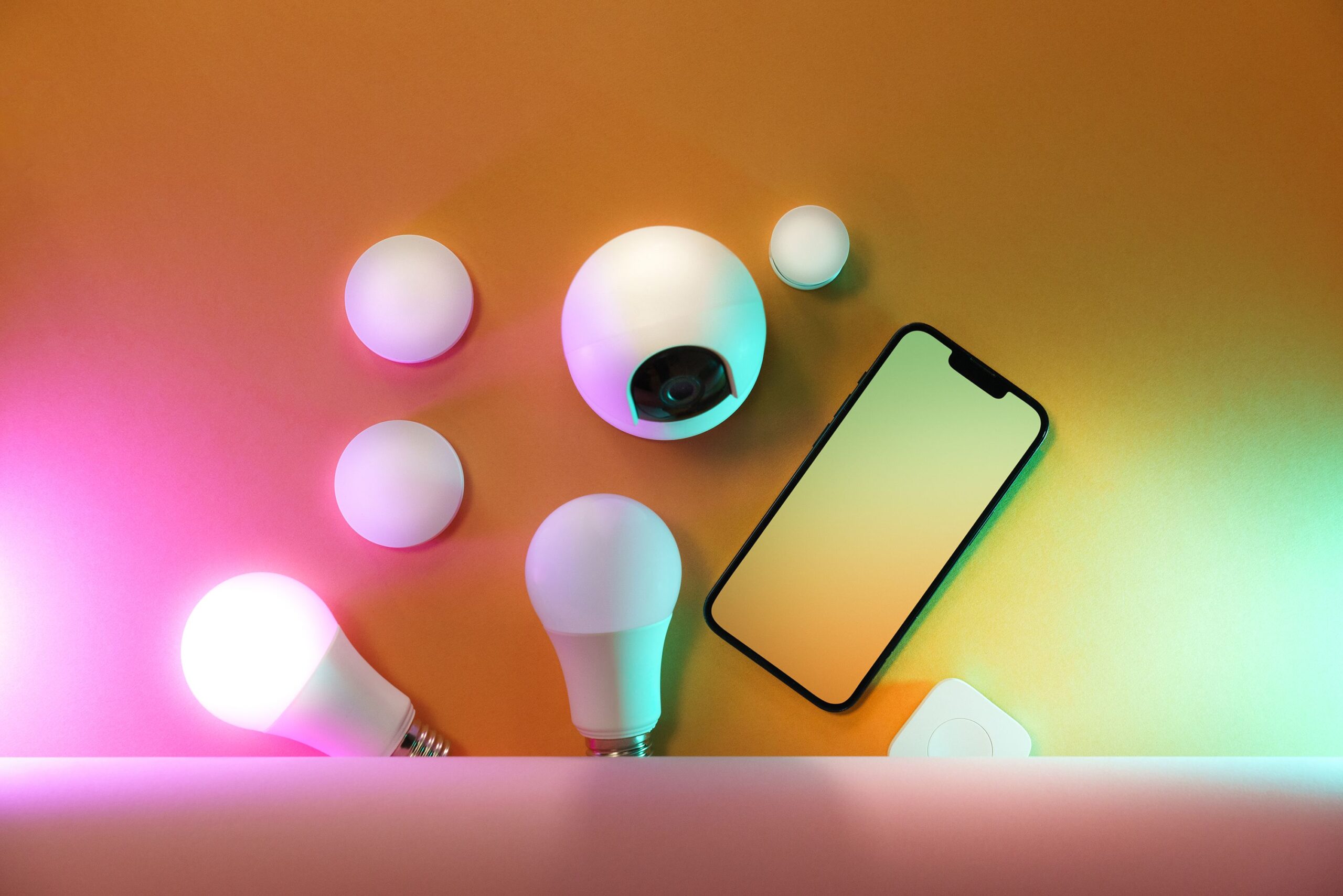
At 6:30 AM (or whenever your alarm is set), the bedroom and hallway lights ramp up to 50% over five minutes. Not a blinding switch-on, just a gradual brightening that feels natural. The thermostat shifts from sleep mode to your morning temperature. A smart plug fires up the coffee maker so it’s ready by the time you shuffle into the kitchen. And the smart speaker on the nightstand reads out the weather and your first calendar event.
The word that matters here is gradual. The first version of my morning routine turned all the lights on at full brightness instantly, and my wife nearly smacked me. Good automations don’t startle you. They ease you into the day.
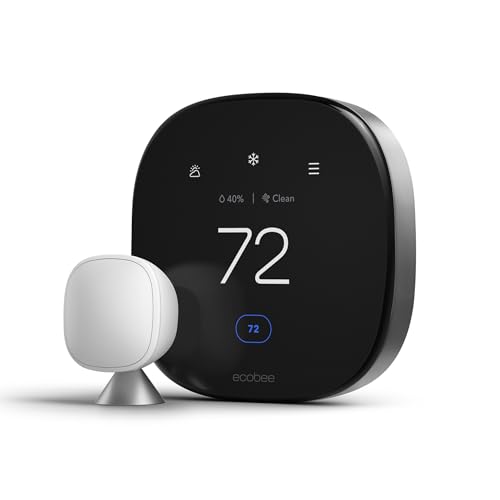
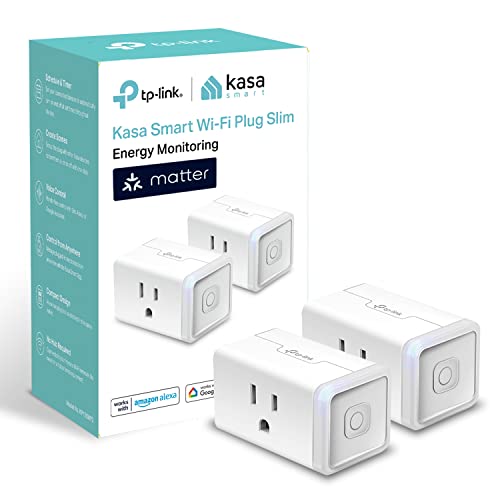
You’ll need a few things to pull this off: smart plugs for the coffee maker and other appliances, dimmable smart bulbs that support gradual transitions, and a smart thermostat with scheduling. Total investment can be under $100 if you start small. A smart speaker pulls double duty as the routine trigger and the voice assistant for ad-hoc commands.

2. Leaving Home Routine
“Did I lock the door?” used to ruin my commute at least three times a week. I’d get two blocks away, then turn around to check. A Leaving Home automation killed that habit for good.
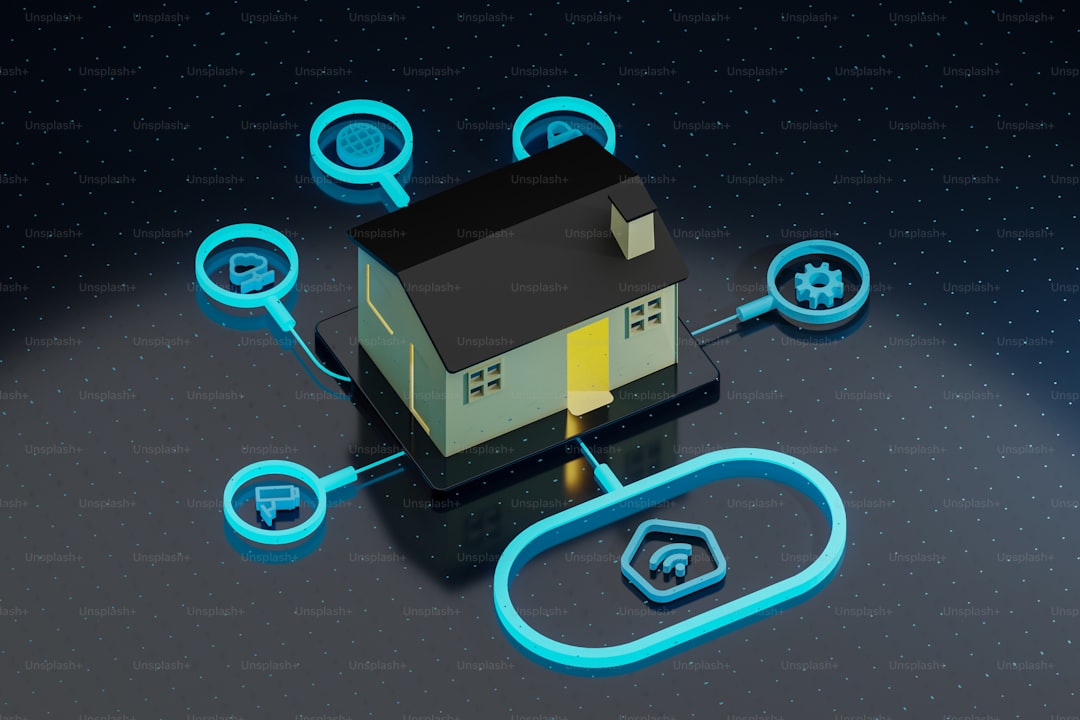
One trigger, whether that’s phone presence, a door sensor, or a single voice command, and the house handles the rest. Every smart light turns off. Smart locks engage on all exterior doors. The thermostat drops to an energy-saving setback. Security cameras switch to away mode with motion alerts. The garage door closes if someone left it open (and in my house, someone always leaves it open).
One trigger. Five things handled. That’s a mental checklist you never have to run again, and the peace of mind is worth more than the time savings.
You’ll want a smart deadbolt lock, motion sensors or phone-based presence detection, a smart home hub to coordinate everything, and optionally a smart garage door controller. If you want to understand the real savings from thermostat setbacks alone, our post on smart thermostat ROI breaks down exactly how long it takes to pay for itself.
3. Movie Night Routine
This one’s more quality-of-life than time-savings, but if you watch something every night like I do, the friction adds up. Walking around the living room dimming lights, closing blinds, switching inputs. It’s not hard, it’s just tedious when you do it 300 times a year.

Say “Movie Night” and the living room lights drop to 15% with a warm amber tint. Smart blinds close if you have them. The TV and soundbar power on to the right input. Hallway and kitchen lights turn off so nobody gets distracted by a glowing kitchen doorway. It takes two seconds instead of two minutes, and it feels a little bit like magic every time.
You’ll want color-changing smart bulbs for scene lighting and, if your budget allows, motorized smart blinds. The blinds are a splurge. I held off for a year because they seemed unnecessary. Then I got a pair on sale, and now I can’t imagine going back. They’re one of those purchases that feels ridiculous until you have them.
4. Bedtime Routine
The flip side of the morning routine. At 10:30 PM, one command (or a scheduled trigger) and the house powers down: all lights off, smart locks confirm every deadbolt is engaged, thermostat shifts to sleep temperature, smart plugs cut power to the entertainment center so the TV’s not drawing phantom watts all night, and the security system arms in home mode.
This routine alone saves me 5 to 10 minutes every night. Not life-changing on its own, but that’s 30 to 60 minutes a week of wandering around flipping switches and checking door handles. I’d rather be asleep.
Energy-monitoring smart plugs are the workhorse here. They kill vampire draw overnight and let you see which devices are the worst offenders. More on that in the Energy Saver section below.
5. Guest Mode
People rarely think about this one until they have visitors and realize their house is hostile to anyone who doesn’t know the system. My father-in-law stayed with us for a week and couldn’t figure out how to turn on the bathroom light because it was tied to a motion sensor that only triggered from a specific angle. That was a fun conversation.
Guest Mode fixes this. One activation and: the guest Wi-Fi network enables, specific doors unlock (guest bathroom, side entrance), the guest room thermostat sets to a comfortable default, pathway lights stay on at low brightness overnight, and voice assistant responses switch to a simpler, less personalized mode so guests don’t accidentally trigger your custom routines.
When guests leave, one tap reverts everything. No reprogramming, no forgetting to re-lock the guest room door for a week. If you rent on Airbnb or have frequent visitors, a smart lock with guest code support makes this seamless. Each guest gets a temporary code that expires at checkout.
6. Package Delivery Routine
Porch piracy is a real problem where I live, and even when packages aren’t stolen, there’s the “did it arrive yet?” anxiety that has you checking the door every hour. This automation handles both.
When the video doorbell detects someone approaching, the porch light turns on (deters theft, helps the delivery driver find the door), the camera starts recording, and you get a push notification with a live view. When the delivery is dropped, you get a second alert with a clip. No more refreshing tracking pages. No more walking to the door to check. You know the second a package hits your porch.
A smart video doorbell is the centerpiece here. Pair it with a motion-activated outdoor light and a outdoor security camera and you’ve got a solid security setup that runs on autopilot.
7. Energy Saver Routine
This is the automation that pays for all the others. Vampire power, the electricity devices draw even when they’re “off,” costs the average household somewhere between $100 and $200 per year. Not catastrophic, but not zero either, and it’s entirely preventable.
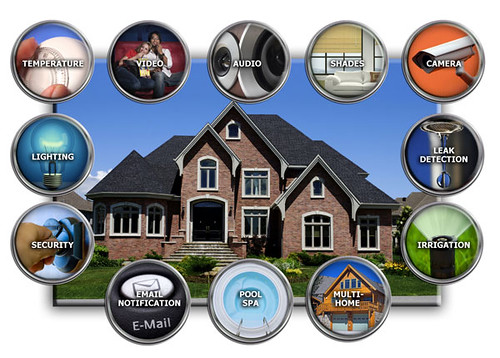
My Energy Saver routine runs on a simple schedule. At 11 PM, smart plugs cut power to the entertainment center, chargers, and kitchen appliances that don’t need to be on overnight. The thermostat follows its own setback schedule. Motion sensors turn off lights in empty rooms, which solved the problem of my teenager leaving every light in the house on. And every Sunday, I get a weekly energy report showing which devices are drawing the most phantom power.
We did a deep dive into this in our post about smart home devices that pay for themselves, and the numbers are better than you’d expect. A handful of smart plugs with energy monitoring and a properly scheduled thermostat can cut your electricity bill by 10 to 15 percent. For specific plug recommendations, our best smart plugs review covers the top options with energy tracking built in.
How to Build These: Alexa vs. Google Home vs. Home Assistant
You don’t need a computer science degree to set these up. But the platform you choose matters, because it determines how flexible, and how frustrating, your automations will be.
- Alexa Routines — The easiest entry point. Open the Alexa app, create a routine, pick a trigger (voice command, schedule, device event), and add actions. Limited but surprisingly capable for basic stuff. Free. Works with the widest range of devices out of the box.
- Google Home Routines — Similar concept, slightly less flexible. Google recently improved their routine builder, but it still lags behind Alexa for complex multi-step automations. Free. Good if you’re already in the Google ecosystem.
- Home Assistant — The power user option. If you want automations that truly think (like “if it’s a weekday and it’s raining and I left before 7 AM, turn on the porch light”), this is the tool. Requires a dedicated device (a Raspberry Pi or a mini PC). Steeper learning curve but virtually unlimited flexibility. Free and open source.
My honest recommendation: start with Alexa or Google Home. Build the simple stuff first. If you hit a wall, and you’ll know when you do, then look at Home Assistant. I jumped straight to Home Assistant when I started, spent a weekend configuring YAML files, and ended up with a half-working system and a headache. Don’t be me. Start simple.
When NOT to Automate
Not everything should be automated. I know that sounds counterintuitive from a post about automations, but over-automating is one of the most common mistakes new smart home owners make. I once put a smart plug on a space heater and set it to turn on 30 minutes before I got home. Worked great until the schedule glitched and it turned on while I was away for a weekend. Lesson learned.
Some things should stay manual:
- Safety-critical stuff — Don’t automate your stove, space heater, or anything that could start a fire if it turns on unexpectedly. A smart plug on a coffee maker is fine. A smart plug on a space heater is not.
- Things you do differently every time — If your morning routine is never the same twice, a rigid automation will fight you more than it helps.
- Complex multi-person decisions — If three people live in your house with different schedules, presence-based automations get unreliable fast.
- Anything that creates anxiety when it fails — If you’d panic because your door didn’t auto-lock, just lock it yourself. Automation should reduce stress, not create new worries.
We cover this and other common pitfalls in our post on 12 smart home mistakes beginners make, worth a read before you go automation-crazy.
Where to Start
Smart home automations aren’t about showing off. They’re about removing the tiny, repetitive decisions that eat away at your day. Locking the door. Turning off the lights. Adjusting the thermostat. Checking the porch. Each one takes a few seconds. Together, they’re a steady drain on your attention, and attention is the one thing you can’t buy more of.
Seven routines. Maybe $150 to $300 in gear if you’re starting from scratch. A few hours of setup. That’s the real investment, and it pays for itself in saved time and mental bandwidth within the first month.
Start with Good Morning and Leaving Home. Those two alone will change how your house feels. Add the rest one at a time as you get comfortable. There’s no rush. The whole point is to make your life easier, not to give yourself a second job configuring routines.
Disclosure: CleverHomeClub is a participant in the Amazon Services LLC Associates Program. As an Amazon Associate, we may earn commissions from qualifying purchases. This means when you click on links to various products on this site and make a purchase, we may receive compensation at no additional cost to you. Our recommendations are based on thorough research and hands-on testing — not on commission rates. We only recommend products we genuinely believe will add value to your smart home setup.
My take: Build the morning and leaving routines tonight — those two automations turn a remote-controlled house into a smart one, and both are an evening of setup with gear you probably own. The phone-as-remote phase is the trap; the boring automations are the way out.
Related guides
- Smart Home Bathroom: 8 Upgrades That Are Useful (And 3 That Are Just Weird)
- Robot Vacuum Maintenance: The Schedule and Parts That Keep Your Roomba Like New
- Home Assistant for Beginners: Take Back Control of Your Smart Home (No Cloud Required)
- Smart Home for Renters: 10 Devices That Wont Cost You Your Deposit
- 12 Smart Home Mistakes Almost Every Beginner Makes (And How to Fix Them)
🏠 Get Your Free Smart Home Setup Checklist
Join our newsletter and get this free printable plus weekly tips.
Frequently Asked Questions
What automation should I build first?
Good Morning — the one the author would build first if starting over. At your alarm time, bedroom and hallway lights ramp to 50% over five minutes (gradual, not the blinding switch-on that nearly caused a domestic incident), the thermostat shifts to morning temp, a smart plug starts the coffee maker, and the nightstand speaker reads the weather and your first calendar event. Bulbs that support gradual transitions, plugs, and a scheduling thermostat — under $100 if you start small.
How do I stop worrying if I locked the door?
The Leaving Home routine — one trigger (phone presence, a door sensor, or a voice command) and the house handles the rest: every light off, smart locks engaged on all exterior doors, thermostat to setback, cameras to away mode with alerts, garage door closed if it was open. One trigger, five things handled — the mental checklist that ruined the commute disappears permanently.
Why do most smart homes fail to deliver?
Because people buy devices and never automate anything — a phone-controlled home is just a universal remote with extra steps. The shift is devices acting without being asked: lights that know sunset, a thermostat that notices you left, a door that locks itself. Seven quiet automations (morning, leaving, movie night, bedtime, and company) are the difference between a connected home and a smart one.
Liked this guide? Get the next one in your inbox — the smart home starter checklist is free too.
✓ You're in — check your inbox.
No spam. Unsubscribe anytime. We never share your email.
Price Check
Prices verified via our product tracker. Updated Nov 7.
| Kasa Matter Smart Plug with Energy Monitoring, KP125MP2, 2 | $29.99 | 4.7★ (2,279) |
| Aqara Smart Light Switch (No Neutral, Single Rocker), Requ | $39.99 | 4.2★ (526) |
| ecobee Smart Thermostat Premium - WiFi, Siri & Alexa Built | $245.00 | 4.3★ (4,170) |
| Amazon Echo Dot (newest model) - Vibrant sounding speaker | $79.99 | 4.7★ (200,849) |
| Yale Assure Lock 2 Keypad Smart Deadbolt with Wi-Fi, Satin | $279.99 | 3.9★ (946) |
| SmartThings Hub 3rd Generation [GP-U999SJVLGDA] Smart Home | $373.48 | 4.3★ (9,003) |
| YoLink Water Leak Sensor 4 105 dB Alarm Kit: 4-Pack + Hub | $72.99 | 4.7★ (1,710) |
| Ring Sensors: Glass Break Sensor (newest model) – Instant | $34.99 | 4.5★ |
As an Amazon Associate we earn from qualifying purchases.