This article contains affiliate links. We may earn a commission from qualifying purchases.
Some content on this site is AI-assisted and reviewed by our editorial team.
Smart Home Devices Collect More Data Than You Think
Your smart home devices track voice recordings, video footage, occupancy patterns, and entry times. Individually, each device collects a slice of your life. Together, they paint a detailed picture of your daily routine, preferences, and habits. This guide explains what to do about it.
Your smart speaker knows what you ask it. Your camera knows who comes to your door. Your thermostat knows when you leave and when you come home. Your smart TV knows what you watch and for how long. Individually, each device collects a slice of your life. Together, they paint a detailed picture of your daily routine, preferences, and habits.
This guide explains what smart home devices actually collect, where that data goes, and the practical steps you can take to keep your information private without giving up the convenience you bought these devices for in the first place.
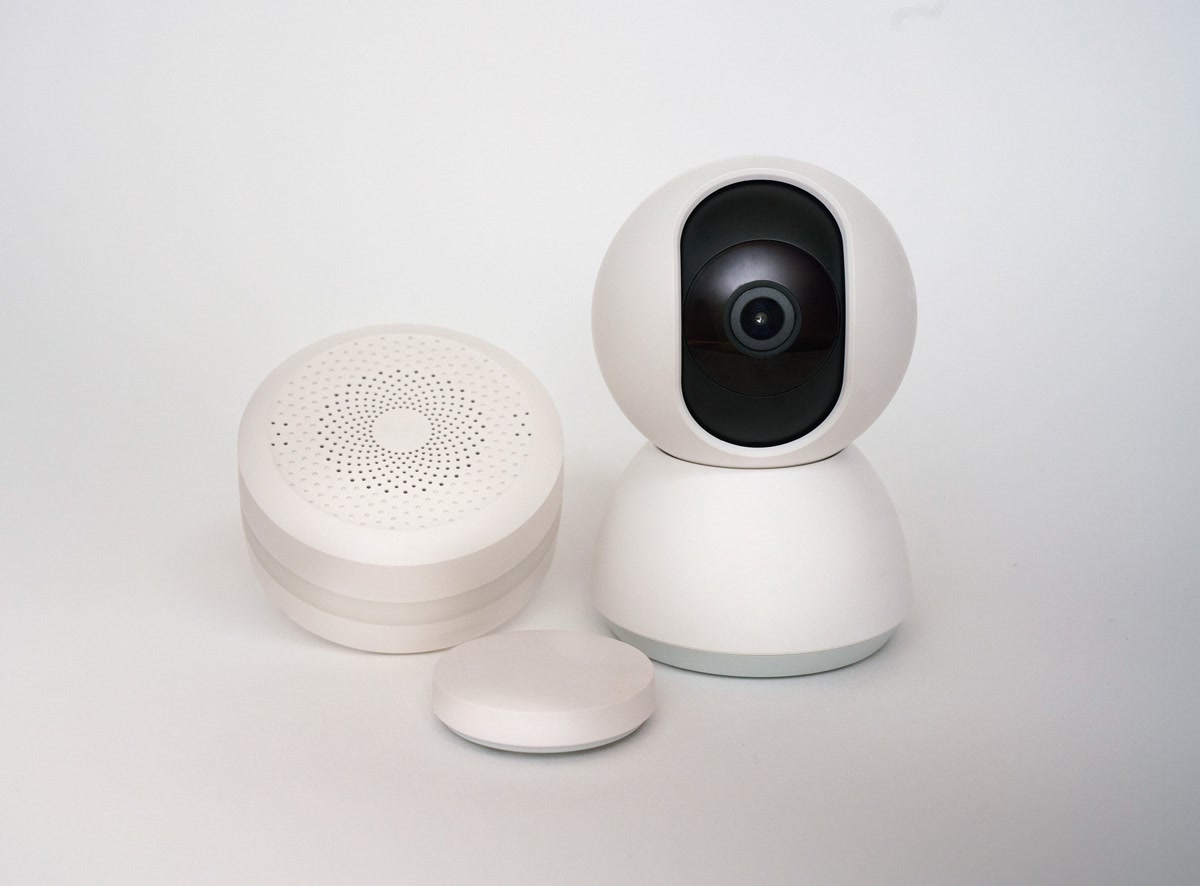
What Your Smart Home Devices Actually Collect
Smart speakers record voice queries, cameras capture video and face data, thermostats log occupancy patterns, smart locks track entry times, and smart TVs log viewing history. Most of this data is used for product improvement and targeted advertising.
Most people assume smart devices collect minimal data — maybe a few voice commands or temperature readings. The reality is more extensive. Here is what the major device categories track:
- Smart speakers: Voice recordings, query history, room acoustics, connected device usage patterns
- Security cameras: Video footage, motion event logs, face recognition data, audio recordings
- Smart thermostats: Home occupancy patterns, temperature preferences, HVAC schedules, away-from-home times
- Smart locks: Lock and unlock events, guest access codes, entry and exit times
- Smart TVs: Viewing history, app usage, ad viewing data, sometimes voice recordings
- Smart plugs and lights: On and off patterns, energy usage, room usage inference
Most of this data is used to improve products and serve targeted advertising. Some companies share anonymized data with third parties. The key word is anonymized — but researchers have repeatedly shown that supposedly anonymous home data can be re-identified when combined across devices.

The Three Privacy Risks You Should Care About
The three main privacy risks are data breaches (hackers accessing your footage and recordings), law enforcement access (police requesting data with or without a warrant), and third-party data sharing (companies selling your patterns to advertisers and data brokers).
1. Data Breaches
When a smart home company gets hacked, your data goes with it. Ring, Wyze, and ADT have all had breaches. If your camera footage, voice recordings, or home schedule end up in the wrong hands, the consequences range from targeted phishing to physical security risks.
2. Law Enforcement Access
Police can request smart home data with a warrant — and sometimes without one. Ring has shared footage with law enforcement over 30,000 times. Amazon, Google, and Apple all publish transparency reports, but the volume of requests is growing. If this concerns you, local processing is your best defense.
3. Third-Party Data Sharing
Many smart home companies share aggregated user data with advertisers, insurance companies, and data brokers. Your thermostat data suggesting you are home during work hours could theoretically affect insurance assessments. Device terms of service often allow broader sharing than users realize.
Practical Privacy Steps for Every Device
The most impactful privacy changes are: disable voice recording storage, switch cameras to local storage, put smart devices on a separate Wi-Fi network, and delete old activity data regularly. These four steps take 30 minutes and dramatically reduce your exposure.
You do not need to throw out your smart devices to protect your privacy. Here are the most impactful changes you can make today.

Turn Off Voice Recording Storage
Amazon, Google, and Apple all let you opt out of voice recording storage. In Alexa, go to Settings, then Alexa Privacy, then Manage Your Data and turn off Save voice recordings. This does not affect how well the speaker works.
Amazon, Google, and Apple all let you opt out of having your voice recordings saved and reviewed. In the Alexa app, go to Settings then Alexa Privacy then Manage Your Data and turn off “Save voice recordings.” For Google Assistant, go to My Activity and turn off voice and audio activity. This does not affect how well the speaker works — it just stops the company from keeping your recordings.
Disable Camera Cloud Storage When You Can
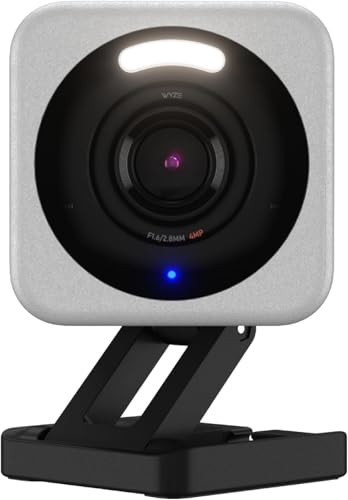
Use local storage via microSD card instead of cloud storage. Wyze and Reolink cameras support local recording without a subscription. This keeps footage on your property, not on a server someone else controls.
If your camera supports local storage via microSD card, use it. Wyze cameras let you record to a microSD card without a subscription. Reolink cameras are built around local storage from the start. Local storage means footage stays on your property, not on a server someone else controls.
Top Pick: Check Price on Amazon →
Top Pick: Check Price on Amazon →
Use a Separate Wi-Fi Network for Smart Devices
Put all smart home devices on a separate Wi-Fi network from your phones and computers. Most modern routers support this via VLANs or guest networks. If a smart plug gets hacked, the attacker cannot reach your laptop.
Most modern routers support VLANs or guest networks. Put all your smart home devices on a separate network from your phones and computers. This limits what a compromised device can access. If a smart plug gets hacked, the attacker cannot reach your laptop on a different network segment.
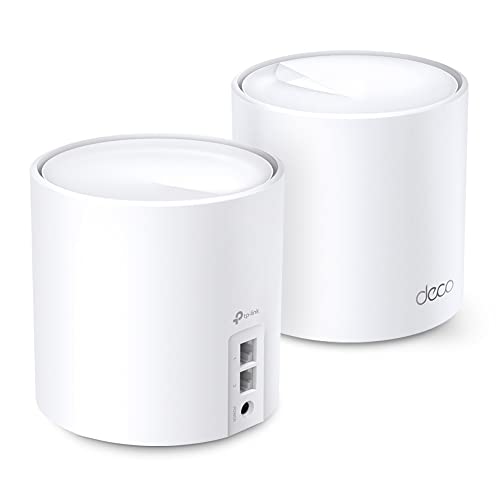
Routers that support this include the TP-Link Deco X20 mesh system, which lets you create an IoT network profile that isolates smart devices from your main network.
Top Pick: Check Price on Amazon →
Review and Delete Your Data Regularly
Set a monthly reminder to check your smart home accounts. Amazon, Google, and Apple all have privacy dashboards where you can see and delete stored data. Delete old voice recordings, camera clips, and activity logs.
Set a monthly reminder to check your smart home accounts. Amazon, Google, and Apple all have privacy dashboards where you can see and delete stored data. Delete old voice recordings, camera clips, and activity logs. Most companies keep data indefinitely unless you actively delete it.

Privacy-First Smart Home Alternatives
For maximum privacy, use Home Assistant (free, self-hosted, all data stays local), Apple HomeKit (on-device processing), or local camera systems like Reolink and Ubiquiti that store footage on your own hardware with no cloud dependency.
If you want to go further than settings adjustments, these products and platforms process your data locally instead of sending it to the cloud.
Home Assistant (Free, Self-Hosted)
Home Assistant runs on a local server in your home. Your automations, device states, and sensor data never leave your network. It integrates with over 2,000 devices and you control every byte of data.
Home Assistant runs on a local server in your home. Your automations, device states, and sensor data never leave your network. It integrates with over 2,000 devices and services, and you control every byte of data. You need a bit of technical comfort to set it up, but the privacy payoff is significant.
Apple HomeKit (If You Are in the Apple Ecosystem)
Apple processes most HomeKit data on-device rather than in the cloud. HomeKit Secure Video stores encrypted camera footage in iCloud, but Apple cannot see it. If you already use iPhones and Macs, HomeKit is the most privacy-friendly mainstream platform.
Local Camera Systems
Reolink and Ubiquiti offer camera systems that record to local storage or a local NVR. No cloud subscription required, no cloud storage of your footage, and remote access goes through your own network.
Brands like Reolink and Ubiquiti offer camera systems that record to local storage or a local NVR (network video recorder). No cloud subscription required, no cloud storage of your footage, and remote access goes through your own network rather than a company server.
Top Pick: Check Price on Amazon →
Top Pick: Check Price on Amazon →
Quick Privacy Checklist
Run through this checklist once and revisit every few months: disable voice recording storage, switch cameras to local storage, separate your Wi-Fi networks, enable two-factor authentication, review app permissions, update firmware monthly, and delete old activity data.
- Disable voice recording storage on all smart speakers
- Switch cameras to local storage where possible
- Put smart devices on a separate Wi-Fi network
- Enable two-factor authentication on every smart home account
- Review app permissions — revoke microphone and location access where not needed
- Check for firmware updates monthly — updates often patch security vulnerabilities
- Delete old activity data from Alexa, Google, and Apple privacy dashboards
- Disable camera and microphone on smart TVs you are not actively using
- Use strong unique passwords for each smart home service
- Review which apps and services have access to your smart home platforms
Bottom Line
Smart home privacy is not about choosing between convenience and security. Start with the quick wins: disable voice recording storage, switch cameras to local storage, and separate your Wi-Fi networks. Then consider Home Assistant for full local control.
Smart home privacy is not about choosing between convenience and security. It is about understanding what your devices collect, taking the practical steps that make the biggest difference, and choosing privacy-respecting products when it is time to replace or add devices. Start with the quick wins — disable voice recording storage, switch cameras to local storage, and separate your Wi-Fi networks. Then consider a platform like Home Assistant if you want full local control. You can enjoy the convenience of a smart home without handing over your daily routine to data brokers.
Last updated: June 2026 | By CleverHomeClub
CleverHomeClub reviews smart home products and shares practical guides for homeowners and renters exploring home automation. Learn more at cleverhomeclub.com/about.
My take: Your devices are painting a detailed picture of when you’re home, what you watch, and who comes and goes — the answer isn’t unplugging, it’s local processing and network isolation. Move to HomeKit/Home Assistant-friendly gear where possible, separate the cameras, and treat the data-sharing opt-outs as the settings you set once and audit yearly.
Related guides
- Smart Home for Apartments: How to Automate a Rental Without Losing Your Deposit
- Pet Automation: 6 Devices That Made My Dog's Life Better and Mine Easier
- Smart Home Air Quality Monitoring: When Your Air Is Worse Inside Than Outside (And How to Fix It)
- Halloween Decor That Sets Up and Puts Itself Away: 5 Budget Devices
- Smart EV Charging at Home: How to Save 30 to 50 Dollars a Month
🏠 Get Your Free Smart Home Setup Checklist
Join our newsletter and get this free printable plus weekly tips.
Frequently Asked Questions
What data do smart home devices collect?
More than most people assume: speakers record voice queries and room acoustics, cameras keep footage with motion logs and face data, thermostats log occupancy patterns and away-from-home times, locks track entry and exit events with guest codes, TVs log viewing and ad data, and even plugs infer room usage from on/off patterns. Together they paint a detailed picture of your daily routine — and researchers have repeatedly re-identified supposedly anonymized home data when combined across devices.
What are the main smart home privacy risks?
Three: data breaches (Ring, Wyze, and ADT have all had them in recent years), law enforcement access — police can request footage with a warrant and sometimes without, and Ring has shared footage over 30,000 times — and third-party sharing for advertising. Local processing is your best defense against all three.
How do I keep smart home data private without giving up the devices?
Practical middle ground: favor devices with local storage and local processing (HomeKit, Home Assistant, Zigbee gear lean this way), isolate cameras on a guest network away from your laptop and phone, opt out of product-improvement data sharing in each platform’s settings, and delete stored voice history regularly. It’s a dial, not a switch — you pick the point on the convenience-privacy line that works for your house.
Liked this guide? Get the next one in your inbox — the smart home starter checklist is free too.
✓ You're in — check your inbox.
No spam. Unsubscribe anytime. We never share your email.
Price Check
Prices verified via our product tracker. Updated Oct 17.
| WYZE Cam v4 (Latest Model), 2.5K AI Security Camera, Indoo | $44.97 | 4.3★ (11,330) |
| REOLINK 4K 8MP Dual-Lens PTZ Wired WiFi Outdoor Security C | $219.99 | 4.2★ (1,518) |
| TP-Link Deco X20 WiFi 6 Mesh WiFi System, Deco X20 2-Pack | $129.99 | 4.5★ (15,035) |
| UNIFI Protect G4-PRO Camera : Electronics | $360.00 | 4.6★ (344) |
As an Amazon Associate we earn from qualifying purchases.