
This article contains affiliate links. We may earn a commission from qualifying purchases.
Some content on this site is AI-assisted and reviewed by our editorial team.
You Can Have a Smart Home in an Apartment (Without Losing Your Deposit)
Most smart home guides assume you own a house. They talk about hardwired doorbells, smart switches that require neutral wires, and security systems that need professional installation. If you rent, half that advice is useless — or worse, it’ll cost you your security deposit.
This guide is different. Every device here is 100 percent removable, leaves no permanent marks, and works in apartments, condos, and rental homes. No drilling. No wiring. No lease violations. No landlord phone calls.
You can build a genuinely useful smart home in a rental for under 200 dollars. Here’s how.
The Rules of Apartment Smart Homes
Before we get to specific devices, three rules that keep your deposit safe:
- No permanent modifications. If you can’t undo it in 5 minutes with a putty knife and touch-up paint, don’t do it.
- No hardwired installations. If it requires touching your electrical panel or junction boxes, it’s out. Smart switches that replace your existing switches are technically reversible, but many landlords consider them a modification. Check your lease.
- No exterior modifications. No doorbell cameras that require drilling through your door. No outdoor cameras mounted to siding. Stick to interior-only devices.
The good news: you can work around all of these restrictions. Modern smart home tech has gotten really good at being renter-friendly.
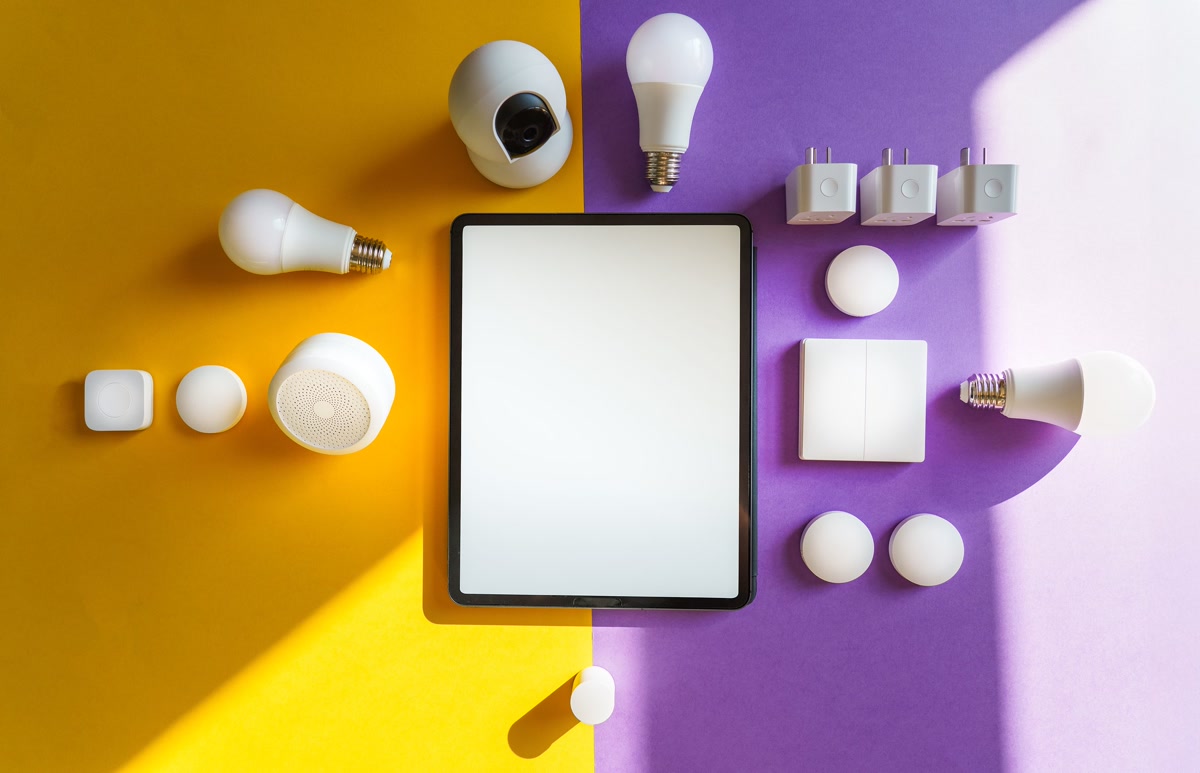
The Apartment Smart Home Starter Kit (Under 200 Dollars)
This is everything you need to start automating a rental, and it all comes with you when you move:
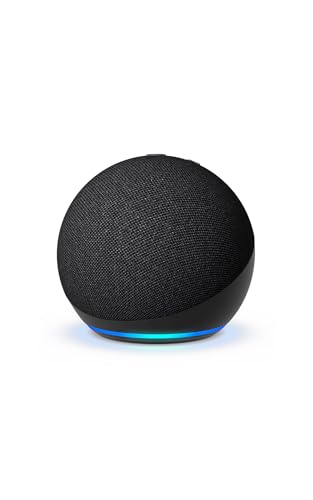
- Voice assistant:Echo Dot (5th Gen) — 50 dollars. Your control center.
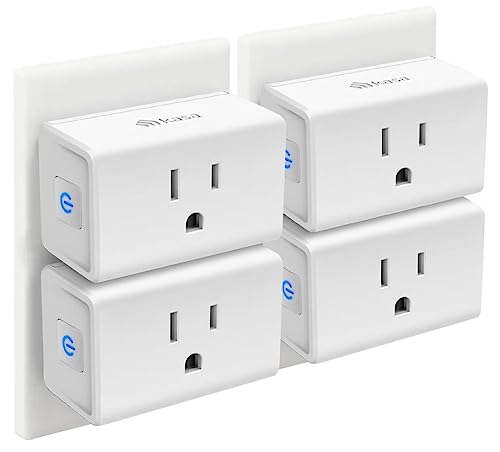
- Smart plugs (4-pack):Kasa Smart Plug Mini — 30 dollars. Automate lamps, fans, and small appliances.
- Door sensor:Aqara Door/Window Sensor — 20 dollars. Know when your door opens. Needs the Aqara Hub (30 dollars).
- Smart bulbs (2-pack):Wyze Bulb Color — 20 dollars. Color-changing, dimmable, no hub needed.
- Indoor camera:Wyze Cam v4 — 36 dollars. Monitor your apartment while you’re out.
- Water leak sensor:Govee Water Leak Detector (3-pack) — 25 dollars. Catch leaks before they become deposit-destroying floods.
Total: approximately 210 dollars — and every single device comes with you when you move out.
Smart Lighting Without Changing Switches
The number one question renters ask: “How do I get smart lighting without replacing my switches?”
The answer is simple:smart bulbs.
Wyze Bulb Color andPhilips Hue White Ambiance are both excellent choices. Wyze bulbs connect directly to Wi-Fi (no hub needed), making them the simplest option for renters. Hue bulbs are more reliable long-term but require a Bridge — an extra purchase and another device on your shelf.
The critical rule for smart bulbs in rentals: leave the light switch in the ON position and control the bulb entirely through the app or voice. If someone flips the physical switch off, your smart bulb goes offline until you turn the switch back on.
If this is a dealbreaker (roommates, kids, guests who flip switches), usesmart plugs with regular lamps instead. Lamps plugged into smart plugs work regardless of what anyone does with the wall switch.
Kasa Smart Plug Mini is perfect for this — it doesn’t block the second outlet, works with every voice assistant, and costs under 10 dollars per plug.
Smart Security Without Drilling Holes
Apartment security is different from house security. You can’t mount cameras to your siding or install a hardwired alarm system. But you can still build genuine security.
Indoor Camera (No Drilling Required)
Wyze Cam v4 sits on any shelf or sticks to a window with the included adhesive mount. Point it at your front door, your living room, or anywhere you want visibility when you’re not home. 2.5K resolution, color night vision, and local SD card storage mean you don’t need a subscription.
Door Sensor (Renter-Friendly)
Aqara Door/Window Sensor uses double-sided adhesive (included) to stick to your door and frame. No screws, no drilling. When the door opens, you get an instant phone notification. Set up a routine: when the door opens after 11 PM, flash the living room lights and announce “Front door opened.”
For a full comparison of camera options, see ourRing vs Wyze guide.
Smart Lock (If Your Landlord Allows It)
August Wi-Fi Smart Lock is the most renter-friendly smart lock because it replaces only the interior side of your deadbolt. The outside looks exactly the same — your landlord will never know. When you move out, swap the original thumb turn back on and take the August with you.
Important: Check your lease. Some landlords prohibit smart locks, others require copies of all keys. Ask before you install.
Smart Climate Control Without Touching the Thermostat
Most apartments have a landlord-controlled thermostat — you can’t replace it. But you can still make your climate smarter:
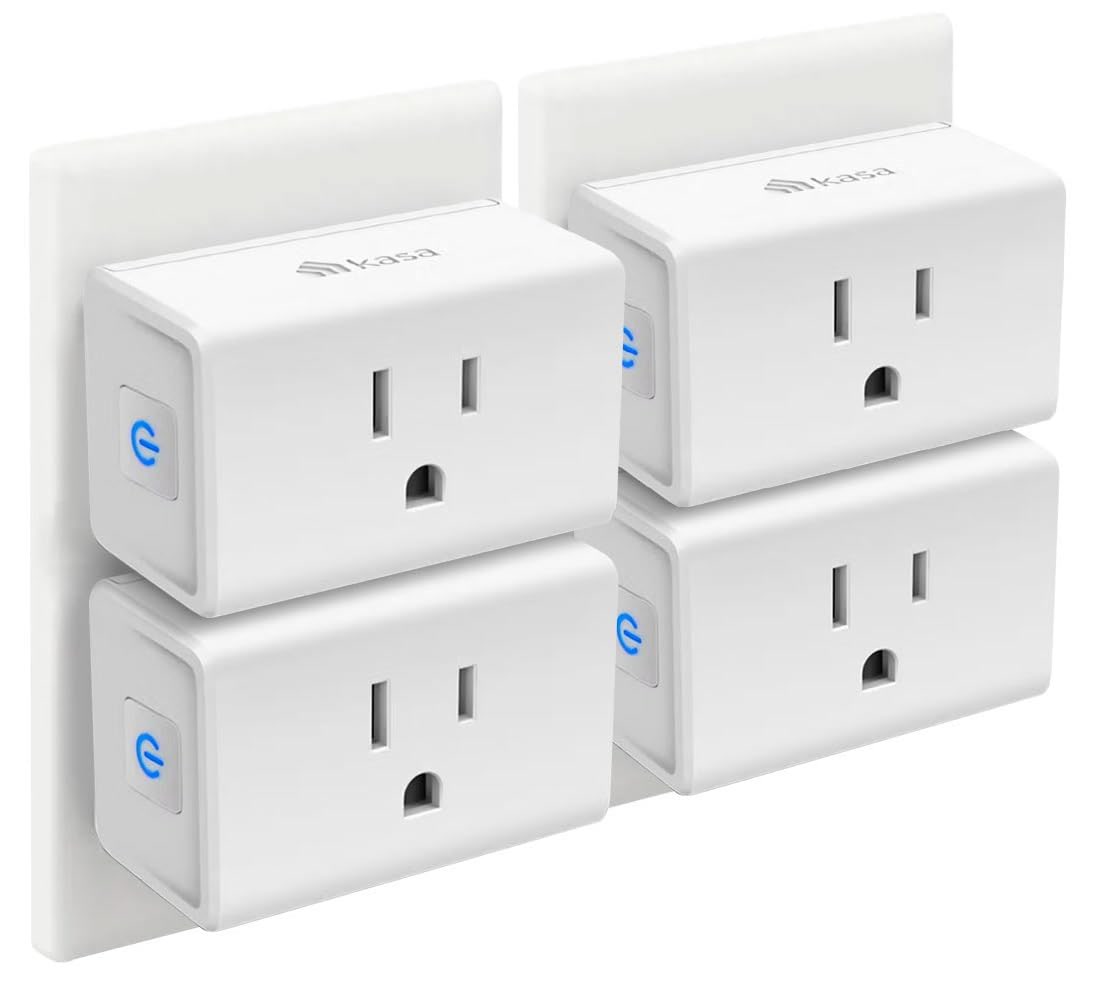
- Smart plugs for space heaters and fans: Plug your space heater into a smart plug and set a schedule. Heater turns on 30 minutes before you wake up, turns off when you leave. Same for tower fans in summer.
- Smart sensors:Govee Thermometer/Hygrometer (15 dollars) monitors temperature and humidity in each room. Get alerts when it’s too hot or cold, then adjust your space heater or AC accordingly.
- Smart curtains (temporary):SwitchBot Curtain is a small motor that attaches to your existing curtain rod with no tools. It opens and closes curtains on a schedule — keeping heat out in summer and letting sun in during winter.
These workarounds won’t give you the precision of a smart thermostat, but they’ll make a real difference in comfort and energy costs without touching a single wall.
Smart Home Routines That Work in Apartments
“I’m Home” Routine
Triggered when your phone connects to your apartment Wi-Fi (or when the front door opens):
- Lights on (smart plugs controlling lamps)
- AC or space heater starts (smart plug)
- Smart speaker plays your arrival playlist
- Indoor camera switches to “away” mode (disables motion alerts while you’re home)
“Goodnight” Routine
Triggered by voice command or at a set time:
- All lights off
- Space heater off (safety first)
- Front door sensor armed for alerts
- Phone set to Do Not Disturb
- Smart speaker plays white noise or rain sounds
“I’m Leaving” Routine
Triggered when the front door closes and your phone disconnects from Wi-Fi:
- All lights off
- All smart plugs off (space heater, fan, curling iron — safety)
- Indoor camera switches to “home” mode (enables motion alerts)
- Smart speaker on quiet (so it looks like someone’s home)
What NOT to Buy for an Apartment
These devices are great for homeowners but problematic for renters:
- Smart light switches (Lutron Caseta, Kasa Smart Switch): They require replacing your existing switches, which most leases prohibit. Even if you swap them back when you move, your landlord may notice the different switches and charge you for “unauthorized modifications.”
- Hardwired doorbells (Ring Doorbell Wired, Nest Doorbell): They require removing your existing doorbell and wiring a new one. Battery-powered doorbells (Ring Battery Doorbell) are fine — they mount with screws or adhesive.
- Smart thermostat: Unless your lease specifically allows it, don’t replace the thermostat. Use smart plugs and sensors as workarounds instead. See ourthermostat ROI guide for whether it’s worth asking your landlord about it.
- Outdoor cameras: You can’t mount them to exterior walls in most rentals. Use indoor cameras pointed out windows instead (though infrared reflection can be an issue at night).
- Smart blinds (hardwired): Hardwired smart blinds require drilling into your window frame.SwitchBot Curtain is the renter-friendly alternative.
Wi-Fi Tips for Apartment Dwellers
Apartment living means shared airwaves. Your neighbors’ routers compete with yours for the same channels, and that causes interference, drop-offs, and frustrating “device unreachable” errors.
- Use 5 GHz exclusively for smart devices. The 2.4 GHz band is crowded in apartments. Most smart devices only support 2.4 GHz, but your router should have both bands. Put your phone, laptop, and TV on 5 GHz and leave 2.4 GHz for the smart devices.
- Position your router centrally. In a one-bedroom apartment, the router should be in the living room — not in a corner bedroom.
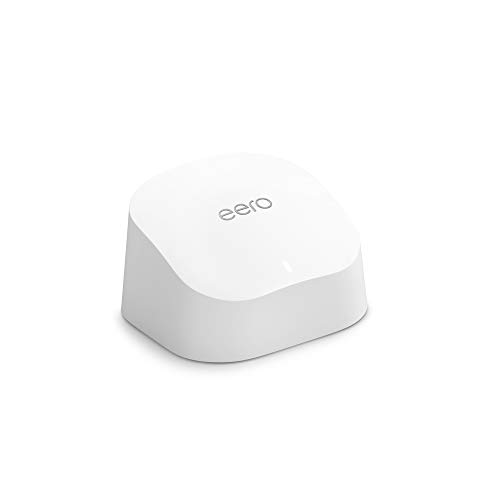
- Consider a mesh system. If your apartment is long and narrow (common in pre-war buildings), a mesh system likeAmazon eero solves dead zones. The eero 6 also includes a Zigbee hub for your smart devices.
For more router recommendations, see ourbest Wi-Fi routers for smart homes guide.
Moving Out: How to Remove Everything Without a Trace
The beauty of a renter-friendly smart home is that removal takes 30 minutes:
- Smart plugs: Unplug. No marks, no evidence.
- Smart bulbs: Unscrew, put the original bulbs back in.
- Door/window sensors: Peel off the adhesive. A little Goo Gone removes any residue.
- Indoor cameras: Unplug and take down.
- Smart speaker: Unplug and take with you.
- Mesh Wi-Fi: Unplug all nodes.
- August Smart Lock: Remove the August unit, replace with the original thumb turn (which you saved, right?). The outside of the door is unchanged.
- SwitchBot Curtain: Slide off the rod. No marks.
Total removal time: under 30 minutes. Total wall damage: zero.
The Bottom Line
You don’t need to own a house to have a smart home. The devices that matter most — voice control, lighting automation, security monitoring, and climate management — all work perfectly in apartments without a single drill hole.
Start with an Echo Dot and a few smart plugs. Add sensors and cameras as you need them. And when you move out, pack it all up in 30 minutes and take your smart home with you.
For more renter-friendly advice, check out ourcomplete renter-friendly smart home guide and ourguide to the most common beginner mistakes.
CleverHomeClub is supported by readers. When you buy through links on our site, we may earn an affiliate commission at no extra cost to you. We only recommend products we’ve researched thoroughly.
n
🏠 Get Your Free Smart Home Setup Checklist
Join our newsletter and get this free printable plus weekly tips.
Liked this guide? Get the next one in your inbox — the smart home starter checklist is free too.
✓ You're in — check your inbox.
No spam. Unsubscribe anytime. We never share your email.
Price Check
Prices verified via our product tracker. Updated Oct 8.
As an Amazon Associate we earn from qualifying purchases.