This article contains affiliate links. We may earn a commission from qualifying purchases.
Some content on this site is AI-assisted and reviewed by our editorial team.
Your Smart Home Should Work Harder for Your Kids
Most smart home guides assume you’re a single tech enthusiast optimizing your living room. But if you have kids, your priorities shift. You don’t care about RGB lighting sync — you care about knowing when your toddler opens the back door, whether the nursery is too hot, and how to keep your pre-teen off YouTube at 2 AM.
The good news: smart home devices are genuinely useful for parents. The bad news: most guides don’t cover the kid-specific stuff that actually matters.
This is that guide. We’re talking parental controls, safety sensors, family automations, and the devices that make parenting easier — not just more complicated.
Safety First: The Devices That Actually Protect Kids
If you’re building a kid-safe smart home, start here. These devices prevent the scenarios that keep parents up at night.
Door and Window Sensors
Smart door and window sensors are the single most important kid-safety device you can buy. They alert you the moment a door or window opens — which matters whether you have a toddler who wanders or a teenager who sneaks out.
- Best budget:Wyze Contact Sensors — 2 for under 10 dollars, works with Wyze Sense hub
- Best for Alexa:Ring Contact Sensors — integrates with Alexa and Ring Alarm
- Best for HomeKit:Aqara Door/Window Sensors — rock-solid Zigbee, works with Apple Home, Alexa, and Google
Set them up to announce “Back door opened” through your smart speakers. It’s the difference between knowing and guessing.
Smart Smoke and Carbon Monoxide Detectors
Standard smoke detectors scream and hope someone’s home.Smart smoke detectors send alerts to your phone, tell you which room detected smoke, and can even call emergency contacts if you don’t respond.
For families with kids, this isn’t optional — it’s the difference between hearing an alarm from the backyard and missing it entirely.
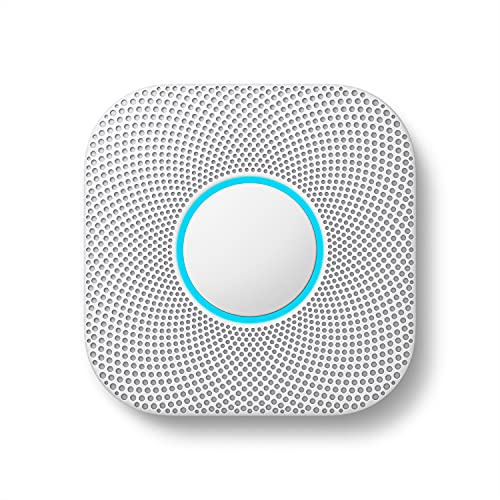
- Best overall:Google Nest Protect — speaks warnings before sounding the alarm, self-tests, and sends phone alerts
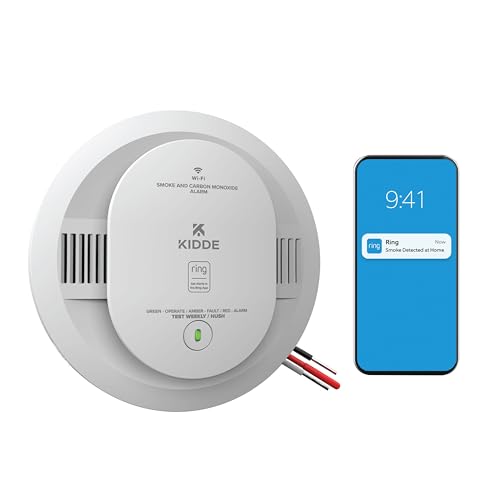
- Best budget:Kidde Smart Smoke Detectors — reliable detection with app alerts at a lower price
Water Leak Detectors
Kids leave taps running. Toilets overflow. Washing machine hoses burst.Smart water leak detectors catch these before they become five-figure disasters.
Place them under sinks, behind toilets, and near the washing machine. TheGovee Water Leak Detectors are under 15 dollars each and scream loud enough to hear from anywhere in the house.

Parental Controls That Actually Work
Parental controls on smart devices are inconsistent at best, useless at worst. Here’s what actually works and what’s not worth your time.
Screen Time and Content Filtering
If your kids use smart displays or tablets, you need content guardrails. Here’s what each platform offers:
- Amazon Kids+ (FreeTime): The gold standard for kids content. Built into Echo Dot Kids and Fire Tablets. Sets daily time limits, filters content by age, and gives you a parent dashboard. Works surprisingly well.
- Google Family Link: Controls Android devices and Nest Hub displays. Sets daily screen time limits, bedtimes, and app approvals. Free. Works best for kids under 13.
- Apple Screen Time: Best for iPads and iPhones. Set app time limits, content restrictions, and communication limits. Tight integration with Family Sharing.
The key insight:pick one ecosystem and commit. Mixing Amazon, Google, and Apple parental controls is a mess. If your kid uses an Echo, use Amazon Kids+. If they’re on an iPad, use Screen Time. Don’t try to manage three platforms.
Wi-Fi Controls
Your router is the gatekeeper. Most modern routers let you:
- Pause the internet on specific devices (bedtime enforcement)
- Block specific websites or categories
- Set time limits for individual devices
- View which devices are connecting and when
If your current router doesn’t offer these features, it might be time to upgrade. Check ourbest Wi-Fi routers for smart homes guide for family-friendly options.
Family-Friendly Automations (That Actually Save Time)
Automations for families are different from automations for solo tech nerds. Here are the ones parents actually use.
Goodnight Routine
One command at bedtime:
- Lock all doors
- Turn off all lights except the hallway nightlight
- Set the thermostat to sleeping temperature
- Arm door sensors for alerts
- Pause Wi-Fi on kids’ devices
- Turn on the baby monitor camera
On Alexa:“Alexa, goodnight.” On Google:“Hey Google, bedtime.” Set it up once, use it every night.
School Morning Routine
At 6:45 AM on weekdays:
- Gradually brighten bedroom lights (better than a jarring alarm)
- Start playing kids’ morning playlist
- Announce “Time to get ready for school!” on bedroom speakers
- Turn on kitchen lights and start the coffee maker (if you have a smart plug)
- Unpause Wi-Fi on kids’ devices
This is one of those automations that sounds silly until you try it. Waking up to gradually brightening lights is genuinely better than an alarm clock — and your kids are more likely to get moving when the house is gently nudging them along.
Door Alert for Toddlers
If you have a little one who likes to explore:
- When front door opens → Announce “Front door opened” on all speakers
- When back door opens → Flash kitchen lights twice and announce “Back door”
- When garage door opens → Send push notification to both parents’ phones

This is non-negotiable if you have a toddler. Set it up before you think you need it.
Baby Monitor Upgrade
A smart camera in the nursery does more than any baby monitor:
- Temperature alerts if the nursery gets too hot or too cold
- Motion detection that sends clips to your phone
- Two-way audio so you can soothe without entering the room
- Night vision that actually works (most dedicated baby monitors don’t)
TheRing Indoor Cam orWyze Cam v4 work well for this. See ourRing vs Wyze comparison for the full breakdown.
Age-by-Age Smart Home Setup
Different ages, different needs. Here’s what matters most at each stage.
Babies and Toddlers (0-3 years)
- Must-haves: Smart camera (nursery), door/window sensors (exterior doors), temperature sensor (nursery), smart speaker (white noise, lullabies)
- Nice-to-haves: Smart humidifier, smart nightlight, water leak sensor under sinks
- Skip: Smart locks (they won’t reach handles yet), screen time controls (N/A)
Young Kids (4-9 years)
- Must-haves: Door/window sensors (every exterior door), smart speaker with parental controls, smart lock (they can let themselves in with a code), router with device controls
- Nice-to-haves: Smart lights they can control with voice (“Turn on the bathroom light”), outdoor camera for backyard visibility
- Skip: Complex automations (they’ll find workarounds), individual device locks (too many to manage)
Pre-Teens (10-12 years)
- Must-haves: Router with Wi-Fi scheduling, smart speaker with explicit content filter, smart lock with unique codes (know when they get home), content filtering on all devices
- Nice-to-haves: Smart plugs to enforce “devices off at bedtime,” location-based automations (lights on when they arrive home)
- Skip: Over-the-shoulder monitoring (builds resentment, not trust)
Teenagers (13-17 years)
- Must-haves: Router with full parental controls, smart lock (track arrivals without asking), outdoor cameras (driveway/entry visibility)
- Nice-to-haves: Smart garage door (they’ll forget to close it), door sensor on the liquor cabinet (honest), motion-activated lights for late arrivals
- Skip: Excessive monitoring, camera in their room (seriously, don’t), micromanaging their schedule
Privacy Considerations for Families
This is the part most guides skip. When you put cameras and microphones in a home with kids, you’re making privacy decisions for people who can’t consent.
Cameras
- Never put a camera in a kid’s bedroom. Full stop. Use a baby monitor in the nursery until age 3, then remove it.
- Common areas only: Front door, back door, driveway, living room. That’s it.
- Local storage preferred: Use cameras that store footage locally (NVR or SD card) rather than cloud-only. Less risk of footage being accessed by third parties.
- Turn off always-listening: Most cameras let you disable audio recording. Use it.
Smart Speakers
- Review voice recordings regularly. Delete anything you don’t need. Amazon and Google both let you auto-delete recordings after 3-18 months.
- Use kid profiles: Both Alexa and Google Assistant have kid-specific responses that filter explicit content and limit purchases.
- Disable voice purchasing: Your 4-year-old does not need a 500-dollar Lego set delivered by drone.
Data You’re Creating
Every smart device collects data. Over 18 years, that’s a comprehensive profile of your child’s routines, habits, and home life. Consider:
- Which devices actually need cloud connectivity?
- Can you use local processing (Home Assistant) for sensitive automations?
- Are you comfortable with Amazon/Google/Apple having that data on your kid?

If privacy is a priority, read oursmart home privacy guide for detailed steps on minimizing data collection.
The Best Smart Devices for Families (Our Picks)
- Best speaker for kids:Echo Dot Kids Edition — parental controls built in, 1 year of Amazon Kids+, rugged case that survives drops
- Best door sensor for families:Aqara Door/Window Sensor — instant alerts, works with every platform, under 20 dollars
- Best smart lock for families:August Wi-Fi Smart Lock — unique codes for each family member, auto-lock timer, works with existing deadbolt
- Best camera for nurseries:Wyze Cam v4 — affordable, 2K resolution, night vision, local SD card storage
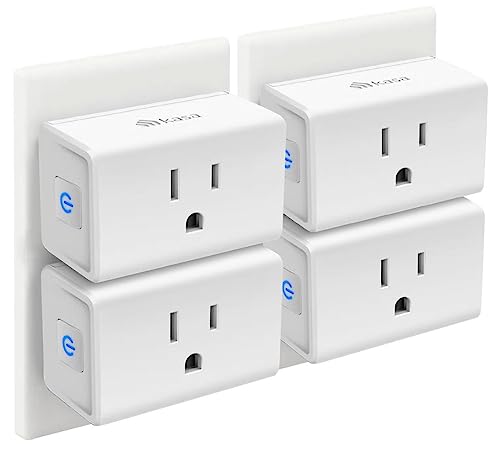
- Best smart plug for bedtime enforcement:Kasa Smart Plug Mini — schedule any device to turn off at bedtime, no arguments
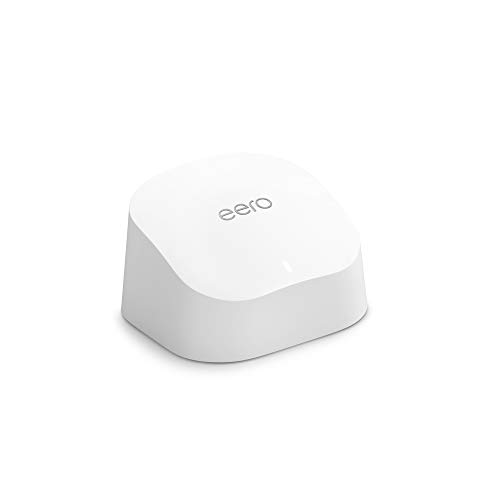
- Best router for parental controls:Amazon eero — built-in content filtering, per-device time limits, pause internet on any device from the app
Setting Up Your Family Smart Home: A Step-by-Step Plan
Don’t buy everything at once. Start with safety, add convenience over time.
Week 1: Safety
- Install door/window sensors on all exterior doors
- Set up phone alerts for door openings
- Add a smart camera at the front and back door
- Test smoke/CO detectors and replace batteries
Week 2: Routines
- Create your “goodnight” routine (locks, lights, thermostat, Wi-Fi pause)
- Create your “school morning” routine (gradual lights, announcement, coffee)
- Set up door alerts through your smart speaker
Week 3: Parental Controls
- Set up content filtering on your router
- Configure screen time limits on kids’ devices
- Create unique smart lock codes for each family member
- Disable voice purchasing on all speakers
Week 4: Comfort
- Add smart lighting to kids’ rooms (dimmable, schedule-compatible)
- Set up location-based automations (lights on when you arrive home)
- Add temperature sensors to the nursery and kids’ rooms
- Create a “movie night” scene that dims lights and closes blinds
Common Mistakes Parents Make with Smart Homes
- Over-monitoring. Tracking every movement builds distrust, not safety. Use alerts for boundary events (doors opening, temperature extremes) — not constant surveillance.
- Ignoring firmware updates. Smart devices on your home network with outdated firmware are security risks. Set a monthly calendar reminder to check for updates.
- Using default passwords. Change every device’s default password the moment you set it up. This is non-negotiable with kids in the house.
- Buying incompatible devices. Mixing Alexa, Google, and HomeKit without a hub is a recipe for frustration. Pick one voice assistant per room and useMatter-compatible devices to bridge the gaps.
- Forgetting to update parental controls as kids age. The controls that work for a 7-year-old won’t work for a 14-year-old. Review and adjust quarterly.
What About Smart Home Baby Monitors?
Dedicated baby monitors are still the best choice for infants — they’re designed for low-light nurseries and have purpose-built features like temperature readings and cry detection. But once your child is past the infant stage, a smart camera with two-way audio is more versatile and costs less.
TheInfant Optics DXR-8 Pro remains the best dedicated baby monitor for newborns. Once you’re past the baby stage, switch to aRing Indoor Cam orWyze Cam v4 for more flexibility.
The Bottom Line
A kid-safe smart home isn’t about surveillance — it’s about awareness and automation that frees up your mental energy for actual parenting. Start with door sensors and a camera. Add routines that handle the repetitive stuff (bedtime, mornings, door alerts). Then layer in parental controls and comfort features as your kids grow.
The best smart home for families is the one that makes you stop worrying about the basics so you can focus on what matters. And if you’re just getting started, ourguide to the most common beginner mistakes will help you avoid the expensive missteps.
CleverHomeClub is supported by readers. When you buy through links on our site, we may earn an affiliate commission at no extra cost to you. We only recommend products we’ve researched thoroughly.
n
My take: For families the order is safety sensors, then parental controls on one ecosystem (don’t try to manage three), then the Goodnight and School Morning routines that replace the daily nagging. Start with $30 of door sensors and a Nest Protect — they cover the two scenarios you actually lose sleep over.
Related guides
- Smart Pet Feeders and Monitors: Do They Work or Are They Just Expensive Gadgets?
- Smart Home Garage Door: How to Know If You Left It Open (And Fix It Remotely)
- Smart Home Devices That Cut Your Appliance Energy Costs
- Smart Home Temperature Sensor Placement: Where to Put Sensors for Accurate Readings (And Where Not to)
- Smart Home for Baby Nurseries: Safety Monitors, Air Quality, and Automations That Help
🏠 Get Your Free Smart Home Setup Checklist
Join our newsletter and get this free printable plus weekly tips.
Frequently Asked Questions
What safety devices does a house with kids actually need?
Three, in order: door and window sensors (Wyze’s are 2 for under $10, or Aqara’s for HomeKit) that announce “back door opened” through your speakers, smart smoke and CO detectors like the Nest Protect that phone you which room detected smoke, and water leak detectors — the Govee units are under $15 and catch the overflow disasters kids create. Those cover the scenarios that keep parents up at night.
How do I set up parental controls on smart devices?
Pick one ecosystem and commit — mixing Amazon, Google, and Apple controls is a mess. Amazon Kids+ is the gold standard for Echo and Fire Tablet (time limits, age filtering, parent dashboard), Google Family Link controls Android and Nest Hub free, and Apple Screen Time is best for iPads and iPhones. Your router adds bedtime enforcement by pausing Wi-Fi on specific devices.
Which family automations actually save parents time?
The Goodnight routine — one command locks the doors, kills the lights except the hallway nightlight, sets the sleep temperature, arms the door sensors, pauses kids’ Wi-Fi, and turns on the baby monitor. The School Morning routine at 6:45 gradually brightens bedroom lights, starts the morning playlist, and announces “time to get ready.” Set each up once and they run every day.
Liked this guide? Get the next one in your inbox — the smart home starter checklist is free too.
✓ You're in — check your inbox.
No spam. Unsubscribe anytime. We never share your email.
Price Check
Prices verified via our product tracker. Updated Oct 17.
| Aqara Zigbee Door and Window Sensor 3 Pack, Wireless Mini | $42.99 | 4.2★ (1,637) |
| Wyze Home Security System Entry Sensor - Window and Door E | $49.98 | 4.4★ (872) |
| Ring Alarm Contact Sensor 2-Pack - 2nd Gen | Instant Windo | $29.98 | 4.7★ (29,496) |
| Google Nest Protect - Smoke Alarm - Smoke Detector and Car | $30.00 | 4.4★ (7,508) |
| Kidde Smart Smoke & CO Detector with Ring, Hardwire & AA B | $59.80 | 4.2★ (420) |
| Govee WiFi Water Leak Detector 3 Packs, Leak Alert with Re | $75.00 | 4.2★ (10,991) |
| meross Smart Plug 15A, Works with Apple HomeKit, Voice & A | $39.99 | 4.3★ (13,849) |
| Ring Indoor Cam | Indoor Home Security Camera System | Ama | $84.98 | 4.7★ (46,054) |
| WYZE Cam v4 (Latest Model), 2.5K AI Security Camera, Indoo | $44.97 | 4.3★ (11,330) |
| Amazon Echo Dot Kids | Includes 1 Year of Amazon Kids+ | S | $49.99 | 4.6★ (19,060) |
| Kasa Smart Plug Ultra Mini 15A, EP10P4, Smart Home Wi-Fi O | $29.99 | 4.5★ (40,660) |
| eero 6 mesh Wifi router | $89.99 | 4.4★ (29,429) |
As an Amazon Associate we earn from qualifying purchases.