This article contains affiliate links. We may earn a commission from qualifying purchases.
Some content on this site is AI-assisted and reviewed by our editorial team.
You don’t need to spend thousands or hire an electrician to get a smart home. These 10 weekend projects each cost under $100 and deliver real, daily value — not gimmicks.
Why Weekend Projects Beat Whole-Home Installs
The mistake most people make with smart homes is trying to do everything at once: buy 20 devices, spend a weekend wiring, and end up with a system that sort of works but nobody understands. The better approach is incremental — one project at a time, each solving a real problem you actually have.
Here are 10 smart home projects you can build in a weekend, each under $100, each delivering value on day one. They’re ordered from easiest (15 minutes) to most involved (a full afternoon).
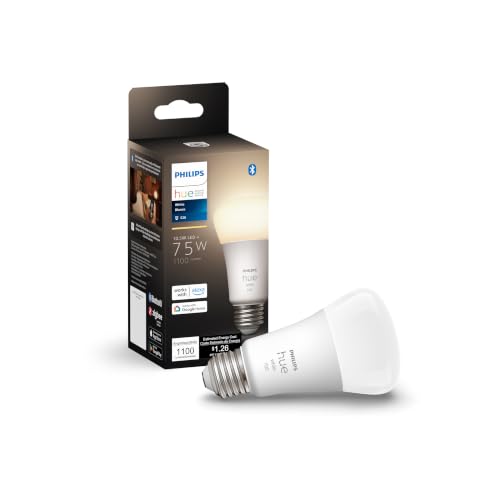
1. Smart Lighting in One Room ( dollars 40– dollars 60)
Start with one room — usually the one you use most. Replace the bulbs in that room with smart bulbs, set up a simple automation, and see if it actually improves your life before expanding.
What you need:
- 2-3 smart bulbs (Philips Hue, Nanoleaf, or Wyze)
- A smart home hub if required (Philips Hue Bridge for Hue bulbs; nothing needed for Wi-Fi bulbs)
Weekend project:
- Replace the bulbs
- Install the app and pair
- Set one automation: “sunset → lights to 40% warm white”
- Set one scene: “movie night” (dim, warm)
Why it matters: If you don’t use the automation after a week, smart lighting isn’t for you — and you only spent $40 finding out, not $400.
Philips Hue starter kit → | Budget alternative (Wyze bulbs) →

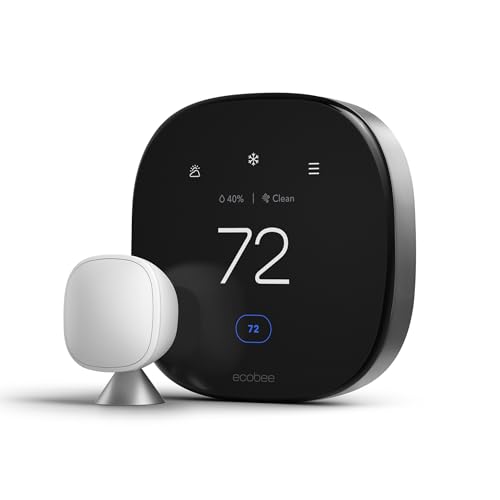
2. Smart Thermostat Schedule ( dollars 80– dollars 250)
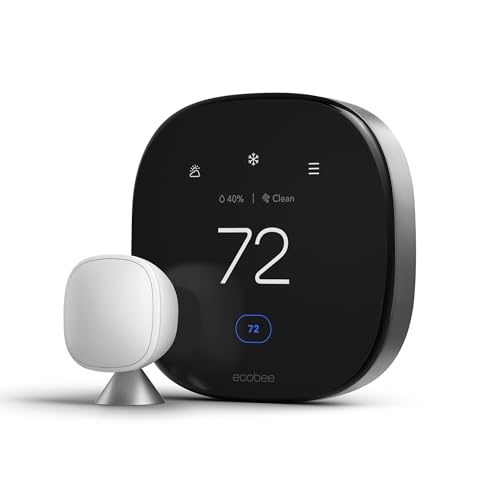
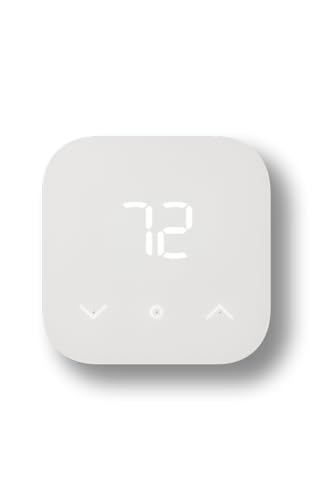
A smart thermostat pays for itself in 6-12 months through energy savings — but only if you actually set up the schedule. The hardware installation takes 30 minutes; the schedule setup takes another 30.
What you need:
- A smart thermostat (Ecobee, Nest, or Amazon Smart Thermostat)
- A screwdriver
- Your HVAC wiring diagram (usually inside the old thermostat’s cover)
Weekend project:
- Turn off breaker to HVAC
- Remove old thermostat, note wire positions
- Install new thermostat (same wire connections)
- Set schedule: 70°F when home, 65°F at night, 78°F when away
- Enable geofencing (auto-adjust when you leave/return)
Why it matters: Most people save $50-150/year. The schedule is where the savings come from — not the hardware itself.
Ecobee Smart Thermostat → | Budget option (Amazon Smart Thermostat) →
3. Automated Night Light ( dollars 25– dollars 40)
The simplest automation that everyone appreciates: a light that comes on at 10% when you get up at night, so you don’t stub your toe or wake your partner.
What you need:
- A smart bulb in a hallway or bathroom
- A motion sensor (Aqara, Hue, or SmartThings)
Weekend project:
- Place motion sensor in hallway (battery-powered, stick-on)
- Create automation: “if motion detected between 11 PM and 6 AM → light to 10% warm”
- Add: “turn off after 2 minutes of no motion”
Why it matters: This is the automation that makes guests say “how did it do that?” It’s the gateway drug to smart homes for skeptics.
Aqara motion sensor → | Smart bulbs →
4. Smart Plug Vampire Load Audit ( dollars 30– dollars 50)
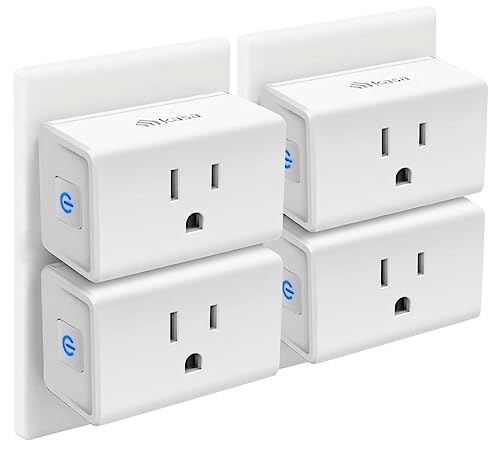
Find out what’s secretly draining electricity in your house. Smart plugs with energy monitoring let you measure each device’s standby power and cut it automatically.
What you need:
- 3-5 smart plugs with energy monitoring (Kasa, Meross, or Emporia)
Weekend project:
- Plug in smart plugs on your biggest suspects: TV, cable box, game console, computer, coffee maker
- Monitor for 24 hours to see standby draw
- Set automation: “cut power to TV/cable box when not in use”
- Check monthly savings in the app
Why it matters: Cable boxes are notorious for drawing 20-30W even when “off.” Over a year, that’s $30-50 per device. Five devices add up to real money.
Kasa smart plug with energy monitoring →
5. Door/Window Security Alerts ( dollars 40– dollars 70)
Know when a door or window opens — without a full security system. Contact sensors are cheap, battery-powered, and take 2 minutes to install.
What you need:
- 5-10 contact sensors (Aqara, Ecolink, or SmartThings)
- A hub if your ecosystem requires one
Weekend project:
- Install sensors on exterior doors and ground-floor windows
- Set automation: “if any exterior sensor opens between 11 PM and 6 AM → send notification + sound alarm”
- Add: “if away mode is on → alert on any door/window opening”
Why it matters: You get 90% of a security system’s value for 10% of the cost. No monitoring fees, no contracts.
Aqara contact sensors (pack of 5) →
6. Smart Garage Door Controller ( dollars 30– dollars 80)
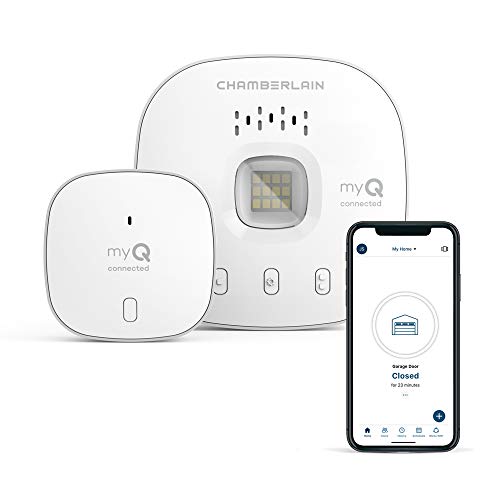
Never drive away wondering “did I close the garage?” A smart controller lets you check and close it from your phone.
What you need:
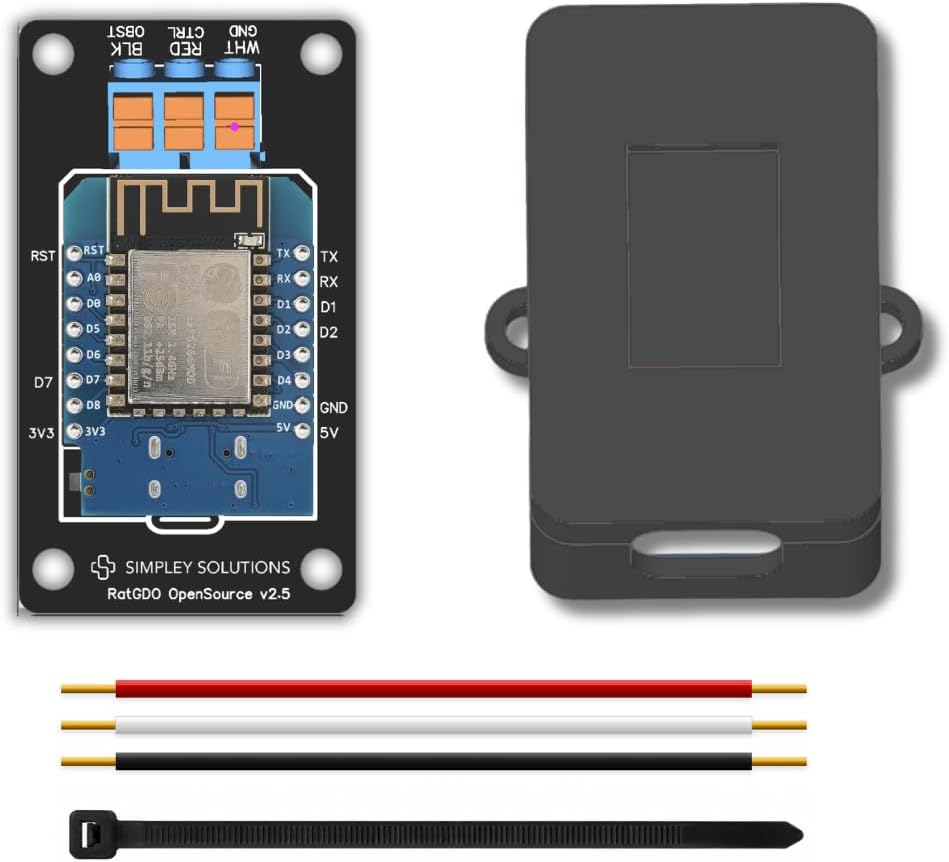
- Chamberlain myQ (for newer openers) or ratgdo (for older Security+ 2.0 models)
Weekend project:
- Mount the controller to your garage door opener
- Connect to Wi-Fi
- Set automation: “auto-close after 15 minutes if open and no one is home”
- Add: “alert if door opens after 10 PM”
Why it matters: The peace-of-mind alone is worth $30. The auto-close automation saves you from that 2 AM “did I leave it open?” panic.
Chamberlain myQ smart garage → | ratgdo (for older openers) →
7. Leak Detection Under Sinks ( dollars 40– dollars 60)
Water damage is the #1 home insurance claim. A $12 leak detector under each sink can save you thousands.
What you need:
- 3-5 water leak sensors (Aqara, Govee, or SmartThings)
Weekend project:
- Place sensors under kitchen sink, bathroom sinks, washing machine, water heater
- Set automation: “if water detected → immediate notification (all phones) + alarm sound”
- Optional: add a smart water shut-off valve ($100-200) for auto-shutoff
Why it matters: A slow leak under a sink can cause $10,000+ in cabinet and floor damage before you notice. A $12 sensor catches it in seconds.
8. Smart Doorbell Camera ( dollars 60– dollars 150)
See who’s at the door without getting up. Record package deliveries. Deter porch pirates. A smart doorbell is the most immediately useful smart home device for most people.
What you need:
- Video doorbell (Ring, Nest, or Eufy)
- Existing doorbell wiring (or battery-powered model)
Weekend project:
- Remove old doorbell button
- Install smart doorbell (wired or battery)
- Connect to Wi-Fi and app
- Set motion zones to avoid street traffic alerts
- Set “quiet hours” so you’re not woken by every cat that walks by
Why it matters: Package theft is a $12 billion/year problem. A doorbell camera is the most effective deterrent — and the video evidence is useful if theft does occur.
9. Voice Control for Your Most-Used Devices ( dollars 40– dollars 100)
If you’re constantly fumbling for your phone to turn off lights or adjust the thermostat, a smart speaker fixes that. “Hey Google, turn off all the lights” is worth the $99.
What you need:
- A smart speaker (Echo, Google Nest, or HomePod)
- At least one smart device already set up (lights, thermostat, etc.)
Weekend project:
- Place speaker in the room you use most
- Connect to your smart home platform
- Test: “turn off the lights,” “set thermostat to 72,” “start a 10-minute timer”
- Set up routines: “goodnight” → lights off, doors lock, thermostat down
Why it matters: Voice control is the difference between a smart home you actually use and one you forget about. The routine setup is where the magic happens.
Echo (smart speaker) → | Google Home Speaker →

10. Home Assistant for Advanced Automations ( dollars 50– dollars 100)
If you’ve done projects 1-9 and want more, it’s time for Home Assistant. This is the most powerful smart home platform on the market — and it’s free.
What you need:
- A dedicated computer (Raspberry Pi, mini PC, or Home Assistant Green)
- Patience for setup (this is a full-afternoon project)
Weekend project:
- Install Home Assistant on your chosen hardware
- Integrate your existing devices (lights, sensors, thermostat, etc.)
- Build one complex automation: “if motion in hallway at night AND bedroom door is closed → dim hallway light to 10%, wait 2 min, turn off”
- Add a dashboard (phone-friendly web UI showing your home status)
Why it matters: Home Assistant is the only platform that lets you build truly complex automations with conditions, sequences, and device state. The commercial platforms (Google, Amazon, Apple) can’t match it.
Home Assistant Green (plug-and-play) →
The Right Way to Build a Smart Home
Don’t buy everything at once. Pick one project from this list that solves a problem you actually have. Build it. Use it for a week. If it makes your life better, pick another one. If it doesn’t, you’ve spent less than $100 and learned something.
The best smart home is the one that fits your life — not the one with the most devices. Start small, solve real problems, and expand only where it makes sense.
Which project are you starting with? Or what smart home project would you add to this list?
nn
The Bottom Line
Smart home technology works best when it solves real problems in your daily routine. Pick the devices that address your specific needs, set them up properly, and let the automations handle the rest. The right setup saves you time, money, and frustration every single day.
My take: Build in weekends, not marathons — the $40 room-lighting experiment and the thermostat schedule are the two projects that teach you whether this is for you. Everything on the list works on day one and costs under $100, so a failed experiment is a lesson, not a loss.
Related guides
- Smart Home BBQ and Outdoor Cooking: Thermometers, Automations, and Gear That Helps
- 12 Smart Home Mistakes Almost Every Beginner Makes (And How to Fix Them)
- Guest Access Without Giving Out Your Passwords: 5 Setups That Work
- Thread Tools App: See Your Smart Home Network Like Never Before
- Smart Home Mail and Package Tracking: How to Know When Your Deliveries Arrive (Without Checking the Porch 10 Times)
🏠 Get Your Free Smart Home Setup Checklist
Join our newsletter and get this free printable plus weekly tips.
Frequently Asked Questions
What’s a good first smart home project to build this weekend?
Smart lighting in one room ($40–60): 2–3 smart bulbs, one automation (“sunset → lights to 40% warm white”), and one scene. If you don’t use the automation after a week, smart lighting isn’t for you — and you found out for $40, not $400. Incremental beats whole-home installs: one project at a time, each solving a real problem you actually have.
Which weekend project saves the most money?
The thermostat schedule — a smart thermostat pays for itself in 6–12 months, but only if you actually set the schedule (70°F home, 65°F night, 78°F away, plus geofencing). Hardware install is 30 minutes; the schedule is another 30. Most people save $50–150/year, and the schedule — not the hardware — is where the savings live. The runner-up: a vampire-load audit with energy-monitoring plugs; cable boxes draw 20–30W even off, $30–50 per device per year.
What can I build for under $100 in a weekend?
Every project on the list is under $100: room lighting ($40–60), the thermostat schedule (if you already own the thermostat, $0), an automated night light ($25–40: motion sensor + a smart bulb, 10% warm between 11 PM and 6 AM), a vampire-load audit ($30–50 of plugs), door/window alerts ($40–70 in contact sensors — the post’s math is 90% of a security system’s value for 10% of the cost), and a smart garage controller ($30–80).
Liked this guide? Get the next one in your inbox — the smart home starter checklist is free too.
✓ You're in — check your inbox.
No spam. Unsubscribe anytime. We never share your email.
Price Check
Prices verified via our product tracker. Updated Nov 7.
| Philips Hue Smart 75W A19 LED Bulb - Soft Warm White Light | $17.57 | 4.6★ (9,130) |
| MHCOZY Smart Home Dry Contact Zigbee Relay Switch, Remote | $16.90 | 4.4★ (480) |
| ecobee Smart Thermostat Premium - WiFi, Siri & Alexa Built | $245.00 | 4.3★ (4,170) |
| Amazon Smart Thermostat, Works with Alexa and Ring, C-wire | $79.99 | 4.0★ (25,569) |
| Aqara Zigbee Temperature and Humidity Sensor 1 Pack, Therm | $18.98 | 4.2★ (5,624) |
| Kasa Smart Plug Ultra Mini 15A, EP10P4, Smart Home Wi-Fi O | $22.99 | 4.5★ (40,660) |
| CHAMBERLAIN Smart Garage Control - Wireless Garage Hub and | $64.98 | 4.3★ (60,887) |
| Smart Garage Door Opener, RatGDO Open Source Board with Ca | $39.95 | 3.9★ |
| MEATER Plus Smart Meat Thermometer, Honey, Bluetooth, 165f | $99.95 | 4.3★ (48,519) |
| Amazon Echo Dot (newest model) - Vibrant sounding speaker | $79.99 | 4.7★ (200,849) |
| Google Nest Learning Thermostat (4th gen) + Nest Temperatu | $224.00 | 4.4★ (2,596) |
As an Amazon Associate we earn from qualifying purchases.