
This article contains affiliate links. We may earn a commission from qualifying purchases.
Some content on this site is AI-assisted and reviewed by our editorial team.
This isn’t a casual choice. The smart assistant you pick — Alexa or Google Home — determines which devices work together, which automations you can build, and how much of your life you can control from your couch. It’s the foundation of your entire smart home.
The good news: in 2026, this decision matters less than it used to. Matter (the universal smart home standard) means most new devices work with both platforms. The bad news: it still matters for speakers, displays, automations, and the overall experience.
Here’s the honest breakdown.
The Short Answer
- Choose Alexa if you want the most device compatibility, the cheapest hardware, and don’t mind slightly clunkier voice commands.
- Choose Google Home if you want better voice recognition, a smarter assistant for questions, and YouTube integration.
- Choose HomeKit if your household is all-Apple and you prioritize privacy over device variety.
And if you want maximum flexibility, buy Matter-compatible devices that work with all three. (See our Matter 2.0 guide for the full rundown.)
Hardware: What You’re Actually Buying
Alexa Devices (Amazon Echo)
- Echo Pop — Price: $30 | Best For: Small spaces, bedrooms
- Echo Dot (5th Gen) — Price: $50 | Best For: Most people’s starter speaker
- Echo Show 5 — Price: $90 | Best For: Kitchen display, video calls
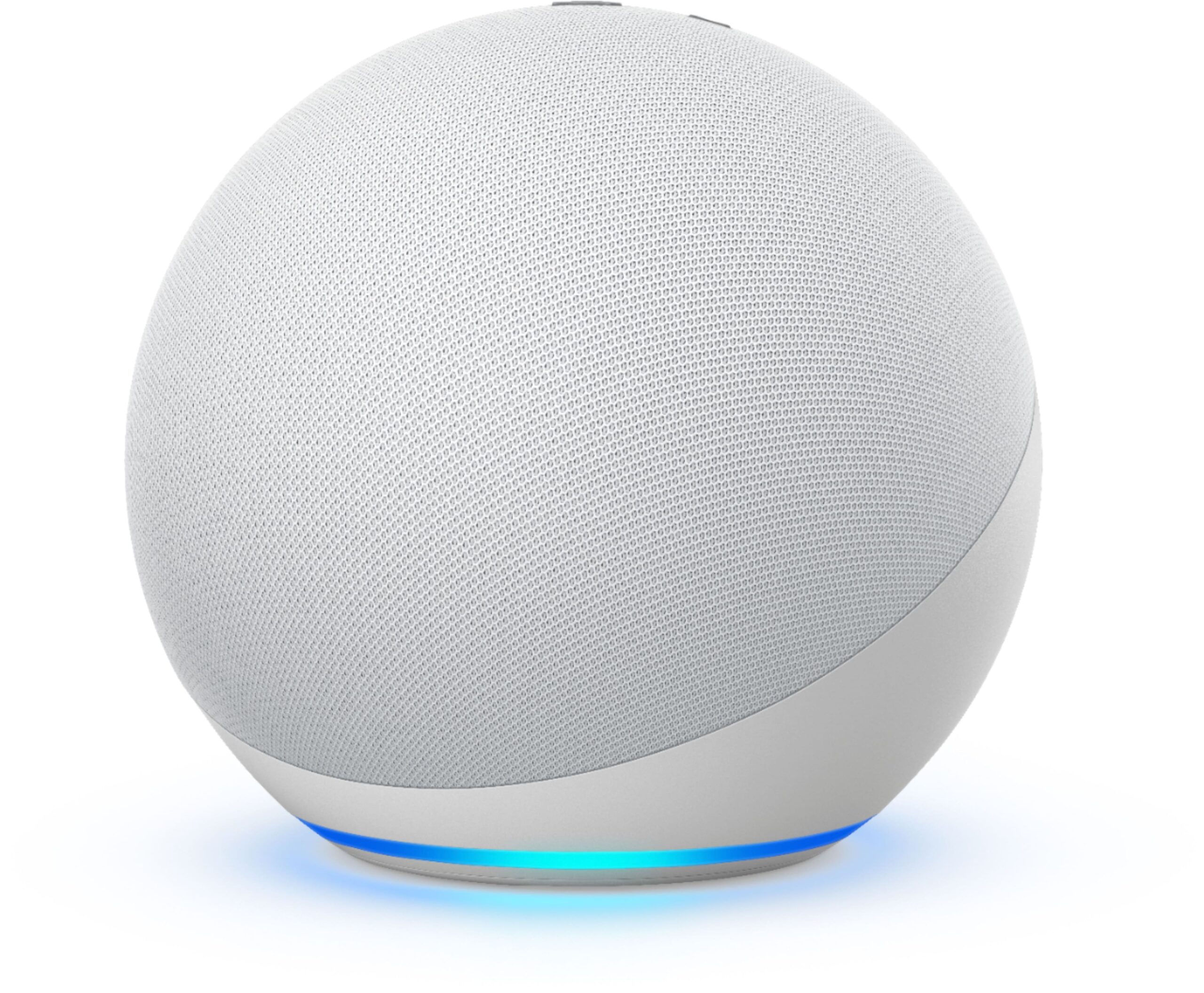
- Echo (4th Gen) — Price: $100 | Best For: Living room speaker + hub
- Echo Show 8 — Price: $150 | Best For: Best smart display for the price
- Echo Hub — Price: $180 | Best For: Dedicated smart home dashboard
Key feature: Most Echo devices double as Zigbee hubs, which means you can connect Thread and Zigbee devices directly without buying a separate hub.
Google Home Devices (Google Nest)
- Nest Mini — Price: $50 | Best For: Basic voice commands, music
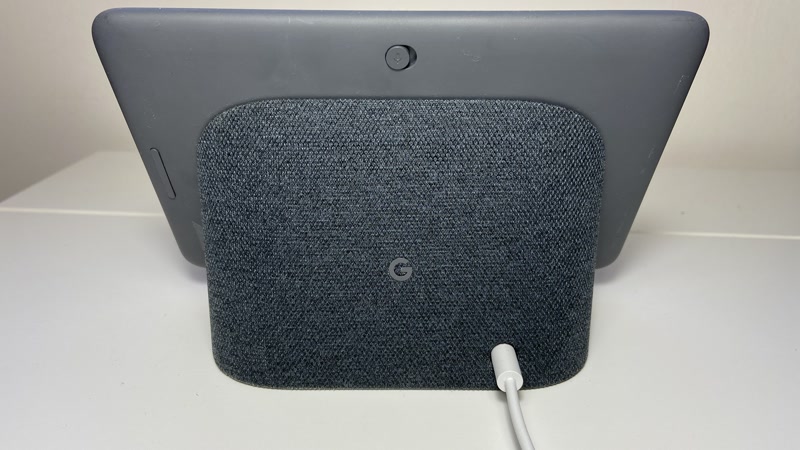
- Nest Hub — Price: $100 | Best For: Best smart display overall
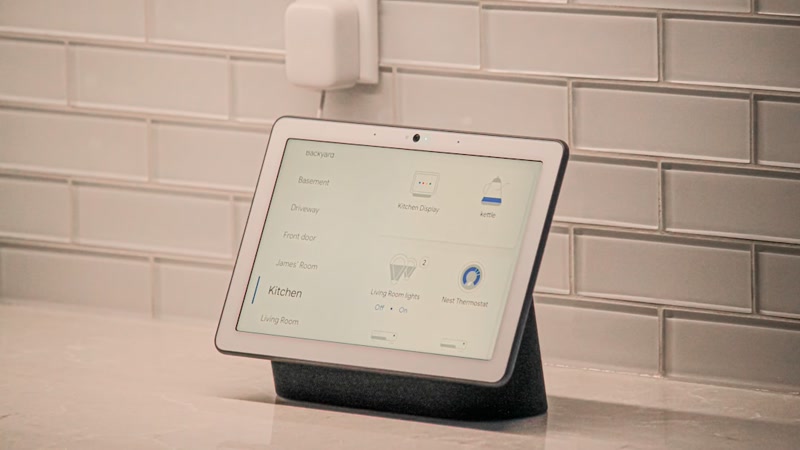
- Nest Hub Max — Price: $230 | Best For: Kitchen command center
- Nest Audio — Price: $100 | Best For: Best-sounding Google speaker
- Chromecast with Google TV — Price: $50 | Best For: TV streaming + Google Assistant
Key feature: Google’s displays are genuinely better for visual information — calendars, recipes, maps, YouTube. If you want a screen, Google is the better pick.

Voice Recognition: Who Hears You Better?
Google wins this one. Its natural language understanding is years ahead of Alexa’s.
Google Home:
– Understands complex, natural sentences (“Turn off the living room lights and set the thermostat to 68” works as one command)
– Better at follow-up questions (“Who’s the president?” → “How tall is he?” works on Google, not reliably on Alexa)
– Handles accents and speech patterns better
Alexa:
– Good for simple, direct commands (“Alexa, turn off the lights”)
– Struggles with compound commands and conversational follow-ups
– Better at hearing you from across a noisy room (the “far-field” microphones are excellent)
Verdict: If you talk to your assistant like a person, pick Google. If you bark orders like a drill sergeant, Alexa is fine.

Smart Home Control
This is where it gets interesting.
Device Compatibility
Both platforms support over 100,000 smart home devices. The difference is in how they support them:
- Alexa has more native integrations. If a device exists, it probably has an Alexa skill. But “more” doesn’t always mean “better” — some of those integrations are bare-bones.
- Google Home has fewer integrations, but the ones it has tend to be more polished. Google also handles Matter devices better in 2026.
Routines & Automations
Alexa Routines are more powerful:
– More trigger types (time, voice, device state, location, button press)
– Can chain more actions
– Wait actions and custom delays
– Better third-party integration (IFTTT, Yonomi)
Google Home Routines are simpler but smarter:
– Google Assistant routines handle natural language triggers better
– “Good morning” routine pulls from your calendar, commute, and weather intelligently
– Less flexible but less likely to break
See our 10 Alexa routines that actually save time for the best setups.
Local Control
Neither platform is great at local control. Both mostly route commands through the cloud.
- Alexa has local processing on the Echo Hub (for Zigbee and Matter devices), but it’s limited.
- Google Home added local fulfillment for some devices, but it’s inconsistent.
If local control matters to you (internet goes down, privacy concerns), you want a Home Assistant setup with a SmartThings or Home Assistant hub. That’s a more advanced setup — see our smart home mistakes guide for why this matters.
Music & Entertainment
Alexa (Amazon Music, Spotify, Apple Music, Pandora, + more)
- More music services supported
- Multi-room audio works well across Echo devices
- Amazon Music Unlimited bundled with Echo devices (cheap deal)
- Alexa can play specific songs, playlists, and stations by voice
Google Home (YouTube Music, Spotify, Apple Music, Pandora)
- YouTube Music integration is excellent (and unique to Google)
- YouTube on Nest Hub displays is a genuine selling point
- Google’s voice recognition for song requests is better (“Play that song from the movie with the thing” actually works sometimes)
- Nest Hub Max is a surprisingly good video call device
Verdict: If you live on YouTube, Google. If you’re an Amazon Music subscriber, Alexa. If you use Spotify only, it’s a tie.
Privacy & Data
Let’s be real: both platforms are listening. Here’s the uncomfortable truth:
Alexa:
– Amazon stores your voice recordings by default (you can opt out)
– Amazon uses voice data to improve Alexa and for targeted advertising
– More third-party skills = more potential data sharing
– Amazon has had privacy incidents (employees reviewing recordings, Ring camera hacks)
Google Home:
– Google also stores recordings by default (you can opt out)
– Google’s business model is literally built on data, so expect more data harvesting
– Fewer third-party integrations = fewer data leakage points
– Google has a slightly better track record on transparency
The honest take: Neither is great on privacy. If privacy is a top concern, skip both and build around HomeKit or Home Assistant. For most people, the convenience outweighs the data concerns — just turn off recording storage in both apps.
The Tiebreaker: Your Phone
Here’s the thing nobody tells you: your phone ecosystem matters.
- All iPhone household? Google Home is slightly better because you can cast from your phone to Nest speakers. But really, you should consider HomeKit.
- All Android household? Google Home is the natural choice. “Hey Google” feels like an extension of your phone.
- Mixed household? Alexa is the Switzerland of smart homes — it works with everything and doesn’t favor one phone OS.
The 2026 Decision Matrix
- Alexa — If…: You want the cheapest hardware, the most device integrations, or you’re in a mixed phone household
- Google Home — If…: You want better voice recognition, YouTube integration, or you’re all-Android
- HomeKit — If…: You’re all-Apple and care about privacy
- Matter (agnostic) — If…: You want to mix and match without locking in
Can You Mix Them?
Yes, but it’s messy. Here’s the reality:
- You can have both an Echo and a Nest Hub in the same house
- They won’t talk to each other natively
- Matter devices work with both, but you still pick one platform for routines and control
- Home Assistant can bridge them, but that’s an advanced setup
My recommendation: Pick one platform and commit for at least a year. The switching cost is real (replacing speakers, rebuilding routines, re-pairing devices).
What About Siri/HomeKit?
Short answer: HomeKit is excellent for privacy and deeply integrated with iPhone, but device selection is more limited and hardware is more expensive. It’s the right choice if your household is 100% Apple and you’re willing to pay a premium for privacy and polish.
For most people, Alexa or Google Home is the better starting point. You can always add HomeKit later via Matter-compatible devices.
The Bottom Line
There’s no wrong answer here. Both platforms are mature, stable, and well-supported in 2026. The “best” one is whichever fits your household and habits:
- Budget + maximum compatibility → Alexa
- Smart assistant + YouTube → Google Home
- Privacy + Apple ecosystem → HomeKit
- Don’t want to choose? → Buy Matter devices and stay platform-agnostic
Start with one Echo Dot or Nest Mini ($50 either way). Use it for a month. If you hate the experience, switch — the only thing you’ve lost is $50 and an afternoon of setup time.
Already deep into one ecosystem and regretting it? Our Matter 2.0 guide explains how to mix platforms without starting over. And if you’re making the switch, our smart home mistakes guide covers the pitfalls.
Affiliate disclosure: This post contains affiliate links. If you buy through them, CleverHomeClub may earn a commission at no extra cost to you. We only recommend products we’ve tested or thoroughly researched.
n
🏠 Get Your Free Smart Home Setup Checklist
Join our newsletter and get this free printable plus weekly tips.