
This article contains affiliate links. We may earn a commission from qualifying purchases.
Some content on this site is AI-assisted and reviewed by our editorial team.
Smart Home for Night Shift Workers: Automations That Protect Your Sleep
Day sleepers have a problem that most smart home guides completely ignore. Every automation tutorial assumes you sleep at night and wake in the morning. Blackout curtains, white noise, a thermostat that drops to 65 at 11 PM. But what if your day starts at 10 PM and ends at 6 AM? What if you need a dark, quiet, cool bedroom at 2 PM while the rest of the world is mowing lawns and delivering packages?

Night shift workers need a completely different smart home setup. Here is how to configure your devices for day sleeping, with specific automations that create the right environment when the sun is up and the neighborhood is awake.

The Core Challenge: Light, Noise, and Temperature
Three things make day sleeping difficult: sunlight streaming through windows, neighborhood noise during peak waking hours, and a thermostat set for daytime comfort not sleep comfort. Your smart home can address all three, but you need to throw out the default automations and build custom routines.
Smart Blinds: The Most Important Day-Sleeper Investment
If you sleep during the day, blackout blinds are not optional. Standard curtains let in too much light for quality sleep. Motorized smart blinds that close completely and open on your schedule are the single best investment you can make.
The setup: use motorized smart blinds connected to your smart home hub. Create a routine called “Day Sleep” that closes all bedroom blinds at 8 AM (or whenever your shift ends). Set them to open at 4 PM (or whenever you want to wake up). This gives you 8 hours of total darkness regardless of what the sun is doing outside.
For a budget option, use a smart plug connected to a motorized curtain rod. The switch bot or similar device pulls curtains closed on a schedule. Total cost: 40 to 80 dollars per window versus 200 to 400 for built-in motorized blinds.

White Noise: Block the Daytime Noise
Daytime noise is worse than nighttime noise. Garbage trucks, leaf blowers, delivery drivers, kids playing, dogs barking. You cannot control the sources, but you can mask them with consistent ambient sound.
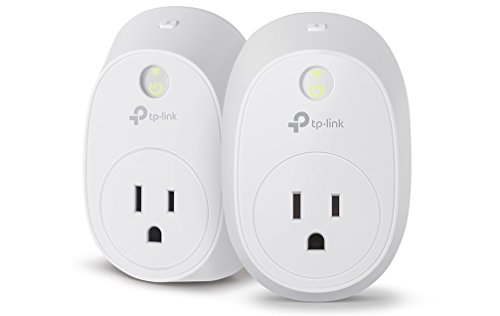
Set up a white noise machine on a smart plug that activates with your “Day Sleep” routine. Place it near the bedroom door where most noise enters. If you prefer smart speaker audio, use an Echo Dot playing brown noise from Spotify or Amazon Music. Brown noise is deeper than white noise and masks low-frequency sounds like traffic better.
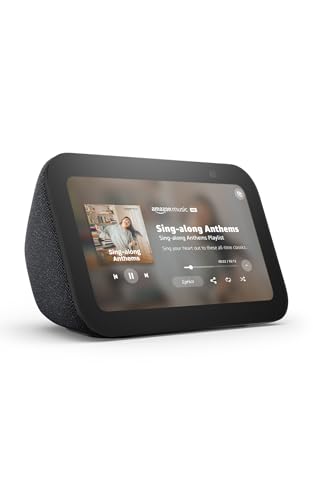
Create the automation: when “Day Sleep” routine activates, turn on white noise machine, set Echo Dot to play brown noise at 40 percent volume, and enable Do Not Disturb on all phones and smart displays.
Smart Thermostat: Cool for Day Sleeping
Your body temperature drops during sleep. If your bedroom is 74 degrees, you will not sleep well. The ideal sleep temperature is 65 to 68 degrees, but cooling a house to 65 during a summer afternoon is expensive. Here is how to optimize:
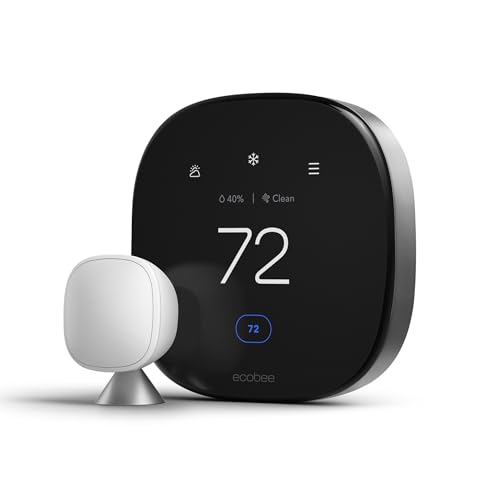
Use a smart thermostat with a room sensor placed in your bedroom. Set the thermostat to follow the bedroom sensor during your sleep hours (8 AM to 4 PM) and the main thermostat during your waking hours. This means the HVAC cools your bedroom to 68 during the day even if the rest of the house would prefer 72.
In winter, this is easy. The outdoor temperature is already cold, so your thermostat just needs to maintain a lower target. In summer, close your smart blinds first (which reduces solar heat gain by 60 percent), then set the AC to cool. The combination of closed blinds and targeted cooling keeps your bedroom comfortable without running the AC at maximum all day.

Smart Lighting: Simulate Sunset and Sunrise
Your circadian rhythm is confused when you sleep during the day. Smart lighting can help signal to your brain that it is time to sleep, even when the sun is shining. Here is the routine:
- 2 hours before sleep (6 AM): Switch bedroom lights to warm amber (2700K) at 30 percent brightness. This mimics sunset and triggers melatonin production.
- Sleep time (8 AM): All bedroom lights off. Smart blinds close. Only a dim red nightlight stays on if you need to navigate.
- 30 minutes before wake (3:30 PM): Smart blinds open partially. Bedroom lights shift to cool white (4000K) at 20 percent. This mimics sunrise and helps you wake naturally.
- Wake time (4 PM): Smart blinds fully open. Lights at 60 percent cool white. Echo or Nest speaker plays your wake-up playlist.
Use Philips Hue White Ambiance bulbs for the color temperature shifts. They are the most reliable for circadian lighting schedules and integrate with both Alexa and Google Home.
Door and Window Sensors: Protect Your Sleep
Every day sleeper has experienced the doorbell ringing during deep sleep. A door sensor on your front door, connected to a smart speaker, can announce “someone is at the door” at a volume that wakes you without requiring a loud doorbell chime.
More importantly, set your video doorbell to silent mode during your sleep hours. No chime, no ring. The camera still records, and you can review footage when you wake up. If it is urgent, the person can press twice or call you.
Add a smart lock Yale Assure Lock 2 with a keypad so family members can let themselves in without knocking or ringing. Set the lock to auto-unlock when family phones are within 50 feet, so they never need to knock.
The Complete Day Sleeper Routine
Here is a single routine you can create in Alexa, Google Home, or Home Assistant that handles everything:
“Day Sleep” (activated at 8 AM or manually):
- Close all bedroom smart blinds
- Bedroom lights: off (or dim red nightlight)
- White noise machine: on (smart plug)
- Smart speaker: play brown noise at 40 percent
- Thermostat: follow bedroom sensor, target 68 degrees
- Doorbell: silent mode
- Phone: Do Not Disturb (via routine)
- Front door smart lock: auto-unlock for family
- Living room and kitchen: normal (family can use the house)
“Day Wake” (activated at 4 PM or manually):
- Open bedroom smart blinds partially (50 percent)
- Bedroom lights: cool white at 60 percent
- White noise: off
- Smart speaker: play wake-up playlist
- Thermostat: return to whole-house schedule
- Doorbell: re-enable chime
- Phone: disable Do Not Disturb
Handling Schedule Changes
Night shift workers rarely have a fixed schedule. You might work three 12-hour shifts one week and four 8-hour shifts the next. Your smart home routine needs to be flexible.
Solution: use a smart display like the Echo Show 5 in your bedroom. When you get home from work, say “Alexa, activate Day Sleep” and the routine runs. When you are off for the day, do not activate it. The routine is manual, not scheduled, so it adapts to whatever shift you are working.
If your schedule is more predictable, use a calendar-based trigger. Home Assistant can read your Google Calendar and activate the Day Sleep routine automatically on work days. This is the most seamless option if your shifts are posted in advance.
What About Family Members?
The biggest challenge of day sleeping is that the rest of your household is awake. Your kids are watching TV, your partner is cooking, the dog wants attention. Smart home automations can help with boundaries:
- Put a smart bulb outside your bedroom door that turns red when you are sleeping. Family members see the red light and know not to knock.
- Set the living room TV volume to limit at 50 percent during your sleep hours. Most smart TVs support volume limiting in their settings.
- Use a smart motion sensor in the hallway outside your bedroom. If someone walks by during your sleep hours, the hallway light dims to 10 percent instead of 100, so light does not leak under your door.
The Bottom Line
Day sleeping is hard enough without your smart home working against you. The three highest-impact changes are smart blinds for total darkness, a thermostat that cools your bedroom during the day, and a white noise system that masks neighborhood sounds. Add a “Day Sleep” routine that handles everything with one voice command, and you can walk in from a 12-hour shift, say “Alexa, day sleep,” and your bedroom transforms into a dark, quiet, cool environment in 10 seconds.
You spend a third of your life sleeping. If that third happens during daylight hours, your smart home should accommodate it. The default settings on every smart device assume nighttime sleep. Change them, and your day sleeping becomes dramatically easier.
Related Reading
- Smart Home Energy Audit: How to Find What Is Draining Power
- Smart Home Energy Savings During Heat Waves
Get Our Free Smart Home Setup Checklist
Join 2,000+ smart home owners getting weekly tips and gear picks. No spam, unsubscribe anytime.
My take: Night-shift workers need the anti-default setup: blackout automation on the blinds, brown noise on the same trigger, and a bedroom-following thermostat that cools the room you’re in. The blinds are the one purchase that changes everything — everything else is scheduling.
Related guides
- Why Your Smart Home Should Start in Your Home Office
- Smart Home Summer Prep Checklist: 7 Things to Adjust Before July
- Smart Home Bedroom Automation: 7 Devices That Helped Me Sleep Better
- Smart Home Baby Nursery: The Complete Setup Guide for New Parents (2026)
- How to Secure Your Smart Home from Hackers (Without Being a Tech Expert)
🏠 Get Your Free Smart Home Setup Checklist
Join our newsletter and get this free printable plus weekly tips.
Frequently Asked Questions
How do I set up a smart home for day sleeping?
Invert the defaults. Smart blinds are the single best investment — a “Day Sleep” routine closes all bedroom blinds at your shift’s end and opens them at wake time, giving 8 hours of darkness regardless of the sun (budget route: a smart plug and motorized curtain rod at $40–80 per window vs $200–400 for built-ins). Add white noise on the same routine — brown noise masks low-frequency traffic better than white — plus Do Not Disturb on all phones and displays.
What temperature should a day sleeper’s bedroom be?
65–68°F for sleep — use a smart thermostat with a bedroom room sensor and have it follow the bedroom during sleep hours and the main thermostat the rest of the day, so the AC cools the room you’re in rather than the whole house. In summer, close the smart blinds first (60% less solar heat gain), then cool; in winter the problem mostly solves itself.
How can lighting help day sleeping?
Simulate sunset and sunrise in reverse: two hours before bed, shift bedroom lights to warm amber 2700K at 30% (mimics sunset, triggers melatonin); at sleep time, all lights off with a dim red nightlight; 30 minutes before wake, partially open blinds and shift to cool white 4000K at 20%; at wake, full open and 60% cool white with a playlist. Hue White Ambiance bulbs handle the schedule.
Liked this guide? Get the next one in your inbox — the smart home starter checklist is free too.
✓ You're in — check your inbox.
No spam. Unsubscribe anytime. We never share your email.
Price Check
Prices verified via our product tracker. Updated Sep 27.
| Eve Energy (Matter) - Smart Plug, App and Voice Control, 1 | $43.95 | 4.2★ (432) |
| Kasa Smart WiFi Plug w/ Energy Monitoring by TP-Link – No | $134.98 | 4.3★ (291) |
| Amazon Echo Show 5 (newest model), Smart display, Designed | $99.99 | 4.2★ (72,396) |
| ecobee Smart Thermostat Premium - WiFi, Siri & Alexa Built | $252.99 | 4.3★ (4,170) |
| Philips Hue White Ambiance A19 2-Pack 60W Equivalent Dimma | $26.99 | 4.6★ (793) |
| REOLINK 4K 8MP Dual-Lens PTZ Wired WiFi Outdoor Security C | $219.99 | 4.2★ (1,518) |
| Yale Assure Lock 2 – Satin Nickel Smart Lock for Front Doo | $189.99 | 3.8★ (175) |
| Aqara Zigbee 3.0 Motion Sensor P1 1 Pack, for Alert System | $19.99 | 4.2★ (827) |
As an Amazon Associate we earn from qualifying purchases.