
This article contains affiliate links. We may earn a commission from qualifying purchases.
Some content on this site is AI-assisted and reviewed by our editorial team.
Smart Home Fall Prevention for Seniors: 7 Devices That Actually Prevent Falls
Falls are the leading cause of injury for adults over 65. One in four seniors falls each year, and 20 percent of those falls cause a serious injury like a broken bone or head injury. The medical bills, hospital stays, and recovery time add up to over 50 billion dollars annually in the United States alone.
Smart home devices cannot prevent every fall, but they can address the most common causes: poor lighting, unexpected obstacles, wet floors, and delayed help after a fall. Here are 7 specific devices and automations that reduce fall risk for seniors living at home.
1. Motion-Activated Night Lighting
Most senior falls happen at night. Getting up to use the bathroom in the dark is the single most dangerous scenario. Standard nightlights help, but they are either too dim to see obstacles or too bright to stay asleep. Smart motion-activated lighting solves this.

Install Philips Hue motion sensors in the hallway between the bedroom and bathroom, plus a smart bulb in each hallway fixture. Set the automation: when motion is detected between 10 PM and 6 AM, hallway lights turn on at 20 percent warm white. This is bright enough to see the floor and any obstacles, but dim enough to not fully wake you up.
Add smart strip lights along the baseboard from the bed to the bathroom door. These create a clear path of light on the floor itself, showing exactly where to walk. Motion-activated, battery-powered LED strips cost about 15 dollars per strip and need no wiring.
2. Smart Floor Sensors for Wet Areas
Bathrooms are the second most common fall location. Wet tile floors are slippery, and seniors often do not notice a small water spill until they step on it. Smart water leak detectors placed on the bathroom floor can detect moisture and trigger an alert before someone steps on a wet spot.
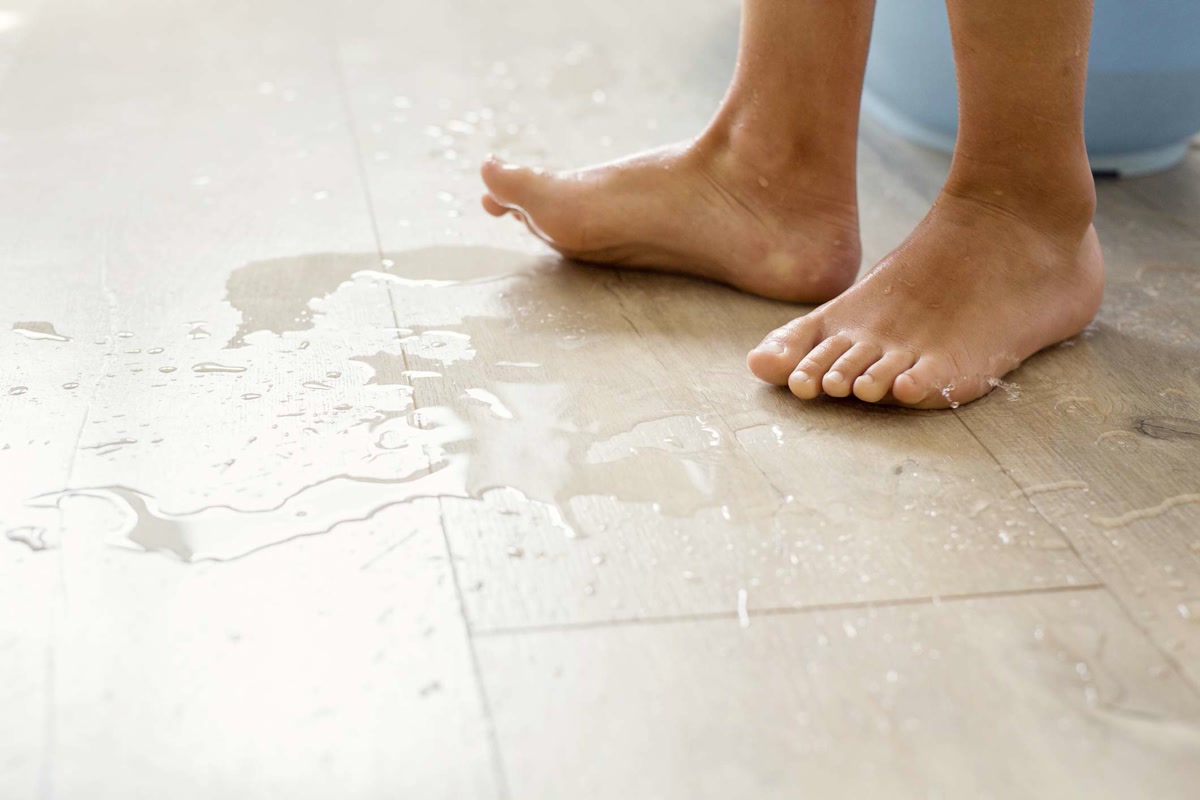
Place a smart water leak detector near the toilet, shower, and sink. These devices detect water on contact and send a phone notification within 2 seconds. If moisture is detected, a smart speaker in the bathroom can announce “floor is wet, please be careful” and a smart bulb can flash yellow as a visual warning.
For showers specifically, install a smart moisture sensor mat outside the shower door. When someone steps out, the mat detects water dripping from their body and activates a floor drying fan or heater to reduce slipperiness.
2. Automatic Stair Lighting
Stairs are the most dangerous fall location in any home. A senior falling on stairs is 3 times more likely to be hospitalized than a fall on flat ground. The fix is simple: make sure the stairs are always well-lit when someone is on them.

Install motion-activated stair lights or smart LED strips under each stair tread. Wire them to a motion sensor at the top and bottom of the stairs. When someone approaches the stairs from either direction, every step lights up within 0.5 seconds.
The key is making the lighting immediate and even. Do not use a single overhead light that casts shadows on individual steps. Light each step directly from below or from LED strips on the wall. This eliminates shadows and makes every step edge clearly visible.
4. Smart Door locks That Eliminate Fumbling
Seniors often fall at the front door while fumbling with keys. One hand on a cane, the other trying to find the keyhole, maybe carrying a bag. A smart lock removes this risk entirely.
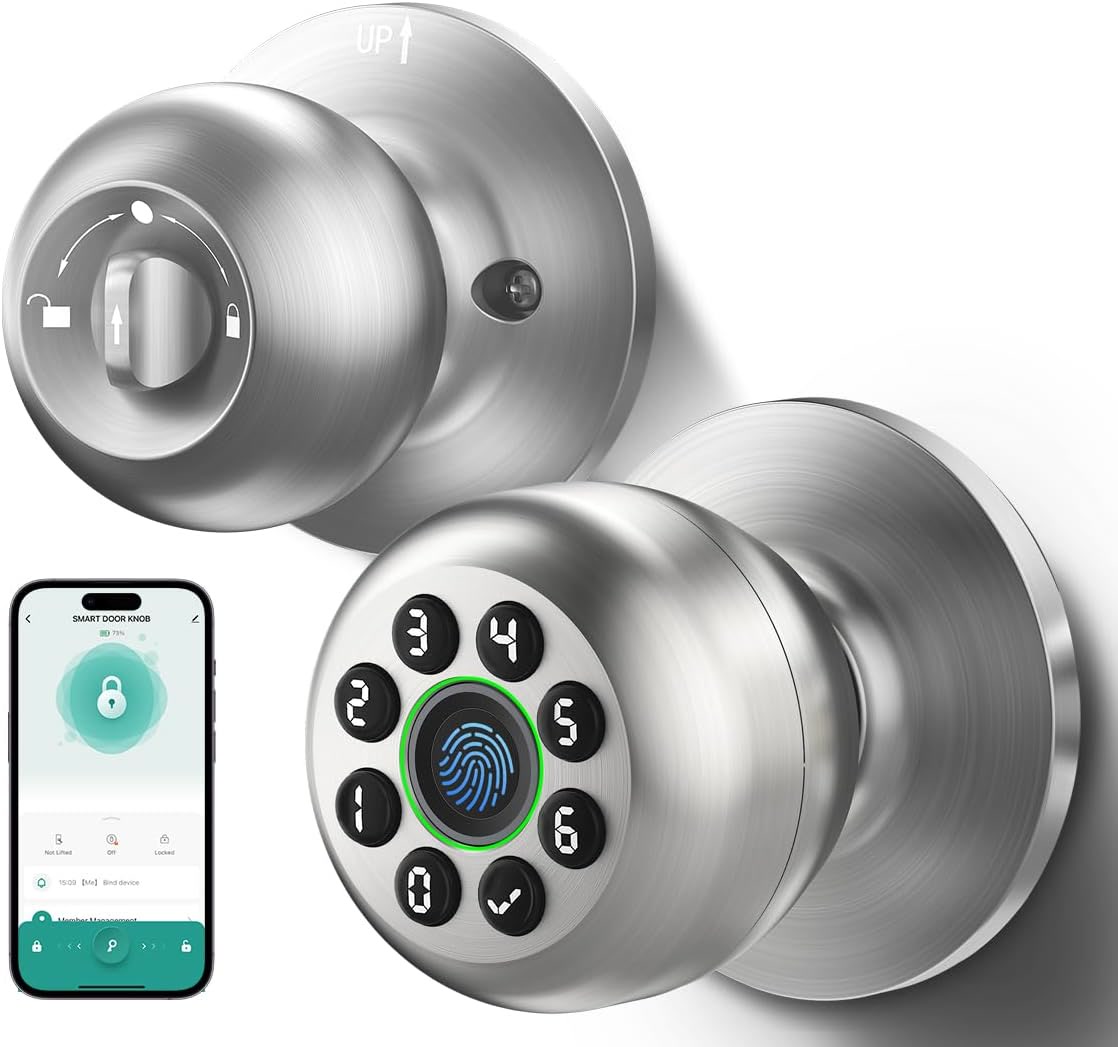
Install a Yale Assure Lock 2 with keypad or a smart deadbolt with fingerprint reader. The senior can unlock the door by pressing a 4-digit code or touching the fingerprint sensor, no keys required. This means both hands can be on a walker or railing.
Set the lock to auto-lock after 30 seconds. This means the door is always locked without requiring the senior to check or turn a deadbolt. Set up phone alerts if the door is left unlocked for more than 5 minutes, so a family member can lock it remotely.
5. Wearable Fall Detection
Even with all the right prevention devices, falls can still happen. What matters next is how quickly help arrives. A senior who lies on the floor for 6 hours after a fall has a 50 percent chance of not surviving. A senior who gets help within 1 hour has a 90 percent survival rate.
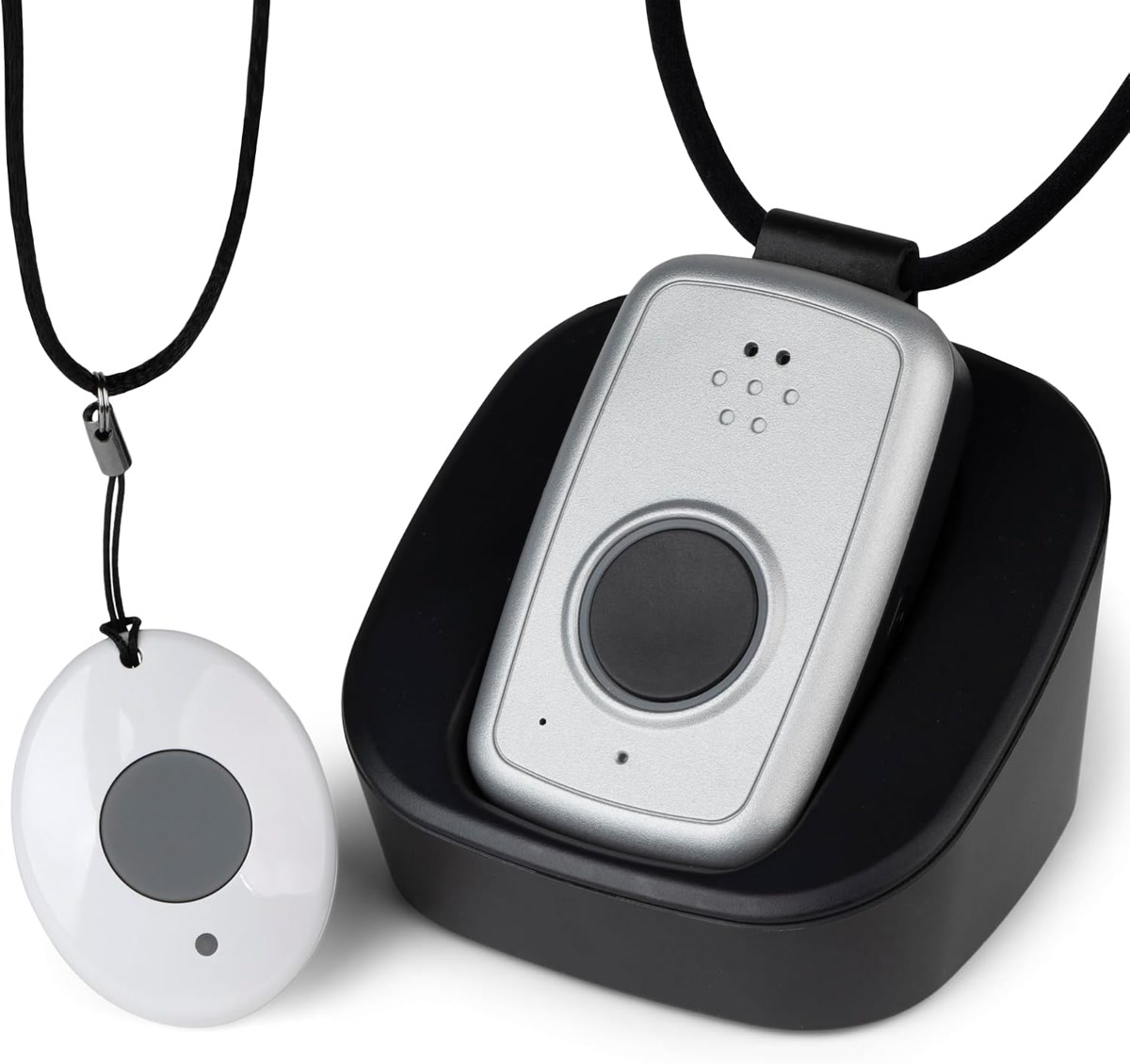
Wearable fall detection devices have improved dramatically. The Apple Watch with fall detection automatically calls emergency services if it detects a fall and the wearer does not respond within 60 seconds. It sends a text with location data to designated emergency contacts.
For seniors who will not wear a watch, a smart pendant like the Lively Mobile Plus works the same way. It detects falls, has a button for manual alerts, and connects to a 24/7 monitoring center. The pendant is waterproof for shower use, where falls are common.
Integrate the wearable with your smart home: when a fall is detected, the smart home can unlock the front door automatically so emergency responders can enter, turn on all exterior lights, and flash a specific color to help responders find the right house.
6. Smart Home Hub Emergency Routine
Create a single voice command that a senior can use if they feel unsteady or need help: “Alexa, I need help.” This routine should:
- Call or text a designated family member or caregiver
- Unlock the front door smart lock
- Turn on all indoor and outdoor lights at full brightness
- Send the senior’s phone location to emergency contacts
- Start recording on all security cameras for evidence of what happened
- Announce through smart speakers: “Help has been called and is on the way”
Test this routine monthly. Make sure the senior knows the command and can say it clearly. If they cannot speak after a fall, the wearable fall detection handles it automatically.
Also set up a daily check-in routine. At 9 AM each morning, the smart speaker asks “Good morning. Are you doing okay today?” If there is no response within 5 minutes, the system texts a caregiver. This catches situations where a senior fell during the night and could not call for help.
7. Smart Floor Mat Pressure Sensors
The most overlooked fall prevention tool is a pressure-sensing floor mat placed beside the bed. When the senior steps out of bed at night, the mat detects the pressure and triggers the hallway lights, bathroom lights, and any other lights along the path.
This eliminates the dangerous moment of standing up in complete darkness and trying to find a light switch. The lights are already on by the time they take their first step.
Connect the mat to a smart home hub using a contact sensor or pressure sensor integration. The mat costs 30 to 60 dollars and requires no wiring. Place a second mat at the top of the stairs to trigger stair lighting when the senior approaches.
Cost Breakdown for a Complete Fall Prevention Setup
Here is what a complete smart home fall prevention setup costs for a 1,000 square foot home:
- Motion-activated hallway lighting: 80 dollars (2 motion sensors, 2 smart bulbs)
- Baseboard LED strip lights: 45 dollars (3 battery-powered strips)
- Smart water leak detectors: 60 dollars (3 detectors for bathroom)
- Stair lighting: 40 dollars (LED strip + motion sensor)
- Smart door lock: 180 dollars (keypad or fingerprint model)
- Wearable fall detection: 200 dollars (pendant or watch)
- Smart home hub: 50 dollars (Echo or Google Nest)
- Pressure mat sensors: 60 dollars (2 mats + contact sensors)
- Smart outdoor plug for exterior lights: 25 dollars
Total: approximately 740 dollars for a complete system. Compare that to the average cost of a senior fall: 30,000 to 50,000 dollars in medical bills, hospital stays, and rehabilitation. The system pays for itself if it prevents a single fall.
The Bottom Line
The two most important things you can do are install motion-activated night lighting and get a wearable fall detection device. Together, these address the most common fall scenario (getting up in the dark) and the most dangerous outcome (lying on the floor for hours without help). Everything else builds on that foundation. Start with those two, test them for a week, then add the other devices as budget allows.
If you are setting this up for a parent, do it with them, not for them. Show them how the lights work. Let them practice the voice command. Make sure they are comfortable with the wearable. The best technology only works if the person it is designed for actually uses it.
🏠 Get Your Free Smart Home Setup Checklist
Join our newsletter and get this free printable plus weekly tips.