
This article contains affiliate links. We may earn a commission from qualifying purchases.
Some content on this site is AI-assisted and reviewed by our editorial team.
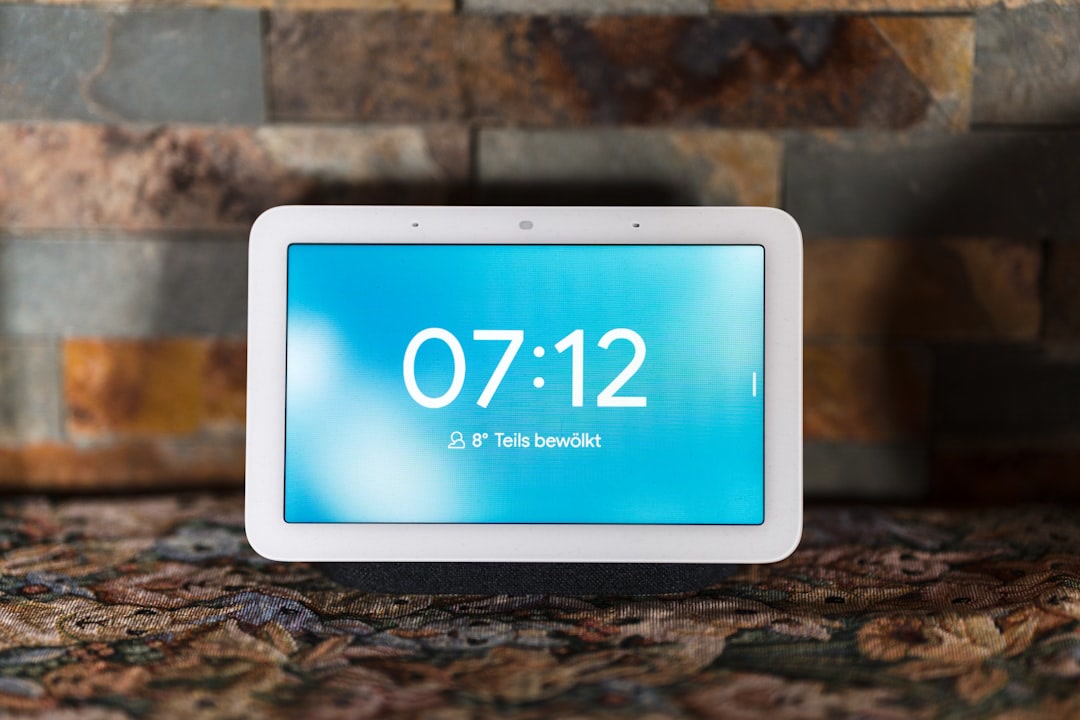
You’ve seen them perched on kitchen counters, propped on nightstands, and wedged between a spice rack and a coffee maker. Smart displays are everywhere — but which one is actually worth your counter space, and which ones are just expensive digital photo frames with an attitude problem?
I’ve spent months living with the top contenders, and honestly, the answer depends entirely on where you’re putting it and what you expect it to do. Let’s break it down.
What Makes a Smart Display Worth Owning?
Before we get into specific products, let’s talk about what separates a good smart display from a paperweight with a touchscreen.
A good smart display should:
- Respond to voice commands without making you repeat yourself twice
- Show you information you actually want at a glance — weather, calendar, timers
- Act as a legitimate smart home controller, not just a voice assistant with a screen
- Have a screen that’s readable from across the room
- Stay out of your way when you’re not using it
A bad smart display:
- Shows ads you can’t dismiss (yes, this is still a thing)
- Requires you to tap the screen more than you’d like
- Has a speaker that sounds like a tin can
- Makes you regret the counter space you gave it
If you’re new to smart homes and still figuring out what ecosystem to commit to, check out ourhome assistant beginner guide — it’ll help you understand how smart displays fit into the bigger picture.
Google Nest Hub (2nd Gen) — The Sleep-Tracking Kitchen Companion
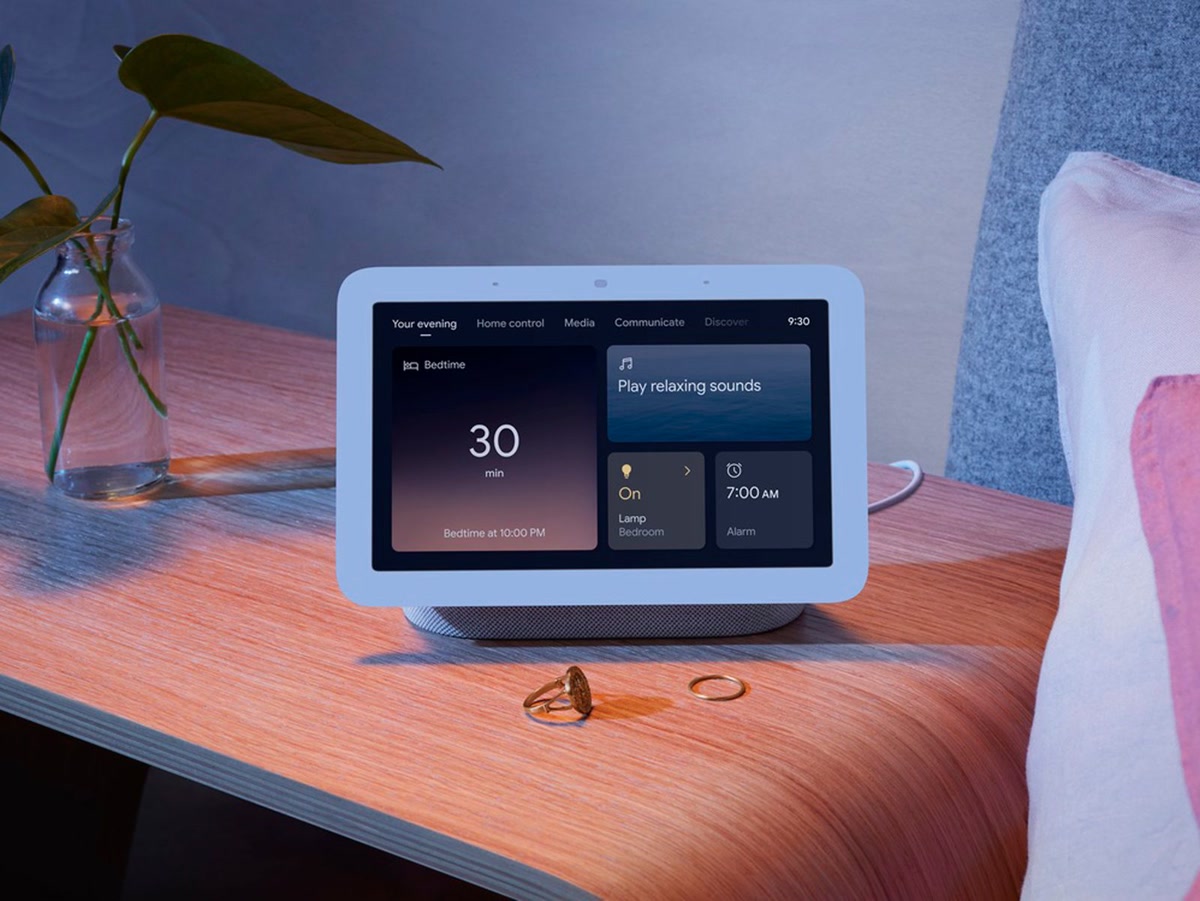
Price: Around 80 dollars
Best for: People who want a no-fuss display that just works
The second-gen Nest Hub is the one I keep recommending to people who don’t want to overthink this. It’s small, it’s affordable, and it does 90% of what most people need a smart display to do.
What’s good:
- 7-inch screen is the sweet spot for a kitchen counter — not too big, not too small
- Sleep tracking with Soli radar actually works (if you place it by your bed)
- Google Assistant is snappy and reliable for timers, weather, and quick answers
- The fabric-covered design looks at home pretty much anywhere
- No camera, which is either a feature or a bug depending on your perspective
What’s not:
- No camera means no video calling (Duo/Meet is audio-only)
- Speaker is fine for voice and podcasts, but not great for music
- Sleep tracking requires a $99/year Fitbit Premium subscription for full insights
- Google’s habit of sunsetting products is always in the back of your mind
The Nest Hub 2nd Gen is the default choice for a reason. It does the basics well, doesn’t get in your way, and the price is hard to argue with. If you just want something that shows you the weather while you’re making coffee and sets timers when your hands are covered in flour, this is it.
Check current pricing on Amazon
Amazon Echo Show 8 (3rd Gen) — The All-Rounder
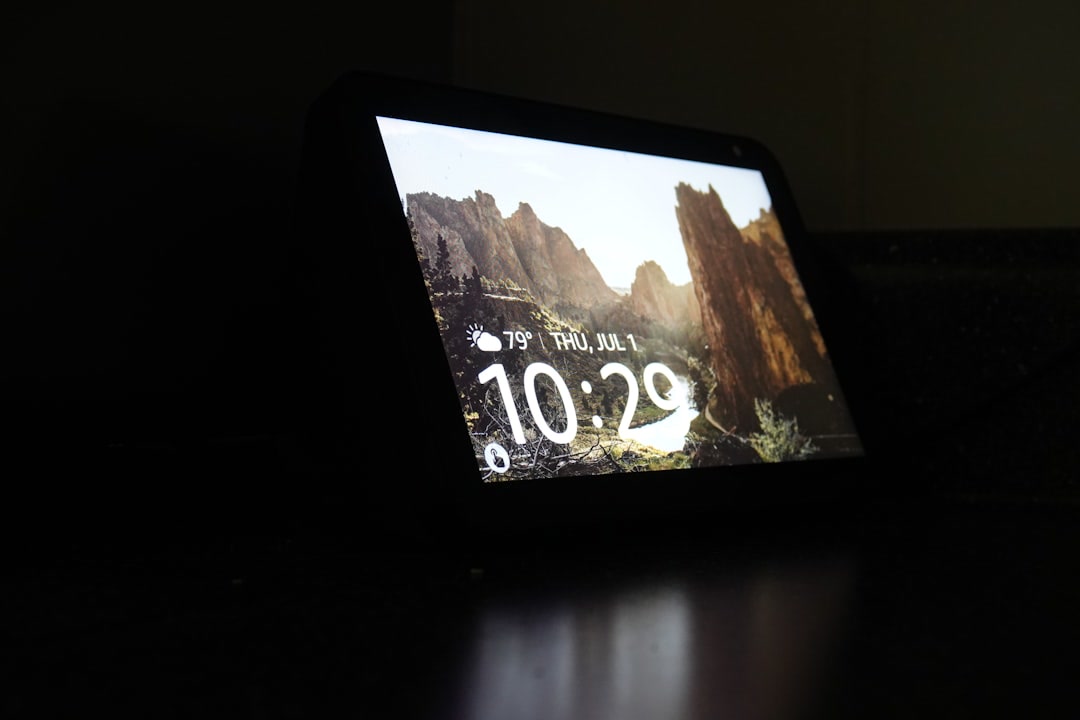
Price: Around 110 dollars
Best for: People who want one device that does everything reasonably well
The Echo Show 8 has been through three generations now, and the third one is the most refined yet. It’s the Goldilocks of smart displays — not too big, not too small, and the sound quality finally matches the screen quality.
What’s good:
- 8-inch screen hits the sweet spot for readability and counter footprint
- Sound quality is genuinely good — better than anything in this price range has a right to be
- Built-in camera with physical shutter for video calls
- Alexa’s routine and smart home control is the most mature of any assistant
- Spatial audio processing makes music sound surprisingly full
- Acts as a Zigbee hub and Matter controller for smart home devices
What’s not:
- Amazon still pushes “suggestions” on the home screen (read: ads)
- Alexa can feel less conversational than Google Assistant
- Camera is only 13MP — fine for video calls, nothing special
- That thick bottom bezel isn’t winning any design awards
If you’re deep in the Alexa ecosystem — you’ve got Echo speakers, Ring cameras, smart plugs — the Echo Show 8 is the display that ties it all together. It’s also the best choice if you actually care about how your music sounds, which brings us to an important point.
If you’re still deciding between ecosystems, ourAlexa vs Google Home comparison breaks down the real differences beyond the marketing talk.
Check current pricing on Amazon
Amazon Echo Show 5 — The Nightstand Minimalist
Price: Around 60 dollars
Best for: Bedrooms, nightstands, and people who want a smart display but barely have room
The Echo Show 5 is tiny. Like, “are you sure that’s not a baby monitor?” tiny. And that’s exactly what makes it work.
What’s good:
- 5.5-inch screen fits literally anywhere
- Cheap enough that buying two doesn’t feel reckless
- Built-in camera with physical shutter
- Sunrise alarm feature is genuinely nice for waking up
- Decent speaker for its size — podcast and alarm clock territory
What’s not:
- Screen is too small for watching anything or reading recipes
- Speaker distorts at higher volumes
- Camera is meh (but you probably shouldn’t be doing glamour shots on a smart display anyway)
- The on-screen interface feels cramped on a 5.5-inch display
Here’s the honest take: the Echo Show 5 is a great alarm clock and an okay smart display. If you want it for your nightstand, it’s perfect. If you want it for your kitchen, you’ll be squinting at recipes and wishing you’d gone bigger.
And look, we talk a lot about smart homebeginner mistakes, and buying a display that’s too small for where you actually need it is one of them. Match the display to the room.
Check current pricing on Amazon
Amazon Echo Hub — The Smart Home Command Center
Price: Around 180 dollars
Best for: Smart home enthusiasts who want a dedicated control panel
The Echo Hub is the weird one in this lineup. It’s not really a smart display in the traditional sense — it’s more like a wall-mounted control panel that happens to be portable. Think of it as the smart home equivalent of a universal remote.
What’s good:
- 8-inch screen designed specifically for smart home control
- Built-in Matter, Zigbee, Thread, and Sidewalk support — it talks to everything
- Wall-mountable (it’s thin enough to look good on a wall)
- Dedicated smart home dashboard is genuinely useful
- Integrates with Ring, Philips Hue, and basically every major smart home brand
What’s not:
- Speaker is weak — it’s not meant for music or movies
- No camera, so no video calls
- Feels overpriced if you’re not using it primarily for smart home control
- The smart home dashboard can feel cluttered with lots of devices
The Echo Hub is for a specific type of person — someone who’s invested heavily in smart home devices and wants a central place to control them all. If that’s you, it’s excellent. If you just want to watch YouTube while cooking, skip it.
For context on how this fits into a broader setup, our guide onsmart home automations that save time shows you what you can actually do once your display is running the show.
Check current pricing on Amazon
Google Nest Hub Max — The Kitchen Showpiece

Price: Around 200 dollars
Best for: People who want the biggest, best-looking screen and don’t mind paying for it
The Nest Hub Max is what happens when Google decides to go all-in on a smart display. It’s big, it’s bold, and it has the best speaker of anything in this roundup by a wide margin.
What’s good:
- 10-inch screen is fantastic for recipes, video calls, and YouTube
- Speaker quality is genuinely impressive — it can fill a kitchen with sound
- 6.5MP camera with wide field of view for group video calls
- Face Match and gesture controls (wave to pause music) actually work
- Built-in Nest Cam functionality when you’re not actively using it
What’s not:
- At 200 dollars, it’s a significant investment
- Large footprint — you need real counter space for this one
- Face Match raises privacy questions (more on that below)
- Google has been inconsistent about long-term product support
- No battery — it has to stay plugged in
The Nest Hub Max is the “I’m committed to this smart home thing” display. It’s what you buy when you’re past the “is this useful?” phase and into the “how do I make my kitchen smarter?” phase. The screen real estate makes it genuinely useful for following recipes, and the speaker means you can actually listen to music while you cook without needing a separate speaker.
If you’re building out your kitchen smart setup on a budget, oursmart home setup under 100 dollars guide can help you figure out what to prioritize.
Check current pricing on Amazon
Kitchen vs Bedroom: Where You Put It Matters More Than You Think
Here’s something most reviews won’t tell you: the same smart display can be either amazing or useless depending entirely on which room it’s in.
In the kitchen, you need:
- A screen big enough to read recipes from 3-4 feet away
- Loud speakers that cut through cooking noise
- Hands-free voice control (your hands are dirty, like, always)
- Timers. Lots and lots of timers
- Quick access to weather, traffic, and calendar info
In the bedroom, you need:
- A screen that dims properly and doesn’t blast you with light at 3 AM
- Sunrise alarm functionality
- Decent (not amazing) speaker for white noise and podcasts
- Smaller footprint — nightstands are small
- Camera privacy matters more (you’re sleeping in there)
My recommendations by room:
- Kitchen: Echo Show 8 (3rd Gen) or Nest Hub Max — the bigger screens and better speakers earn their counter space
- Bedroom: Echo Show 5 or Nest Hub (2nd Gen) — smaller, dimmable, and the sleep tracking on the Nest Hub is a legit feature
- Home office/desk: Echo Hub — dedicated smart home control without the clutter
The mistake most people make is buying one display and moving it around. Get the right display for the right room. A Show 5 on a kitchen counter is a recipe for frustration. A Nest Hub Max on a nightstand is overkill and a privacy concern.
And if you’re thinking about privacy concerns in general, we’ve got a wholesmart home privacy guide that goes deeper than I can here.
Smart Home Control: Which Display Actually Runs Your House?
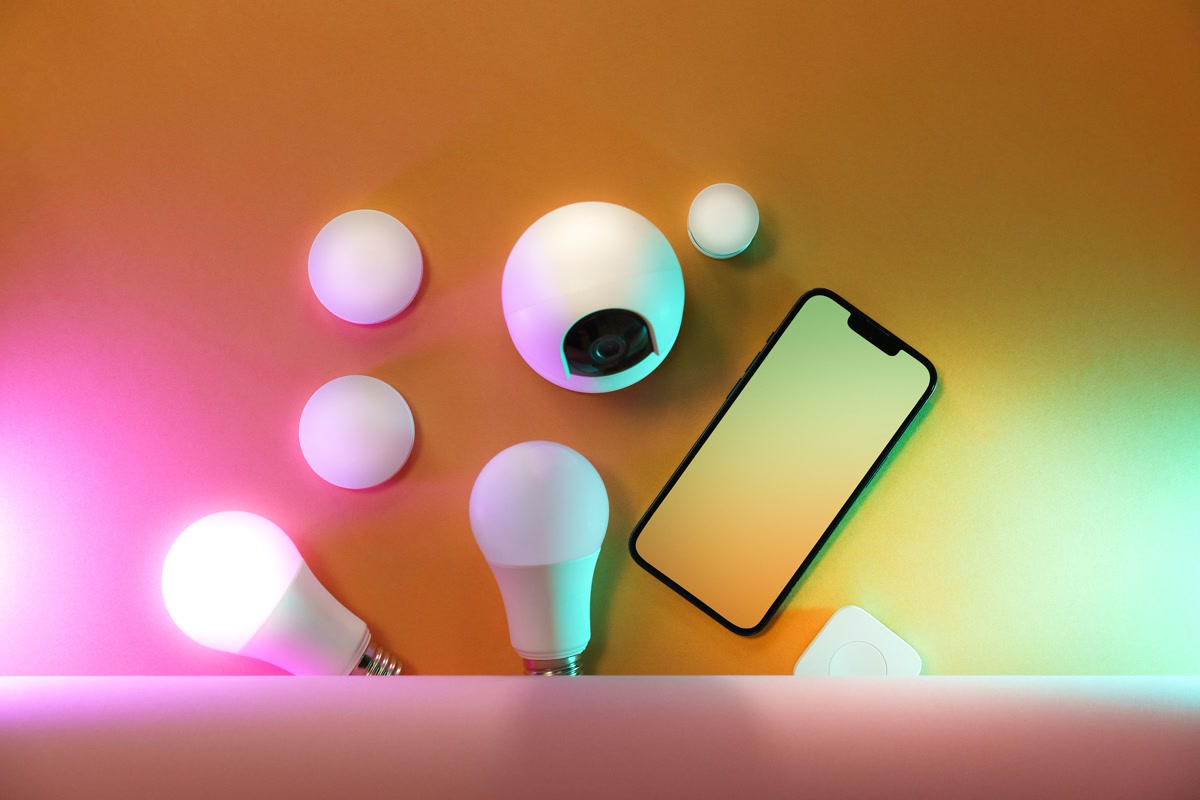
This is where the rubber meets the road. A smart display that can’t control your smart home is just an expensive alarm clock. So how do these actually stack up?
Google Nest Hub / Nest Hub Max:
- Excellent control of Google Home devices
- Deep integration with Nest thermostats, cameras, and doorbells
- Works with Philips Hue, LIFX, and major lighting brands
- Good with Matter devices thanks to Google’s early adoption
- Weaker with non-Google ecosystems (Ring, for example, is awkward)
Echo Show 8 / Echo Hub:
- Alexa is the king of smart home integrations — if a device exists, Alexa probably supports it
- Built-in Zigbee hub (Show 8, Hub) means less reliance on separate hubs
- Ring integration is first-class (they’re both Amazon)
- Matter support is solid and improving
- Routines are more powerful and flexible than Google’s
The bottom line: If you live in the Google ecosystem, the Nest Hub line integrates beautifully. If you’re in the Amazon ecosystem — or worse, you’ve got a mix of brands — the Echo Show devices give you more control options.
For a deeper dive on platform choices, our comparison ofHome Assistant vs SmartThings vs Hubitat covers how these displays fit into broader automation platforms.
Privacy Concerns — Let’s Be Real
I’d be doing you a disservice if I didn’t address the elephant in the room. These devices have microphones and cameras in your home. Let’s talk about it.
Amazon’s track record:
- Amazon has admitted that humans review some Alexa voice recordings to improve the service
- You can opt out of voice recording storage, but it’s buried in settings
- Echo Show devices have physical camera shutters — use them
- Sidewalk feature shares a slice of your bandwidth with neighbors (you can disable it)
Google’s track record:
- Google also uses human reviewers for some Assistant recordings
- Face Match data is stored locally on the device, not in the cloud
- Nest Hub Max’s camera can function as a Nest Cam when enabled
- Google’s data collection is extensive, but they’re more transparent about it than Amazon
What I actually do:
- I use the physical camera shutter on every device with a camera
- I’ve disabled voice recording storage on both platforms
- My kitchen displays don’t have cameras (I chose the Nest Hub 2nd Gen specifically for this)
- I review what’s connected to my account quarterly
If privacy is a top concern, the Nest Hub (2nd Gen) is the easy call — it has no camera at all. And our guide on how tosecure your smart home from hackers has more steps you should be taking regardless of which display you buy.
Who Should Skip Smart Displays Entirely
Not everyone needs a smart display. Here’s who should save their money:
You already have a tablet you like. An iPad on a stand does 90% of what a smart display does, with better app support and more flexibility. The trade-off is you lose always-on voice control and the ambient display mode.
You don’t use voice assistants. If you’re not the type to say “set a timer for 12 minutes” or “what’s the weather tomorrow,” a smart display is going to feel like a very expensive digital photo frame.
Your smart home is minimal. If you’ve got two smart bulbs and a smart plug, you don’t need a dedicated control panel. Use your phone. Thebest smart plugs andbest smart bulbs are easy enough to control from an app.
You’re deeply concerned about privacy. There’s no way around it — these devices have microphones and cameras in your home. If that makes you uncomfortable, no feature set is worth the anxiety. Trust your gut.
You want a great speaker first. If music quality is your priority, you’ll get better sound for the same money from a dedicated speaker. Pair it with a cheap smart display later if you want the screen.
The Verdict
Best overall: Echo Show 8 (3rd Gen) — it does everything well enough, and the smart home integration is unmatched
Best for the kitchen: Google Nest Hub Max — big screen, great speaker, perfect for recipes and music while cooking
Best for the bedroom: Google Nest Hub (2nd Gen) — sleep tracking, no camera, small footprint
Best budget pick: Echo Show 5 — cheap enough to try smart displays without commitment
Best for smart home nerds: Echo Hub — dedicated control panel that talks to everything
The real answer? Most people should start with the Echo Show 8. It’s the best balance of screen size, sound quality, smart home control, and price. If you love it, add a smaller display for the bedroom. If you don’t, you’re only out about a hundred bucks and you’ve learned something about yourself.
Smart displays aren’t for everyone, but for the right person in the right room, they’re one of those things you didn’t know you needed until you can’t imagine living without it. Kind of like thesmart devices that pay for themselves — the value sneaks up on you.
—
Have a smart display you love (or hate)? Thebest smart speakers of 2026 are worth checking out if you want great sound without the screen.
n
The Bottom Line
Start with the devices that deliver immediate value, then expand as budget allows. The best smart home is one that works so smoothly you forget it is there.
🏠 Get Your Free Smart Home Setup Checklist
Join our newsletter and get this free printable plus weekly tips.
Price Check
Prices verified via our product tracker. Updated Sep 27.
| Google Nest Hub Max 10" Smart Display with Google Assistan | $299.99 | 4.2★ (224) |
| Amazon Echo Show 8 | Vibrant HD 8.7" display | Graphite | | $99.99 | 4.3★ (7,970) |
| Echo Show 15 | Built-in Fire TV and Alexa | $349.99 | 4.4★ (6,382) |
| Google Nest Learning Thermostat (4th gen) + Nest Temperatu | $279.99 | 4.4★ (2,596) |
As an Amazon Associate we earn from qualifying purchases.