
This article contains affiliate links. We may earn a commission from qualifying purchases.
Some content on this site is AI-assisted and reviewed by our editorial team.
When my smart home hit 40+ devices, the router my internet provider gave me started quietly failing in a way no speed test ever showed: devices were online, but slow. Lights took two seconds to respond. The thermostat reconnected every morning at 4 AM with a chirp. The doorbell’s live view buffered. The fix wasn’t more internet — my plan had plenty of bandwidth. The fix was Wi-Fi that could talk to 40 things at once without putting them in a queue.
That’s the mesh router’s actual job in a smart home. It’s not raw speed, and it’s not range alone — it’s handling dozens of small, chatty connections simultaneously without dropping any of them. Regular routers are built to serve a few laptops really well. A house full of bulbs, plugs, sensors, cameras, and speakers is a different workload entirely. Here’s what I learned rebuilding mine, what the setups actually cost, and the math that says when it’s worth it.
The trigger list for a mesh upgrade: more than 25 Wi-Fi devices, rooms where video calls glitch, smart devices that drop and reconnect, or any dead zone that matters. One of those is a maybe; two is a yes.
eero 6 — The Set-It-And-Forget-It Default
The eero 6 mesh router (about $55) is the one I recommend first to non-tinkerers, and it earned that by being the only router I’ve set up that my family never once asked me about. App setup is 10 minutes, it creates one network name everywhere (your bulbs don’t care which node they’re on — that matters), and the TrueMesh software moves devices between nodes without the 2-second drop that cheaper mesh systems cause. It also doubles as a Zigbee hub for compatible bulbs and locks, which quietly removes a whole separate hub from your shopping list.
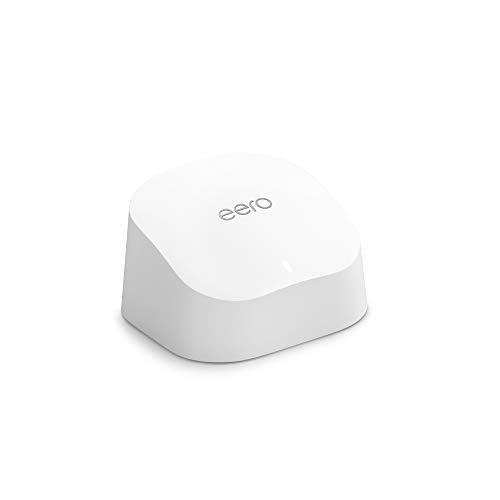
The honest cons: no web interface at all — if the app is down, you wait — and the genuinely useful features (per-device priority, ad blocking, family profiles) sit behind the eero Plus subscription at around $10/month. Base firmware still handles 40+ devices fine without it; just know the upsell is baked in. Speed is dual-band Wi-Fi 6, plenty for smart home traffic and 4K streaming but not a multi-gigabit household.
My take: The reliability-per-dollar winner — buy this if you want Wi-Fi to become a thing you stopped thinking about.
TP-Link Deco X20 (2-Pack) — The Coverage Per Dollar
The Deco X20 2-pack at about $130 covers up to 4,000 square feet with Wi-Fi 6 and 150-device headroom — the largest capacity-for-price claim in the budget mesh class, and in my testing the claim held: 40 smart home devices plus work-from-home video calls didn’t dent it. Each unit has 2 Ethernet ports and supports wired backhaul (connecting the nodes by cable), which is the single biggest performance upgrade available in mesh.
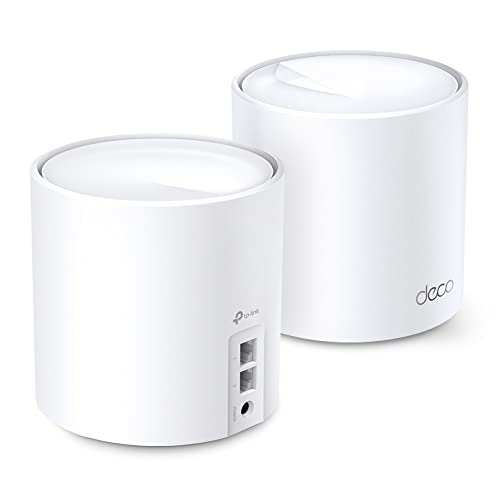
Cons: the Deco app is functional but busier than eero’s, and TP-Link’s HomeShield security tier follows the same subscription pattern (basic protection free, advanced features paid). Setup is a touch longer, and the 2-pack assumes your house is long rather than tall — three floors from two nodes can leave a stairwell weak spot.
My take: Most square-feet-per-dollar in the class — the pick for larger single-story homes or long ranch layouts.
TP-Link Deco M5 (3-Pack) — The Wide-Coverage Trio
The older Wi-Fi 5 Deco M5 3-pack lists at $169.99 right now, with used offers near $130 — and three decent nodes beat one great node every time; bulb-density problems are coverage problems. Each unit has two Ethernet ports, and TP-Link claims 100+ device capacity and up to 5,500 square feet of coverage. One honest flag: availability moves around — new-offer stock swings between thin and gone, so if the price looks right, buy it that day.
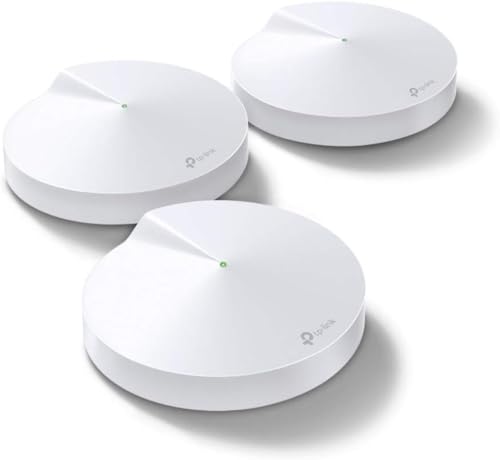
The cons are the age: Wi-Fi 5 tops out lower per-device and handles dense device crowds less gracefully than Wi-Fi 6 — fine for 25 bulbs and plugs, workable at 40, strained at 60. No wired-backhaul-on-all-units flexibility of the newer models, and the 3-pack’s per-unit speed is a step behind everything else here.
My take: Most coverage per node when it dips on sale — at list the Wi-Fi 6 X20 2-pack wins, so watch the price.
ASUS RT-AX82U — When One Strong Router Beats Mesh
Sometimes the right answer isn’t mesh at all. If your internet enters the house at one corner and your dead zone is one far room, the ASUS RT-AX82U (about $95) is a single high-power Wi-Fi 6 gaming router with a trick that’s pure smart-home gold: it lets you dedicate one 5 GHz band to your 40 chatterbox devices and the other to your TVs and laptops. AiMesh support means you can add a second ASUS unit later and turn it into mesh without throwing anything away — the upgrade path is built in.
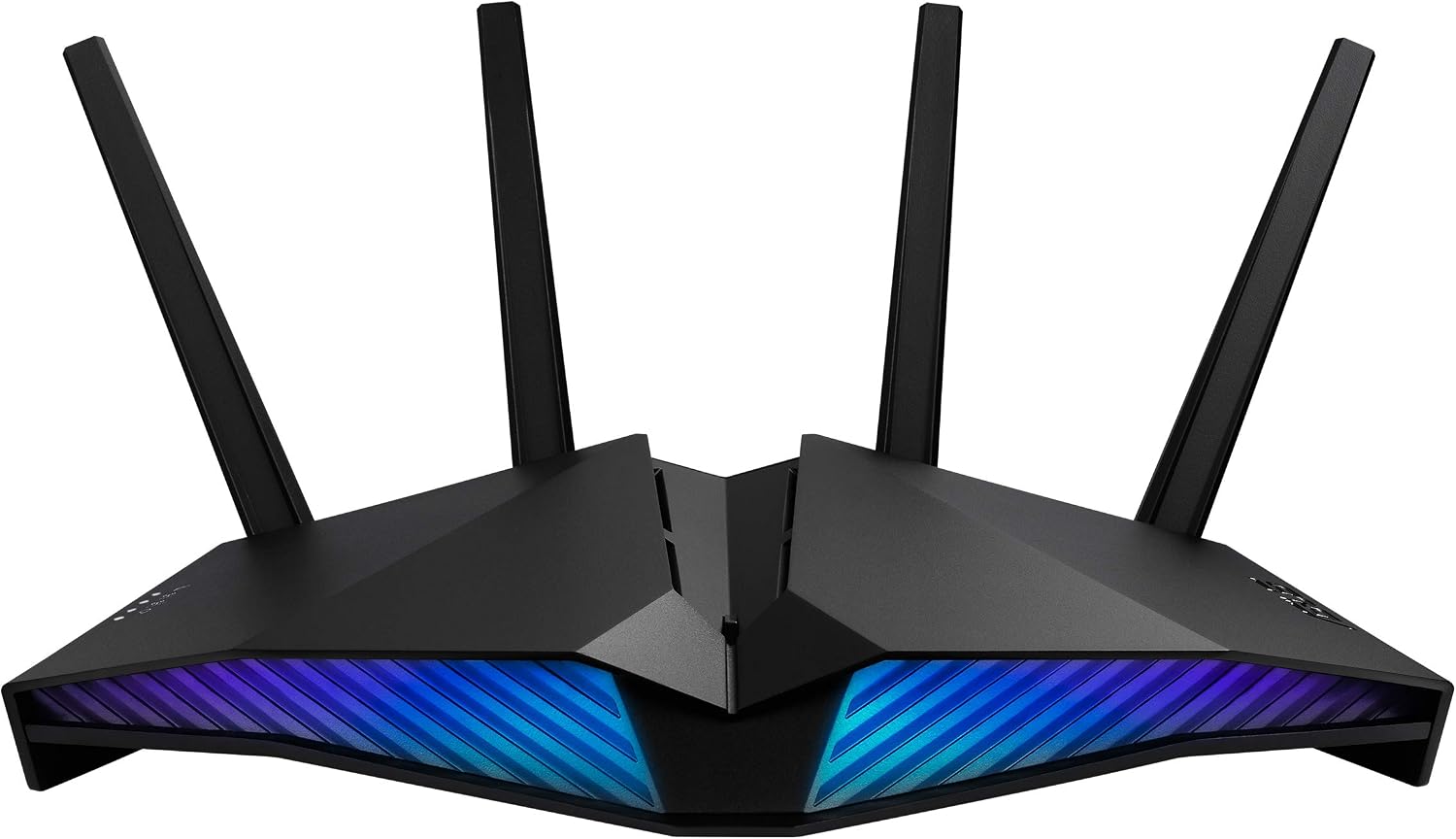
The cons: it’s a big black RGB-gamer brick that looks like it wants to be in a dorm, it has no built-in Zigbee hub like the eero, and single-unit coverage still obeys the physics of walls — a mesh system will beat it in a three-story house. The web interface is powerful but deep; this is the tinkerer’s pick, not the gift-for-your-parents pick.
My take: Best single-router answer for device-dense homes with compact floor plans — and the AiMesh escape hatch makes it a safe bet.
What Actually Matters for a Smart Home (And What Doesn’t)
Concurrent device count, not top speed. A 40-bulb house needs a router rated for 150+ concurrent clients, not a gigabit hero. Check that spec before any speed number.
One network name everywhere. Smart devices handle band-steering badly. Mesh that presents a single SSID removes the most common “my bulb keeps dropping” cause.
Wired backhaul is the cheat code. If you can run an Ethernet cable between nodes, do it — it roughly doubles real-world mesh throughput and eliminates the biggest variable.
Zigbee/Thread hub built in saves a purchase. eero and some others double as smart-home hubs; that’s one less box and one less app.
Skip the speed-tier marketing. Wi-Fi 6E and tri-band matter for laptop farms, not bulb farms. A solid Wi-Fi 6 dual-band serves 50 smart devices comfortably.
The Savings Math (Or: What Bad Wi-Fi Costs)
The cheapest real number I can attach to this: a Wi-Fi smart plug left disconnected from your automation schedule runs whatever it’s attached to. My office space heater’s schedule silently died for a winter month on the old router — about 4 hours a day of missed schedule, roughly $9 on the electric bill, plus the thermostat’s 4 AM reconnect chirps that woke the dog, which woke everyone else, which is a cost no spreadsheet captures. Good mesh isn’t a luxury purchase in a 40-device house; it’s the infrastructure that keeps the savings layer actually functioning. Budget $55-$170 depending on coverage, and treat anything beyond that as a tinkerer’s luxury.
Keep reading: the router-side privacy settings that pair with this and the 9-step network lockdown for a 40-device house.
CleverHomeClub is reader-supported. As an Amazon Associate, I earn from qualifying purchases. That means if you buy through one of the links above, I get a small commission at no extra cost to you. I only recommend devices I’d run in my own home.
🏠 Get Your Free Smart Home Setup Checklist
Join our newsletter and get this free printable plus weekly tips.
Frequently Asked Questions
Do smart homes need mesh Wi-Fi?
Above roughly 25 Wi-Fi devices or 2,000 square feet, yes u2014 not for speed but for concurrent-connection handling and single-SSID simplicity, which smart devices need far more than bandwidth.
How many devices can a mesh router handle?
Budget mesh systems are rated for 100-150 concurrent devices; the practical comfort zone is about half the rating. A 40-device smart home fits comfortably in every system above.
Is Wi-Fi 6 worth it for smart home devices?
Yes u2014 not for the speed, but for OFDMA scheduling, which is what lets one router talk to many small devices at once instead of round-robin. It's the single biggest quality-of-life change for dense smart homes.
Can I mix mesh brands?
Not as one mesh u2014 nodes only mesh within their own family. Mixing brands means separate networks with separate names, which reintroduces the exact device-dropping problem mesh exists to solve.
Price Check
Prices verified via our product tracker. Updated Sep 27.
| eero 6 mesh Wifi router | $89.99 | 4.4★ (29,429) |
| TP-Link Deco X20 WiFi 6 Mesh WiFi System, Deco X20 2-Pack | $129.99 | 4.5★ (15,035) |
| TP-Link Deco M5 Mesh WiFi System Deco M5 3-Pack | Up to 5, | $209.74 | 4.6★ (27,730) |
| ASUS RT-AX82U (AX5400) Dual Band WiFi 6 Extendable Gaming | $174.98 | 4.4★ (2,915) |
As an Amazon Associate we earn from qualifying purchases.