This article contains affiliate links. We may earn a commission from qualifying purchases.
Some content on this site is AI-assisted and reviewed by our editorial team.
Smart Home for Renters: 10 Devices That Won’t Cost You Your Deposit
Renting an apartment or house does not mean you have to live without smart home tech. The key is choosing devices that install with adhesive strips, plug into existing outlets, and come back down cleanly when your lease ends. No drilling, no wiring, no landlord phone calls. Here are 10 smart home devices that transform a rental without leaving a single mark on the walls.
1. Smart Bulbs Instead of Light Fixtures
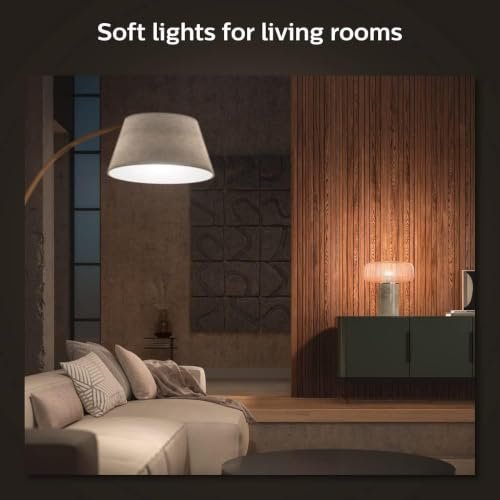
You cannot replace the light fixtures in a rental, but you can swap the bulbs. Smart bulbs like Philips Hue White and Color screw into any standard socket and give you app control, scheduling, and voice commands without touching a single wire.
The trick is to start with the rooms where you spend the most time. A single Hue starter kit with two bulbs and the Hue Bridge runs about 70 dollars and covers a bedroom and living room. From there, add bulbs one at a time as budget allows. Each white bulb costs around 15 dollars.
Keep your original bulbs in a box. When you move out, swap them back in and pack your smart bulbs for the next place.

2. Smart Plugs for Everything Else
Smart bulbs handle lighting, but what about lamps, fans, space heaters, and coffee makers? That is where smart plugs come in. A TP-Link Kasa smart plug costs about 12 dollars and turns any dumb appliance into a smart one. Plug it into the wall, plug your device into it, and you have app control, schedules, and voice commands.
Best uses for smart plugs in a rental:
- Coffee maker: Schedule it to start at 6:30 AM so coffee is ready when you wake up
- Space heater: Turn it on 15 minutes before you get home so the apartment is warm
- Fan: Schedule it to run during the hottest part of the day and turn off at bedtime
- Floor lamp: Put it on a sunset schedule so your lamp turns on automatically when it gets dark
Smart plugs use your existing Wi-Fi. No hub required, no wires to run, and they unplug in seconds when you move.
3. Door and Window Sensors With Adhesive Mounting
Contact sensors are one of the most underrated smart home devices for renters. The Aqara door and window sensor mounts with 3M adhesive strips that come in the box. Stick one half on the door frame and the other half on the door. When the door opens, you get a phone notification instantly.
Use them on:
- Your front door to know when someone enters
- Windows on the ground floor for security alerts
- Your bedroom door to trigger lights on and off automatically
- The balcony door to remind you if you left it open
The adhesive strips remove cleanly with a little heat from a hair dryer. No marks, no damage, no deposit deductions.
4. Battery-Powered Smart Doorbell
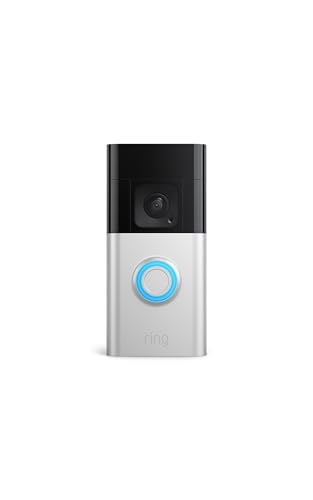
A video doorbell is the single best security upgrade for a renter, and battery-powered models require zero wiring. The Ring Battery Doorbell Plus mounts with four screws into the door frame or wall. If your landlord will not allow screws, use a no-drill doorbell mount that slides over your door and holds the doorbell in place with padding.
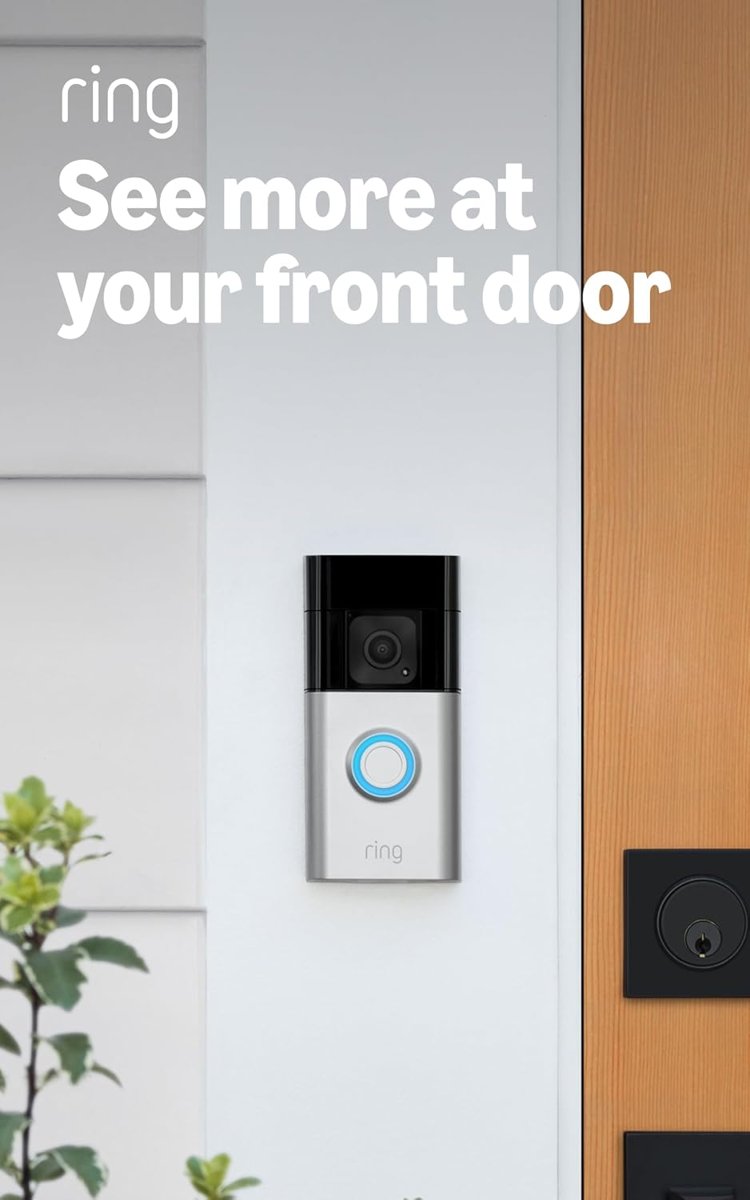
The battery lasts about 3 to 6 months per charge depending on motion traffic. When it runs low, pop it off and charge it with a USB cable overnight.
5. Indoor Security Camera (No Installation Required)
An indoor camera sits on a shelf, table, or bookcase and plugs into any wall outlet. The Wyze Cam v4 costs under 36 dollars and records 2K video with night vision, motion detection, and two-way audio. Place it in your living room or entryway and you can check on your apartment from anywhere.
For renters with pets, an indoor camera is essential. You can see what your dog is doing, talk to them through the speaker, and get motion alerts if they are somewhere they should not be.
6. Smart Thermostat in a Plug-In Format
Replacing a thermostat in a rental is usually off limits because it involves low-voltage wiring and landlord approval. But you can get many of the same benefits with a smart air conditioner controller. The Sensibo Sky sits on a table and controls your window AC or mini-split unit from your phone. It uses infrared to communicate with the AC, so there is nothing to install.
Features you get:
- Schedule the AC to turn on 30 minutes before you get home
- Geofencing turns the AC off when you leave and on when you are heading back
- Temperature and humidity readings for your apartment
- Voice control through Alexa or Google Assistant
When you move, pick it up off the table and pack it. That is it.
7. Smart Smoke Detector That Does Not Replace Yours
Most leases require the landlord’s smoke detectors to stay in place. You cannot remove them. But you can add a battery-powered smart smoke and CO detector in addition to the existing ones. Mount it on the ceiling with adhesive strips (check your local fire code first) or place it on a high shelf.
The advantage is phone alerts. If smoke or carbon monoxide is detected while you are at work, you know immediately instead of finding out from a neighbor. Some models also integrate with smart plugs to shut off appliances automatically when smoke is detected.

8. Water Leak Sensors Under Sinks and Near Appliances
Water damage is the number one cause of security deposit disputes. A washing machine hose that fails while you are at work can ruin flooring, baseboards, and the ceiling of the apartment below you. Smart water leak sensors cost about 15 dollars each and sit flat on the floor under sinks, behind the toilet, and next to the washing machine.
When water touches the sensor, you get an immediate phone alert. Some models also sound a loud alarm. Place at least three: one under the kitchen sink, one under the bathroom sink, and one behind the washing machine. That 45-dollar investment can save you thousands in damage claims.
9. Smart Curtain Controller That Clips On
Motorized blinds are expensive and usually require professional installation. But a SwitchBot Curtain device clips onto your existing curtain rod and motorizes the curtains you already have. No tools, no replacement, no permanent changes.
Set a schedule to open the curtains at sunrise and close them at sunset. Or use the app to control them from bed on lazy weekends. The battery lasts about 8 months per charge, and the whole thing comes off in seconds when your lease ends.
10. Smart Speaker as Your Command Center
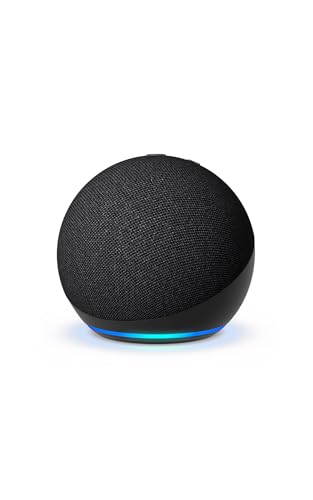
A smart speaker is the hub that ties everything together, and it requires zero installation. The Echo Dot (5th Gen) or Google Nest Mini sits on your nightstand or kitchen counter and plugs into any outlet. From there, you can control your smart bulbs, plugs, sensors, doorbell, and curtain controller with your voice.

Build routines like “Alexa, good morning” to turn on lights, start the coffee maker, and read the weather. Or “Alexa, away mode” to turn off all lights, lock the door sensor, and set the camera to record. When you move, unplug it and take it with you.
The Bottom Line
You do not need to own a house to have a smart home. These 10 devices cost under 350 dollars total if you buy them one at a time, and none of them require drilling, wiring, or landlord permission. Start with smart bulbs and a smart speaker. Add plugs and sensors next. Finish with a doorbell and camera when you are ready for security. Every device on this list comes down as cleanly as it goes up, so your deposit stays intact and your smart home moves with you.
My take: Every device on the renter list shares one trait: it comes down cleanly and moves with you. Bulbs, plugs, adhesive sensors, and a tape-mounted doorbell get you 90% of a smart home with zero deposit risk — keep the original bulbs in a box and the landlord never knows.
Related guides
- Why Smart Blinds Are the Most Underrated Smart Home Upgrade
- Echo Whole-Home Audio on a Budget: Rooms, Groups, and the Math That Beats Sonos
- Smart Home Closet: 6 Devices That Organize Your Wardrobe
- Smart Home for Small Apartments: 8 Devices That Work in 500 Square Feet or Less
- Lighting Scenes That Stick: 4 Setups That Run Your Evenings
🏠 Get Your Free Smart Home Setup Checklist
Join our newsletter and get this free printable plus weekly tips.
Frequently Asked Questions
What smart home devices work in a rental?
The no-trace tier: smart bulbs that screw into existing fixtures (keep the originals in a box and swap back at move-out), Kasa smart plugs at ~$12 that make any appliance smart, Aqara contact sensors that mount with included 3M adhesive, shelf-sitting cameras, and battery-powered doorbells that mount with tape. No drilling, no wiring, no landlord phone calls.
How do I start a rental smart home on a budget?
A Hue starter kit (two bulbs plus the Bridge, ~$70) covers a bedroom and living room, then add bulbs one at a time. Plugs first for the appliances you use daily: coffee maker on a 6:30 AM schedule, space heater that warms up 15 minutes before you get home, floor lamp on a sunset schedule, fan on a summer schedule. Everything unplugs in seconds and moves with you.
What’s the renter rule for smart devices?
If it can’t come down cleanly and leave no mark, it doesn’t go up. Adhesive strips over screws, bulbs over fixtures, plugs over wiring, and any lock that replaces only the interior side of your deadbolt (the outside looks unchanged). Ten devices meet that bar and cover most of what owners get from permanent installs.
Liked this guide? Get the next one in your inbox — the smart home starter checklist is free too.
✓ You're in — check your inbox.
No spam. Unsubscribe anytime. We never share your email.
Price Check
Prices verified via our product tracker. Updated Oct 17.
| Philips Hue Smart 75W A19 LED Bulb - Soft Warm White Light | $17.57 | 4.6★ (9,130) |
| Kasa Smart Plug Mini 15A, EP25P4, Apple HomeKit Supported | $44.99 | 4.2★ (5,089) |
| Aqara Zigbee Door and Window Sensor 1 Pack, Wireless Mini | $17.99 | 4.4★ (6,096) |
| Battery Doorbell Plus | Video Doorbell Camera | Amazon | $168.36 | 4.6★ (17,311) |
| No-Drill Adhesive Mount for R-ing Newest 2026 Battery Door | $12.99 | 4.3★ (159) |
| WYZE Cam v4 (Latest Model), 2.5K AI Security Camera, Indoo | $44.97 | 4.3★ (11,330) |
| Eve Energy (Matter) - Smart Plug, App and Voice Control, 1 | $43.95 | 4.2★ (432) |
| Aqara Zigbee 3.0 Motion Sensor P1 1 Pack, for Alert System | $19.99 | 4.2★ (827) |
| SwitchBot Curtain 3 Urail, Automatic Curtain Opener - Blue | $229.97 | 4.4★ (503) |
| Amazon Echo Dot (newest model) - Vibrant sounding speaker | $79.99 | 4.7★ (200,849) |
As an Amazon Associate we earn from qualifying purchases.