
This article contains affiliate links. We may earn a commission from qualifying purchases.
Some content on this site is AI-assisted and reviewed by our editorial team.
The most frustrating part of setting up a smart home is finally fixed
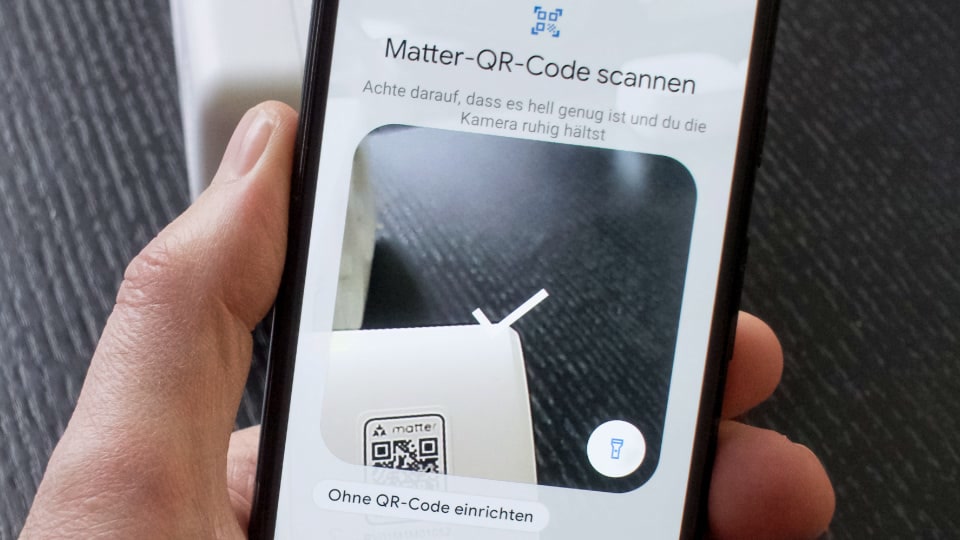
You buy your first smart home device, a Thread-enabled smart lock or sensor. You open the app on your phone, scan the Matter QR code, and nothing happens. Your phone cannot find the device. After 20 minutes of searching, you discover the problem: Thread devices need a Thread border router to be set up, and you do not own one. You just spent money on a smart device you cannot use until you buy a second device to connect it.
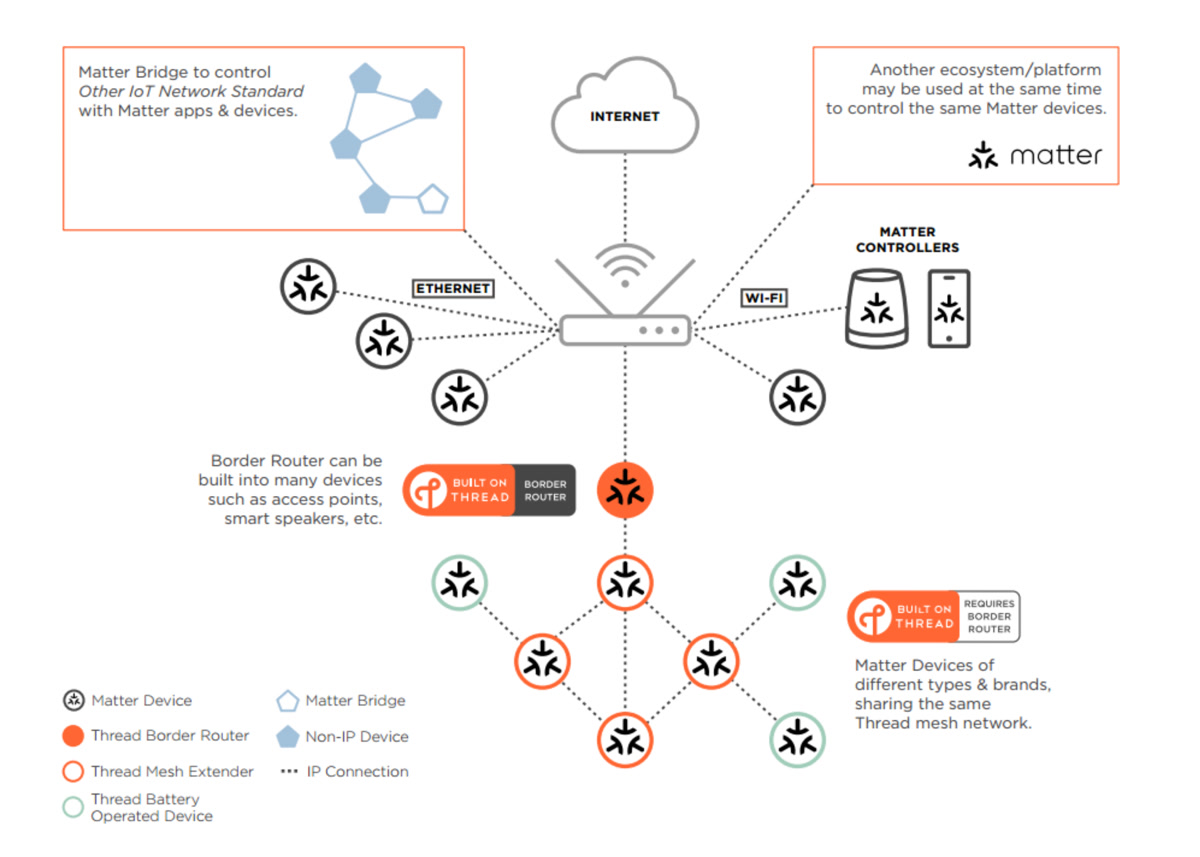
This chicken-and-egg problem has been the single biggest barrier to Matter and Thread adoption since the standard launched in 2023. Now, a new feature called Thread Direct, announced at the Unify 2026 conference in Austin, Texas, fixes it for good. Your phone can now talk directly to Thread devices during setup, no border router required.
What Thread Direct Actually Does
Thread Direct is part of the Thread 2.0 specification. The concept is straightforward: your phone uses its built-in Thread radio to communicate directly with a new Thread device during the initial setup process, without needing a border router in the middle.
Here is how the flow works in practice:
- You buy a Thread device, such as a smart lock, sensor, or smart plug
- You open your phone’s smart home app (Apple Home, Google Home, SmartThings)
- Your phone’s Thread radio discovers the device directly
- Setup completes, including security handshake and network credential provisioning
- Your phone hands the device off to a border router for ongoing mesh connectivity
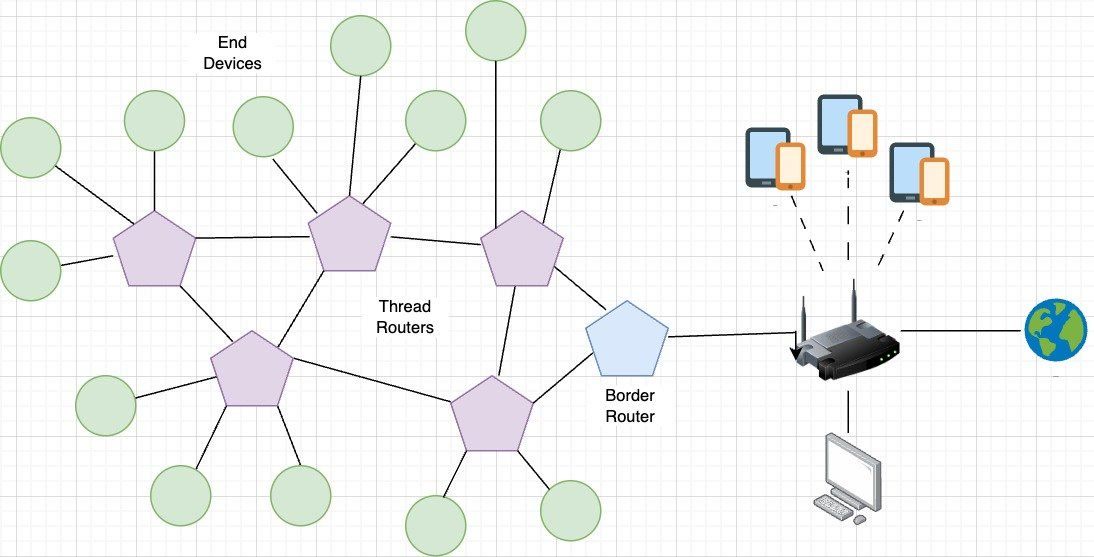
That last step is important. Thread Direct does not replace border routers. You still need one for your Thread mesh to function day-to-day, providing internet connectivity when you are away from home and maintaining the mesh network. What Thread Direct fixes is the initial setup experience, so your first device works immediately instead of requiring you to buy infrastructure first.
The Problem It Solves: A Real Example
Before Thread Direct, buying your first Thread device went something like this: You purchase an Aqara U200 smart lock for your front door. You try to add it in Apple Home. Your phone searches and finds nothing because you do not own a HomePod Mini or Apple TV 4K. You Google the error message. You learn about Thread border routers. You order one. You wait two days for shipping. You set up the border router. Then you finally set up your lock. Total time from purchase to working lock: three to five days.
After Thread Direct, the same scenario takes 90 seconds. You buy the lock, open Apple Home on your iPhone 16, your phone’s Thread radio finds the lock directly, you scan the Matter code, and setup completes. Done. You will still want a border router eventually for reliability and remote access, but your lock works right now.
If you have been holding off on Thread devices because of this setup barrier, Thread Direct removes the main excuse for waiting. If you want to understand the broader Matter ecosystem and what else is new this year, our Matter 1.6 guide covers the latest updates to the standard.
Which Phones Support Thread Direct?
Not every phone has a Thread radio built in. Thread Direct only works if your phone has the hardware to communicate directly with Thread devices. Here is what you need:
Apple:
- iPhone 15 Pro and 15 Pro Max
- iPhone 16 (all models)
- iPhone 17 (all models)
Google:
- Pixel 7 and newer (all models)
Samsung:
- Galaxy S24 and newer, including S24+, S24 Ultra, and S25 series
If your phone is not on this list, you still need a border router for initial setup. Older iPhones (14 and below), budget Android phones, and most mid-range devices lack Thread radios entirely. This is honestly the biggest limitation of Thread Direct. It helps people with flagship phones from the last two to three years. Everyone else still hits the old wall.
Thread Direct vs. Matter Over Wi-Fi: Which Is Better?
Some smart home manufacturers have bypassed the border router problem entirely by using Matter over Wi-Fi instead of Matter over Thread. Wi-Fi devices talk directly to your router with no border router needed, ever. So why not just use Wi-Fi for everything?
There are three reasons Thread remains the better long-term choice:
- Battery life. Thread uses tiny amounts of power. A Thread smart lock might last 12 to 18 months on batteries. A Wi-Fi lock might last 4 to 6 months. For sensors that run on coin cells, the difference is even more dramatic.
- Mesh networking. Thread devices form a self-healing mesh where each device strengthens coverage for others. Wi-Fi devices all compete for router bandwidth and create congestion on a network that already has 30 to 60 devices on it.
- Reliability. Thread operates on a separate frequency from your Wi-Fi, meaning smart home traffic does not compete with streaming, gaming, and video calls. When your Wi-Fi is under heavy load, Thread devices keep working.
Thread Direct gives you the best of both worlds: easy setup like Wi-Fi, but the long-term benefits of Thread. If you are deciding between protocols for your smart home, this tips the balance toward Thread for most battery-powered devices.
How Thread Direct Works Under the Hood
For those who want to understand the technical details, Thread Direct leverages your phone’s Thread radio to create a temporary, direct peer-to-peer link with the new device. This is not a full Thread network, it is a minimal commissioning session.
During this session, your phone performs several steps:
- Discovers the device via Bluetooth Low Energy (BLE) advertisement
- Establishes a Thread Direct link for data transfer
- Provisions the device with Thread network credentials
- Completes the Matter commissioning flow, including security handshake and fabric joining
Once commissioned, the device stores the Thread network credentials and waits for a border router to appear. When one comes online, the device automatically joins the full Thread mesh without any user intervention. If a border router is already present, the handoff is immediate.
What About Matter 1.6 and NFC Setup?
Thread Direct was announced alongside Matter 1.6 at Unify 2026, but they are technically separate specifications. Matter 1.6 brings its own setup improvements, including NFC-based commissioning that lets you tap your phone to a device to start pairing instead of scanning a QR code.
Together, these two features transform setup from “scan a QR code and hope you have the right infrastructure” to “tap your phone to the device and it just works.” That is the experience smart home has needed since day one.
If you already have a Matter-compatible smart home setup, you might also want to check out the new Home Assistant RF Proxy for integrating older devices, or our guide to making your smart home work without internet.
Which Devices Benefit Most From Thread Direct?
Thread Direct helps most with devices you would buy as your first smart home purchase:
- Smart locks like the Schlage Sense Pro or Aqara U200, often the first smart device people buy
- Motion sensors and contact sensors, small battery-powered Thread devices that benefit most from the protocol’s low power draw
- Smart plugs and lights, entry-level devices that people buy before investing in hubs. Browse Matter Thread smart plugs on Amazon to get started
It helps less with devices that tend to come later in your smart home journey, when you likely already have a border router. Smart blinds, whole-home sensor arrays, and multi-room audio systems typically arrive after you have established your basic infrastructure.
If you are planning your first smart home purchase, our guide to building a smart home security system under 200 dollars is a good starting point.
Limitations You Should Know About
Thread Direct is not a complete solution. Here is what it does not fix:
You still need a border router eventually. Your phone cannot act as a permanent border router. When you leave the house, your Thread devices need something to keep the mesh alive and provide internet connectivity for remote access. Without a border router, you lose remote control, automations that depend on cloud services, and mesh reliability.
Only works with supported phones. The phone requirement is the biggest gap. If you have an iPhone 14, a mid-range Android, or any phone older than two years, Thread Direct will not work for you. This excludes a significant portion of potential smart home users.
Requires app support. Your smart home app needs to implement Thread Direct support. Apple Home, Google Home, and Samsung SmartThings are expected to support it, but third-party apps and smaller ecosystems may take longer to adopt the feature.
Does not fix multi-network issues. If you have multiple Thread border routers from different manufacturers creating separate Thread networks, Thread Direct does not merge them. That remains a known issue in the Thread ecosystem.
New Thread Diagnostic Tools
Alongside Thread Direct, the Thread Group also launched a new Thread Tools app for iOS and Android that provides visibility into your Thread network. The app shows which devices are connected to which border routers, which act as mesh extenders, and the signal strength of all connections.
If your Thread door lock keeps disconnecting, you can use the app to check its signal strength and determine whether you need to move a border router closer or add a mesh-extending device like a smart plug nearby. You can export the diagnostic data as a JSON file for sharing with manufacturers or troubleshooting.
The app is available in beta now on both platforms. It is not yet a complete troubleshooting solution, but it represents the first real visibility into what has been a black box for most smart home users.
The Bottom Line
Thread Direct solves the single most embarrassing problem in the smart home industry: the fact that buying your first Thread device required you to already own the infrastructure to set it up. With Thread Direct, anyone with a supported phone can buy a Thread smart lock, sensor, or plug and have it working in under two minutes without buying anything else.
You will still want a border router for long-term reliability and remote access, but the barrier to entry has dropped from “buy two devices and wait for shipping” to “buy one device and set it up immediately.” That is the kind of improvement that moves Thread from an enthusiast protocol to something mainstream users can actually adopt.
If you have been waiting for Thread and Matter to mature before committing, Thread Direct and Matter 1.6 together are the signal that the standard has arrived. The setup experience finally matches the promise. Ready to start building your Thread smart home? Check out Thread-compatible smart home devices on Amazon or browse Matter border routers to complete your setup.
🏠 Get Your Free Smart Home Setup Checklist
Join our newsletter and get this free printable plus weekly tips.