This article contains affiliate links. We may earn a commission from qualifying purchases.
Some content on this site is AI-assisted and reviewed by our editorial team.
My mom is 73 and lives alone in the house I grew up in. Last winter, she fell in her kitchen at 11 PM and could not reach her phone. She sat on the floor for two hours until a neighbor happened to call. That story ends fine, but it got me thinking about what a smart home can do for someone aging in place. Not the glossy magazine version where your fridge orders milk. The practical version, where a voice command turns on a hallway light at 2 AM and a sensor on the back door tells you it is still open.
I spent three months setting up my mom’s house with smart home gear, and I learned what works, what is unnecessary, and what creates more confusion than it solves. Here is what I would recommend to anyone trying to help a parent stay independent longer.

Start With Voice Control: Amazon Echo Show 8
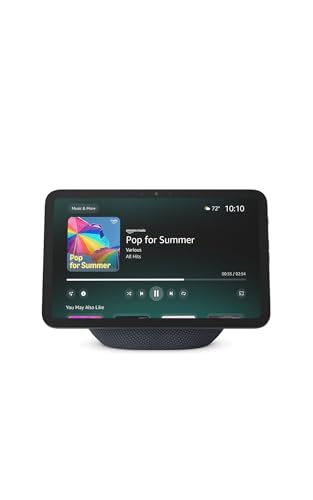
If you buy one device, make it the Echo Show 8 (newest model). I put one in my mom’s kitchen and one in her bedroom. The screen matters more than you might think. She uses it to check who is at the front door (her Ring doorbell feeds to the Echo Show), to set medication reminders, and to call me without picking up a phone. The video call feature alone is worth the price.
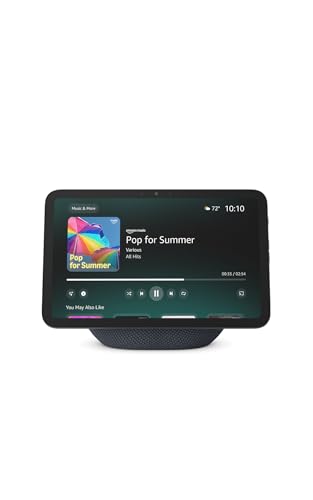
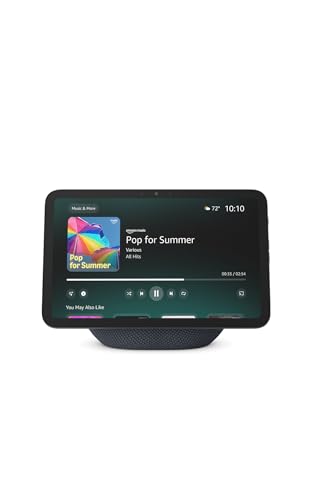
Voice control is the foundation of aging in place tech because it removes physical barriers. My mom has arthritis in her hands. Flipping a light switch is not always easy. Saying “Alexa, turn on the hallway light” is. The Echo Show’s screen also displays weather, calendar, and a clock with the date, which matters more than you’d think for people who lose track of what day it is.
I chose the Echo Show over the Google Nest Hub for one specific reason: Alexa’s calling features are easier for my mom to use. She says “Alexa, call my son” and it rings my phone. No apps, no directories, no fumbling. Google has similar features, but the setup was more complicated and the voice recognition was noticeably worse with my mom’s slight Southern accent.
Lighting That Prevents Falls: Philips Hue White Bulbs
Falls are the leading cause of injury for adults over 65. Most happen at night, in the dark, between the bed and the bathroom. This is where smart lighting earns its keep.
I replaced the bulbs in my mom’s hallway, bedroom, and bathroom with Philips Hue White bulbs. Then I set up a simple routine: when her Echo Show detects motion in the bedroom after 9 PM, the hallway light turns on at 20 percent brightness. Not blinding. Just enough to see the floor. When she gets back in bed, it turns off after five minutes of no motion.
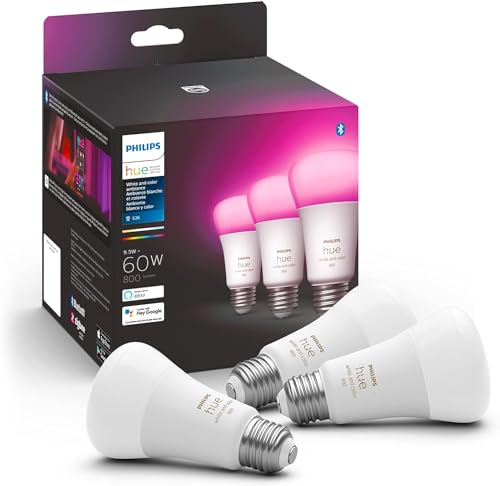
You do not need the color bulbs. The white ones are cheaper and do everything that matters here. A three-pack costs around 35 dollars and covers the three most dangerous rooms in the house.
The Hue Bridge is required, which adds about 50 dollars to the setup. It is a one-time cost that also lets you add more bulbs later. I considered cheaper Wi-Fi bulbs that do not need a hub, but the reliability was worse. My mom’s hallway light needs to turn on every single time. Hue has not missed once in six months.
The Front Door: Ring Video Doorbell and Yale Assure Lock 2
My mom used to answer the door for anyone who knocked. Salesmen, strangers, kids selling candy. After a porch pirate incident last year, I installed a Ring Battery Doorbell and paired it with her Echo Show. Now when someone rings the doorbell, their face appears on the kitchen screen. She can see them, talk to them, and decide whether to get up. Most of the time, she does not.
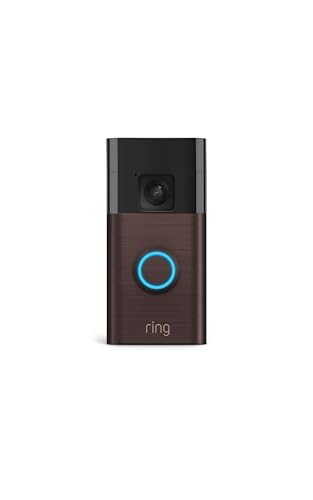
The Ring doorbell battery lasts about three months on a charge. If your parent’s home has existing doorbell wiring, get the wired version instead so you never think about it. But for my mom’s house, the wireless was easier to install and I did not have to deal with an electrician.
I also swapped her front door deadbolt for a Yale Assure Lock 2 with touchscreen keypad. The keypad means she can still get in without her phone if it dies or she forgets it. I have a guest code set up for her cleaning lady and a temporary code for when my sister visits. When my sister leaves, I delete the code from the app. No spare keys floating around under flowerpots.
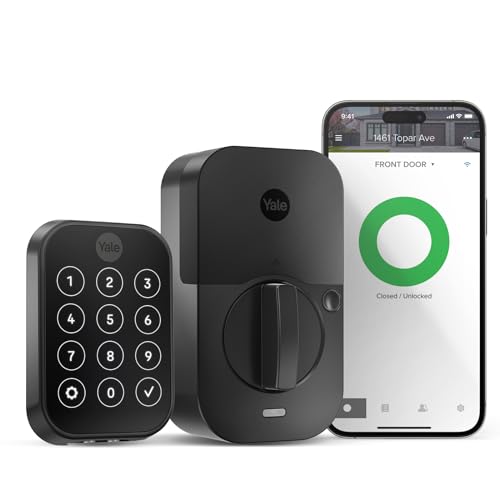
The lock auto-locks after 30 seconds, which solves the “did I lock the door?” anxiety that kept my mom up some nights. I can check the lock status from my phone 200 miles away and lock it remotely if needed.
Water Leak Detection: Aqara Water Leak Sensors
This one surprised me. Within two weeks of installing Aqara Water Leak Sensors under the kitchen sink, the water heater, and the washing machine, one of them caught a slow leak under the sink that had been dripping for who knows how long. The sensor sent an alert to my phone and my mom’s Echo Show announced “Water leak detected under kitchen sink.” She called me, I called a plumber, and what would have been a cabinet replacement became a 40 dollar repair.
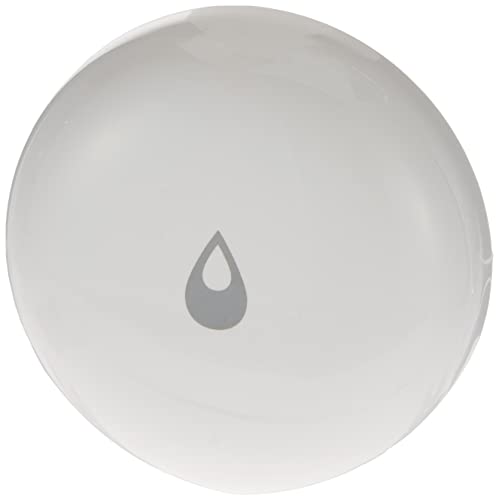
The Aqara sensors need a hub to work. I used the Aqara Hub M3, which also serves as a Matter controller for the contact sensors on her doors. The M3 is a solid hub that supports Thread, Zigbee, and Matter, so it future-proofs the setup. If you already have an Echo Show with Zigbee built in, you can use some Aqara sensors through that, but the M3 gives you more flexibility.
Water damage is the second most common home insurance claim for seniors. A three-pack of leak sensors costs 25 dollars. There is no scenario where that is not worth it.
Door and Window Sensors: Aqara Contact Sensors P2
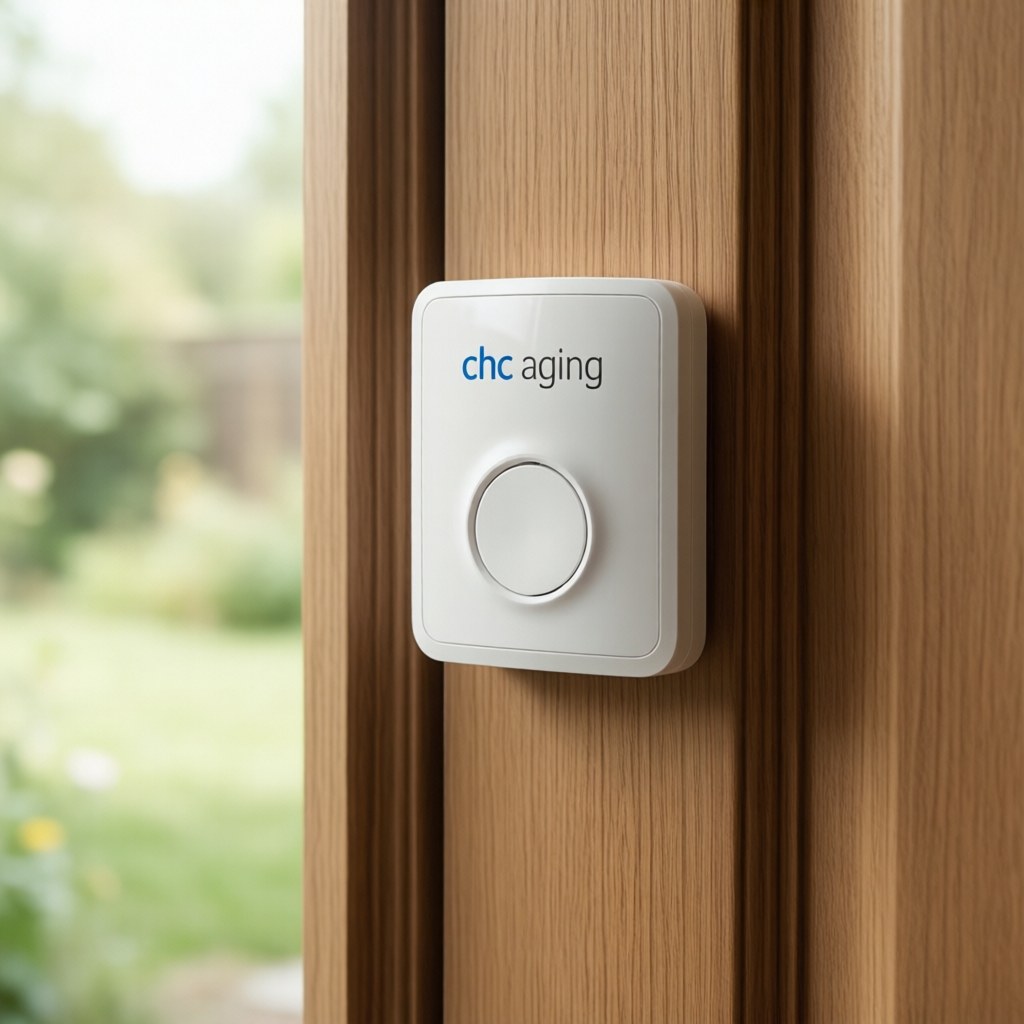
My mom has a back door she rarely uses and a basement door that leads outside. I put Aqara Door and Window Sensor P2 on both, plus the front door for good measure. The sensors send a notification to my phone if either door opens. More importantly, I set up a routine: if the back door opens after 9 PM, the Echo Show announces “Back door is open” and repeats it every 10 minutes until the door closes.
This is not about surveillance. My mom knows the sensors are there and what they do. It is about knowing if she accidentally left a door open at night, or if someone is coming in when they should not be. The sensors are small, magnetic, and stick on with adhesive. No drilling, no wiring. Installation took about five minutes per door.
I also put a sensor on the medicine cabinet. Not to spy on her, but because if she has not opened it by noon, I get a gentle notification. That usually means she forgot her morning medications. I call and remind her. She rolls her eyes. But she takes them.
Smart Plugs for the Things She Forgets
My mom leaves things on. The coffee maker. The bathroom space heater. The iron. I put TP-Link Tapo Smart Plugs on the outlets for these devices. Now if the space heater has been on for more than 30 minutes, it turns off automatically. If the coffee maker is still on at 10 AM, it turns off. The iron turns off after 15 minutes no matter what.
These plugs also let her control things by voice. “Alexa, turn off the bathroom heater” works even if she is already in bed and forgot about it. The Tapo plugs are cheap (about 8 dollars each), reliable, and do not need a hub. They connect directly to Wi-Fi.
I tried smart plugs with her coffee maker first, and she was skeptical. A week later she asked me to put them on everything in the house. The peace of mind of knowing the iron is off is worth more than the plug costs.
What I Did Not Buy (And Why)
I looked at fall detection devices. The Apple Watch has fall detection, but my mom does not wear a watch and found the interface confusing. Medical alert pendants work, but my mom refused to wear one because it “made her feel old.” The Echo Show’s Alexa Together service has fall detection through a third-party device, but it requires a monthly subscription. I am still evaluating this.
I skipped smart blinds. They are expensive and my mom’s house has custom-sized windows. Not worth the cost for her situation.
I did not buy a smart thermostat. Her house has an old manual thermostat that works fine, and she is comfortable adjusting it herself. A smart thermostat would have added complexity without much benefit. If your parent struggles with temperature controls or you want to monitor for unusual temperature swings (a sign the heating failed in winter), the Ecobee Smart Thermostat Enhanced is the one I would recommend. But it is not a must-have for aging in place.
I considered a smart medication dispenser but went with Echo reminders instead. The smart dispensers I tested were either too expensive, too complicated, or required a subscription. Alexa medication reminders are free, simple to set up, and my mom can ask “Alexa, what medications do I take today?” and get the answer. It is not foolproof, but it works.
The Setup That Changed My Mom’s Life
Total cost for everything I installed: about 350 dollars. One Echo Show 8, three Philips Hue bulbs, a Hue Bridge, one Ring doorbell, one Yale Assure Lock 2, three Aqara leak sensors, one Aqara Hub M3, three Aqara contact sensors, and four Tapo smart plugs. That is it.
The biggest change is not any single device. It is the combination. My mom can control her lights, her front door, and her small appliances by voice. I get notified if a door opens at night, if water is leaking, or if she has not opened her medicine cabinet by noon. She can video call me by saying three words. She feels safer. I worry less.
Last month she told me, “I did not think I needed any of this stuff, but now I cannot imagine the house without it.” That is the best review I can give any of these products.
If you are setting this up for a parent, my advice is to start small. Get the Echo Show and two smart plugs. Let them get used to voice commands. Add lighting next, then sensors, then the doorbell and lock. Do not install everything in one weekend. It is overwhelming, and if something goes wrong, you will be troubleshooting five devices at once instead of one.
And talk to your parent before you start. Explain what each device does, what it watches for, and who can see the data. My mom was resistant at first. She came around when she realized the smart home was not about monitoring her. It was about helping her stay in the house she has lived in for 40 years, on her own terms, for as long as she wants.
Disclosure: As an Amazon Associate, CleverHomeClub earns from qualifying purchases. We only recommend products we have tested or would buy ourselves.
My take: The aging-in-place stack that survived three months of real use: an Echo Show 8 for voice calls and the door feed, motion-triggered hallway lighting at 20%, and a keypad lock with auto-lock. Skip the glossy fridge-ordering-milk version — the boring reliability features are the ones that actually keep a parent independent.
Related guides
- Smart Home Privacy Guide: What Your Devices Collect and How to Stop It
- Smart Home Closet: 6 Devices That Organize Your Wardrobe
- Smart Home Fall Prevention for Seniors: 7 Devices That Prevent Falls
- Apple Home Hub 2026: What Coming, When, and Whether You Should Wait
- Smart Blinds for Summer Cooling: The Complete 2026 Automation Guide
🏠 Get Your Free Smart Home Setup Checklist
Join our newsletter and get this free printable plus weekly tips.
Frequently Asked Questions
What’s the first device for a parent aging in place?
An Echo Show 8 — the screen matters more than you’d think: video calls by voice (“Alexa, call my son” — no apps or directories), the Ring doorbell feed on the kitchen screen so she can see who’s at the door before deciding to get up, medication reminders, and a date-and-weather clock for someone losing track of days. Alexa’s calling beat the Nest Hub in testing: easier setup and better recognition of a slight Southern accent.
How does smart lighting prevent falls for seniors?
The bed-to-bathroom path at night is the danger zone — Philips Hue White bulbs (a $35 three-pack covers hallway, bedroom, bathroom) on a motion routine: after 9 PM, bedroom motion turns the hallway light on at 20%, and five minutes without motion turns it off. Not blinding, just enough to see the floor. The author chose Hue over cheaper Wi-Fi bulbs specifically for reliability: the hallway light must come on every single time, and Hue hasn’t missed in six months.
How do I secure a senior’s front door remotely?
The Ring Battery Doorbell paired to the Echo Show (she sees and talks to visitors without getting up), plus a Yale Assure Lock 2 with keypad — the keypad means she gets in even if her phone dies, guest codes cover the cleaning lady, temporary codes cover family visits and get deleted after, and the 30-second auto-lock ends the “did I lock the door?” anxiety. Check the lock status from 200 miles away and lock remotely if needed.
Liked this guide? Get the next one in your inbox — the smart home starter checklist is free too.
✓ You're in — check your inbox.
No spam. Unsubscribe anytime. We never share your email.
Price Check
Prices verified via our product tracker. Updated Oct 5.
| Amazon Echo Show 8 | Vibrant HD 8.7" display | Graphite | | $99.99 | 4.3★ (7,970) |
| Philips Hue A19 LED Smart Light Bulb - White and Color Amb | $147.99 | 4.7★ (4,824) |
| Ring Battery Doorbell | Video Doorbell Camera | Amazon | $99.99 | 4.5★ (56,063) |
| Yale Assure Lock 2 Touchscreen Keypad Deadbolt with Wi-Fi, | $279.99 | 3.9★ (946) |
| Aqara Water Leak Sensor 1 Pack, Zigbee Water Leak Detector | $17.09 | 4.2★ (3,639) |
| Aqara Smart Home Hub M3, Matter Controller and Thread Bord | $159.99 | 4.1★ (1,679) |
| Aqara Door and Window Sensor P2, Contact Sensor with Remot | $27.99 | 3.6★ (1,116) |
| Tapo Smart Plug Mini 15A, Smart Wi-Fi Plug, P105(4-Pack) | | $34.99 | 4.6★ (1,658) |
| ecobee Smart Thermostat Enhanced, Programmable Wifi Thermo | $199.99 | 4.4★ (3,709) |
As an Amazon Associate we earn from qualifying purchases.