This article contains affiliate links. We may earn a commission from qualifying purchases.
Some content on this site is AI-assisted and reviewed by our editorial team.
Half of what gets blamed on smart-home flakiness is not the smart home at all. A two-second power flicker reboots the router and the modem, and everything downstream — the bulbs, the locks, the cameras, the hub — drops off the network and spends the next hour re-handshaking while you power-cycle things and blame the firmware. I have lost exactly that kind of evening more than once. The fix is a UPS — an uninterruptible power supply — sitting in the closet next to the router, and the right-sized one costs about sixty dollars.
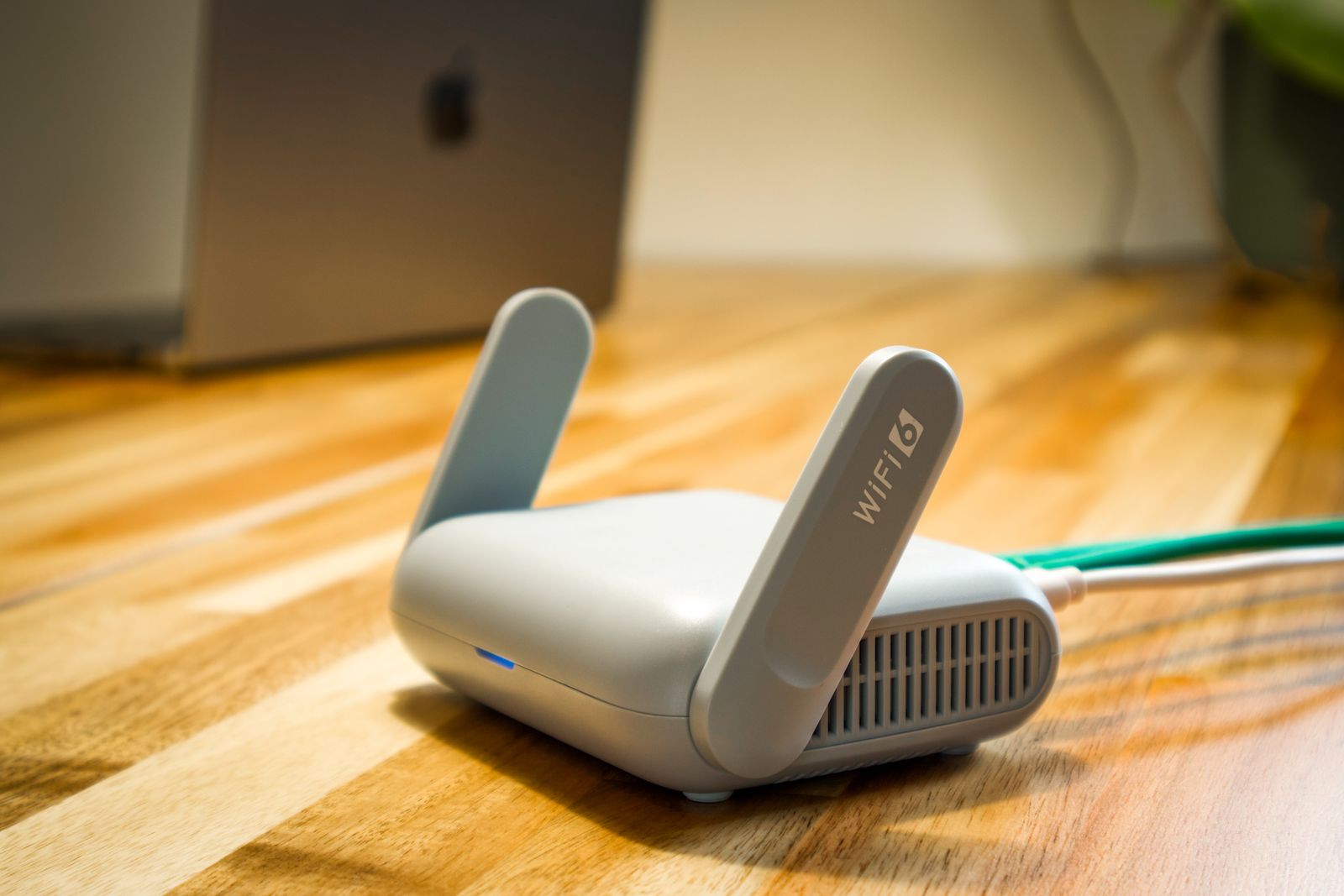
A router and modem together draw roughly 10 to 25 watts, which is nothing — it is why a small consumer UPS carries them without breaking a sweat. The whole decision is sizing the unit honestly and paying only for the features you will actually use. I priced the three lanes that cover nearly every smart home. Here is the math.
The Volt-Amps Math, for Real People
UPS units are sold in VA, but your gear draws watts, and the honest conversion is roughly VA times 0.6 — a 425VA unit delivers about 260 real watts. A router closet draws a tenth of that. That gap between rating and load is the whole trick: the “6 minutes at half load” spec on a small UPS describes a 130-watt load, and a 15-watt router closet stretches the same battery across many multiples of it. For flickers and short cuts — the two-second and two-minute events that cause the re-pair evenings — even the smallest unit here is dramatic overkill, which is exactly what you want.
CyberPower ST425 UPS — The Sized-Right Default
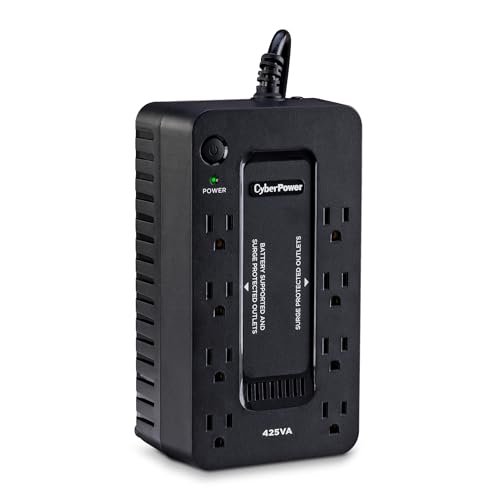
The CyberPower ST425 is about $60 at check time (list $64.95), and it is the whole fix for one router closet: 425VA/260W, eight outlets with four on battery, and a 4.4-star record across more than 5,400 ratings that makes it the number-three best-seller in the category. The 3-year warranty covers the battery itself, and the $75,000 connected-equipment guarantee is the kind of fine print you never expect to need.
- What it does well: swallows flickers whole, sits quietly in a closet, and rides through short cuts without the house noticing.
- Honest cons: no USB charging ports, and its standby topology means a 4-millisecond transfer — invisible to a router, but this is the budget tier, not the luxury one.
My take: the default answer — if you are buying one UPS for one router closet, this is it.
APC BE600M1 UPS — The USB-Charging Alternative
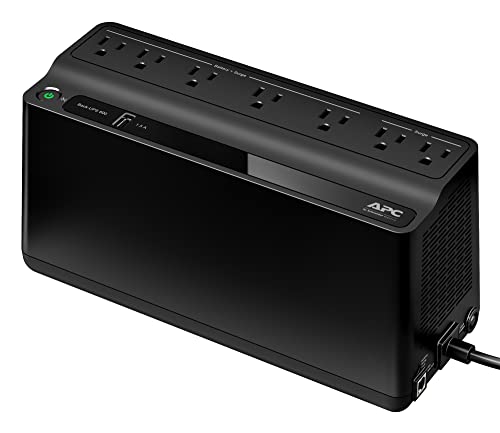
The APC BE600M1 runs about $84 at check time, steps up to 600VA/330W across seven outlets, and adds the feature the ST425 skips: a USB charging port that keeps a phone alive during a real outage. APC rates it 23 minutes at a 100-watt load, and its 4.5-star record across more than 29,000 ratings is one of the strongest in home electronics, period.
- What it does well: more headroom plus phone charging — the better closet for a power-strip ecosystem.
- Honest cons: the outlets sit tight against the housing, so chunky adapters crowd, and it is about $24 more than the ST425 for the USB convenience.
My take: worth the premium only if the closet also charges gear or you want the extra margin.
CyberPower CP1000PFCLCD — The Whole-Closet Step-Up
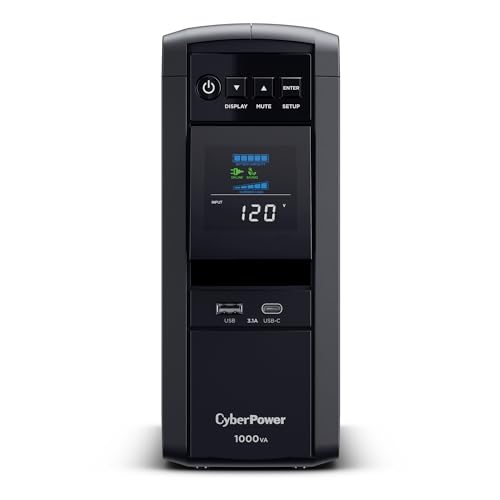
The CyberPower CP1000PFCLCD is about $180 at check time, and it is a different class of device: 1000VA/600W, ten outlets, a tilting color LCD status panel, sine-wave output that is safe for PFC power supplies, and AVR — automatic voltage regulation — that trims brownouts as well as blackouts. Winter sag is as common as winter flickers, and AVR is the feature that handles the sag.
- What it does well: runs router, hub, and NAS long enough for a clean shutdown, and cleans up dirty power on the way through.
- Honest cons: three times the ST425’s price, and pure overkill if the closet holds one router.
My take: the grown-up answer when the closet holds more than a router — the one I run.
Winter is the season to fix this: a 30-day free Prime trial covers two-day shipping on any of these before the next storm line arrives. (CleverHomeClub is an Amazon Associate — purchases through that link support the site at no extra cost to you.)
What Actually Saves Money (And What Doesn’t)
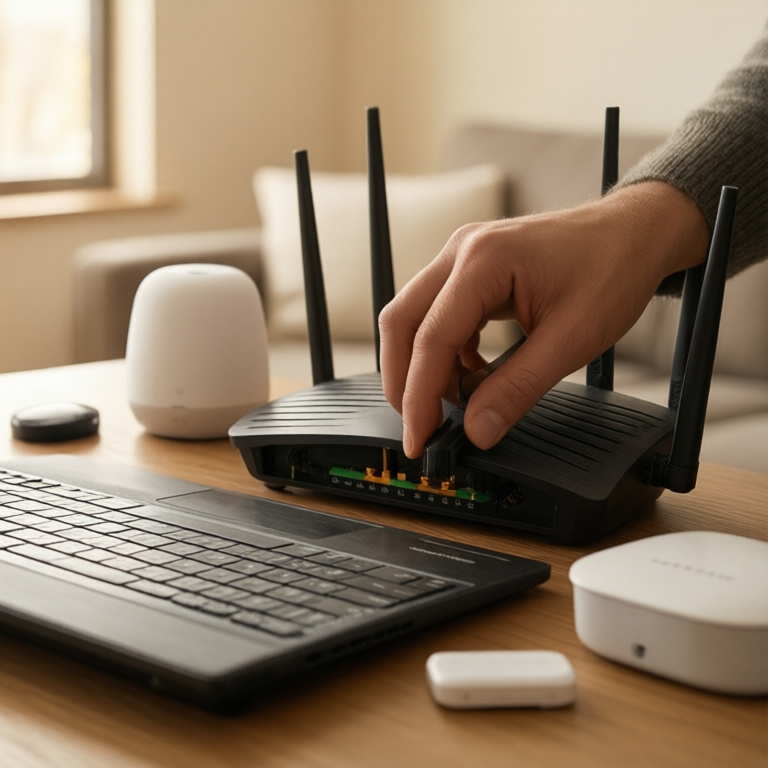
- The $60 fix that replaces the re-pair evening: the first flicker the ST425 swallows pays for the unit versus one hour of debugging and a firmware update that never needed to happen.
- Size to the closet, not the marketing: router plus modem plus hub is 15 to 30 watts. Any 425VA-class unit is already oversized; do not buy 1500VA for one router.
- Budget the battery: sealed lead-acid is a roughly 3-year consumable; the replacement cartridge is cheap and tool-free on all three of these.
- Don’t: plug the TV and console into a 425VA unit — an overload trips the UPS flat, which is worse than no UPS. And don’t put the printer on battery; it does not need to survive a flicker.
Does a smart home really need a UPS?
If your devices randomly drop and the fix is rebooting the router, yes — a $60 UPS like the CyberPower ST425 eliminates the entire failure mode for less than the cost of one smart hub. If your power never flickers, spend the $60 on a leak sensor instead.
Keep reading: winter reliability is a series — the $50 battery maintainer that beats the tow truck and the timer math that caps the December lights bill are the other two legs.
CleverHomeClub is reader-supported. As an Amazon Associate, I earn from qualifying purchases. That means if you buy through one of the links above, I get a small commission at no extra cost to you. I only recommend devices I’d run in my own home.
🏠 Get Your Free Smart Home Setup Checklist
Join our newsletter and get this free printable plus weekly tips.
Frequently Asked Questions
Does a smart home need a UPS?
If your lights, locks, or cameras randomly drop, the cause is usually the router and modem rebooting through a power flicker — not the devices. A $60 UPS in the closet fixes that entire failure mode for less than the cost of one smart hub.
What size UPS does a router need?
A router and modem together draw roughly 10 to 25 watts, so even a 425VA unit like the CyberPower ST425 carries that several times over. Size the UPS to the closet, not the marketing — anything bigger is for a NAS or a desktop, not a router.
How long will a UPS keep my router online?
At router-and-modem loads — a fraction of a small UPS's rating — these units run far past their spec-sheet minutes, easily covering flickers, brownouts, and short cuts. For a full outage, expect tens of minutes, not hours; the goal is bridging, not off-grid living.
Can a UPS damage a router or smart hub?
No — consumer routers and hubs run happily on the simulated sine wave these standby units produce. The caution runs the other way: keep high-draw gear like amplifiers or gaming PCs off a small unit, because an overload shuts the UPS down flat.
Liked this guide? Get the next one in your inbox — the smart home starter checklist is free too.
✓ You're in — check your inbox.
No spam. Unsubscribe anytime. We never share your email.