This article contains affiliate links. We may earn a commission from qualifying purchases.
Some content on this site is AI-assisted and reviewed by our editorial team.
Multi-Room Audio: How to Get Music in Every Room Without Spending a Fortune
You are cooking dinner in the kitchen, your partner is working in the home office, and your kid is doing homework in the living room. Everyone wants different music. Or maybe everyone wants the same song, perfectly synced, flowing through the house like a soundtrack. Multi-room audio used to require a professional installer and thousands of dollars in equipment. Now you can build it yourself for under 200 dollars.
Here is how to set up multi-room audio in your smart home, which ecosystems work best, and where to save money without sacrificing sound quality.
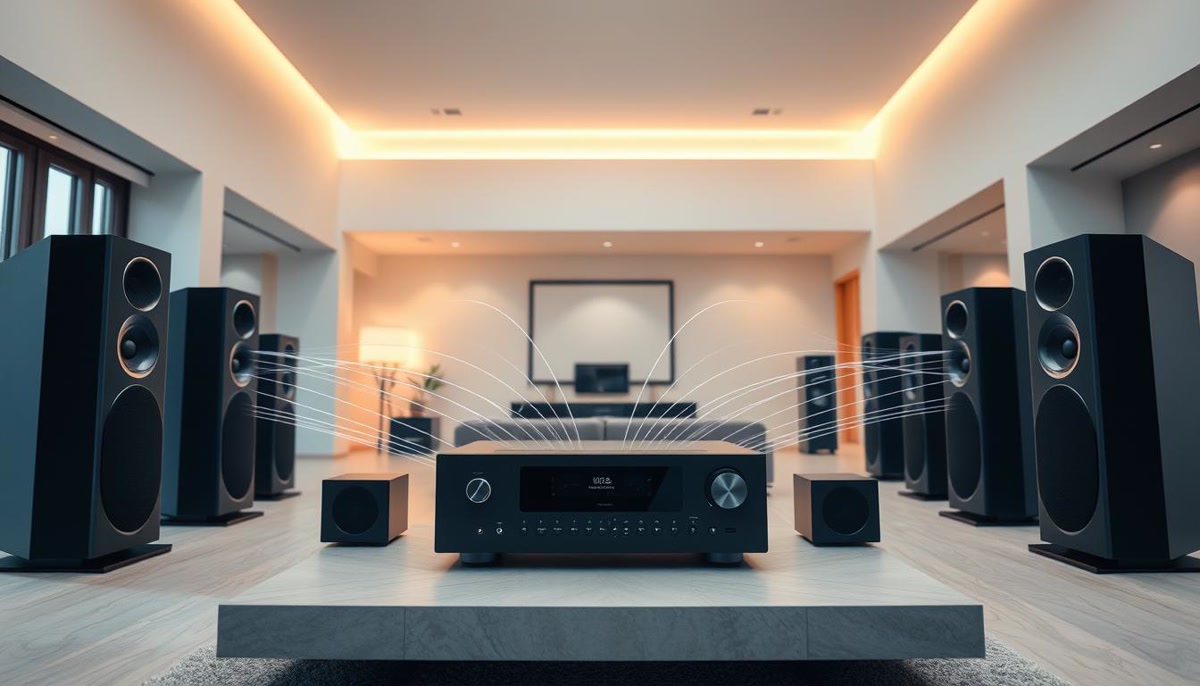
The Three Ways to Build Multi-Room Audio
There are three main approaches, each with different costs and trade-offs:
- Smart speakers (cheapest): Echo or Nest Mini speakers in each room, grouped in the app. Cost: 25 to 50 dollars per room. Sound quality is adequate but not impressive.
- Smart receivers and amplifiers (mid-range): Connect a smart audio receiver to your existing speakers. Cost: 100 to 300 dollars per room. Sound quality depends on your speakers.
- Dedicated wireless audio system (premium): Sonos, Bluesound, or Denon HEOS. Cost: 200 to 800 dollars per room. Best sound quality and reliability, but expensive.
For most people, smart speakers are the right starting point. You can always upgrade individual rooms later by adding a Bluetooth speaker or connecting to existing stereo equipment.

Alexa Multi-Room Music: The Easiest Starting Point
If you already have Echo devices, multi-room music is built in and free. Open the Alexa app, go to Devices, and create a speaker group. Add all your Echo devices to the group. Now say “Alexa, play jazz everywhere” and music plays on every speaker simultaneously.
You can also create sub-groups. “Downstairs” for kitchen and living room, “Upstairs” for bedroom and office. Say “Alexa, play podcasts downstairs” and only those speakers respond.
Limitations to know about:
- Music only syncs between same-brand speakers. Echo to Echo works. Echo to Google Nest does not.
- Bluetooth-connected speakers cannot join multi-room groups. Only built-in Echo speakers participate.
- Spotify and Amazon Music support multi-room. Some smaller music services do not.
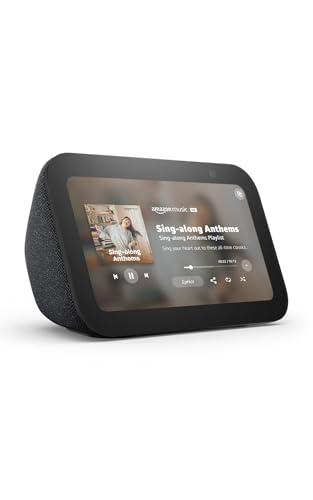
Starting from scratch? The Echo Show 5 for your desk and Echo Dot units for other rooms gives you full multi-room audio for about 150 dollars total.

Google Home Multi-Room: Best for Google Households
If you use Google Calendar, YouTube Music, or Android phones, Google Home is the natural choice. The setup is similar to Alexa: open the Google Home app, create a speaker group, add your Nest speakers.
Google’s multi-room audio has one advantage over Alexa: YouTube Music integration. If you subscribe to YouTube Music Premium, you get ad-free music with video support on Nest Hub displays. Say “Hey Google, play workout mix on all speakers” and it works.
The Google Nest Audio sounds noticeably better than the Echo Dot for music. It has a 19mm tweeter and a 75mm woofer, producing fuller bass and clearer vocals. At 100 dollars each, it is pricier than the Echo Dot but worth it if music quality matters to you.
Apple AirPlay 2: Best for Apple Households
If you are all-in on Apple, AirPlay 2 is your multi-room solution. It works with HomePod Mini, HomePod (2nd gen), Apple TV 4K, and third-party speakers that support AirPlay 2, including Sonos, Bose, and Denon.
AirPlay 2 has the tightest sync of any multi-room system. The lag between rooms is under 40 milliseconds, meaning you cannot hear the echo when walking between rooms. Alexa and Google are close, but AirPlay 2 is measurably better.

Start with a HomePod Mini in your most-used rooms. At 99 dollars each, it is more expensive than Echo Dot but the sound quality is significantly better, especially for vocals and acoustic music.
Sonos: The Upgrade Path When You Want Better Sound
Sonos is the gold standard for multi-room audio. It works with Alexa, Google Assistant, and AirPlay 2, so you are not locked into one ecosystem. The Sonos app manages all your music services in one place, and the sync between rooms is flawless.
The downside is cost. A Sonos One SL starts at 159 dollars, and the Sonos Era 100 is 279 dollars. A full home setup with 4 to 6 rooms runs 800 to 1,700 dollars. But the sound quality is in a different league from smart speakers, and the system lasts for years without needing replacement.
If you want to start small, put a Sonos Era 100 in your living room (where you listen most) and Echo Dots in the other rooms. The Sonos connects to your Echo ecosystem via Alexa, so you can still say “Alexa, play music everywhere” and include the Sonos in the group.
Connecting Existing Speakers: Smart Amplifiers
If you already have good speakers, do not replace them. Add a smart amplifier instead. The Amazon Echo Link Amp adds Alexa streaming to any passive speaker. Connect your existing bookshelf or floor-standing speakers, and you get multi-room audio through Alexa with your own hardware.
For outdoor speakers, the SMSL AO300 amplifier supports Bluetooth and optical input. Pair it with a smart hub and you can stream to your patio speakers from any app.
The Budget Setup: Under 200 Dollars
Here is a complete multi-room audio system for under 200 dollars:
- Kitchen: Echo Dot (5th gen) at 25 dollars
- Living room: Echo Dot (5th gen) at 25 dollars
- Bedroom: Echo Dot (5th gen) at 25 dollars
- Office: Echo Dot (5th gen) at 25 dollars
- Subscription: Amazon Music Unlimited family plan at 16 dollars/month, or use free Spotify with ads
Total hardware cost: 100 dollars for four rooms. Add another 50 dollars for a Echo Show 5 in the kitchen if you want a display for recipes and video calls.
The catch? Echo Dots sound fine for podcasts and background music but lack bass for serious listening. Upgrade one room at a time by adding a larger speaker where you care most about sound quality.
The Mid-Range Setup: Under 500 Dollars
For better sound without going premium:
- Living room: Sonos Era 100 at 279 dollars
- Kitchen: Echo Dot at 25 dollars
- Bedroom: Echo Dot at 25 dollars
- Patio: Echo Dot plus a Bluetooth outdoor speaker at 80 dollars
The Sonos becomes your primary listening room, and the Echo Dots handle background music elsewhere. All controlled through Alexa.

Automation Ideas for Multi-Room Audio
Once your speakers are set up, add automations to make music flow automatically:
- Morning routine: At 6:30 AM, play soft jazz on bedroom speaker. At 7 AM, switch to news podcast on kitchen speaker. At 7:30 AM, play upbeat playlist on all speakers.
- Cooking mode: Say “Alexa, cooking time” and the kitchen speaker plays a cooking playlist at moderate volume while the living room speaker pauses.
- Dinner party: Say “Alexa, dinner party” and all speakers play the same dinner jazz playlist at 30 percent volume. Smart lights dim to 40 percent warm white.
- Focus mode: Say “Alexa, focus time” and the office speaker plays lo-fi beats while all other speakers in the house mute.
- Goodnight: At 10 PM, all speakers switch to white noise in bedrooms. All other speakers turn off. Volume set to 20 percent.
Common Problems and Fixes
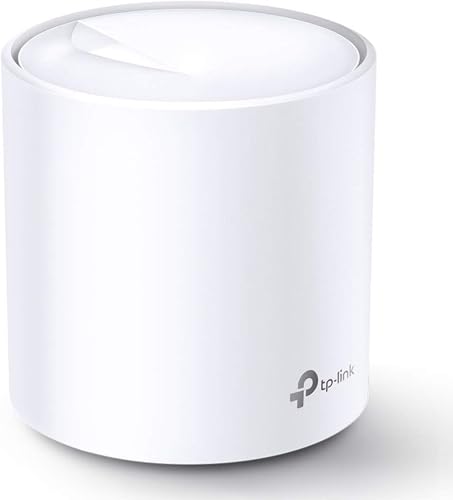
Speakers out of sync: If one room is noticeably behind, check your Wi-Fi. Multi-room audio requires a strong Wi-Fi signal in every room. Add a mesh node if any speaker shows weak signal. The TP-Link Deco X20 mesh system covers most homes for under 120 dollars.
Music stops when phone leaves: If you start music from your phone and it stops when you leave the house, use voice commands instead. Say “Alexa, play Spotify everywhere” and the speakers stream directly from the cloud, not through your phone.
Volume mismatch between rooms: Adjust individual speaker volumes in the app. A small bathroom speaker at 50 percent is louder than a large living room speaker at 50 percent. Set per-room volumes once and the system remembers.
The Bottom Line
You do not need a 2,000 dollar Sonos system to get music in every room. Start with 100 dollars of Echo Dots and see how you use multi-room audio in your daily life. If you find yourself wanting better sound in one room, upgrade that room to a Sonos or Nest Audio. The beauty of smart home audio is that it grows with you, one room at a time.
The real value is not in the hardware. It is in the automations. Music that follows you from room to room, a dinner party mode that sets the mood with one command, a morning routine that eases you into the day. That is what makes multi-room audio feel like a smart home feature instead of just speakers in different rooms.
Related Reading
- Smart Home Fall Prep: 9 Things to Adjust Before the Leaves Turn
- Smart Home Humidity Control: Why Moisture Matters More Than Temperature
Get Our Free Smart Home Setup Checklist
Join 2,000+ smart home owners getting weekly tips and gear picks. No spam, unsubscribe anytime.
My take: Start with grouped Echo or Nest speakers — multi-room audio is now free software, not a $2,000 installer project — then upgrade only the rooms where sound matters. The one rule that bites people: music won’t sync across brands, so pick your ecosystem before buying the second speaker.
Related guides
- Smart Home for Baby Nurseries: Safety Monitors, Air Quality, and Automations That Help
- How to Know the Mail Arrived Without the 50 Dollar Bridge
- Mesh Wi-Fi That Handles 40 Devices Without a Queue
- How to Secure Your Smart Home from Hackers (Without Being a Tech Expert)
- How to Smart-Home Your Garage (Without Spending a Fortune on Features You Don't Need)
🏠 Get Your Free Smart Home Setup Checklist
Join our newsletter and get this free printable plus weekly tips.
Frequently Asked Questions
How do I get music in every room cheaply?
Smart speakers grouped in the app — $25–50 per room and adequate sound. If you have Echo devices, Alexa multi-room music is built in and free: create a speaker group in the Alexa app and say “Alexa, play jazz everywhere,” with sub-groups like “Downstairs” for selective playback. You can always upgrade individual rooms to receivers or Sonos later.
Can Alexa and Google speakers play multi-room music together?
No — music only syncs between same-brand speakers: Echo to Echo works, Echo to Google Nest does not. Bluetooth-connected speakers can’t join multi-room groups either; only built-in speakers participate. Spotify and Amazon Music support multi-room; some smaller services don’t. Pick one ecosystem for the whole house or accept separate zones.
Is Sonos worth it for multi-room audio?
If sound quality and reliability matter, yes — Sonos, Bluesound, or Denon HEOS deliver the best experience at $200–800 per room, perfectly synced, with the best app. The middle path is a smart receiver connected to your existing speakers ($100–300 per room). For most people, though, grouped smart speakers cover the need at a tenth of the price — start there and upgrade the rooms you actually care about.
Liked this guide? Get the next one in your inbox — the smart home starter checklist is free too.
✓ You're in — check your inbox.
No spam. Unsubscribe anytime. We never share your email.
Price Check
Prices verified via our product tracker. Updated Oct 14.
| Amazon Echo Show 5 (newest model), Smart display, Designed | $99.99 | 4.2★ (72,396) |
| Amazon Echo Dot (newest model) - Vibrant sounding speaker | $79.99 | 4.7★ (200,849) |
| Google Nest Audio (3-Pack) Smart Speakers – Multi-Room Wir | $399.99 | 4.4★ (220) |
| HeyMoonTong Outlet Wall Mount Holder Stand Fits for Apple | $13.99 | 4.5★ (246) |
| Philips Hue White Ambiance A19 2-Pack 60W Equivalent Dimma | $26.99 | 4.6★ (793) |
| Kasa Smart WiFi Plug w/ Energy Monitoring by TP-Link – No | $134.98 | 4.3★ (291) |
As an Amazon Associate we earn from qualifying purchases.