This article contains affiliate links. We may earn a commission from qualifying purchases.
Some content on this site is AI-assisted and reviewed by our editorial team.
Philips Hue just launched new Play table and floor lamps that sync with your TV, games, and music — plus upgraded smart candle bulbs with Matter support. Here’s what’s new and whether they’re worth adding to your setup.

What Are the New Philips Hue Play Lamps?
Philips Hue has been the leader in smart lighting for years, but their latest launch targets a specific experience: movie night lighting that reacts to what’s on screen. The new Play table lamp and Play floor lamp are standalone lighting fixtures that sync with your TV, gaming PC, or music to create room-wide lighting effects without requiring a full LED strip installation behind your TV.
The concept isn’t new — Philips Hue has offered TV sync via their Hue Play light bars and Hue Sync Box for years. But those setups required mounting lights behind your TV or buying a separate sync box. The new Play lamps are freestanding fixtures you place around the room, making immersive lighting accessible to renters and anyone who doesn’t want to stick LED strips to their wall.
How the Sync Works
The Play lamps integrate with Philips Hue’s existing sync ecosystem:
- Hue Sync TV app (Samsung TV): Direct integration with compatible Samsung TVs — the lamps react to whatever you’re watching in real time
- Hue Sync PC app: Sync with games and media on your computer
- Hue Sync Box: HDMI passthrough for any source (Apple TV, Roku, PlayStation, Xbox)
- Music sync: The Hue app can sync lights to music playing on your phone or Spotify
The result: when an explosion happens on screen, the lamps flash orange. When the scene shifts to a nighttime street, they dim to blue. When you switch to a music playlist, they pulse with the beat. It’s the kind of effect that makes a $15 movie rental feel like a theater experience.
Why Standalone Lamps Matter
The biggest barrier to Hue’s entertainment lighting has been installation. The Hue Play light bars need to be mounted behind your TV. Hue Light Strips need to be adhered to the back of the TV or along the wall. For renters, that’s a non-starter.
The new Play lamps solve this. You put a table lamp on your side table and a floor lamp in the corner. Plug them in, pair them with the Hue Bridge, and you have synchronized entertainment lighting with zero permanent installation. When you move, you just take the lamps with you.
This also means you can add immersive lighting to rooms where a TV-mounted setup wouldn’t work — a bedroom with a wall-mounted TV, a living room with a projector, or a gaming nook where you don’t want to deal with cable management behind a screen.
The Upgraded Smart Candle Bulbs
Alongside the Play lamps, Philips Hue launched upgraded smart candle bulbs (the small candelabra-base bulbs used in chandeliers, sconces, and decorative fixtures). Three improvements stand out:
- Wider white light range: The new bulbs can produce a broader spectrum of white tones — from warm candle-like glow (2200K) to cool daylight (6500K). Previous candle bulbs were limited to a narrower range, making them feel less natural in fixtures where you’d want both cozy evening light and bright daytime light.
- Matter support: The new candle bulbs support Matter, meaning they work with Apple Home, Google Home, Amazon Alexa, and Samsung SmartThings without needing the Hue Bridge as a middleman (though the Bridge is still required for full Hue features like sync).
- 40% better energy efficiency: Philips claims the new bulbs use up to 40% less energy than the previous generation. For a chandelier with 6-8 bulbs, that’s a meaningful reduction in both electricity cost and heat output.
If you have decorative fixtures with candle bulbs that you’ve been wanting to smartify, these are the bulbs to get. The Matter support alone makes them future-proof.
Do You Need a Hue Bridge?
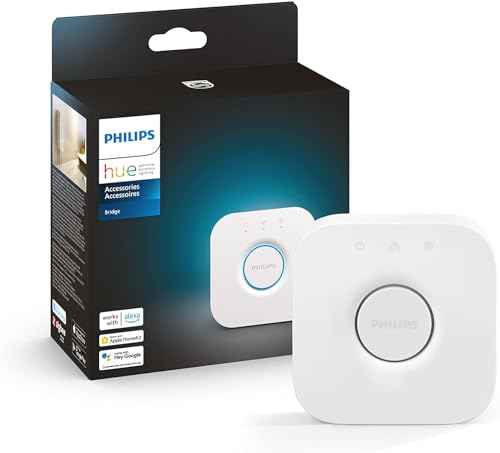
Yes, for the full experience. The Play lamps and candle bulbs both require a Philips Hue Bridge (the $50 hub that connects to your router) for:
- Synchronized entertainment lighting (TV/game sync)
- Scenes and automations
- Full color control via the Hue app
With Matter support on the new candle bulbs, you can control basic on/off, dimming, and color via Apple Home or Google Home directly — without the Bridge. But you lose the sync features, which are the main selling point of the Play lamps.
If you’re starting from scratch, the Hue Bridge is a worthwhile investment. It’s one of the most reliable smart home hubs on the market, supports up to 50 lights, and has been rock-solid for years.
Pricing and Availability
The new Play lamps and upgraded candle bulbs are rolling out in the US this month. Pricing:
- Philips Hue Play table lamp: ~$130
- Philips Hue Play floor lamp: ~$200
- Philips Hue smart candle bulb (Matter): ~$35 each
Bundle deals with the Hue Bridge are typically available and worth looking for if you don’t already have one.
Recommended Philips Hue Setup
If you’re building or expanding a Hue setup, these are the products worth considering:
- Philips Hue Bridge (required for sync) →
- Philips Hue Play Light Bars (for behind-TV mounting) →
- Philips Hue Sync Box (HDMI sync for any TV source) →
- Philips Hue White and Color Ambiance Bulbs (starter pack) →
The Bottom Line
The new Play lamps are the most accessible entry point to Philips Hue’s entertainment lighting yet. No mounting, no adhesive strips, no behind-TV cable management. Just plug in a lamp, connect to the Hue Bridge, and your room reacts to whatever you’re watching.
If you’ve been curious about synchronized lighting but didn’t want to commit to a permanent install, this is your moment. And if you have chandeliers or sconces with candle bulbs, the upgraded Matter-supported versions are a quiet but meaningful upgrade — especially the energy savings.
Do you use synchronized lighting for movie nights? What’s your setup?
nn
My take: The Play lamps are Hue finally solving the renter problem — full entertainment sync with zero permanent installation, just plug in and pair. If your TV is Samsung or your content is on a PC, you don’t even need the Sync Box; that’s the cheapest path to the room-reacting movie effect we’ve seen from Hue.
Related guides
- Smart Home Fire Safety: Smoke Detectors, CO Monitors, and Kitchen Automations That Prevent Disasters
- Smart Home Baby Nursery: The Complete Setup Guide for New Parents (2026)
- Home Assistant for Beginners: Take Back Control of Your Smart Home (No Cloud Required)
- Smart Home Pool Automation: 6 Devices That Cut My Maintenance Time in Half
- Smart Blinds and Curtains 2026: The Complete Guide to Motorized Window Treatments
🏠 Get Your Free Smart Home Setup Checklist
Join our newsletter and get this free printable plus weekly tips.
Frequently Asked Questions
What are the new Philips Hue Play lamps?
Freestanding table and floor lamps that sync with your TV, gaming PC, or music — room-wide reactive lighting without mounting light bars behind the TV or sticking strips to the wall. They pair with the Hue Bridge and work with the Hue Sync TV app (Samsung TVs), the Hue Sync PC app, the Hue Sync Box for any HDMI source (Apple TV, Roku, consoles), and music sync from the Hue app.
Why do the Play lamps matter for renters?
Installation was always the barrier to Hue’s entertainment lighting — light bars need mounting behind the TV and strips need adhesives on walls. The Play lamps just sit on a side table and in a corner: plug in, pair, done — and they move with you. They also work in rooms where TV-mounting isn’t possible, like bedrooms with wall-mounted TVs.
Do I need a Hue Sync Box?
Not necessarily — Samsung TV owners can use the Hue Sync TV app directly, and PC users the Hue Sync app, both without extra hardware. The Sync Box (~$230) is for other HDMI sources: Apple TV, Roku, PlayStation, Xbox — anything that doesn’t run a Hue app passes through it. What you get: explosions flash orange, night scenes dim blue, music pulses with the beat — the theater effect without the installation.
Liked this guide? Get the next one in your inbox — the smart home starter checklist is free too.
✓ You're in — check your inbox.
No spam. Unsubscribe anytime. We never share your email.
Price Check
Prices verified via our product tracker. Updated Oct 14.
| Philips Hue Bridge Smart Lighting Hub | $55.99 | 4.5★ (11,417) |
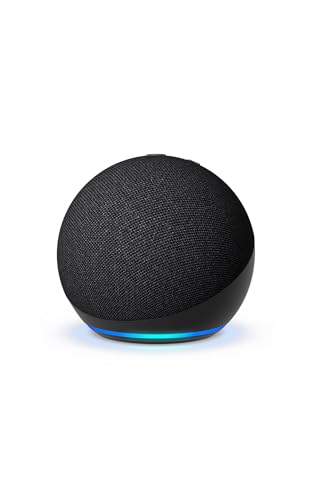
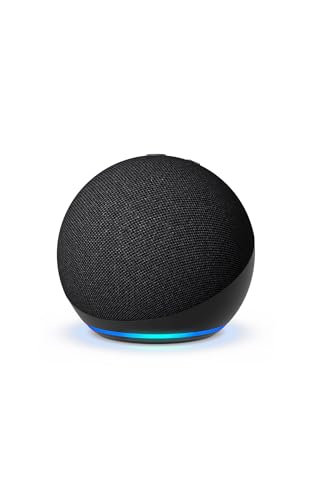
| Amazon Echo Dot (newest model) - Vibrant sounding speaker | $79.99 | 4.7★ (200,849) |
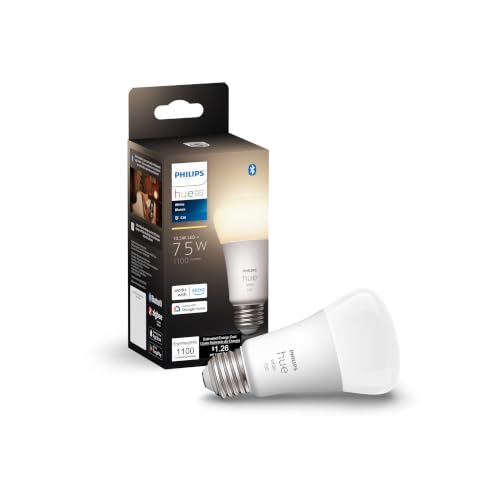
| Philips Hue Smart 75W A19 LED Bulb - Soft Warm White Light | $17.57 | 4.6★ (9,130) |
| MHCOZY Smart Home Dry Contact Zigbee Relay Switch, Remote | $16.90 | 4.4★ (480) |
As an Amazon Associate we earn from qualifying purchases.