
This article contains affiliate links. We may earn a commission from qualifying purchases.
Some content on this site is AI-assisted and reviewed by our editorial team.
Why Your Next Lock Should Be Smart
A smart lock is the one device that literally guards your front door. It’s also the one smart home gadget where a bad decision actually matters — nobody gets hurt because their smart speaker picks the wrong playlist, but a flaky lock? That’s a different story. The good news: smart locks have gotten genuinely good, and the best ones are easier to install than you think. The bad news: the market is flooded with overpriced gimmicks that sound incredible in the marketing copy and frustrating in real life. This guide cuts through the noise.
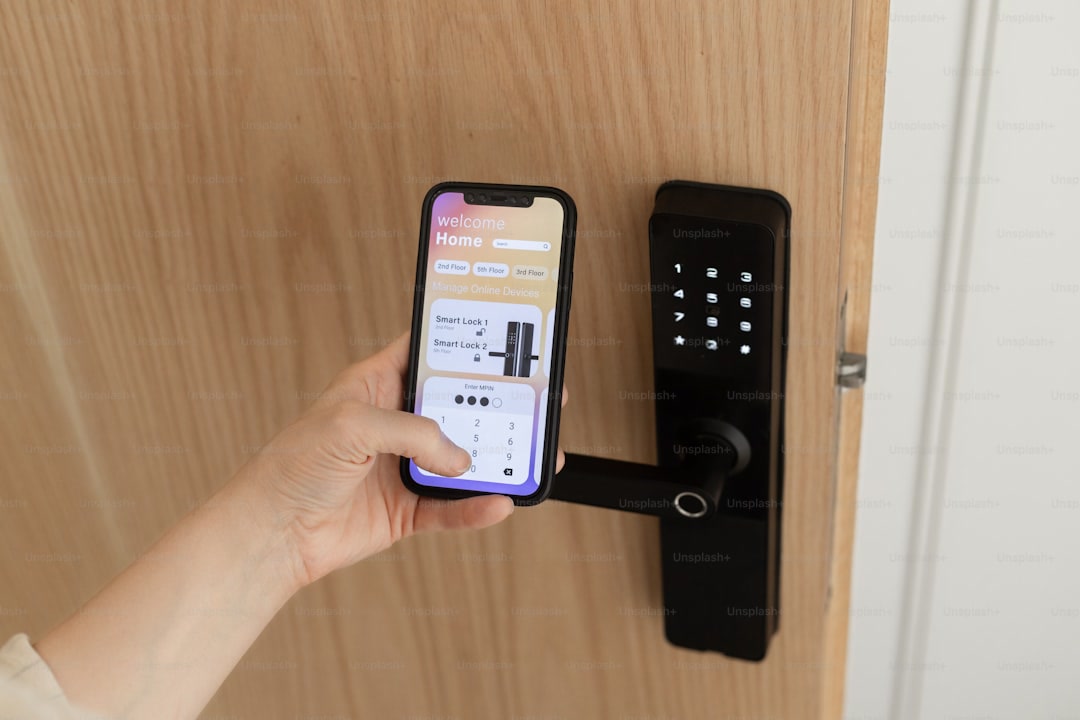
Whether you’re tired of hiding keys under the mat or just never want to fumble for keys again, there’s a smart deadbolt that fits. But the “right” one depends more on your door than on trending features.
What to Actually Care About
Forget the feature list on the box for a minute. Here’s what genuinely matters when you’re choosing a smart lock:
- Deadbolt vs latch: If your door has a deadbolt (and it should), you want a smart deadbolt lock — not a smart handle latch. A latch-only lock is a security downgrade. Most good smart locks replace your existing deadbolt in about 15 minutes with a screwdriver. If you’re in an apartment with a latch-only door, look at August or Wyze options that retrofit over your existing lock.
- WiFi vs Zigbee vs Bluetooth: WiFi locks connect directly to your router — no hub needed, but they burn through batteries faster. Zigbee and Z-Wave locks need a hub (like Home Assistant) but sip battery and are more reliable. Bluetooth-only locks are cheapest but only work when your phone is nearby. For most people, built-in WiFi is the easiest starting point.
- Battery life: WiFi locks typically last 3-6 months on batteries. Zigbee/Z-Wave can go 8-12 months. If you’re swapping batteries monthly, that’s not a smart lock — it’s a chore. Check real user reviews on this, not the manufacturer’s optimistic claims.
- Keypad vs fingerprint vs app-only: A keypad is the sweet spot — anyone can use it, it works if your phone is dead, and you can create temporary codes for guests. Fingerprint is cool but finicky with wet or dirty hands. App-only locks are annoying for anyone who doesn’t live in your house.

Top Picks
Best Overall: August Wi-Fi Smart Lock
The August Wi-Fi Smart Lock (4th Gen) is the one to beat. It installs over your existing deadbolt — you keep your keys, your landlord stays happy, and you get full smart control. Built-in WiFi means no hub, and auto-lock actually works (most of the time). Battery life is around 3-4 months with typical use, and it works with Alexa, Google, HomeKit, and Home Assistant.
The big advantage here is retrofit design — it motorizes the thumb turn on the inside of your existing deadbolt. Your key still works, which is both a backup and a renter-friendly feature. The August keypad is a worthwhile add-on. The downside? It’s not cheap, and the app has had occasional connectivity quirks.
Best for Going Keyless: Yale Assure Lock 2
If you want to ditch keys entirely, the Yale Assure Lock 2 is your pick. It’s a full deadbolt replacement with a sleek keypad, and it comes in multiple connectivity modules — grab the WiFi version for simplicity or the Matter/Zigbee module if you’re building a real smart home. The touchscreen keypad is responsive, the build quality is excellent (Yale has been making locks since 1868), and the keyway is still there as backup.
The tradeoff: this is a full replacement, so it’s not renter-friendly. But if you own your door, this is the cleanest option. The Matter-compatible version is worth the premium if you’re investing in any smart home ecosystem.
Best Budget: Wyze Lock
At roughly half the price of the August, the Wyze Lock is shockingly good for what it costs. Like the August, it retrofits over your existing deadbolt — no replacing hardware, no landlord complaints. It has auto-lock and solid app control. Battery life is impressive thanks to the Bluetooth-to-WiFi bridge design.
The catches? It requires the Wyze Bridge (included) plugged in nearby for WiFi connectivity. The app is Wyze’s typical mixed bag — functional but cluttered with upsells. And Wyze’s track record on data privacy has had some bumps. But if you want smart lock functionality without the smart lock price tag, the Wyze Lock with its keypad add-on is hard to beat. For a deeper comparison, see how it stacks up against other budget smart locks.
Features That Sound Cool But Aren’t
Let’s be honest about what doesn’t live up to the hype:
- Fingerprint unlock: Sounds like mission impossible. Reality: it works maybe 80% of the time. Wet hands? Nope. Dirty fingers? Nope. And when it fails, you’re punching in a code anyway — so just get a keypad.
- Voice unlock: “Alexa, unlock the front door” sounds convenient until you realize you’ve just made your front door unlockable by anyone within earshot of any Alexa device in your house. Most voice platforms require a PIN spoken aloud, which defeats the convenience. Just use the app or keypad.
- Auto-unlock via geofencing: The idea is great — your phone approaches home and the door unlocks. In practice, geofencing is either too aggressive (door unlocks when you’re just driving past) or too conservative (you’re standing at the door waiting). Useful as a bonus, unreliable as your primary way in.
- WiFi video lock combos: A lock with a built-in camera sounds efficient. It’s actually the worst of both worlds — mediocre lock, mediocre camera, and batteries that die in weeks. Get a good lock and a good doorbell camera separately. Your batteries and footage quality will thank you.

A good keypad and reliable app control will serve you better than biometrics and geofencing that work “sometimes.”
The Security Question
Here’s the honest answer: a good smart lock is not less secure than a regular deadbolt. The locking mechanism is the same — the smart part just replaces how you actuate it. The real concerns aren’t about someone “hacking” your lock (theoretically possible but vanishingly rare); they’re about reliability, battery life, and whether the thing works when you need it to.
That said, the biggest smart home security mistake isn’t the lock — it’s your WiFi. If your smart lock is on the same network as all your IoT gadgets with default passwords, you’re doing it wrong. Segregate your IoT devices on a guest network or VLAN, use strong passwords, and enable two-factor authentication on your lock’s app. Done right, a smart lock is as secure as your deadbolt with better audit logging.
For a deeper dive into affordable security layers, check out our smart home security on a budget guide — it covers locks, cameras, sensors, and how they all fit together without spending a fortune.
Renter-Friendly Options
If you rent, you can’t just yank out the deadbolt and install whatever you want. But retrofit designs work with your existing hardware:
- August Wi-Fi Smart Lock: Still the best renter pick. Goes over your existing deadbolt on the inside. Your key still works. Landlord never knows. 10 minutes to remove when you move out.
- Wyze Lock: Same retrofit approach, half the price. The Wyze Bridge needs to be plugged in nearby — not ideal if outlets are scarce.
- Level Lock: Another retrofit option that hides entirely inside your door — it replaces the thumb turn but keeps the keyhole on the outside. Completely invisible from the street. Premium price, though.
For more ideas on making your rental smarter without losing your security deposit, our renter-friendly smart home guide has the full breakdown.
The Bottom Line
Buy the August if you want the best all-around experience. Buy the Yale if you own your home and want to go keyless for real. Buy the Wyze if you’re on a budget or just want to try smart locks without committing serious money. All three are genuinely good products — which is more than you can say for most of the smart lock market.
The features that actually matter — reliable connectivity, good battery life, and a keypad that works for everyone — aren’t the sexy ones. But they’re the ones that determine whether your smart lock feels like magic or feels like a mistake six months in. Choose accordingly, set up automations that actually save you time, and enjoy never fishing for keys in the dark again.
n
🏠 Get Your Free Smart Home Setup Checklist
Join our newsletter and get this free printable plus weekly tips.
Price Check
Prices verified via our product tracker. Updated Sep 27.
| August Home, Silver Wi-Fi Connected Smart Keyless Entry Do | $199.99 | 4.1★ (10,701) |
| 4 Pack Deadbolt Adapter Replacement Compatible with August | $21.99 | |
| Yale Assure Lock 2 Touchscreen Keypad Deadbolt with Wi-Fi, | $279.99 | 3.9★ (946) |
| Wyze Auto-Lock Bolt, Fingerprint Unlock with Keypad, Elect | $76.98 | 4.4★ (384) |
| Amazon.com: WYZE Completely Wireless Bluetooth Keypad that | $200.00 | 4.7★ (2,385) |
| Fingerprint Smart Door Lock with Handle & Keypad – No More | $79.99 | 4.3★ (9,293) |
| Amazon.com : WYZE Cam v4 (Latest Model), 2.5K AI Security | $44.97 | 4.3★ (11,330) |
| Amazon.com: Level Lock+ WiFi Deadbolt Smart Lock - World's | $349.00 | 3.6★ (322) |
As an Amazon Associate we earn from qualifying purchases.