This article contains affiliate links. We may earn a commission from qualifying purchases.
Some content on this site is AI-assisted and reviewed by our editorial team.
Every smart home guide gives you a list of 200 voice commands. You will use 15 of them. Here are the 50 commands real people actually use daily, organized by when you use them. No gimmicks, no “Alexa, order me a pizza” — just commands that save you time and effort.
Morning Commands
Set these up as a “Good Morning” routine — one command that triggers all of them:
- “Good morning” — Turns on kitchen and bathroom lights at 70 percent, adjusts thermostat to morning temperature, reads weather and calendar, starts coffee maker (if on a smart plug)
- “Set thermostat to 72” — Quick temperature adjustment without walking to the thermostat
- “Turn on the coffee maker” — If your coffee maker is on a smart plug, this starts brewing from bed
- “What’s the weather today?” — Gets the forecast before you dress
- “What’s on my calendar today?” — Morning briefing without looking at your phone
Leaving Home Commands
Set these up as a “Leaving Home” routine:
- “I’m leaving” — Turns off all lights, adjusts thermostat to away mode, locks all doors, arms security sensors
- “Lock the front door” — Single smart lock command for when you are already in the car
- “Turn off everything” — Kills all lights and switches as you walk out
- “Set thermostat to away” — Energy saving while you are out
- “Did I lock the door?” — Check status without going back inside
Coming Home Commands
Set these up as an “Arriving Home” routine:
- “I’m home” — Turns on entry lights, adjusts thermostat to home temperature, disarms security
- “Turn on the living room” — Lights and TV in one command
- “Set living room to 70 percent” — Dim the lights for the evening without adjusting each bulb
- “Play jazz in the living room” — Music without opening an app
- “What’s for dinner?” — Checks your meal planning list or calendar
Cooking Commands
- “Set a timer for 12 minutes” — The most-used smart speaker command, period
- “Set a second timer for 25 minutes” — Multiple named timers for different dishes
- “How many tablespoons in a quarter cup?” — Unit conversions while your hands are dirty
- “Turn kitchen lights to 100 percent” — Full brightness for cooking
- “Add milk to my shopping list” — Build a list hands-free

Evening and Bedtime Commands
Set these up as a “Good Night” routine:
- “Good night” — Turns off all lights, locks all doors, adjusts thermostat to sleeping temperature, arms security, turns on Do Not Disturb on your phone
- “Dim the bedroom to 20 percent” — Wind-down lighting
- “Set thermostat to 68” — Sleeping temperature on your smart thermostat
- “Turn off the TV” — From bed, without the remote
- “Play rain sounds” — White noise for sleeping

Entertainment Commands
- “Turn on the TV” — If your TV is on a smart plug or has HDMI-CEC
- “Volume up” / “Volume down” — Without finding the remote
- “Mute” — Quick mute for phone calls or conversations
- “Play “ — Jump to a saved playlist without navigating your phone
- “Next track” — Hands-free control
Temperature and Comfort
- “Make it warmer” / “Make it cooler” — Relative adjustments without remembering specific temperatures
- “What’s the temperature in here?” — Check the thermostat reading without getting up
- “Turn on the fan” — If your fan is on a smart plug
- “Turn on the bedroom heater” — If your space heater is on a smart plug
- “Set the thermostat to 70” — Direct temperature command
Security and Safety
- “Are all the doors locked?” — Check status of all smart locks
- “Lock all the doors” — One command for every lock
- “Is the garage closed?” — Check your smart garage door status
- “Show me the front door” — Display front door camera on your smart display
- “Turn on all the outside lights” — Security lighting when you hear something at night
How to Set Up Routines
The commands above that say “set up as a routine” are the ones that deliver the most value. Here is how to create them on each platform:
Alexa Routines
Open the Alexa app, go to More > Routines > Create Routine. Add triggers (voice command, schedule, or device state), then add actions (turn on lights, adjust thermostat, announce weather, etc.). For a complete setup guide, see our routines guide.
Google Home Routines
Open the Google Home app, go to Settings > Routines. Google offers preset routines (Good Morning, Leaving Home, etc.) that you can customize. Add or remove actions to match your setup.
Home Assistant Automations
If you are using Home Assistant, you can create automations that trigger on time, device state, location, weather, or any combination. Home Assistant automations are the most powerful because they can combine multiple platforms (Alexa, Google, Zigbee, Z-Wave) into a single routine. See our hub comparison for more on choosing a platform.
Commands That Sound Cool But You’ll Never Use
Skip these. They are gimmicks:
- “Add milk to my cart” — Easier to just open the app
- “Read me a story” — You are not 5
- “Order me a pizza” — Still faster to use the Domino’s app
- “Tell me a joke” — The jokes are terrible
- “Play a game” — Your phone is right there
The best voice commands are the ones that eliminate a physical action: walking to a switch, finding a remote, or checking a device. If you can do it faster by just pressing a button, skip the voice command. For more on what is actually useful in a smart home, see our beginner mistakes guide.
The Bottom Line
You will use maybe 15 voice commands regularly. The rest of the value comes from routines that run automatically — “good morning,” “I’m leaving,” and “good night” handle 80 percent of your daily smart home interactions without you saying a word. Set up those three routines, memorize the 10 commands you actually need, and let the rest of the 200-command list gather dust.
n
My take: Ignore the 200-command lists — real people use about fifteen, and three of them (“good morning,” “I’m leaving,” “good night”) cover most of the value because they’re routines. Set up those three this evening and the timer command; that’s a working smart home.
Related guides
- IKEA Went All-In on Matter: What That Means for Your Smart Home in 2026
- Smart Home Morning Routines: 8 Automations That Start Your Day Right
- Matter 2.0 Explained: How to Finally Mix Alexa, Google, and HomeKit Without Losing Your Mind
- 50 Smart Home Voice Commands That Are Useful (Not Just Gimmicks)
- How to Choose Your First Smart Home Ecosystem: Alexa vs Google vs HomeKit vs SmartThings vs Home Assistant
🏠 Get Your Free Smart Home Setup Checklist
Join our newsletter and get this free printable plus weekly tips.
Frequently Asked Questions
Which voice commands do people actually use daily?
Fifteen, not 200: “Good morning” and “I’m leaving” and “Good night” routines that chain everything else, “Set a timer for 12 minutes” (the most-used command, period), “What’s the weather,” “What’s on my calendar,” “Turn on the coffee maker,” “Lock the front door,” “Did I lock the door,” “Turn off everything,” “Add milk to my shopping list,” and “Set living room to 70 percent.”
How do I set up Alexa or Google routines?
Bundle commands by moment: morning (“Good morning” — lights at 70%, thermostat to morning temp, weather, calendar, coffee), leaving (“I’m leaving” — lights off, thermostat away, doors locked, security armed), and bedtime (“Good night” — lights off, doors locked, sleep temperature, security armed, Do Not Disturb). One command per moment is how the other 35 commands stay useful instead of forgotten.
What are the most useful non-obvious voice commands?
Named multiple timers (“Set a pasta timer for 10 minutes and a sauce timer for 15”), unit conversions with dirty hands (“how many tablespoons in a quarter cup”), “Play rain sounds” for sleep, and status checks like “Did I lock the door?” from the car. The list is deliberately free of gimmicks — if you won’t use it in week one, it didn’t make the 50.
Liked this guide? Get the next one in your inbox — the smart home starter checklist is free too.
✓ You're in — check your inbox.
No spam. Unsubscribe anytime. We never share your email.
Price Check
Prices verified via our product tracker. Updated Oct 13.
| igloohome Smart Deadbolt Go + WiFi Bridge Bundle, Fingerpr | $223.98 | 5.0★ |
| Tapo Multicolor Dimmable Smart Light Bulbs, L535E(2-Pack), | $24.99 | 4.3★ (2,050) |
| Echo Dot Max (newest model) | $119.99 | |
| Google Nest Learning Thermostat (4th Gen, 2024) with Nest | $279.99 | 4.4★ (2,596) |
| Linkind Matter Smart Plug, Work with Apple Home, Alexa, Si | $32.99 | 4.4★ (1,836) |
| myQ Smart Garage Door Video Keypad with Wide-Angle Camera, | $79.99 | 3.7★ (7,308) |
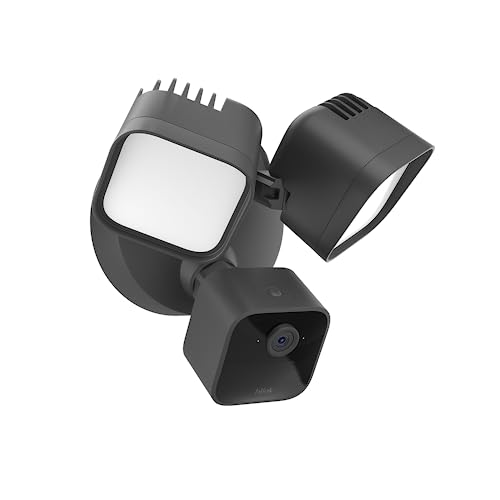
| Blink Wired Floodlight Camera - Smart security camera, 260 | $89.98 | 4.2★ (13,786) |
As an Amazon Associate we earn from qualifying purchases.