
This article contains affiliate links. We may earn a commission from qualifying purchases.
Some content on this site is AI-assisted and reviewed by our editorial team.
The average American household spends 122 dollars a month on electricity. Most of that is wasted on devices you are not even using. Energy monitoring systems claim they can cut your bill by 10 to 20 percent — but only some of them actually deliver a return on investment.
This is not another “is energy monitoring worth it?” article. You already know the concept. This guide compares the actual systems, calculates real payback periods, and tells you which ones will put money back in your pocket within a year.
Whole-House Energy Monitors vs Smart Plugs: What Actually Saves Money
There are two approaches to energy monitoring, and they serve different purposes:
- Whole-house monitors — Install at your electrical panel. Track total home energy use, identify large loads, and spot anomalies like a furnace running when it should not. They see everything but cannot control anything.
- Smart plugs with energy monitoring — Plug individual devices in. Track specific appliance energy use and remotely turn them off. They see less but can act on what they see.
The most effective setup uses both. A whole-house monitor tells you where your money is going. Smart plugs let you act on that information.
Whole-House Energy Monitors That Pay for Themselves
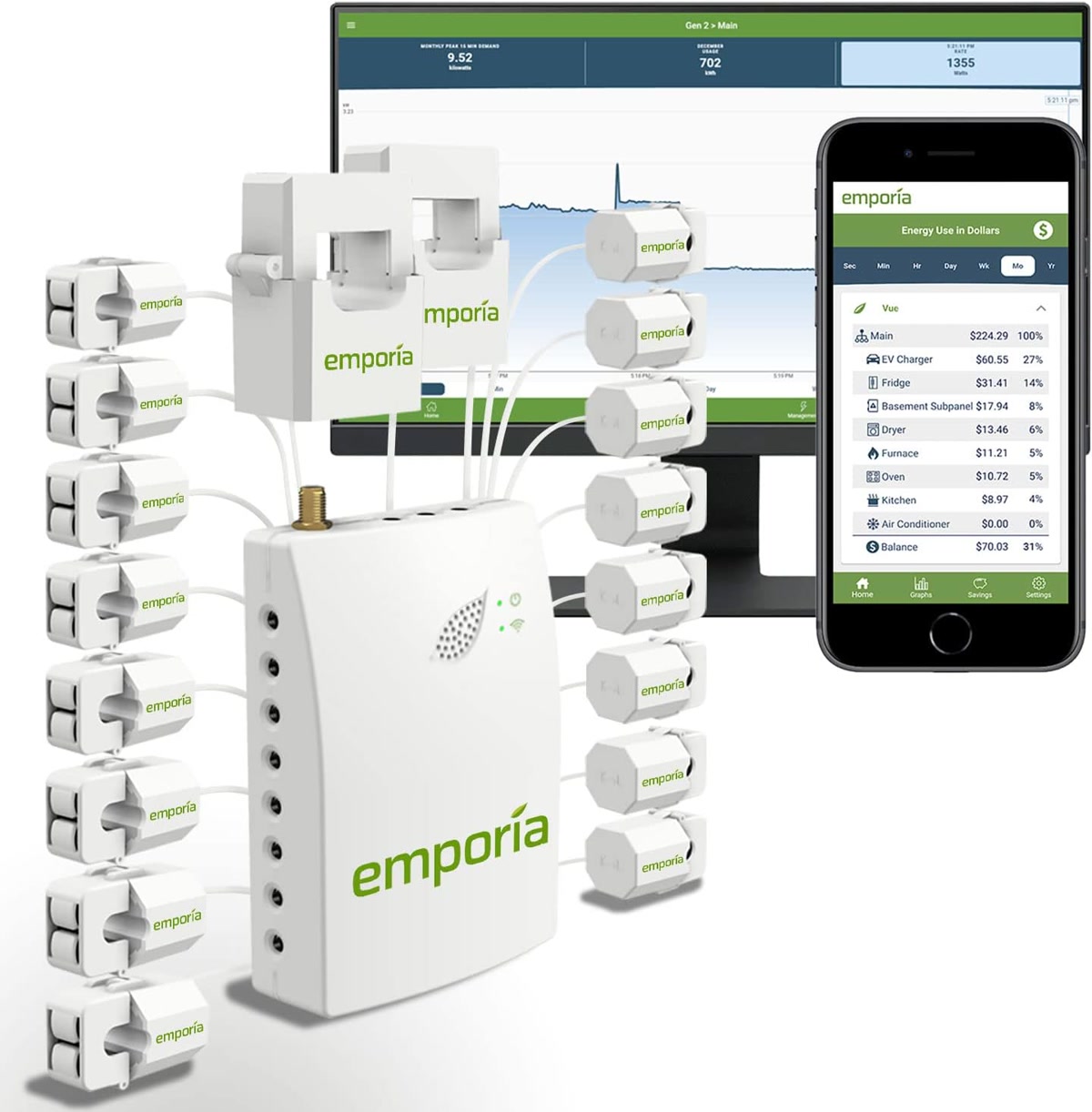
1. Emporia Vue Gen 2 — Best Payback Period
The Emporia Vue Gen 2 costs approximately 100 dollars and monitors up to 16 individual circuits plus your main feed. For most homes, it pays for itself in 3 to 6 months through phantom power elimination alone.
- Price: Approximately 100 dollars (8-circuit) or 150 dollars (16-circuit)
- Installation: Requires opening your electrical panel. DIY if you are comfortable, otherwise 100 to 200 dollars for an electrician
- Accuracy: Within 1 to 2 percent of your utility meter
- Smart home: Alexa, Google Home, Home Assistant (via API)
- Real-time monitoring: Yes, 1-second resolution
The Vue Gen 2 is the best value because it gives you circuit-level data at the lowest price. You can see exactly how much your HVAC, water heater, dryer, and other major loads are consuming. Most users discover at least one “always on” device they did not realize was costing them 5 to 15 dollars per month.
Payback calculation: At 10 to 15 dollars per month in discovered waste, the 100-dollar Vue pays for itself in 7 to 10 months. With an electrician installation, 12 to 18 months.
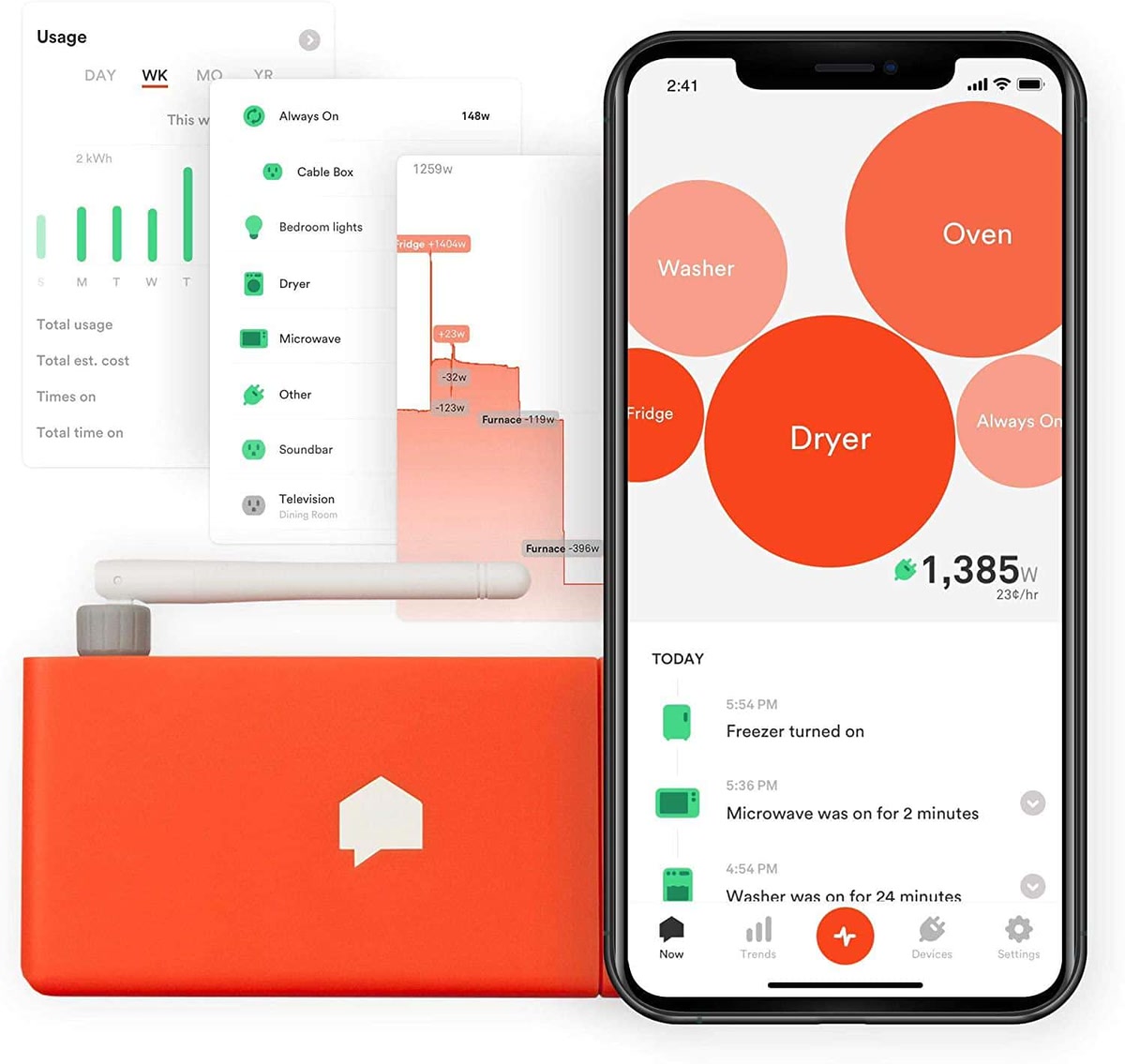
2. Sense Energy Monitor — Best for Device Identification
Sense uses machine learning to identify individual devices from your main electrical feed — no circuit-level sensors needed. It can tell you when your fridge compressor kicks on, when the well pump runs, and when someone starts the microwave. It is remarkable when it works.
- Price: Approximately 300 dollars
- Installation: Requires opening your electrical panel. Two current sensors on main feeds
- Device detection: ML-powered, identifies devices over 1 to 4 weeks
- Smart home: Alexa, Google Home, Home Assistant, IFTTT
- Real-time monitoring: Yes, 1-second resolution
The device identification is genuinely impressive when it works. After a few weeks, Sense can tell you “your fridge uses 127 kWh per month” or “your basement dehumidifier ran for 6.3 hours yesterday.” But it is not perfect — some devices never get identified, and similar-wattage devices can get confused.
Payback calculation: At 300 dollars, you need to find 25 dollars per month in savings to break even in a year. Sense users typically discover 15 to 30 dollars per month in wasted energy. Payback: 10 to 20 months.
3. Eyedro Home Electricity Monitor — Best for Simple Whole-Home Tracking
If you just want to see your total home energy usage without paying for circuit-level monitoring or device identification, Eyedro gives you the basics at the lowest price.
- Price: Approximately 75 dollars
- Installation: Two sensors on your main feeds, no circuit-level monitoring
- Smart home: Limited — no Home Assistant integration, basic IFTTT
- Real-time monitoring: Yes, with Wi-Fi gateway
The Eyedro is the budget choice for whole-home monitoring. You lose circuit-level detail and device identification, but you get a clear picture of your total energy use and can correlate it with your utility bill. It is also the easiest to install — just two clamp sensors on your main feeds.
Payback calculation: At 75 dollars and no circuit-level data, you are relying on correlating total usage with behavior changes. Expect 5 to 10 dollars per month in savings through awareness. Payback: 8 to 15 months.
Smart Plugs With Energy Monitoring: The Cheapest Entry Point
Before investing 100 to 300 dollars in a whole-house monitor, start with 2 or 3 energy-monitoring smart plugs. For under 50 dollars total, you can measure and control your biggest energy hogs.
4. Kasa Smart Plug Mini With Energy Monitoring — Best Budget Pick
The Kasa KP125M is the smart plug most people should buy. It monitors energy use, supports Matter for cross-platform compatibility, and costs under 15 dollars per plug.
- Price: Approximately 13 to 15 dollars each, 4-pack available
- Energy monitoring: Real-time wattage, daily and monthly kWh tracking
- Connectivity: Wi-Fi, Matter
- Smart home: Alexa, Google Home, Apple Home (via Matter), Home Assistant
- Max load: 15 amps (1,800 watts)
At 13 dollars, you can put three of these on your biggest energy consumers — window AC, space heater, and entertainment center — and start tracking immediately. The Kasa app shows daily, weekly, and monthly energy usage with cost estimates.
Payback calculation: A single Kasa plug on a device consuming 5 watts of phantom power saves approximately 5 dollars per year. Put it on a 1500-watt space heater you accidentally leave on, and it pays for itself in one month.
5. Aqara Smart Plug — Best for Home Assistant Users
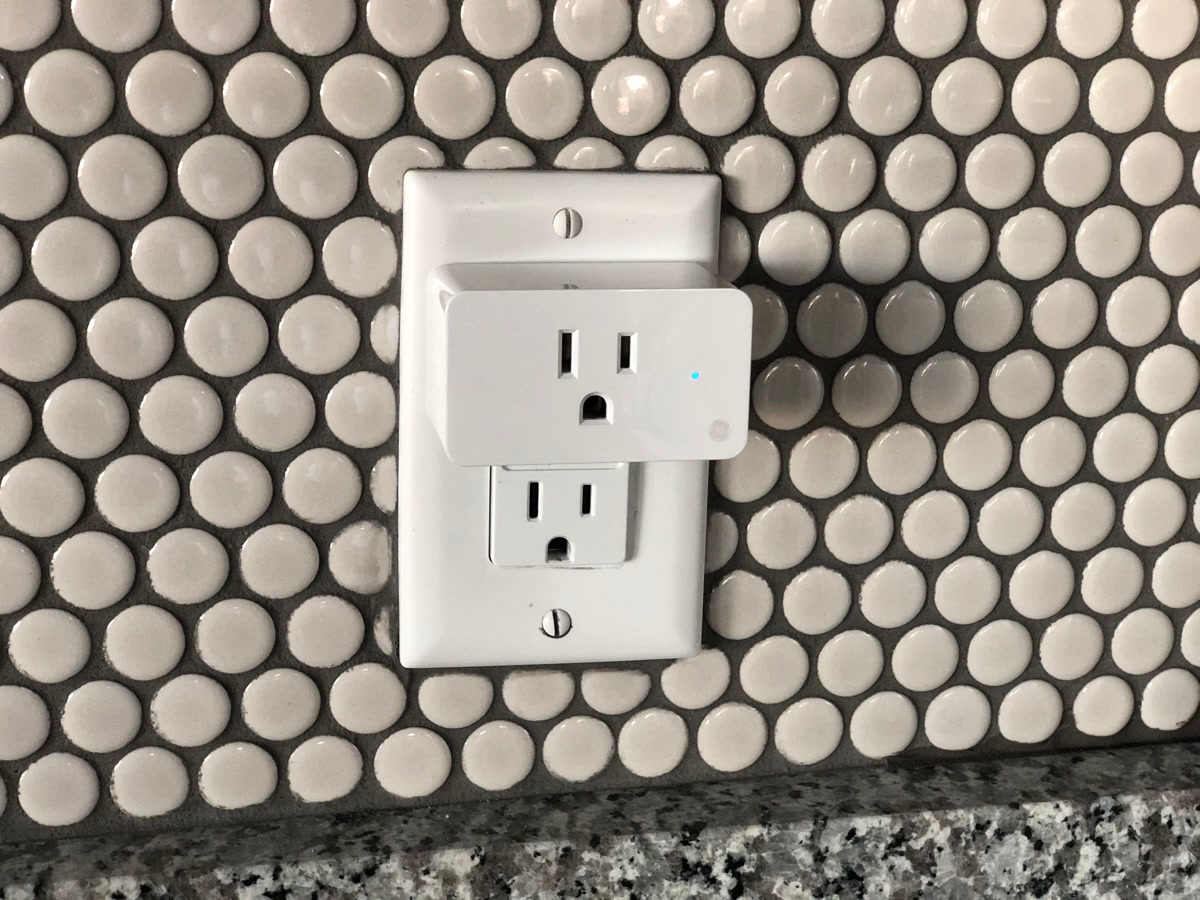
The Aqara Smart Plug is the choice if you run Home Assistant. Zigbee connectivity means faster response times and more reliable automations than Wi-Fi plugs. It also monitors energy in real-time and integrates deeply with Home Assistant energy dashboard.
- Price: Approximately 25 to 30 dollars each
- Energy monitoring: Real-time power, daily kWh
- Connectivity: Zigbee (requires Aqara Hub or compatible coordinator)
- Smart home: Apple Home, Alexa, Google Home, Home Assistant
- Max load: 15 amps (1,875 watts)
Zigbee’s advantage is reliability. Unlike Wi-Fi plugs that can lose connection or slow down your network, Zigbee devices operate on their own mesh network. If your Wi-Fi is crowded, Aqara plugs keep working. The downside is you need an Aqara Hub or Zigbee coordinator.
Payback calculation: At 25 to 30 dollars, you need bigger savings to break even. Best for Home Assistant users who can build automations that actually cut waste — like turning off the entertainment center when no one is in the room.
The Automations That Actually Save Money
Energy monitoring alone does not save money. Seeing the data and doing nothing about it is the most common outcome. These automations turn data into action:
Phantom Power Kill Switch
Your TV, receiver, streaming boxes, and game consoles draw 5 to 15 watts each in standby. Over a year, that is 44 to 132 kWh per device.
- Setup: Put your entertainment center on a smart plug or smart power strip
- Automation: Turn off the plug when no one is in the living room for 15 minutes (use motion sensor or phone presence)
- Savings: 5 to 15 dollars per month depending on how many devices
AC and Heater Guard
Window AC units and space heaters are the biggest energy hogs in most homes. A smart plug tells you exactly how much they cost to run.
- Setup: Smart plug on your window AC or space heater
- Automation: Set a schedule that only runs during occupied hours, and cap runtime at 4 hours unless manually overridden
- Savings: 10 to 30 dollars per month during cooling/heating season
Dryer and Washer Alert
Running your dryer during peak hours costs more on time-of-use electricity plans.
- Setup: Energy-monitoring smart plug on your washer (or whole-house monitor watching the dryer circuit)
- Automation: Send a notification when peak hours end, or auto-delay dryer start to off-peak times
- Savings: 5 to 20 dollars per month on time-of-use plans
Water Heater Optimization
If you have an electric water heater, it is likely your second-largest energy consumer after HVAC.
- Setup: Emporia Vue circuit monitor on your water heater circuit
- Automation: Turn down water heater temperature during away periods, schedule heating for off-peak hours
- Savings: 10 to 20 dollars per month

The ROI Numbers: What You Can Actually Expect
Let us be honest about the numbers. Energy monitoring companies love to quote “up to 20 percent savings.” The reality is more nuanced:
- Low awareness users — People who have never thought about energy use typically save 10 to 15 percent. Discovery of phantom loads, scheduling improvements, and behavior changes add up.
- Moderate awareness users — People who already turn off lights and unplug things might save 5 to 10 percent. The monitoring confirms what you suspected and catches surprises.
- High awareness users — People who already optimize everything might save 2 to 5 percent. The value here is anomaly detection — catching a failing appliance or a device running when it should not be.
On a 122-dollar average monthly electric bill:
- Low awareness: 12 to 18 dollars per month savings
- Moderate awareness: 6 to 12 dollars per month savings
- High awareness: 2 to 6 dollars per month savings
Which System Should You Buy?
Choose based on your situation:
- Just getting started: Buy 3 Kasa KP125M smart plugs (approximately 40 dollars). Put them on your biggest energy hogs. You will learn where your money goes and can start saving immediately.
- Want the full picture: Emporia Vue Gen 2 (approximately 100 dollars) gives you circuit-level data for your entire home. The fastest payback of any whole-house monitor.
- Want device identification: Sense (approximately 300 dollars) identifies devices without circuit sensors. Worth it if you want to understand your home’s behavior without adding sensors to every circuit.
- Home Assistant power user: Emporia Vue + Aqara smart plugs + Home Assistant energy dashboard. The most powerful setup, but requires technical skill to configure.
Start with smart plugs. If you want more data, add a whole-house monitor. If you already run Home Assistant, you already know what to do.
The Bottom Line
Energy monitoring pays for itself — but only if you act on the data. The Emporia Vue Gen 2 has the fastest payback at under 10 months for most homes. The Kasa KP125M smart plugs are the cheapest entry point at 13 dollars each. Start with the plugs, find your energy hogs, build automations that turn off what you are not using, and then decide if you need whole-house data. Monitoring without action is just a pretty graph. Monitoring with automation is money in your pocket.
n
🏠 Get Your Free Smart Home Setup Checklist
Join our newsletter and get this free printable plus weekly tips.