This article contains affiliate links. We may earn a commission from qualifying purchases.
Some content on this site is AI-assisted and reviewed by our editorial team.
Here’s what the alarm industry doesn’t want you to know: most people don’t need a 50-dollar-per-month monitored system. The question isn’t whether you need an alarm — you probably do. The question is which type actually makes sense for your home, your budget, and your risk level. Monitored, DIY, and self-monitored systems each have real advantages and real tradeoffs. Let’s cut through the sales pitches.
The Three Types of Smart Alarm Systems
Monitored Systems (ADT, Vivint, professionally installed)

A monitored system connects to a central station. When an alarm triggers, a real person at a monitoring center calls you, then calls the police if you don’t answer or confirm a false alarm. This is what ADT, Vivint, and Brinks have sold for decades.
Pros: Fast police dispatch when you can’t respond. Required for some homeowners insurance discounts. 24/7 professional monitoring regardless of whether your phone is on silent.
Cons: Contracts are typically 3 to 5 years. Monthly fees range from 30 to 60 dollars. Installation requires a technician visit. Equipment is often proprietary and useless if you cancel. And here’s the uncomfortable truth: police response to alarm calls is slow in most cities, and false alarm fines are real.
DIY Systems (Ring Alarm, SimpliSafe, Abode)
You install it yourself. You choose whether to pay for professional monitoring or self-monitor via app. No contracts, no technician visits, no long-term commitment. TheRing Alarm andSimpliSafe are the two most popular options.
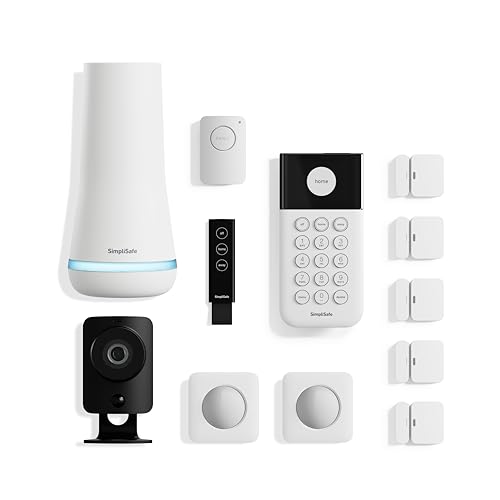
Pros: Cheaper upfront and monthly. No contracts. Easy to install (30 minutes, no drilling in most cases). Expandable with additional sensors. Works with your existing smart home ecosystem.
Cons: You own the installation quality. If you put the motion sensor in a dead zone, it’s your problem. Self-monitoring means you need to respond to every alert yourself — which doesn’t work if your phone is on silent at 2 AM.
Self-Monitored Systems (smart sensors + app alerts)
Not a traditional alarm at all. Instead, you build a system from smart sensors — door/window sensors, motion detectors, cameras — connected throughHome Assistant, Alexa routines, or a dedicated app. When a sensor triggers, you get a push notification. No monitoring center, no police dispatch, just you.
Pros: Cheapest option. Maximum flexibility. No monthly fees. Integrates fully with your existing smart home. You can build exactly what you need.
Cons: If you sleep through the notification, nobody is calling the police. No professional backup. Requires technical comfort to set up and maintain. Relies on your phone and internet connection being functional.
Which One Makes Sense for You
Get a monitored system if:
- You travel frequently and want someone else to handle alerts
- Your homeowners insurance offers a significant discount (often 10 to 20 percent) for professional monitoring
- You live in an area with slow police response and want guaranteed dispatch
- You don’t want to think about your security system — you want it to just work

Get a DIY system with optional monitoring if:
- You want professional monitoring as an option (Ring is 20/month, SimpliSafe is 18/month) but don’t want to be locked into a contract
- You’re comfortable installing sensors yourself
- You want integration with your existing smart home (Ring works with Alexa, Abode works with everything)
- You want to start small and expand later
Go self-monitored if:
- Cost is your primary concern — you can build a complete system for under 150 dollars with no monthly fees
- You’re comfortable with Home Assistant and want full automation control
- You live in an apartment where professional monitoring is overkill
- You mainly want to know when doors and windows open, not catch burglars in the act
The Best System in Each Category (2026)
Best Monitored: Vivint Smart Security
Vivint’s equipment is well-built, their app is genuinely good, and their monitoring is reliable. The tradeoff is price: 40 to 60 dollars per month plus equipment costs. But if you’re going monitored, you might as well go with the company that has the best app and the most reliable cellular backup. Skip ADT — their tech is dated and their app feels like it was designed in 2015.
Best DIY: Ring Alarm (8-piece kit)
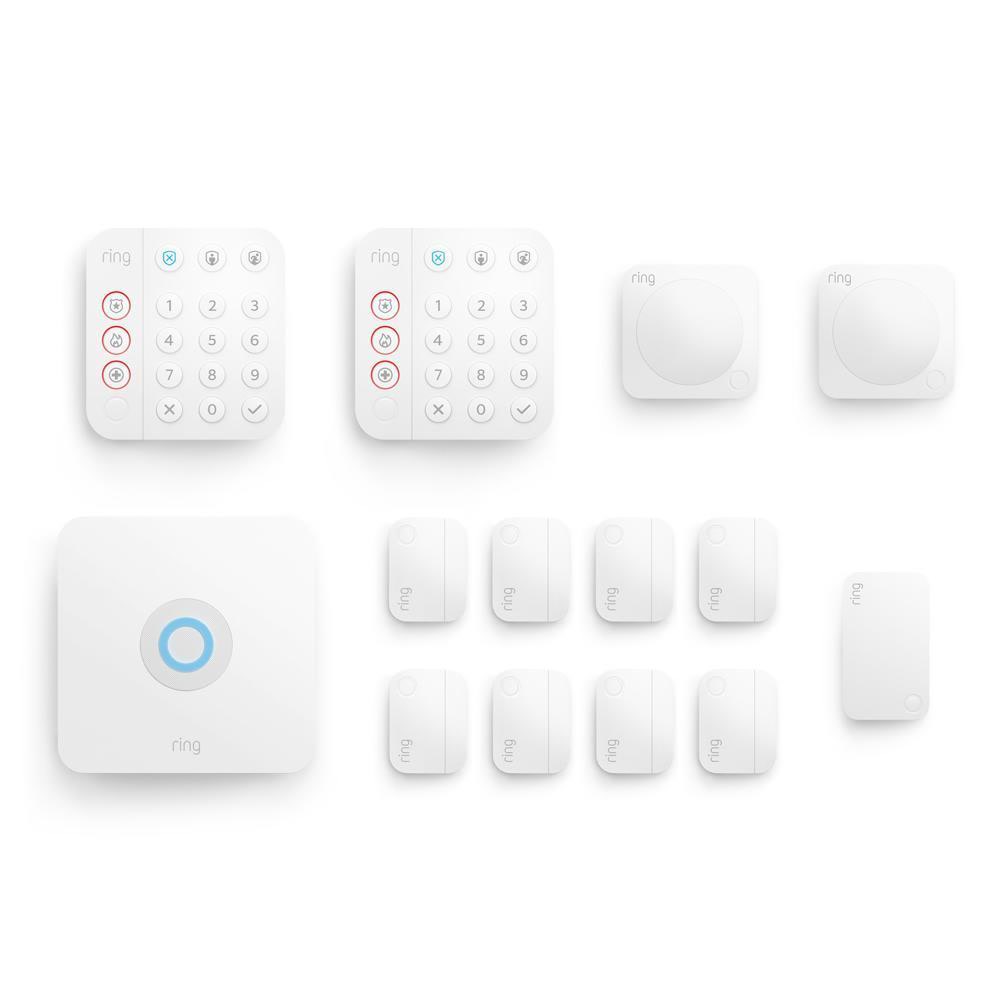
TheRing Alarm 8-piece kit is 200 dollars, takes 30 minutes to install, and works out of the box with Alexa. Add professional monitoring for 20 dollars per month, or self-monitor for free. The range extender is excellent (it actually works through walls), and adding sensors is plug-and-play. The main downside: you’re buying into Ring’s ecosystem, which means Amazon. If you’re privacy-conscious, see oursmart home privacy guide.
Best Self-Monitored: Aqara Sensors + Home Assistant
BuyAqara door/window sensors (15 dollars each), anAqara motion sensor (20 dollars), anAqara Hub (40 dollars), and aZigbee siren (25 dollars). Connect it all to Home Assistant, set up automations that send you push notifications and trigger the siren when doors open while you’re away, and you have a complete alarm system for under 150 dollars with zero monthly fees.
This setup also integrates with your othersmart home devices — lights that flash when an alarm triggers, locks that auto-lock when you arm the system, cameras that start recording when motion is detected.
The False Alarm Problem Nobody Talks About
In most US cities, police respond to alarm calls with low priority because 95 to 98 percent of them are false alarms. Many cities now fine you for false alarms — often 100 dollars or more for the second or third occurrence. A monitored system doesn’t solve this. In fact, monitored systems generate more false alarms than self-monitored ones because they’re triggered by motion that you’d dismiss if you saw it on camera.
The solution: use a camera-first approach. Before triggering any alarm response, check your camera feed. Ring’s “verified alarm” feature does this — you verify the intrusion on camera before the monitoring center calls the police. This dramatically reduces false dispatches and gets you faster police response when it’s real.
What About Cellular Backup?
If your internet goes down, a WiFi-only alarm system goes blind. Cellular backup keeps the system online. Ring includes it with their monitoring plan. SimpliSafe sells a cellular module for 30 dollars plus 10 dollars per month. For self-monitored systems, you can add a cellular hotspot or use a battery-backed internet connection.
Is cellular backup necessary? For most people, no. Internet outages are rare and usually brief. But if you live in an area with frequent outages, or if you’re using your system for a vacation home where you won’t notice the internet is down, cellular backup is worth the extra cost.
The Bottom Line
Most people are best served by a DIY system with optional professional monitoring. Ring Alarm gives you the flexibility to self-monitor for free or add monitoring for 20 dollars per month, no contract. Build on it with cameras, sensors, and smart home integrations. Only pay for monitored service if you actually need police dispatch — most people don’t. And if you’re comfortable with Home Assistant, build your own system with Aqara sensors for under 150 dollars with zero monthly fees. The security industry wants you paying 50 dollars a month forever. You almost certainly don’t need to.
n
My take: Most homes are best served by the DIY middle — Ring or SimpliSafe hardware you install in 30 minutes, self-monitored by default, with optional pro monitoring you can switch on before a long trip. Pay for the $30–60/month central station only if your insurance discount or travel schedule genuinely demands it.
Related guides
- Smart Refrigerator Comparison 2026: Samsung Bespoke vs LG InstaView vs Bosch 800
- Home Assistant vs SmartThings vs Hubitat: Which Hub Should You Pick?
- Ecobee vs Nest vs Honeywell: Which Smart Thermostat Saves You Money
- 4 Outdoor Security Cameras Under 100 Dollars Worth Buying
- Fire TV Stick 4K (2026) vs Roku Streaming Stick Plus: The Vega OS Tradeoff
🏠 Get Your Free Smart Home Setup Checklist
Join our newsletter and get this free printable plus weekly tips.
Frequently Asked Questions
What’s the difference between monitored, DIY, and self-monitored alarm systems?
Monitored (ADT, Vivint) connects to a central station where a person calls you and then police: fast dispatch, 24/7 backup, but 3–5 year contracts at $30–60/month plus proprietary equipment. DIY (Ring Alarm, SimpliSafe) is self-installed with optional pro monitoring ($18–20/month) and no contract. Self-monitored is smart sensors plus app alerts through Home Assistant or Alexa — cheapest and most flexible, but if you sleep through the notification, nobody calls the police.
Do I need professional alarm monitoring?
Probably not — most people don't need $50/month monitored service. It's worth it only if you travel constantly and want someone else handling alerts, or your homeowners insurance discount for professional monitoring (often 10–20%) exceeds the fee. DIY systems with optional monitoring give you the choice without the contract.
How much does a DIY smart alarm system cost?
Ring Alarm or SimpliSafe hardware starts far below monitored systems, installs in about 30 minutes without drilling, and self-monitoring is free via the app. Add professional monitoring only when you want it ($20/month Ring, $18/month SimpliSafe). A full self-monitored build from sensors and Home Assistant can come in under $150 total with zero monthly fees.
Liked this guide? Get the next one in your inbox — the smart home starter checklist is free too.
✓ You're in — check your inbox.
No spam. Unsubscribe anytime. We never share your email.
Price Check
Prices verified via our product tracker. Updated Oct 5.
| Ring Alarm 8-piece kit (2nd Gen) – home security system | $329.98 | 4.7★ (18,068) |
| Aqara Zigbee Door and Window Sensor 3 Pack, Wireless Mini | $42.99 | 4.2★ (1,637) |
| Aqara Zigbee 3.0 Motion Sensor P1 1 Pack, for Alert System | $19.99 | 4.2★ (827) |
| Aqara Smart Home Hub M3, Matter Controller and Thread Bord | $159.99 | 4.1★ (1,679) |
As an Amazon Associate we earn from qualifying purchases.