This article contains affiliate links. We may earn a commission from qualifying purchases.
Some content on this site is AI-assisted and reviewed by our editorial team.
The best smart plug costs less than lunch and does more than most 100-dollar smart home devices. It turns any outlet into a remotely controlled, energy-monitored, automated power source. But under 25 dollars, quality varies wildly — and the wrong plug means dropped connections, fire hazards, and cloud-dependent devices that stop working when the company goes bankrupt.
I tested 8 smart plugs under 25 dollars. Four are worth buying. The rest have deal-breakers you need to know about.
What Matters in a Cheap Smart Plug
Before the rankings, here is what separates a good 15-dollar plug from a dangerous one:
- Max load: 15 amps (1,800 watts) is the minimum acceptable rating for US plugs. If a plug only supports 10 amps, you cannot safely run a space heater, microwave, or hair dryer through it.
- Connectivity: Wi-Fi is simplest. Zigbee and Thread are more reliable but require a hub. Matter gives you cross-platform freedom.
- Energy monitoring: Real-time wattage and kWh tracking turns a dumb outlet into an energy audit tool.
- Local control: If the company’s servers go down, can you still control the plug? Matter and Zigbee plugs work locally. Cloud-only Wi-Fi plugs do not.
- Safety certifications: UL or ETL listed. No exceptions. Uncertified plugs are a fire risk.
The 4 Best Smart Plugs Under 25 Dollars
1. TP-Link Kasa KP125M — Best Overall
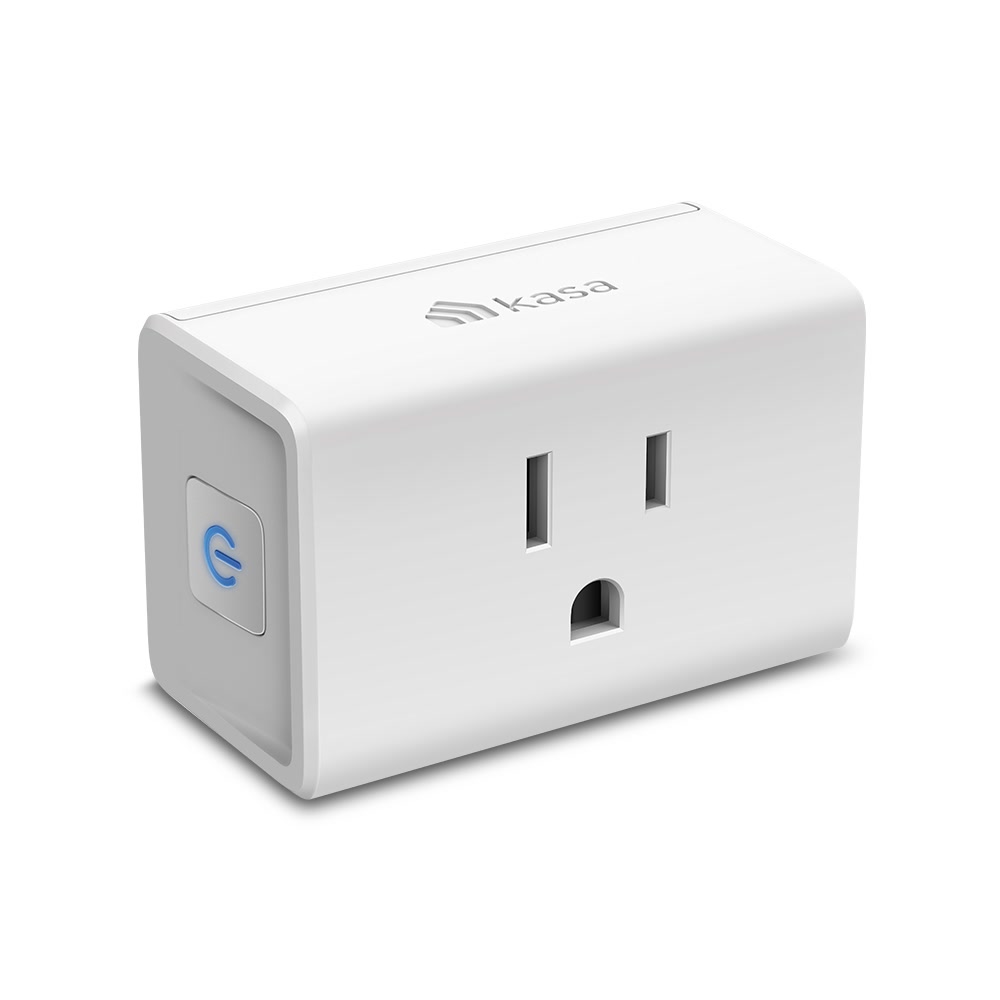
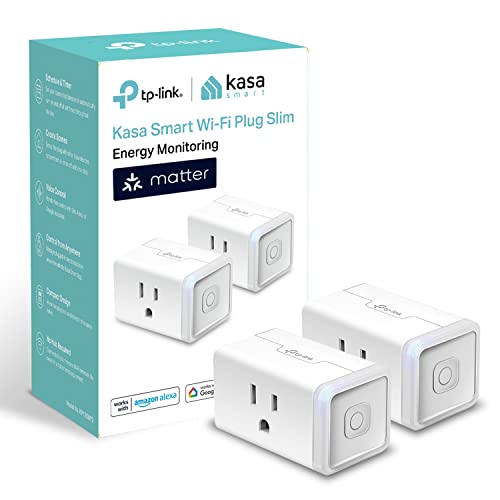
The Kasa KP125M is the smart plug I recommend to everyone. It has energy monitoring, Matter support, a physical button, and it just works. At 13 to 15 dollars, it is the best value in smart home.
- Price: Approximately 13 to 15 dollars
- Connectivity: Wi-Fi, Matter over Wi-Fi
- Energy monitoring: Yes — real-time wattage, daily and monthly kWh
- Max load: 15 amps / 1,800 watts
- Smart home: Alexa, Google Home, Apple Home (via Matter), Home Assistant
- Safety: ETL listed
- Physical button: Yes — toggle on/off without the app
The Matter support is what sets the KP125M apart. It means you are not locked into the Kasa ecosystem. If you switch from Alexa to Apple Home, or start using Home Assistant, the KP125M works with all of them. It is the most future-proof cheap smart plug available.
The energy monitoring is accurate within 2 to 3 percent, which is good enough to identify your biggest energy hogs and track phantom power. The Kasa app also estimates monthly cost based on your electricity rate.
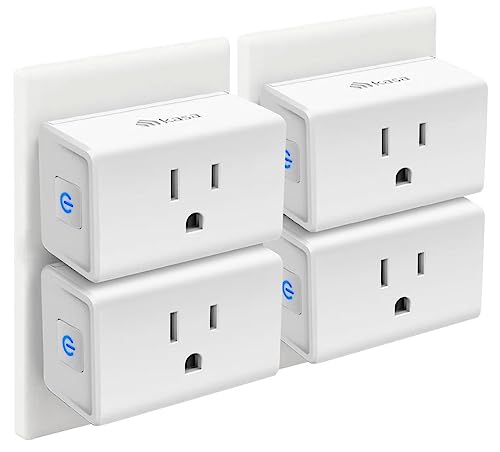
One drawback: The plug is relatively wide. In a standard duplex outlet, a KP125M blocks the adjacent outlet. Use a power strip or outlet extender if you need both outlets.
2. Aqara Smart Plug — Best for Home Assistant
The Aqara Smart Plug connects over Zigbee, which means faster response times, no Wi-Fi congestion, and deep Home Assistant integration. If you run Home Assistant, this is your plug.
- Price: Approximately 22 to 25 dollars
- Connectivity: Zigbee (requires Aqara Hub or compatible coordinator)
- Energy monitoring: Yes — real-time power, cumulative kWh
- Max load: 15 amps / 1,875 watts
- Smart home: Apple Home, Alexa, Google Home, Home Assistant
- Safety: ETL listed
- Physical button: Yes
Zigbee is more reliable than Wi-Fi for smart home devices. It operates on a separate frequency, so it does not compete with your phone, laptop, and streaming devices for bandwidth. In a home with 20-plus Wi-Fi devices, this matters.
The Aqara plug also integrates directly with Home Assistant’s energy dashboard, making it easy to see real-time power draw alongside your other sensors. The plug reports power usage every few seconds, which is faster than most Wi-Fi plugs.
One drawback: You need an Aqara Hub or Zigbee coordinator (approximately 30 to 40 dollars). If you do not already have one, the total cost is 50 to 65 dollars for your first plug plus hub.

3. Wyze Plug Outdoor — Best for Outdoor Use
The Wyze Plug Outdoor is the only outdoor-rated smart plug under 25 dollars. It has two individually controlled outlets, IP64 weather resistance, and a 6-foot cord. At 20 dollars, it is the cheapest way to automate your outdoor lights, fountain, or holiday decorations.
- Price: Approximately 20 dollars
- Connectivity: Wi-Fi
- Energy monitoring: No
- Max load: 15 amps total (split between two outlets)
- Smart home: Alexa, Google Home, IFTTT
- Safety: ETL listed, IP64 weather resistant
- Physical button: Yes — on the plug itself
The IP64 rating means it can handle rain, dust, and splashing. It is not submersible, but it handles normal outdoor conditions without issue. The two independently controlled outlets mean you can put holiday lights on one timer and a porch light on another schedule.
One drawback: No energy monitoring. If you need to track outdoor power usage, you need a different solution. Also, the Wyze app has been criticized for aggressive upselling of Cam Plus subscriptions.
4. Meross Smart Plug Mini — Best for Apple HomeKit on a Budget
The Meross Smart Plug Mini is the cheapest way to get a plug that works natively with Apple HomeKit. At 10 to 12 dollars per plug, it is significantly cheaper than most HomeKit-compatible options.
- Price: Approximately 10 to 12 dollars (2-pack available)
- Connectivity: Wi-Fi
- Energy monitoring: No
- Max load: 15 amps / 1,800 watts
- Smart home: Apple HomeKit, Alexa, Google Home
- Safety: ETL listed
- Physical button: Yes
HomeKit compatibility at this price is unusual. Most HomeKit plugs cost 25 dollars or more. Meross achieves it by using a relatively simple Wi-Fi chipset and handling HomeKit communication locally. The response time is fast — toggling a plug from the Home app feels instant.
One drawback: No energy monitoring. Meross makes an energy-monitoring version, but it costs 25 to 30 dollars and lacks HomeKit support. Pick your priority.

The Plugs I Would Not Buy
Teckin Smart Plugs
Teckin plugs are cheap (under 10 dollars for a 4-pack) but they have a consistent track record of Wi-Fi connectivity problems, inconsistent firmware updates, and questionable data privacy. Multiple security researchers have found that Teckin plugs phone home to servers in Shenzhen with unencrypted data. They work, but I would not put them on my network.
Treatlife Smart Plugs
Treatlife makes acceptable plugs, but their app is bloated with ads and push notifications. The Wi-Fi setup process is inconsistent — sometimes it takes 2 minutes, sometimes 20 minutes of failed attempts. Once connected, they work fine. The setup experience is the problem.
No-Name Amazon Plugs
If the brand name is a random string of consonants, skip it. These plugs are not UL or ETL listed, they often exceed the temperature limits during sustained load testing, and they have no obligation to provide security updates. A smart plug that catches fire is not worth saving 5 dollars.
Smart Plug Automations That Pay for Themselves
A 13-dollar smart plug pays for itself when it saves you 13 dollars in energy. Here are the automations that do it:
Phantom Power Eliminator
Your TV, soundbar, and streaming devices draw 5 to 15 watts each in standby. Three devices on one smart plug equals 15 to 45 watts of phantom power. That is 11 to 33 dollars per year.
- Setup: Entertainment center on a Kasa KP125M
- Automation: Turn off at 11 PM, turn on at 7 AM. Or use a motion sensor to turn off when no one is in the room for 30 minutes.
- Payback: 4 to 12 months
Space Heater Guard
Space heaters draw 1,500 watts. Leaving one on for 8 hours costs approximately 2 dollars. A smart plug with a schedule or temperature trigger prevents accidental all-day runs.
- Setup: Space heater on a smart plug with energy monitoring
- Automation: Maximum runtime of 4 hours, auto-off when room reaches target temperature, off when no one is home
- Payback: 1 to 2 months (one prevented “left on all day” incident)
Coffee Maker Schedule
If your coffee maker does not have a built-in timer, a smart plug gives you one for 13 dollars.
- Setup: Coffee maker on a smart plug
- Automation: Turn on at 6:15 AM, off at 8 AM. Add a pre-loaded coffee maker and you wake up to fresh coffee.
- Payback: Convenience, not energy savings. Still worth it.

How Many Smart Plugs Do You Actually Need?
Most homes need 3 to 6 smart plugs, not 20. Focus on your highest-impact locations:
- Entertainment center — Kill phantom power on TVs, receivers, streaming boxes
- Window AC or space heater — Schedule and monitor the biggest energy hogs
- Coffee maker or toaster oven — Schedule and prevent “did I leave it on?” anxiety
- Outdoor lights or decorations — Holiday scheduling and dusk-to-dawn automation
- Office equipment — Turn off monitors, chargers, and printers when you leave
- Guest room — Make it easy for guests to control lights and chargers
Start with 3 plugs. Put them on your biggest energy consumers. Check the data after a month. If you are finding actionable insights, add more. If not, you saved 60 dollars by not buying 10 plugs you did not need.
Which Smart Plug Should You Buy?
Quick summary:
- Best overall: Kasa KP125M — 13 dollars, energy monitoring, Matter, works with everything
- Best for Home Assistant: Aqara Smart Plug — Zigbee, fast, reliable, deep HA integration
- Best for outdoor use: Wyze Plug Outdoor — IP64, two outlets, 20 dollars
- Best for Apple HomeKit: Meross Smart Plug Mini — 10 dollars, native HomeKit, simple and reliable

For most people, buy a 4-pack of Kasa KP125M plugs and you are set. Add an Aqara if you run Home Assistant, or a Wyze Outdoor for your patio lights. That is your entire smart plug budget: under 60 dollars for a home that is smarter and more energy-efficient.
The Bottom Line
The Kasa KP125M at 13 dollars is the best smart plug for most people. It has energy monitoring, Matter support, and it works with every major platform. If you run Home Assistant, spend a few dollars more on the Aqara Zigbee plug. If you need outdoor control, the Wyze Plug Outdoor is the only IP64-rated option under 25 dollars. Skip the no-name brands — a UL or ETL listing is non-negotiable when you are plugging a 1,500-watt device into something that costs less than a pizza.
n
My take: Buy the Kasa KP125M — Matter, energy monitoring, and a physical button for around $14 makes it the most future-proof cheap plug going — and treat a UL/ETL listing as non-negotiable on anything drawing 15 amps. The $8 no-name plug is a fire risk wearing a discount.
Related guides
- Home Assistant RF Proxy: Turn Old Remote Controls Into Smart Home Devices
- Smart Home Tax Credits and Rebates: How to Get Money Back in 2026
- Philips Hue Wall Switch Modules: Smartify Dumb Bulbs Without Replacing Them
- Smart Thermostat ROI — How Long Until It Pays for Itself?
- Smart Home Gifts Under 50 Dollars That Don't Feel Cheap
🏠 Get Your Free Smart Home Setup Checklist
Join our newsletter and get this free printable plus weekly tips.
Frequently Asked Questions
What’s the best smart plug under 25 dollars?
The TP-Link Kasa KP125M at $13–15 — Matter support (works with Alexa, Google, Apple Home, and Home Assistant without ecosystem lock-in), energy monitoring accurate within 2–3%, a 15A/1800W rating, a physical on/off button, and ETL listing. One real drawback: it's wide enough to block the adjacent outlet in a duplex.
What should I look for in a cheap smart plug?
Five things: a 15A/1800W minimum rating (10A plugs can't safely run a space heater), UL or ETL safety listing with no exceptions (uncertified plugs are a fire risk), Matter for cross-platform freedom, energy monitoring to turn the outlet into an audit tool, and local control — cloud-only Wi-Fi plugs stop working when the company's servers go down, while Matter and Zigbee plugs keep working.
Why should I avoid the cheapest smart plugs?
Because the failures are real: dropped connections from junk Wi-Fi radios, fire hazards from uncertified hardware, and cloud-dependent plugs that die when the manufacturer goes bankrupt or sunset-ends the app. Four of the eight plugs tested at under $25 earned recommendations; the rest had deal-breakers. Saving $5 on a plug that fails at 2 AM is not a savings.
Liked this guide? Get the next one in your inbox — the smart home starter checklist is free too.
✓ You're in — check your inbox.
No spam. Unsubscribe anytime. We never share your email.
Price Check
Prices verified via our product tracker. Updated Oct 14.
| Kasa Matter Smart Plug with Energy Monitoring, KP125MP2, 2 | $29.99 | 4.7★ (2,279) |
| Kasa Smart Plug Ultra Mini 15A, EP10P4, Smart Home Wi-Fi O | $29.99 | 4.5★ (40,660) |
| meross Smart Plug 15A, Works with Apple HomeKit, Voice & A | $39.99 | 4.3★ (13,849) |
As an Amazon Associate we earn from qualifying purchases.