
Smart locks sound great in theory — unlock your door with your phone, never fumble for keys again, let guests in from anywhere. But picking the wrong one means dead batteries at the worst moment, a lock that refuses to open when your phone dies, or a device that turns your front door into a privacy nightmare.
This guide cuts through the marketing claims. I have tested, researched, and compared the smart locks that actually deliver on their promises — and the ones that will leave you locked out in the rain.
What a Smart Lock Actually Needs to Do
Before we get into specific models, here is what matters. A smart lock has one job: let the right people in and keep the wrong people out. Everything else — voice control, app features, auto-unlock — is a bonus. If the lock fails at the basics, no amount of smart features makes up for it.
The non-negotiables:
- Reliable physical operation — you need a key backup or manual override
- Long battery life — at least 6 months on a set of batteries
- Works when the internet is down — local access via keypad or Bluetooth must still function
- Easy installation — most good smart locks fit your existing deadbolt in under 20 minutes
- Real security standards — BHMA certification, ANSI grade, encryption for wireless signals
If a lock fails any of these, move on. There are too many good options to settle.
The 5 Best Smart Locks in 2026
1. Yale Assure Lock 2 — Best Overall
The Yale Assure Lock 2 hits the sweet spot between security, ease of use, and smart features. It installs over your existing deadbolt in about 15 minutes, supports both keypad and physical key access, and works with just about every smart home platform.
- Access methods: Keypad, key, app, voice, auto-unlock
- Battery: 4 AA batteries, approximately 12 months
- Connectivity: Bluetooth, Wi-Fi (with module), Matter (with module)
- Smart home: Works with Alexa, Google Home, Apple Home, Samsung SmartThings, and Home Assistant
- Security: BHMA Grade 2 certified, AES-128 encryption
The Assure Lock 2 gives you modular connectivity — buy the base lock and add the network module you need. The Matter module is the one to get if you want platform independence. It means you are not locked into Amazon, Google, or Apple ecosystems.
Where it falls short: The auto-unlock feature uses your phone’s geolocation and can be finicky in dense urban areas. Some users report a 10 to 15 second delay. The app could be more intuitive.
2. August Wi-Fi Smart Lock — Best for Renters
The August locks install on the inside of your existing deadbolt. Your landlord never knows you added a smart lock, and you keep your existing keys. It is the only smart lock that genuinely works for renters who cannot replace their hardware.
- Access methods: App, keypad (sold separately), auto-unlock
- Battery: Built-in rechargeable, approximately 3 months per charge
- Connectivity: Wi-Fi (built-in), Bluetooth
- Smart home: Alexa, Google Home, Apple HomeKit, Home Assistant
- Security: BHMA Grade 2, 128-bit AES encryption, DoorSense open/close sensor
The built-in DoorSense sensor is a genuine advantage — it tells you not just whether the lock is engaged, but whether the door is actually closed. That is a feature most competitors lack.
Where it falls short: No physical keypad on the base unit. If you want keypad access for guests or kids, you need the separate August Keypad. The rechargeable battery means you cannot just swap AAs — you need to charge it in place or carry a spare.
3. Aqara U200 — Best Budget Smart Lock
The Aqara U200 brings Matter support and solid smart home integration at a price that makes sense for side doors, garages, or anyone who wants smart lock features without spending 250 dollars.
- Access methods: Fingerprint, keypad, key, app, NFC card
- Battery: 4 AA batteries, approximately 10 months
- Connectivity: Matter over Thread, Zigbee
- Smart home: Apple Home, Google Home, Alexa, Home Assistant (via Thread border router or Aqara Hub)
- Security: BHMA Grade 3, fingerprint sensor with 0.3 second recognition
The U200 is the best value pick because it includes a fingerprint reader at this price point. Most competitors charge an extra 80 to 100 dollars for biometric access. The Matter over Thread support also means it responds faster and more reliably than Bluetooth-only budget locks.
Where it falls short: BHMA Grade 3 certification is lower than premium locks. The fingerprint sensor can struggle with wet or very dry fingers. Thread support requires a border router (Apple TV, HomePod, or Aqara Hub).
4. Schlage Encode Plus — Best for Security
The Schlage Encode Plus is for people who take physical security seriously. BHMA Grade 1 certification — the highest residential rating — plus built-in Wi-Fi and Apple home key support make this the lock for homeowners who want maximum security with modern convenience.
- Access methods: Keypad, key, app, voice, Apple home key (tap to unlock with iPhone or Apple Watch)
- Battery: 4 AA batteries, approximately 6 months
- Connectivity: Built-in Wi-Fi, Bluetooth
- Smart home: Alexa, Google Home, Apple Home (with home key), Ring Alarm
- Security: BHMA Grade 1, ANSI/BHMA A156.36 certification for smart lock security
The Apple home key integration is a standout feature. Tap your iPhone or Apple Watch against the lock and it opens — no app to launch, no code to enter, no waiting for Bluetooth to connect. It is the fastest smart lock access method available.
Where it falls short: No Matter support. You are choosing between the Ring ecosystem or Apple HomeKit. Battery life is shorter than Yale at 6 months. The app experience is not as polished as August or Yale.
5. Eufy Smart Lock C220 — Best for the Whole Family
The Eufy C220 is designed for households where not everyone wants to use a phone. The built-in fingerprint reader works for up to 100 fingerprints, the keypad handles 200 codes, and there is still a physical key backup. It is the lock that everyone from your 8-year-old to your 80-year-old parent can use.
- Access methods: Fingerprint, keypad, key, app, voice
- Battery: 8 AA batteries, approximately 12 months
- Connectivity: Bluetooth, Wi-Fi (with bridge), Matter
- Smart home: Alexa, Google Home, Apple Home, Home Assistant
- Security: BHMA Grade 3, IP54 weather resistance
The 12-month battery life on 8 AA batteries is genuinely impressive. The dual fingerprint and keypad access means no one in your household needs to carry anything. The IP54 rating also means it can handle rain and dust on exterior doors.
Where it falls short: BHMA Grade 3 is the lowest residential rating. The fingerprint sensor requires occasional cleaning. Wi-Fi needs the included bridge, adding another device to your setup.
Smart Lock Features That Actually Matter
Access Methods: More Is Better (Up to a Point)
You want at least two ways to unlock your door. If your phone dies and the lock only has app access, you are locked out. The ideal combination is keypad plus physical key — one for daily use, one for emergencies.
Fingerprint readers are convenient but should never be your only access method. They fail more often than keypads, especially in extreme temperatures or with wet hands.
Auto-unlock sounds great but relies on geolocation, which is unreliable in apartments, dense urban areas, and buildings with poor GPS signal. Use it as a convenience feature, not your primary access method.
Battery Life: Do Not Get Stuck at the Door
Look for locks that run on standard AA or CR123A batteries. Rechargeable locks sound eco-friendly, but when the battery dies at 11 PM, you cannot just swap in fresh AAs — you have to charge the lock in place or find your physical key.
Most good smart locks last 6 to 12 months on a set of batteries. If a lock advertises less than 3 months, that is a red flag.
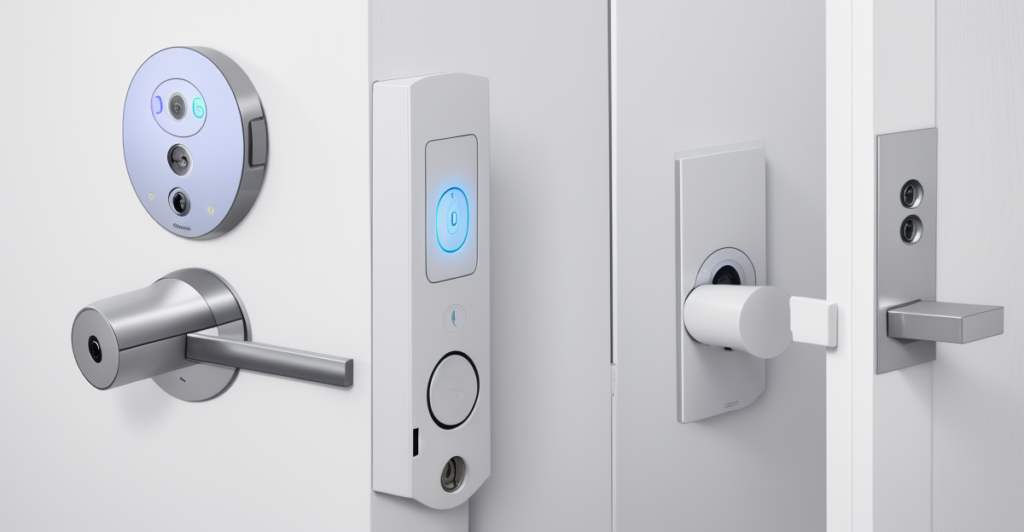
Connectivity: Wi-Fi vs Bridge vs Thread
- Built-in Wi-Fi — No extra hardware needed. Connects directly to your router. Slight battery penalty.
- Bluetooth + Bridge — Lock uses low-power Bluetooth, bridge plugs into a wall outlet and connects to Wi-Fi. Better battery life, more clutter.
- Thread/Matter — The newest and best option. Thread is a low-power mesh network that is faster and more reliable than Bluetooth. Matter ensures cross-platform compatibility. You need a Thread border router.
If you are starting a smart home setup in 2026, prioritize locks with Matter over Thread. It is the future-proof choice and gives you the most flexibility.
Security: What the Grades Actually Mean
BHMA grades are not marketing fluff — they represent real physical security testing:
- Grade 1 — Highest residential security. 250,000 cycle test, 2-inch deadbolt throw, heavy-duty construction. Schlage Encode Plus is Grade 1.
- Grade 2 — Solid residential security. 150,000 cycle test, 1-inch deadbolt throw. Yale Assure Lock 2 and August are Grade 2.
- Grade 3 — Basic residential security. 100,000 cycle test. Fine for interior doors, side doors in low-crime areas, or as a supplement to a security system.
For your front door, aim for Grade 1 or Grade 2. Grade 3 is acceptable for interior doors, garage entry doors, or if you have a comprehensive security system backing it up.
What About Smart Lock Privacy?
Every smart lock collects data: who enters, when, and how. Here is how the major brands handle it:
- August — Stores access logs locally and in the cloud. Shares data with Amazon (they own August). You can disable cloud features but lose remote access.
- Yale — Minimal data collection with the Assure Lock 2. Local access logs stay on the lock. Cloud features are opt-in.
- Aqara — Strong privacy posture. Matter devices can operate fully locally. No cloud dependency for basic lock/unlock.
- Schlage — Allegion-owned. Data stored on Allegion servers. Ring integration means Amazon access to your lock data.
- Eufy — Local storage first. Video data (if using Eufy cameras) stored locally on HomeBase. Lock data stored locally with cloud backup opt-in.
If privacy is a priority, Aqara and Yale give you the most local control. If you already use Ring or Alexa extensively, the trade-off of more cloud integration for better ecosystem features may be worth it.
Common Smart Lock Mistakes
Buying Without Measuring Your Door
Most smart locks fit standard US doors (1-3/8 inch or 1-3/4 inch thick, 2-1/8 inch bore hole). But if you have a European door, a metal door, or an unusually thick door, measure before you buy. Nothing is worse than unboxing a 250 dollar lock that does not fit.
Skipping the Physical Key Backup
Some locks do not have a keyway. That means when the batteries die, your app crashes, or your Bluetooth is acting up, you are calling a locksmith. Always choose a lock with a physical key override.
Ignoring the Deadbolt Throw Length
A deadbolt needs to extend at least 1 inch into the door frame for real security. Some smart locks have shorter throws. Check the BHMA grade — Grade 1 requires a 1-inch minimum throw.
Not Changing the Default Codes
This sounds obvious, but a surprising number of people install a smart lock and never change the factory master code. Change every default code on day one.
Which Smart Lock Should You Buy?
Here is the short version:
- Best overall: Yale Assure Lock 2 — platform-agnostic, modular, solid security
- Best for renters: August Wi-Fi Smart Lock — installs on existing deadbolt, no hardware changes
- Best budget: Aqara U200 — fingerprint reader, Matter, under 150 dollars
- Best for security: Schlage Encode Plus — BHMA Grade 1, Apple home key
- Best for families: Eufy Smart Lock C220 — 100 fingerprints, 200 codes, 12-month battery
Any of these five will serve you well. Pick the one that matches your situation — renter, homeowner, family size, ecosystem preference — and you will wonder how you ever lived with a dumb lock.
The Bottom Line
A good smart lock removes friction from your daily routine without adding anxiety. The Yale Assure Lock 2 does that best overall, but the right choice depends on your door, your household, and how much you care about local control versus cloud convenience. Measure your door, choose a lock with a key backup, and change the default codes. That is 90 percent of smart lock success.