
This article contains affiliate links. We may earn a commission from qualifying purchases.
Some content on this site is AI-assisted and reviewed by our editorial team.
You press the doorbell. You wait. Five seconds later, your phone buzzes. By then, the delivery driver is already walking back to the truck. Or your visitor has pressed it again because they think it didn’t work. This delay is one of the most common complaints about smart doorbells, and it drives people crazy.

The good news: most doorbell delay is fixable. The bad news: the fix depends on what’s causing it, and there are several possible causes. Here’s how to diagnose and fix the lag.
What Counts as Normal vs Abnormal Delay
All smart doorbells have some latency. The question is how much:
- 1 to 2 seconds — Normal for Wi-Fi doorbells. The camera has to wake up, process the image, and send it to the cloud. You won’t notice this in practice.
- 3 to 5 seconds — Borderline. You’ll notice it. It’s usually fixable with network or settings changes.
- 6+ seconds — Broken. Something is wrong with your network, your doorbell placement, or your doorbell itself.
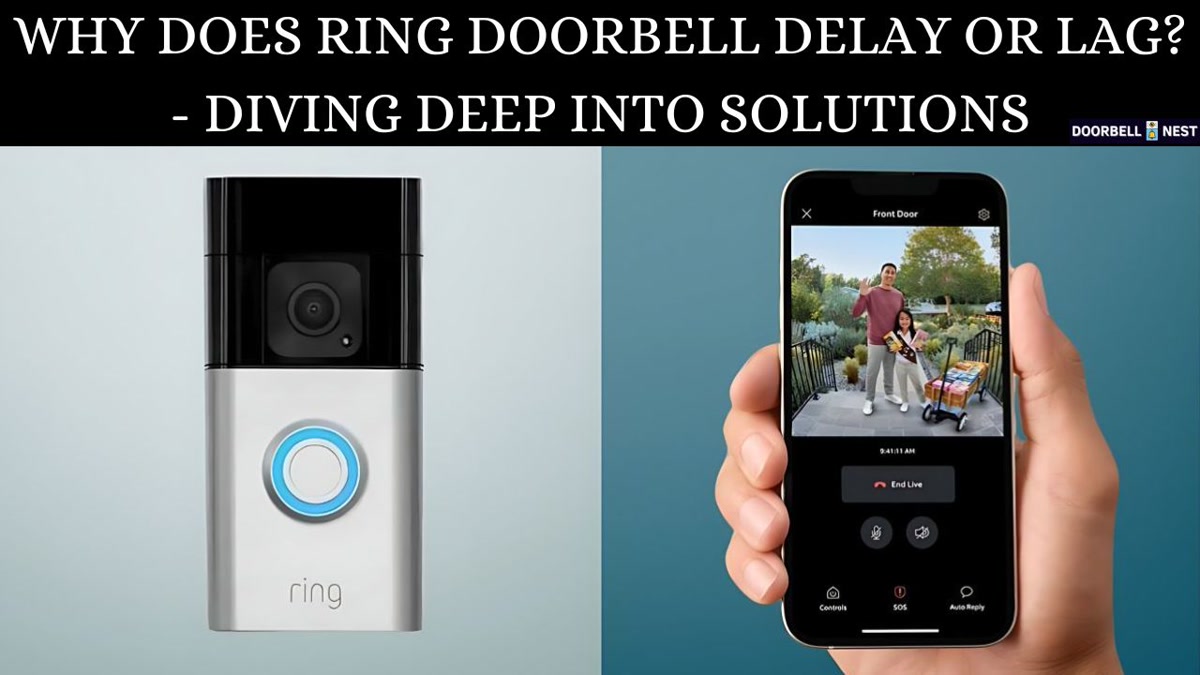
Cause 1: Weak Wi-Fi Signal at the Door
This is the number one cause of doorbell delay. Your router is inside the house, your doorbell is outside, and there’s a brick wall, stucco, or metal siding between them. Wi-Fi doesn’t go through solid materials well.
How to Check
Stand next to your doorbell and run a speed test on your phone using the same Wi-Fi network. If you’re getting less than 10 Mbps down or up, or if the signal shows as “fair” or “weak” in your doorbell app, that’s your problem.
How to Fix
- Move your router closer — Even a few feet can make a difference. Moving it from a back office to a living room can double the signal at the front door.
- Add a Wi-Fi extender or mesh node near the front door — Place a mesh node (likeEero,Deco, orNest Wi-Fi) in the room closest to the front door. This gives the doorbell a strong,
nearby signal.
- Switch to 2.4 GHz — 2.4 GHz has longer range than 5 GHz. Most doorbells only use 2.4 GHz, but if your doorbell supports 5 GHz, switch it to 2.4 GHz for better range even though 5 GHz is faster when close.
Cause 2: Cloud Processing Latency
Ring, Nest, and Wyze doorbells all send video to their cloud servers for processing before alerting you. The round trip — doorbell to cloud to your phone — takes 2 to 4 seconds on a good day. On a bad day (server congestion, slow cloud), it can take 6+ seconds.
How to Fix
- Use a doorbell with local processing — Some doorbells process motion and alerts locally instead of in the cloud. TheAqara G4 andReolink Video Doorbell both offer local processing options that cut latency significantly.
- Use Home Assistant with a local camera feed — If you can get an RTSP stream from your doorbell, Home Assistant can process motion detection locally and send notifications in under 2 seconds.
- Turn off pre-roll — Some doorbells (like Ring) capture a few seconds before the motion event and attach it to the notification. This adds 1 to 2 seconds of processing time. Disabling pre-roll makes alerts faster but removes the “what happened before” video.
Cause 3: Battery-Powered Doorbell Sleep Mode
Battery-powered doorbells go to sleep to save battery. When someone rings the bell, the camera has to wake up, connect to Wi-Fi, start streaming, and then process the event. This adds 2 to 5 seconds compared to wired doorbells that are always on.
How to Fix
- Switch to a wired doorbell — If you have existing doorbell wiring, use it. Wired doorbells (Ring Video Doorbell Wired,Nest Doorbell Wired) are always connected and respond faster.
- Reduce motion sensitivity — High sensitivity means the doorbell wakes up more often for false triggers (cars, shadows), which drains the battery and causes it to sleep deeper between real events. Lower sensitivity means fewer wake-ups and faster response when it matters.
- Keep the battery above 50 percent — Some doorbells enter a power-saving mode when the battery is low. This mode increases latency.
Cause 4: Network Congestion
If you have 20 smart devices, three streaming TVs, and someone downloading a game on Steam, your Wi-Fi is congested. The doorbell’s tiny data packet has to wait in line.
How to Fix
- Use a dedicated IoT network — Many modern routers support guest networks or VLANs. Put all your smart home devices on a separate network so they don’t compete with your streaming and gaming traffic.
- Enable QoS (Quality of Service) — If your router supports it, prioritize the doorbell’s traffic. This ensures the doorbell’s alert gets through even when the network is busy.
- Upgrade your router — If your router is more than 4 years old, a modern Wi-Fi 6 router handles many simultaneous devices much better than older Wi-Fi 5 routers.
Cause 5: Doorbell Hardware Limitations
Some doorbells are just slow. Budget models (under 30 dollars) often use cheaper processors that take longer to encode video and send notifications. No amount of network optimization fixes a slow chip.
Doorbells Ranked by Speed
- Fastest (1-2s): Ring Video Doorbell Wired, Nest Doorbell Wired, Aqara G4 (local processing)
- Acceptable (2-4s):Ring Video Doorbell 4 (battery),Wyze Video Doorbell v2
- Noticeably slow (4-6s): Budget Wi-Fi doorbells, older battery models
The Ultimate Fix: Home Assistant + Local Processing
If you want sub-2-second doorbell alerts, the path is clear: Home Assistant with a local camera stream. Here’s the setup:
- Get a doorbell that supports RTSP streaming (Reolink,Amcrest, or any ONVIF-compatible doorbell)
- Add it to Home Assistant as a camera entity
- Set up local motion detection using Home Assistant’s built-in person detection
- Create an automation that sends a push notification when motion is detected
This bypasses the cloud entirely. The camera detects motion, Home Assistant processes it locally, and your phone gets the notification in 1 to 2 seconds. No cloud round-trip. No server congestion. No 5-second waits.
Bottom Line
Doorbell delay is fixable in most cases. Start with the simplest causes: check your Wi-Fi signal at the doorbell, move your router or add a mesh node, and make sure you’re on 2.4 GHz. If that doesn’t help, consider whether your doorbell is battery-powered (slower by nature) or whether network congestion is the issue.
If you want the fastest possible alerts, switch to a wired doorbell with local processing. Pair it with Home Assistant for sub-2-second notifications that beat any cloud-dependent system. But even small optimizations — better Wi-Fi, pre-roll off, battery above 50 percent — can shave 2 to 3 seconds off your current delay without buying anything new.
n
🏠 Get Your Free Smart Home Setup Checklist
Join our newsletter and get this free printable plus weekly tips.