This article contains affiliate links. We may earn a commission from qualifying purchases.
Some content on this site is AI-assisted and reviewed by our editorial team.
A ceiling fan runs in every room of my house, and until last fall I had never switched the direction on any of them. The summer setting pushes air down, creating a breeze that evaporates sweat. The winter setting reverses the motor and pulls air up, pushing warm air trapped at the ceiling back down the walls and into the living space. That is free heat that was already paid for — and almost nobody uses it. The bigger question is how to automate a dumb ceiling fan without paying an electrician, because the answer is cheaper than you think.
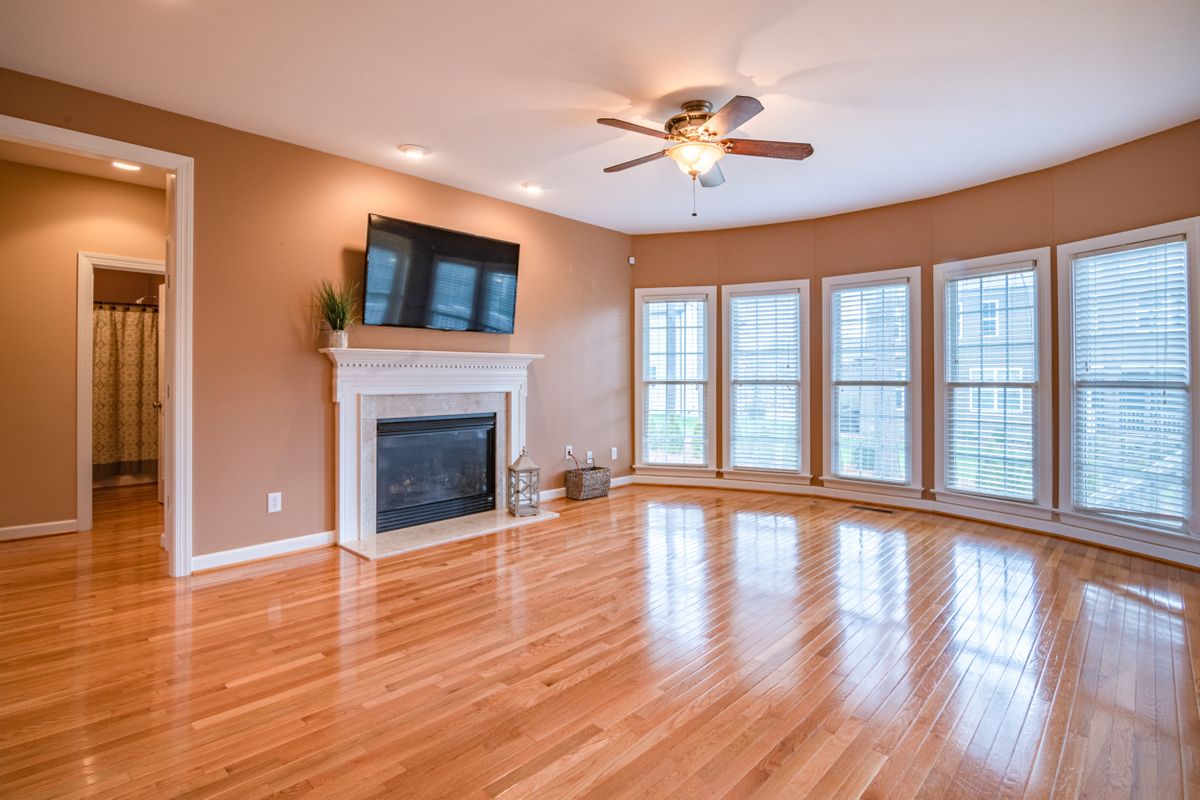
Here are four ways to make your ceiling fans run themselves this winter — from a $30 hack to a $99 hub that learns your existing remote.
Bond Bridge Smart Fan Hub — The Retrofit King
About $99 for a hub that learns your existing RF remote and puts fan speed and light on Wi-Fi with zero wiring work. This is the solution for fans that came with a remote control — the Bond Bridge sits in the room, learns the radio frequency your remote uses, and lets you control the fan from your phone, Alexa, or Google Home. No ladder, no electrician, no switchbox work. You teach it the remote in five minutes and the physical remote still works alongside it.
The tradeoff is scale: it is one room per hub. A whole house of remote-control fans means a Bond Bridge in every room, and at $99 each, that adds up. The hub also relies on line-of-sight to the fan in some installations, so a fan in a recessed alcove may need the hub positioned carefully.
My take: The best option if your fans already have remotes and you do not want to touch wiring. Buy one for the bedroom first — that is where automation matters most.
Lutron Caseta Diva Smart Fan Speed Control — The Wired Premium Route
About $60 to $70 plus a Caseta hub for a wall control with true speed presets and winter-reverse scheduling. This replaces the wall switch that controls your fan, giving you a physical paddle dimmer plus full smart-home integration. The Caseta ecosystem is the gold standard for smart lighting — reliable, responsive, and compatible with Alexa, Google, and HomeKit. The fan speed control handles three distinct speeds and integrates with schedules, so you can set the fan to run clockwise (winter mode) on a timer.
The honest catch: installing it means real switchbox work. You are replacing a wall switch, which means turning off the breaker, wiring the new control, and capping the old wires. Renters cannot do this. Even homeowners who are not comfortable with basic wiring will need an electrician, which adds $100 to $200 to the project. The Caseta hub is also an additional $80 to $100 if you do not already have one.
My take: The best permanent solution for homeowners who own their switchboxes and want a wall control that actually feels like a dimmer. The scheduling and ecosystem integration are unmatched, but factor in the install cost.
Leviton Decora Smart Fan Controller — The No-Hub Wired Pick
About $45 to $55 for Wi-Fi fan speed control that skips the Lutron hub entirely. This is the pick for homeowners who want smart fan control without buying into a proprietary hub ecosystem. The Leviton connects directly to your Wi-Fi, works with Alexa and Google, and offers three speed presets plus an off mode. The app handles scheduling, so you can set the fan to run on low clockwise for two hours before bedtime to push warm air down.
The tradeoff: deep-dimming LEDs on cheap fans will buzz at low speeds. If your fan has an integrated LED light kit, running the fan on low can produce an audible hum from the light fixture. This is a fan-motor issue, not a controller issue, but it is annoying enough that some users end up running the fan on medium or high only.
My take: The best no-hub wired option for homeowners who want to avoid the Lutron ecosystem. Reliable, cheaper than Caseta, and the app is genuinely good. Just test for LED buzz before you commit to low-speed operation.
Kasa Smart Plug Mini 4-Pack — The 30 Dollar Hack
Kasa Smart Plug Mini 4-Pack — about $30 for four UL-certified plugs that switch any pull-chain fan left on its last speed onto Alexa schedules and away-mode routines. Here is the trick: set the fan to the speed you want with the pull chain, plug it into the smart plug, and now the plug handles on/off scheduling. The fan starts on the speed it was left at. Is it elegant? No. Does it work? Yes, and for $30 covering four fans, it is the cheapest automation in the smart-home world.
The limitation is real: the plug kills speed control. You get on or off at the last speed the pull chain was set to. If you want low during the day and high at night, you have to pull the chain manually. But for winter-reverse mode, where you set the fan to low clockwise and leave it there for the season, the smart plug handles the schedule and you never touch the chain again.
My take: The cheapest automation that exists. Set the fan to low clockwise, plug it in, and let the schedule handle the rest. Four fans for $30 — no other option comes close.
Free shipping on smart home gear before winter. Start a 30-day Prime free trial and have your fan automation set up before the first cold snap.
What Actually Saves Money (And What Doesn’t)
The winter-reverse setting is free heat: Running your ceiling fan clockwise at low speed pushes warm air down from the ceiling without creating a breeze. The Department of Energy estimates this can save 5 to 10 percent on heating costs — not because it generates heat, but because it recirculates heat you already paid for. Set the fan to low clockwise, leave it on while the room is occupied, and turn it off when you leave. The smart plug makes that schedule automatic.
The smart plug hack is cheaper than a hub: Four Kasa plugs for $30 automate four fans. A Bond Bridge is $99 for one fan. If you only need on/off scheduling and your fan is already set to the speed you want, the plug does 90 percent of the job for 30 percent of the cost.
The Bond Bridge wins for remote-control fans: If your fan came with a remote, the smart plug cannot help — the fan needs the remote to turn on. The Bond Bridge is the only retrofit that works without wiring, and for fans with no wall switch, it is the only option short of an electrician.
Lutron is the upgrade, not the starting point: The Caseta system is excellent, but it requires wiring work and a hub. Start with the smart plug or Bond Bridge. Upgrade to Caseta only if you want true speed control from the wall and you are already doing switch work in that room.
What doesn’t save money: Running a fan on high in winter. High speed creates a breeze, which makes you feel cooler, not warmer. Low speed is the winter setting — enough to move air without creating a draft. If you can feel the air moving, the fan is too fast for winter mode.
Savings Math: The Annual Impact
- Smart plug automation ($30): 5-10 percent heating savings on one room, roughly $20 to $50 per winter depending on climate. Pays for itself in year one.
- Bond Bridge ($99): Same savings, plus the convenience of not walking to the pull chain. Pays for itself in year two.
- Lutron Caseta ($130-$170 with hub): Same savings, plus full home-automation integration. Pays for itself in year three if you use it for lighting too.
- The free version: Walk to the fan, pull the chain to reverse, set to low. Zero dollars, same 5-10 percent savings. Automation just means you do not have to remember.
The winter-reverse trick is free. The automation costs between $30 and $170, depending on how much wiring you want to do. The savings are the same either way — the difference is whether you have to remember to pull the chain.
Keep reading: How to know what your space heater costs · Alexa or Google in 2026
CleverHomeClub is reader-supported. As an Amazon Associate, I earn from qualifying purchases. That means if you buy through one of the links above, I get a small commission at no extra cost to you. I only recommend devices I’d run in my own home.
🏠 Get Your Free Smart Home Setup Checklist
Join our newsletter and get this free printable plus weekly tips.
Liked this guide? Get the next one in your inbox — the smart home starter checklist is free too.
✓ You're in — check your inbox.
No spam. Unsubscribe anytime. We never share your email.