
This article contains affiliate links. We may earn a commission from qualifying purchases.
Some content on this site is AI-assisted and reviewed by our editorial team.
Sump pump failure is one of the most expensive things that can happen to a homeowner. The average cost of basement water damage is 10,000 to 25,000 dollars. And most sump pump failures happen silently — the pump just stops working, and you don’t find out until you step into six inches of water.

A smart sump pump monitoring setup costs about 30 dollars and takes 20 minutes to install. It watches your pump, alerts you when something is wrong, and gives you time to act before water ruins your basement. Here’s how to build one.
Why Sump Pumps Fail
Sump pumps fail for three main reasons, and a smart monitor catches all of them:
- Power outage — The pump needs electricity. No power means no pumping. This is the most common failure during storms, which is exactly when you need the pump most.
- Float switch stuck — The mechanical float that triggers the pump can get stuck on debris, corrosion, or the side of the pit. The pump never turns on.
- Pump motor burned out — Pumps last 7 to 10 years. When they die, they usually don’t give warning.
The 30-Dollar Monitoring Setup
You need three things: a water sensor, a way to detect pump activity, and a notification system. Here’s the simplest version.
Step 1: Place a Water Leak Sensor in the Sump Pit
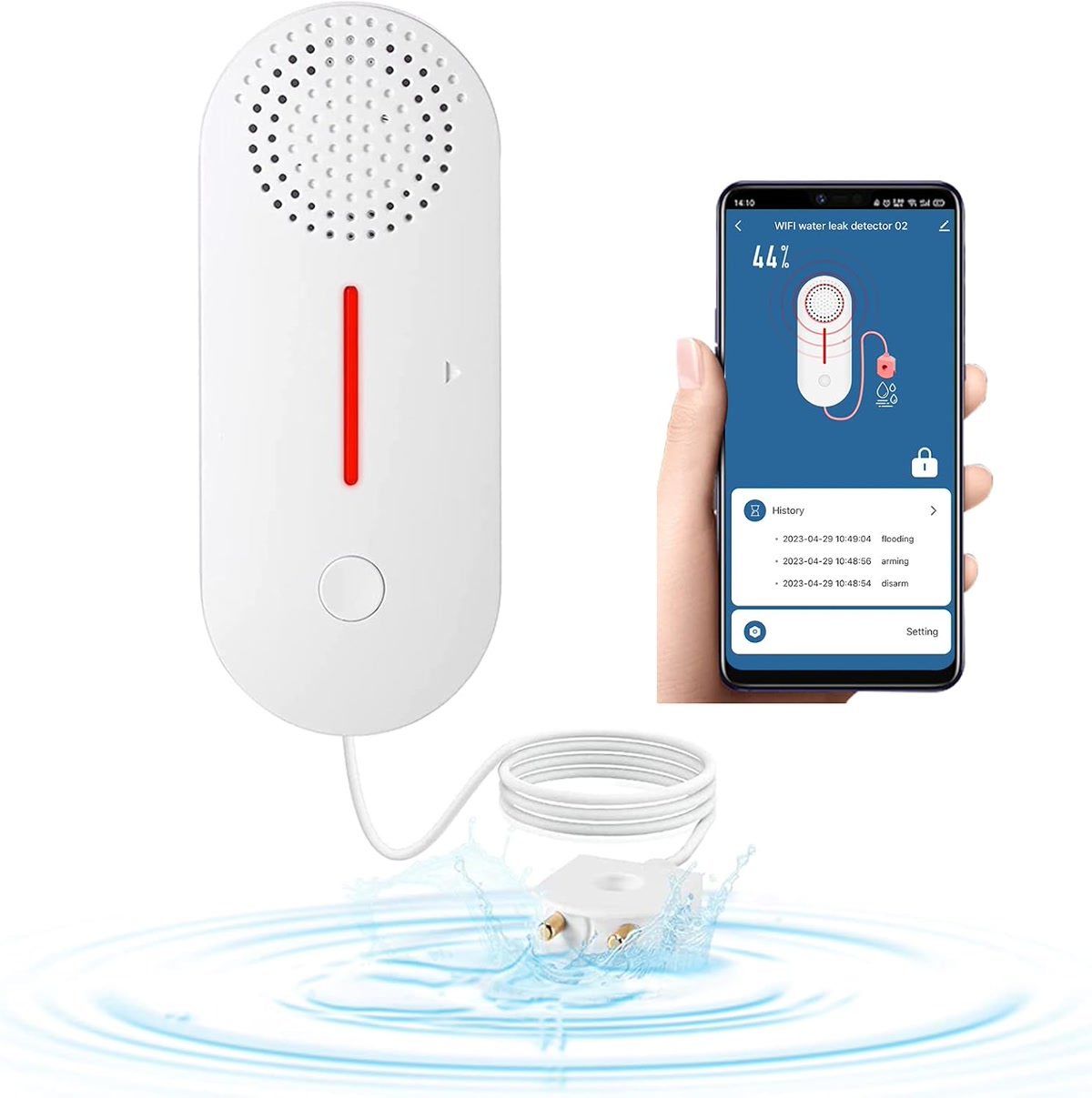
Put a smart water leak detector at the “danger level” in your sump pit — about 6 inches above where the pump normally turns on. If water reaches this sensor, it means the pump isn’t keeping up (or isn’t running at all), and you need to act fast.
Best sensors for this job:
- Govee Water Leak Detector — About 15 dollars. Wi-Fi, sends phone alerts, 100dB alarm. Cheap and reliable.
- Aqara Water Leak Sensor — About 20 dollars. Zigbee, so it needs a hub. Longer battery life (2 years vs 1 year for Govee). Better if you already have a Zigbee setup.
- YoLink Water Leak Sensor — About 25 dollars. Long-range LoRa wireless. Best for sump pits that are far from your router (basement corners, crawl spaces).
Step 2: Add a Power Monitor Smart Plug
Plug your sump pump into a smart plug that monitors energy usage. When the pump is running, it draws 400 to 800 watts. When it’s idle, it draws zero. By monitoring when the pump turns on and off, you can tell if it’s cycling normally or if something is wrong.
- TP-Link Kasa Energy Monitor Plug — About 20 dollars. Wi-Fi, tracks real-time and historical energy use. You can see exactly when your pump runs and for how long.
- Aqara Smart Plug — About 30 dollars. Zigbee with energy monitoring. Good if you’re in the Aqara ecosystem.
What to watch for:
- Pump running constantly — Water is coming in faster than the pump can handle. Risk of overflow.
- Pump hasn’t run in 24 hours during rain — Float switch might be stuck.
- Pump runs but draws no power — Motor is dead or the
impeller is jammed.
Step 3: Set Up Alerts
The water sensor handles emergency alerts (water at danger level). The smart plug handles diagnostic alerts (pump behavior changes). Together, they give you early warning and emergency warning.
Beyond the Basics: Upgrades That Matter
Battery Backup Sump Pump
A battery backup pump runs when the power is out. It uses a deep-cycle marine battery and kicks in automatically if the primary pump fails. Costs 150 to 300 dollars but can save your basement during a storm-related outage (exactly when primary pumps fail most).
- Wayne WSS30V — Solid backup pump with a 40-amp battery. Monitors itself and beeps when the battery is low.
- Zoeller Aquanot — Premium option. More expensive but much more reliable long-term.
For battery backup, add a second water sensor below the backup pump’s trigger level. If water reaches this sensor, both pumps have failed and you need to manually intervene immediately.
Smart Float Switch
Replace your mechanical float switch with a smart dual-float switch. These have two independent float triggers — if one fails, the other takes over. Some models (like theRJE Diversified Dual Float) also have an alarm output you can wire to a smart relay for notifications.
Home Assistant Integration
If you run Home Assistant, you can build advanced monitoring:
- Pump cycle counter — Track how many times per hour the pump runs. Increasing cycle frequency means rising water table.
- Power outage + water alert combo — If power is out AND water reaches the sensor, send an urgent alert to call a neighbor or plumber.
- Seasonal baseline — Compare current pump activity to historical averages. Unusual patterns mean something is changing.
Real-World Scenarios
Scenario 1: Storm Knocks Out Power
Your primary pump stops. If you have a battery backup, it takes over. If not, water rises. The water sensor at the danger level sends an alert to your phone. You have 15 to 30 minutes to get home or send someone with a portable generator before water overflows.
Scenario 2: Float Switch Gets Stuck
Water rises past the normal trigger level. The pump doesn’t turn on. The water sensor detects the rising water and alerts you. You get home, tap the float switch with a broom handle, and the pump kicks on. Problem solved in 10 minutes instead of discovering a flooded basement the next morning.
Scenario 3: Pump Motor Dies
The smart plug shows the pump ran at 9 PM but hasn’t run since. It’s raining. You check the app and see the pump should have cycled by now. You check the pit and find the motor humming but not pumping. You replace the pump before water overflows. A new pump costs 150 dollars. A flooded basement costs 10,000.
Installation Tips
- Sensor placement — Put the water sensor on a small shelf or bracket inside the pit, not sitting on the bottom (that’s where debris collects). The danger level should be above where the pump normally cycles.
- Smart plug rating — Make sure the smart plug can handle the pump’s startup surge. Most sump pumps draw 400 to 800 watts running but can spike to 2,000+ watts on startup. Use a plug rated for at least 15 amps.
- Don’t put the smart plug inside the pit — Water and electricity don’t mix. Keep the smart plug on a dry outlet near (but not in) the pit.
- Test the whole system — Once a month, lift the float manually and confirm the pump runs, the smart plug registers power, and your alerts fire.
Bottom Line
Sump pump monitoring is the highest-ROI smart home setup that nobody talks about. For 30 dollars and 20 minutes, you can get alerts that prevent 10,000+ dollars in damage. Add a battery backup pump for 200 dollars more, and your basement is protected against the two most common failure modes: power outages and stuck float switches.
Don’t wait for the next storm. Set this up now — your future self will thank you when the power goes out at 2 AM during a thunderstorm and your phone buzzes with an alert instead of you waking up to ankle-deep water.
n
🏠 Get Your Free Smart Home Setup Checklist
Join our newsletter and get this free printable plus weekly tips.