How many times have you driven away from your house and thought, “Did I close the garage door?” You can’t check. You can’t fix it. You just worry for the next 8 hours. Or you don’t worry, come home, and find the garage has been wide open all day.
A smart garage door controller costs 30 to 80 dollars and solves this permanently. You can check the status from your phone, close it remotely, and set automations that close it automatically when you forget.
How Smart Garage Controllers Work
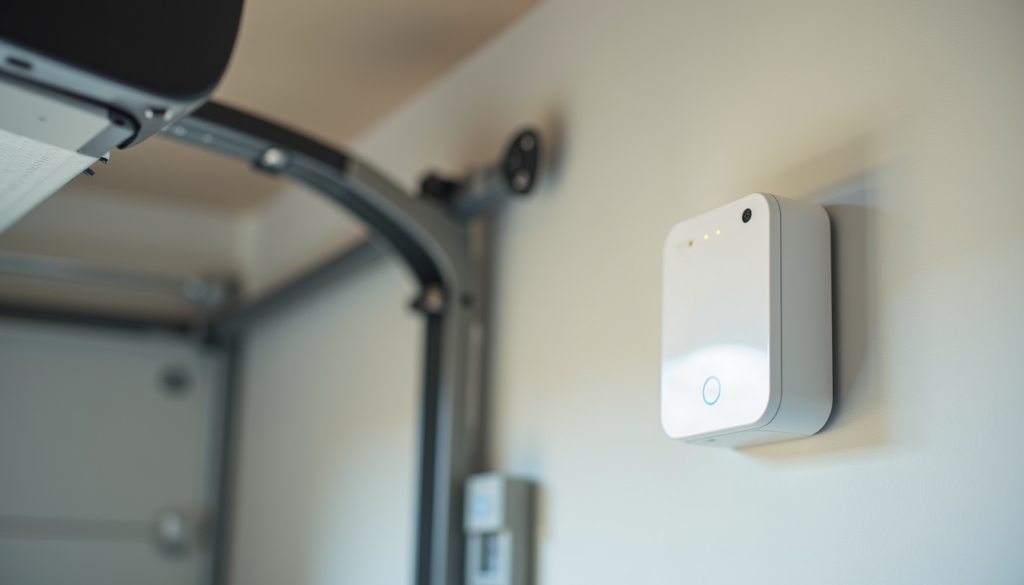
Smart garage controllers attach to your existing garage door opener. They simulate the button press that opens and closes the door. A sensor (usually a tilt sensor or contact sensor) tells the controller whether the door is open or closed. The controller connects to Wi-Fi so you can monitor and control it from your phone.
Two Types
Add-on controllers — Devices like Chamberlain MyQ, Tailwind, and NEXX that wire into your existing opener. Cost: 30 to 80 dollars.
Replacement openers — Full garage door openers with built-in smart features. Cost: 200 to 400 dollars. Only worth it if your current opener needs replacing anyway.
About 30 dollars. The most popular option. Works with most garage door openers made after 1993 (when safety sensors became required). Easy 15-minute installation. The app tells you if the door is open or closed and lets you close it remotely.
Downside: Chamberlain recently restricted third-party integrations. MyQ no longer works with IFTTT, SmartThings, or Home Assistant without workarounds. It works with Amazon Key (for in-garage delivery) and Google Assistant. Alexa support was also removed. This is a significant limitation if you want to build automations.
About 80 dollars. The best option for smart home integrators. Works with Alexa, Google Home, Home Assistant, SmartThings, and IFTTT. The sensor is more reliable than MyQ’s (uses a physical door sensor vs. MyQ’s magnetic sensor). Installation takes about 20 minutes. If you want your garage door in your smart home automations, this is the one.
NEXX Garage Smart Controll
er
About 50 dollars. Wi-Fi garage controller with Alexa, Google Home, and IFTTT integration. Mid-range between MyQ’s price and Tailwind’s features. Good option if you want basic smart home integration without paying 80 dollars.
Automations That Matter
Auto-Close at Night
If the garage door is still open at 10 PM, close it. This is the single most useful garage automation. Set it once and you’ll never wake up to an open garage again.
Leave-Home Check
When you leave home (phone disconnects from Wi-Fi or a door sensor triggers “away”), check if the garage is open. If it is, send a notification: “Garage door is still open. Close it?” One tap closes it.
Geofencing
When you arrive home (phone enters geofence), open the garage door automatically. This is a convenience feature that some people love and others find creepy. Test it before committing — you don’t want the garage opening when you drive past your house.
Security Lockout
When you enable “night mode” or “vacation mode,” disable the garage door’s remote control. This prevents someone with a code scanner from opening your garage while you’re away. Most smart controllers support this through the app.
Security Considerations
Code scanning is real — Older garage door openers use fixed-code remotes that can be cloned with a 20 dollar device. If your opener was made before 2012, upgrade to a rolling-code model. Smart controllers use encrypted signals.
Emergency release — Every garage door has an emergency release cord that disengages the opener from the door. A thief can fish this cord through the top of the garage door with a coat hanger. Install a zip tie or shield on the release cord to prevent this.
Don’t rely on the garage as your only entry — If a smart controller fails (Wi-Fi down, power out, app crashes), you need another way in. Keep a house key somewhere accessible that isn’t inside the garage.
Installation Tips
Mount the controller near the opener — Most controllers wire into the same terminals as your wall button. The controller sits near the opener motor, not on the wall.
Position the door sensor correctly — Tilt sensors need to be mounted on the top panel of the garage door. When the door is closed, the sensor should be vertical. When open, it should be horizontal. This is how it detects open vs. closed.
Test the safety sensors — Your garage opener has safety sensors at the bottom of the door track. Make sure they’re aligned before installing a smart controller. If the safety sensors are misaligned, the door won’t close remotely (by design — it’s a safety feature).
Check Wi-Fi signal — Garages are often dead zones for Wi-Fi. If your phone shows 1 bar in the garage, add a mesh node or Wi-Fi extender near the garage before installing the controller.
Bottom Line
A smart garage door controller is one of those “set it up once, benefit every day” upgrades. The auto-close-at-night automation alone justifies the 30 to 80 dollar cost. Being able to check and close your garage from your phone when you’re at work or on vacation is genuine peace of mind.
Go with Tailwind iQ3 if you want full smart home integration (it works with everything). Go with MyQ if you just want the basics at the lowest price. And whatever you choose, set up the auto-close-at-night automation immediately — it’s the one you’ll use more than any other.